
1.製品オーバーview
The ARPHA D180W is an advanced keyless entry smart deadbolt lock designed to enhance residential and commercial security. It features integrated WiFi for remote control and seamless integration with smart home ecosystems.
- 統合WiFi: Enables keyless entry control via smartphone app from any location.
- スマートホーム互換性: Seamlessly integrates with Amazon Alexa and Google Assistant for voice-activated control.
- 強化されたセキュリティ: Features an anti-peep keypad, single-use temporary passcodes, customizable auto-locking timers, and real-time access logs.
- 耐久性のある構造: ANSI Grade 3 Certified, constructed with military-grade alloy, and IP54-rated weather resistance for reliable operation in extreme temperatures (-4°F to 140°F).
- バッテリー寿命の延長: Operates on 8 AA batteries (not included) providing 9+ months of functionality with low-battery alerts.

Figure 1.1: ARPHA D180W Smart Door Lock, showcasing the exterior keypad, interior unit, and mobile app interface.
2. セットアップとインストール
The ARPHA D180W smart lock is designed for quick and straightforward installation, typically completed within 15 minutes without the need for electrical wiring or specialized technical expertise.
2.1 インストール前のチェック
- Ensure your door specifications are compatible using the provided gauge card.
- Verify the compatible deadbolt tongue length (2-3/8" or 2-3/4").
- Confirm you have 8 AA batteries ready for installation (not included).
2.2 インストール手順
- Measure door specifications using the provided gauge card.
- Select and install the compatible deadbolt tongue length.
- Complete tool-free mounting with pre-drilled alignment.
- Install the 8 AA batteries into the interior unit.
- Follow the in-app instructions for initial setup and calibration.

Figure 2.1: Easy Installation Guide, illustrating dimensions and components for setup.
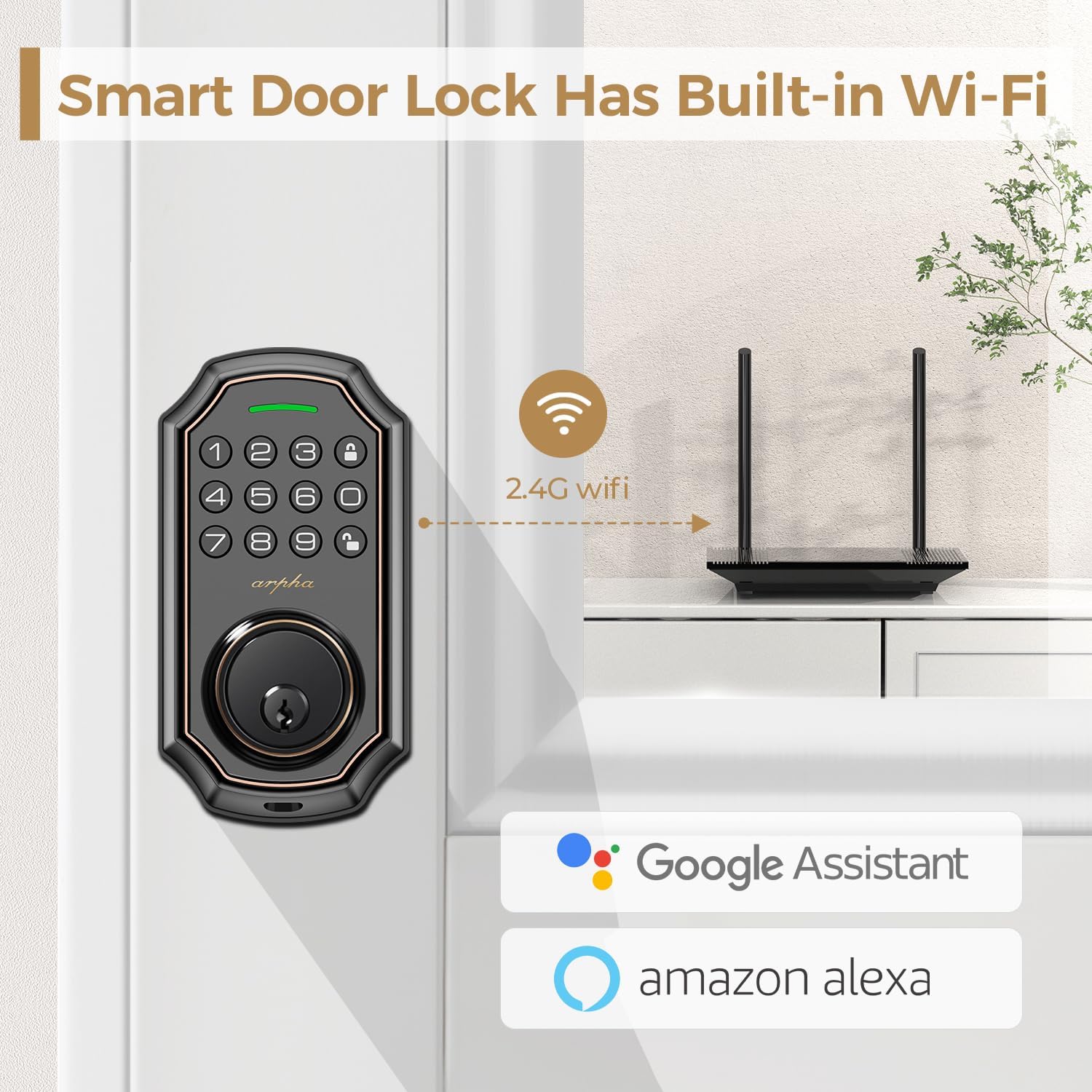
Figure 2.2: Built-in Wi-Fi Connectivity, showing the lock's direct connection capability.
3. 操作手順
The ARPHA D180W offers multiple convenient ways to access your home.
3.1 複数のアクセス方法
- キーパッド入力: Enter your personalized passcode on the illuminated keypad.
- ワンタイムコード: Generate temporary, single-use passcodes for guests or service personnel via the mobile app.
- 物理キー: Use the traditional backup keys provided for manual unlocking.
- モバイルアプリコントロール: Lock or unlock your door remotely using the dedicated smartphone application.
- 音声コントロール: Amazon Alexa または Google Assistant と統合して、ハンズフリーでロックとロック解除を行えます。
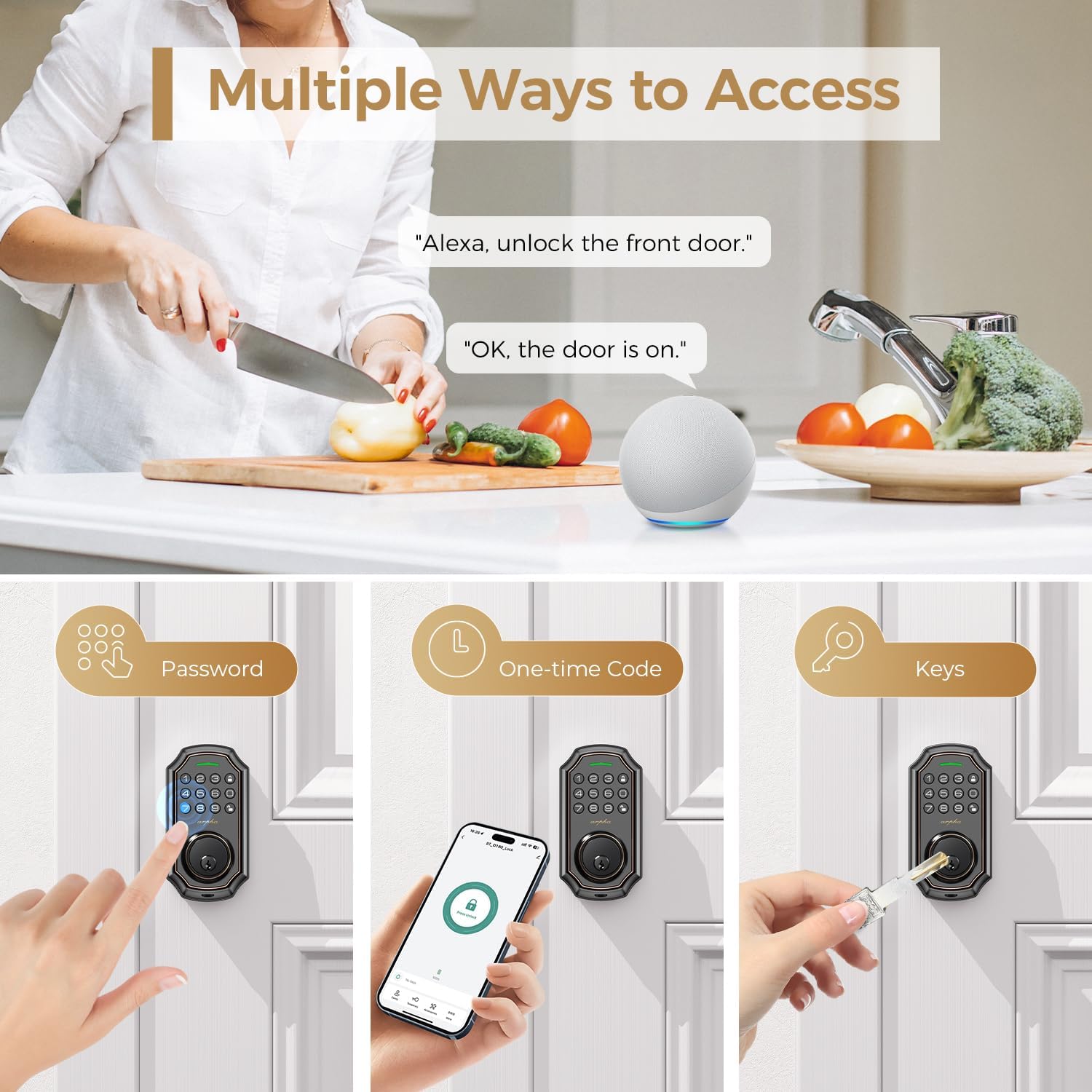
Figure 3.1: Multiple Access Methods, including voice, keypad, one-time codes, and physical keys.
3.2 覗き見防止パスワード
To prevent others from guessing your passcode, you can enter random digits before or after your actual password. The lock will only recognize the correct sequence within the longer string of numbers.

Figure 3.2: Anti-Peeping Password, demonstrating how to use random digits for enhanced security.
3.3 One-Time Code Generation
The mobile app allows you to generate temporary, single-use codes. These codes are ideal for granting access to visitors, delivery personnel, or maintenance services for a limited duration.

Figure 3.3: One-Time Code Usage, showing a delivery person using a temporary code.
3.4 自動ロックとワンタッチロック
- オートロック: Configure the lock to automatically engage after a set period (e.g., 10 seconds to 3 minutes) once the door is closed.
- ワンタッチロック: Simply press and hold the lock button on the keypad to instantly secure the deadbolt.

Figure 3.4: Auto-Lock and One-Touch Lock, illustrating the convenience of automatic locking.
4. メンテナンス
4.1 電池の交換
The ARPHA D180W operates on 8 AA batteries. The system proactively issues low-battery alerts through the app and keypad display when replacement is needed. This ensures uninterrupted operation and prevents unexpected lock failures.

Figure 4.1: Low Battery Warning, indicating the need for battery replacement.
4.2 耐候性
The smart lock is IP54-rated for weather resistance, ensuring reliable performance across a wide range of environmental conditions, from -4°F to 140°F. This robust design protects against blizzards, monsoons, and extreme heat.

Figure 4.2: All-Weather Operation, demonstrating the lock's resilience in various climates.
5。 トラブルシューティング
This section provides solutions to common issues you might encounter with your ARPHA D180W smart lock.
| 問題 | 考えられる原因 | 解決 |
|---|---|---|
| Lock is unresponsive or not powering on. | 電池残量が少ない、または切れている。電池の取り付けが正しくない。 | Replace all 8 AA batteries. Ensure batteries are inserted with correct polarity. |
| Keypad does not light up or accept input. | Low battery. Keypad malfunction. | 電池を交換してください。問題が解決しない場合は、カスタマーサポートにお問い合わせください。 |
| Wi-Fiまたはアプリに接続できません。 | Weak Wi-Fi signal. Incorrect Wi-Fi password. Router issues. | Ensure lock is within Wi-Fi range. Verify Wi-Fi password. Restart router. Re-pair lock with app. |
| 自動ロック機能が動作しません。 | Auto-lock disabled in settings. Door sensor misalignment. | Check app settings to ensure auto-lock is enabled and configured correctly. Verify door sensor alignment. |
| 音声コントロール(Alexa/Googleアシスタント)が応答しません。 | Incorrect setup in smart home app. Device offline. | Ensure proper linking in Alexa/Google Home app. Check lock's Wi-Fi connection. |
ここに記載されていない問題が発生した場合、またはさらにサポートが必要な場合は、保証とサポートのセクションで連絡先情報を参照してください。
6. 技術仕様
| 特徴 | 詳細 |
|---|---|
| ブランド | ARPHA |
| モデル名 | 型番 |
| ロックタイプ | デッドボルト、キーパッド |
| 材料 | 金属 |
| 色 | Brown trim |
| 仕上げタイプ | ブラシ仕上げ |
| 商品の寸法 (長さ x 幅 x 高さ) | 1 x 1 x 1インチ |
| アイテム重量 | 2.16ポンド |
| 接続プロトコル | Wi-Fi |
| コントローラータイプ | Amazon Alexa、Google アシスタント |
| 制御方法 | アプリ、音声 |
| 特集 | Anti-Peeping Password, Auto-Lock, One-Touch Lock, Passcode Unlock, Weather Resistant |
| 電源 | 単三電池8本(別売) |
| 含まれるコンポーネント | Arpha Smart Lock x 1, Backup key x 2, Door latch x 1, Indoor controller x 1, User manual x 1 |
7. 保証とサポート
ARPHA is committed to providing exceptional support and assurance for your smart lock.
- 返金保証: ご購入日から 30 日間の返金期間をご利用いただけます。
- Product Assurance: The product comes with an 18-month assurance period.
- テクニカルサポート: Lifetime technical support is available for all ARPHA smart locks.
- 顧客サービス: Our dedicated support team is available 24/7 via email service to assist you with any inquiries or issues.
Please do not hesitate to contact us if you need assistance. Refer to the product packaging or the ARPHA official web具体的な連絡先の詳細については、サイトをご覧ください。

Figure 7.1: ARPHA Customer Support, highlighting commitment to service.