
1. はじめに
This manual provides detailed instructions for the XBG B15pro Wireless Bluetooth Mouse. This device offers versatile connectivity options, an ergonomic design, and an intuitive LED display for enhanced user experience.
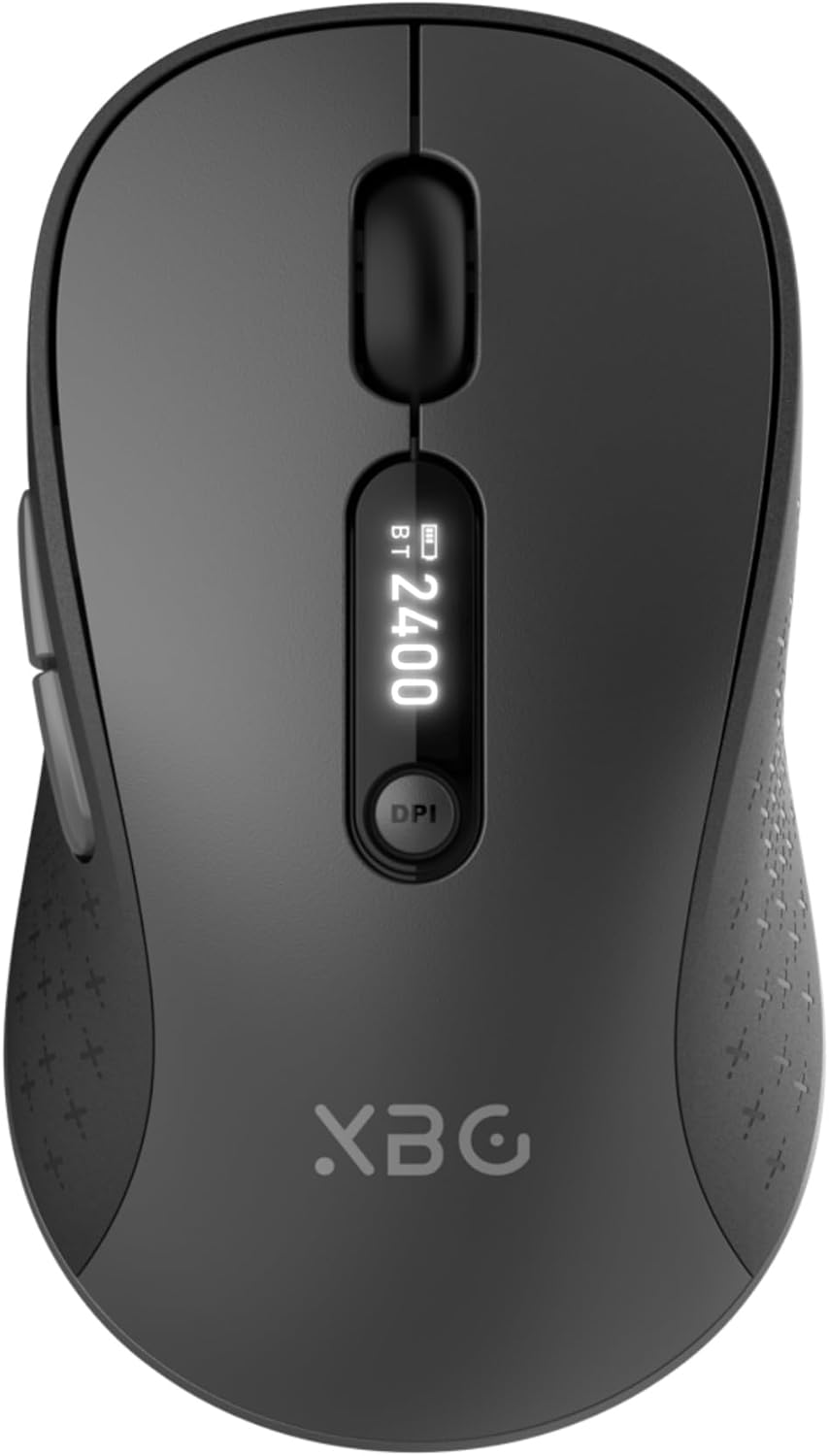
Image 1.1: The XBG B15pro Wireless Bluetooth Mouse, showcasin洗練されたデザインと LED ディスプレイが特徴です。
パッケージ内容:
- 1 x XBG B15pro Wireless Bluetooth Mouse
- 1 x USB充電ケーブル(Type-C)
- USBレシーバー(2.4G)×1
- ユーザーマニュアル x 1
2 製品の特徴
- トライモード接続: Supports Bluetooth 5.0, Bluetooth 4.0, and 2.4GHz wireless connections, allowing seamless switching between up to three devices.
- LEDスクリーンディスプレイ: バッテリー残量に関するリアルタイム情報を提供しますtage, DPI level, and current connection mode.
- 調整可能なDPI: Five adjustable DPI levels (800/1000/1200/1600/2400) for precise cursor control.
- 充電式バッテリー: Built-in 500 mAh lithium polymer battery, rechargeable via Type-C port.
- サイレントクリックボタン: Main left and right buttons feature silent click technology, reducing noise in quiet environments.
- 人間工学に基づいたデザイン: Contoured shape with a thumb rest and arched palm support for comfortable use during extended periods.
- マルチサーフェス互換性: Operates effectively on various surfaces including resin, wood, fabric, paper, and metal.

Image 2.1: The XBG B15pro mouse designed for multi-device use, highlighting its wireless capabilities.
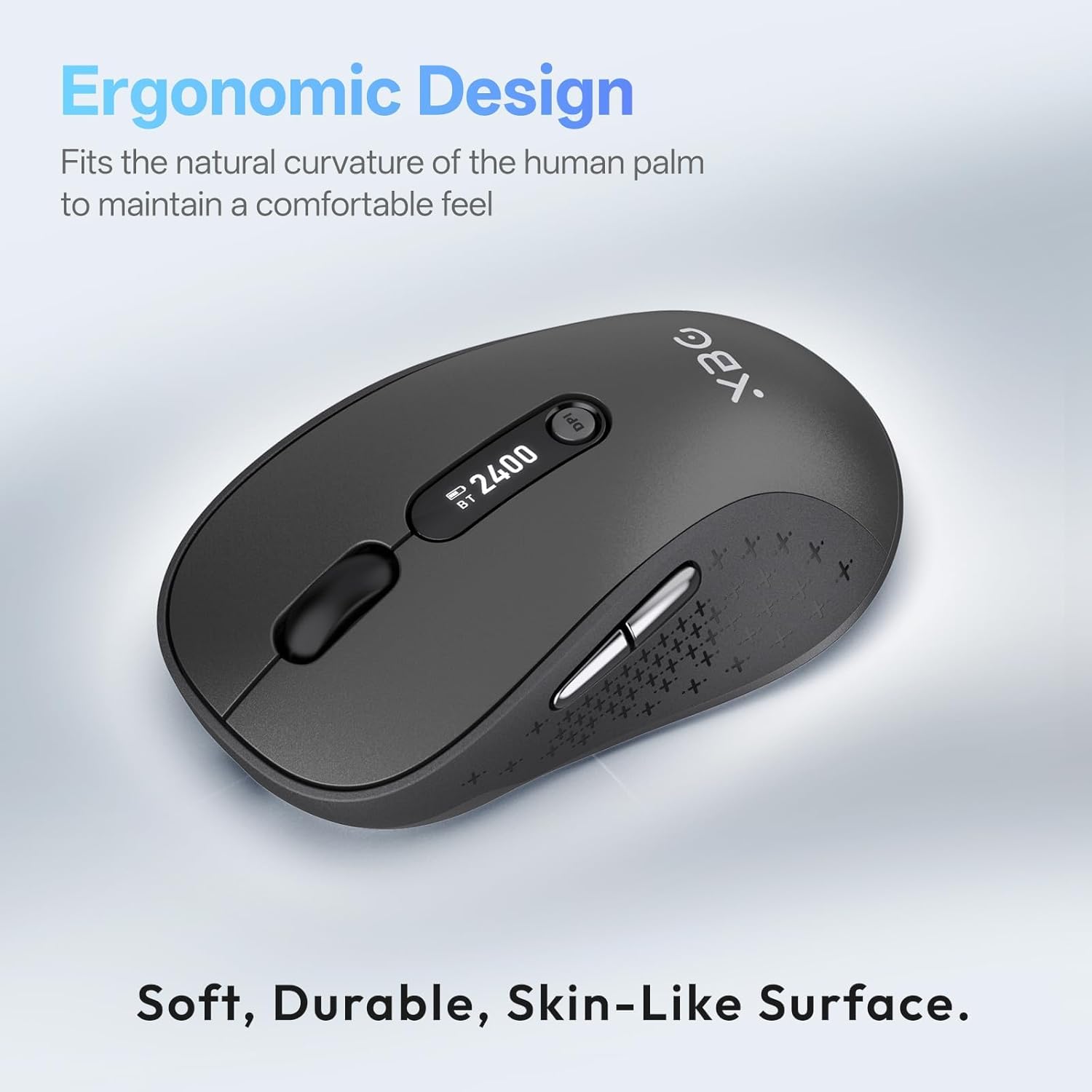
Image 2.2: The ergonomic contour of the XBG B15pro mouse, designed for comfortable hand fit.
3. セットアップ
3.1 マウスの充電
Before first use, or when the battery indicator on the LED screen shows low power, charge the mouse using the provided Type-C USB cable. Connect the cable to the mouse's Type-C port and a USB power source (e.g., computer USB port, USB wall adapter).

Image 3.1: The XBG B15pro mouse connected for charging via its Type-C port.
3.2 マウスの接続
The XBG B15pro mouse supports three connection modes: 2.4GHz wireless (via USB receiver) and two Bluetooth channels (BT1, BT2). The mode switch is located on the bottom of the mouse.

Image 3.2: The underside of the XBG B15pro mouse, showing the ON/OFF switch, mode switch button, and USB receiver storage.
2.4GHzワイヤレス接続:
- マウスの下部のコンパートメントに保管されている USB レシーバーを見つけます。
- USBレシーバーをコンピューターの使用可能なUSBポートに接続します。
- 底面のオン/オフスイッチを使用してマウスの電源をオンにします。
- Press the Mode Switch button on the bottom until the LED indicator shows a 赤信号, indicating 2.4G mode. The mouse should connect automatically.
Bluetooth接続(BT1 / BT2):
- 底面のオン/オフスイッチを使用してマウスの電源をオンにします。
- Press the Mode Switch button on the bottom to select either BT1 (ブルーライト) or BT2 (グリーンライト).
- Press and hold the Mode Switch button for 3-5 seconds until the corresponding Bluetooth indicator light (blue or green) starts flashing rapidly. This indicates pairing mode.
- On your device (laptop, tablet, PC), go to Bluetooth settings and search for new devices.
- Select "XBG B15pro" from the list of available devices to pair.
- ペアリングされると、インジケーターライトの点滅が止まり、点灯したままになります。

Image 3.3: Illustration of the XBG B15pro mouse connecting to multiple devices via 2.4G and Bluetooth modes.
4. 操作手順
4.1 LED 画面表示
The integrated LED screen provides essential information at a glance:
- バッテリーパーセンtage: 現在のバッテリーレベルを表示します。
- DPIレベル: Displays the active DPI setting (800/1000/1200/1600/2400).
- 接続モード: アクティブな接続 (2.4G、BT1、または BT2) を示します。
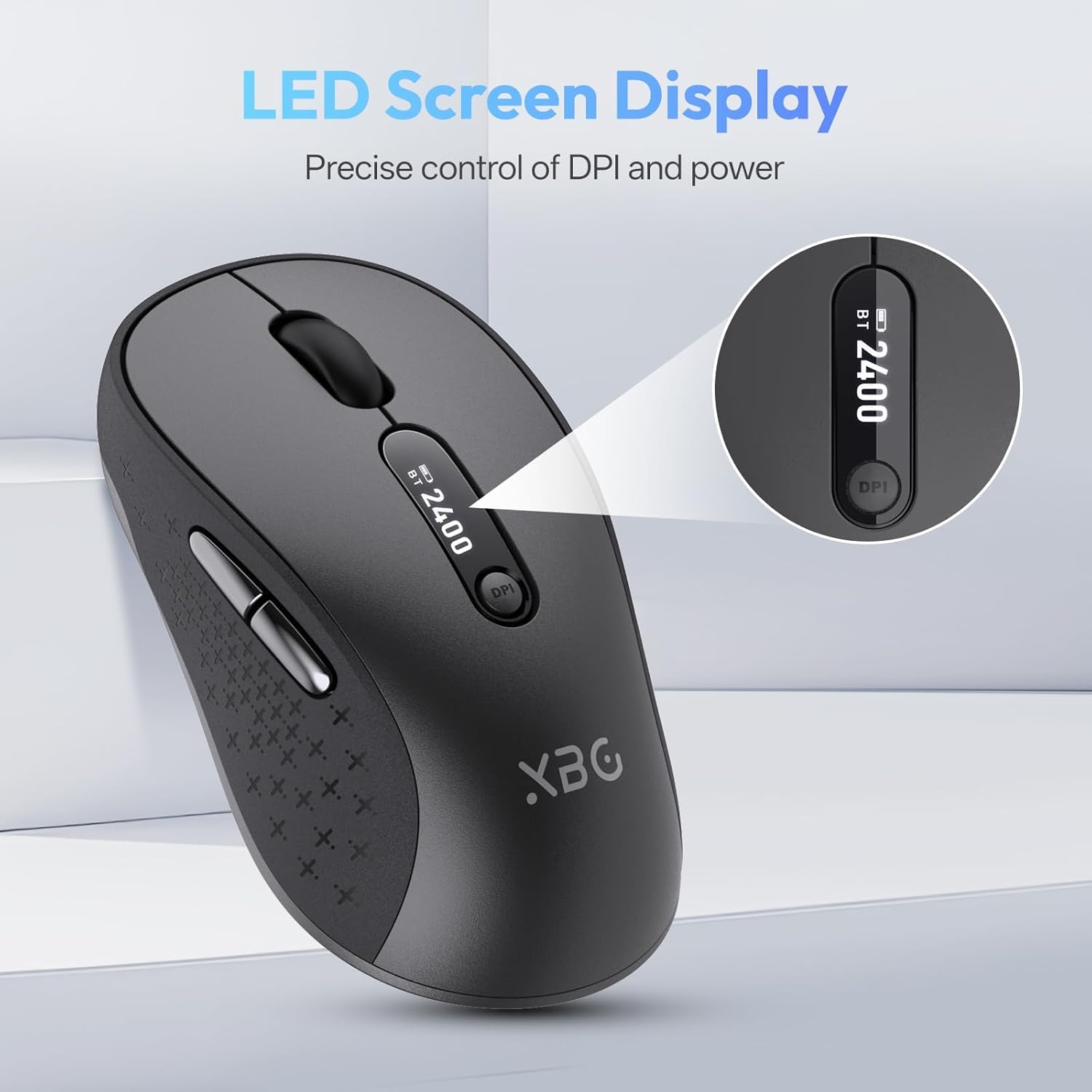
画像4.1: 詳細な view of the mouse's LED screen, showing battery, DPI, and connection status.
4.2 DPI調整
Press the DPI button located below the scroll wheel to cycle through the five available DPI settings (800, 1000, 1200, 1600, 2400). The current DPI level will be displayed on the LED screen.
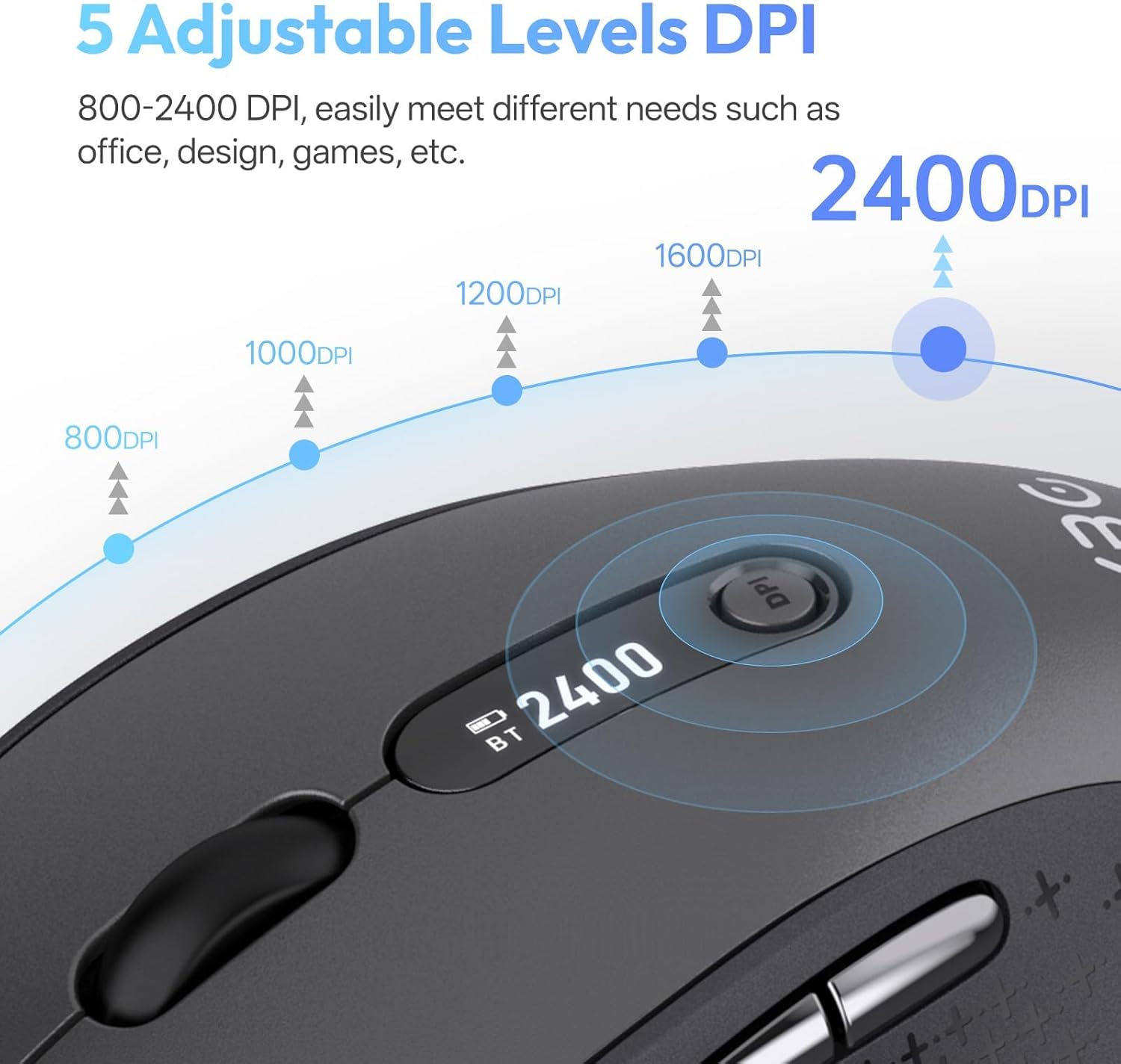
Image 4.2: Visual representation of the five adjustable DPI levels and how to change them.
4.3 サイレントクリック機能
The main left and right click buttons are designed for silent operation, providing a tactile click feel without audible noise. This feature is ideal for environments requiring minimal disturbance.

Image 4.3: A user operating the XBG B15pro mouse, illustrating its silent click feature in a quiet setting.
4.4自動スリープモード
To conserve battery, the mouse will automatically enter sleep mode after 5 minutes of inactivity. To wake the mouse, simply move it or click any button.
5. メンテナンス
5.1バッテリーケア
- 初めて使用する前にマウスを完全に充電してください。
- バッテリーの寿命を延ばすために、頻繁にバッテリーを完全に使い切らないようにしてください。
- 充電には付属のType-Cケーブルをご使用ください。
- When not in use for extended periods, turn off the mouse using the ON/OFF switch on the bottom to prevent battery discharge.

Image 5.1: The XBG B15pro mouse being charged, illustrating its fast charging capability and long-lasting battery.
5.2 クリーニング
Wipe the mouse with a soft, damp 布。 表面を損傷する可能性がある強力な化学薬品や研磨材の使用は避けてください。
6。 トラブルシューティング
- マウスが反応しない:
- マウスがオンになっていることを確認してください。
- LED 画面でバッテリー レベルを確認し、必要に応じて充電します。
- Verify the correct connection mode (2.4G, BT1, BT2) is selected and properly paired.
- For 2.4G mode, ensure the USB receiver is securely plugged into the computer.
- For Bluetooth mode, ensure Bluetooth is enabled on your device and re-pair if connection is lost.
- カーソルの動きが不安定または遅い:
- DPI ボタンを使用して DPI 設定を調整します。
- マウスは清潔で適切な表面で使用してください。
- マウスの接続が頻繁に切断される:
- Ensure the mouse is within the effective range of your device (typically 10 meters for Bluetooth/2.4G).
- 他のワイヤレス デバイスからの干渉を最小限に抑えます。
- 電池残量を確認してください。
- Mouse does not automatically enter sleep mode:
- While the mouse has an automatic sleep feature, it is recommended to manually turn off the mouse via the ON/OFF switch when not in use for extended periods to ensure maximum battery conservation.
7. 仕様
| 特徴 | 仕様 |
|---|---|
| モデル番号 | B15プロ |
| 接続技術 | Bluetooth 5.0/4.0、2.4GHzワイヤレス |
| 動き検出 | 光学 |
| DPI レベル | 800、1000、1200、1600、2400 |
| 電池のタイプ | 1 Lithium Polymer (500 mAh, included) |
| 充電ポート | タイプC |
| 製品寸法 | 4.55 x 2.83 x 0.04 インチ (11.56 x 7.19 x 0.1 cm) |
| アイテム重量 | 2.65オンス(75グラム) |
| 特集 | Ergonomic Design, Portable, Silent Click, LED Screen Display |

Image 7.1: A guide for recommended mouse size based on palm length and width.
8. 保証とサポート
XBG offers a satisfaction guarantee for the B15pro Wireless Bluetooth Mouse.
- 30日間の返品ポリシー: If you are not satisfied with the product, you may return it within 30 days of purchase.
- 1年間の交換保証: この製品には、製造上の欠陥に対する 1 年間の交換保証が付いています。
For further assistance or support, please refer to the contact information provided with your purchase or visit the official XBG webサイト。