
1. はじめに
The NEEWER Basics R18 18W 7-inch Desktop Ring Light is designed to provide versatile and high-quality illumination for various applications, including video conferencing, live streaming, recording, makeup application, and general desktop lighting. This manual provides detailed instructions for setting up, operating, and maintaining your R18 ring light to ensure optimal performance.
2. パッケージ内容
以下にリストされているすべてのアイテムがパッケージに含まれていることを確認してください。
- 1 x R18 Full Screen Key Light with Articulating Arm
- 1 x Desk Mount Stand (C-Clamp)
- ワイヤレスリモコン x 1
- 1 x DC5.5 Power Adapter
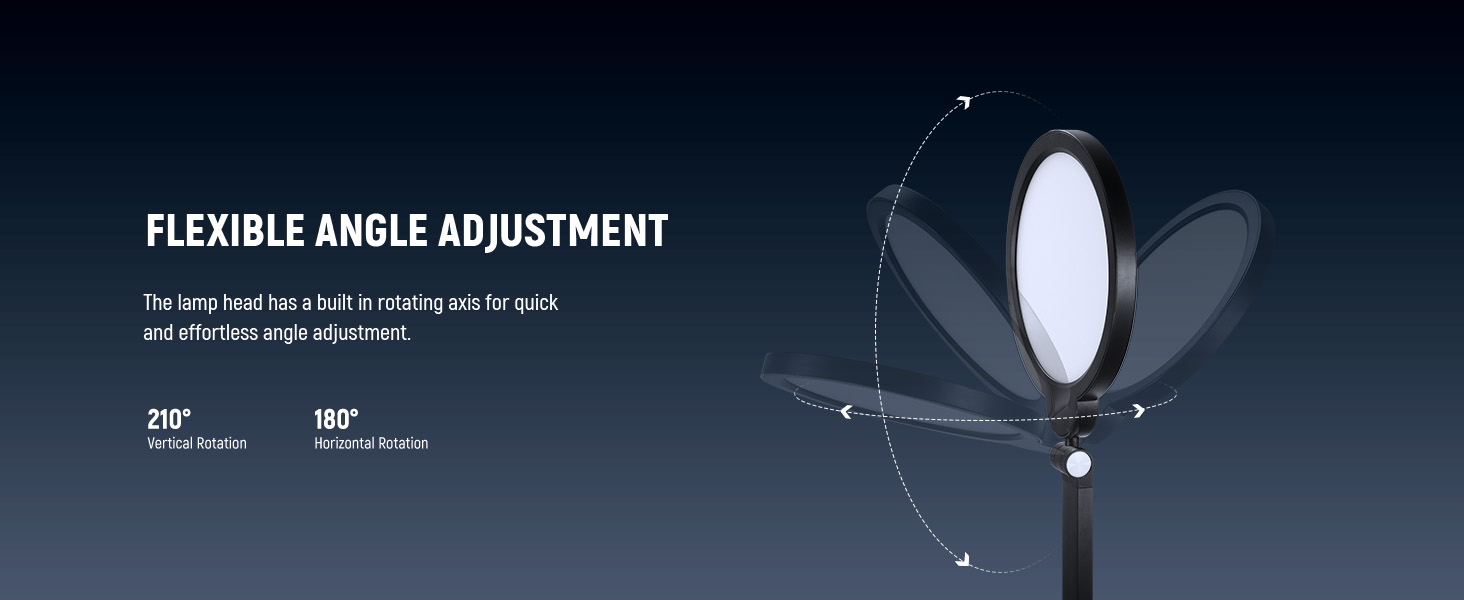
Image: Contents of the NEEWER R18 package, including the ring light with arm, desk mount, remote control, and power adapter.
3. セットアップ
- C-Clを取り付けますamp: Secure the desk mount stand (C-clamp) to the edge of your desk or table. Ensure the clamp is tightened firmly for stability. The maximum opening for the clamp 2.68インチ(6.8cm)です。
- Install the Light Arm: Insert the base of the R18 ring light's articulating arm into the C-clamp. Tighten the locking buckle to secure the arm in place.
- 接続電源: Plug the DC5.5 power adapter into the light's power input and then into a suitable power outlet.
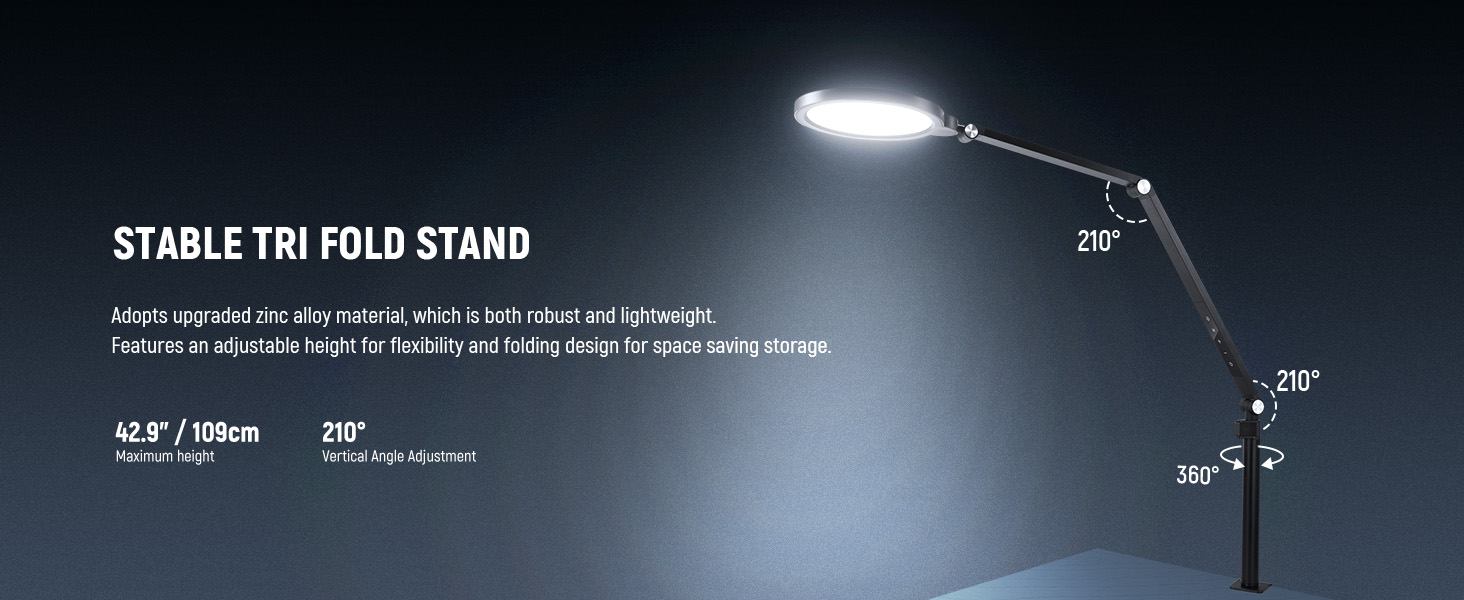
Image: Illustration of attaching the C-clamp to a desk and securing the light arm.
ビデオ: オーバーview of the NEEWER Basics 18W 7" Desk Ring Light, demonstrating its setup and key features. This video is provided by ShiQiaoShang, a seller.
4. 操作手順
The R18 ring light can be controlled via its integrated touch panel on the articulating arm or with the included wireless remote control.
4.1 パネルコントロール
The touch panel on the articulating arm allows for direct control:
- 電源ボタン: を押して、ライトをオンまたはオフにします。
- 明るさ調整: Use the '+' and '-' buttons to increase or decrease brightness (10 levels, 10%-100%).
- 色温度調整: Use the 'M' button to cycle through color temperature presets (3000K-6500K).
- タイマー機能: Press the timer button to set the light to turn off after 30 or 60 minutes.
4.2ワイヤレスリモコン
The remote control offers convenient wireless operation:
- 電源ボタン: ライトをオンまたはオフにします。
- Brightness Up/Down (K+/K-): Adjusts the brightness level.
- Color Temperature Increase/Decrease (+/-): Changes the color temperature.
- タイマーボタン: Activates the 30 or 60-minute timer.
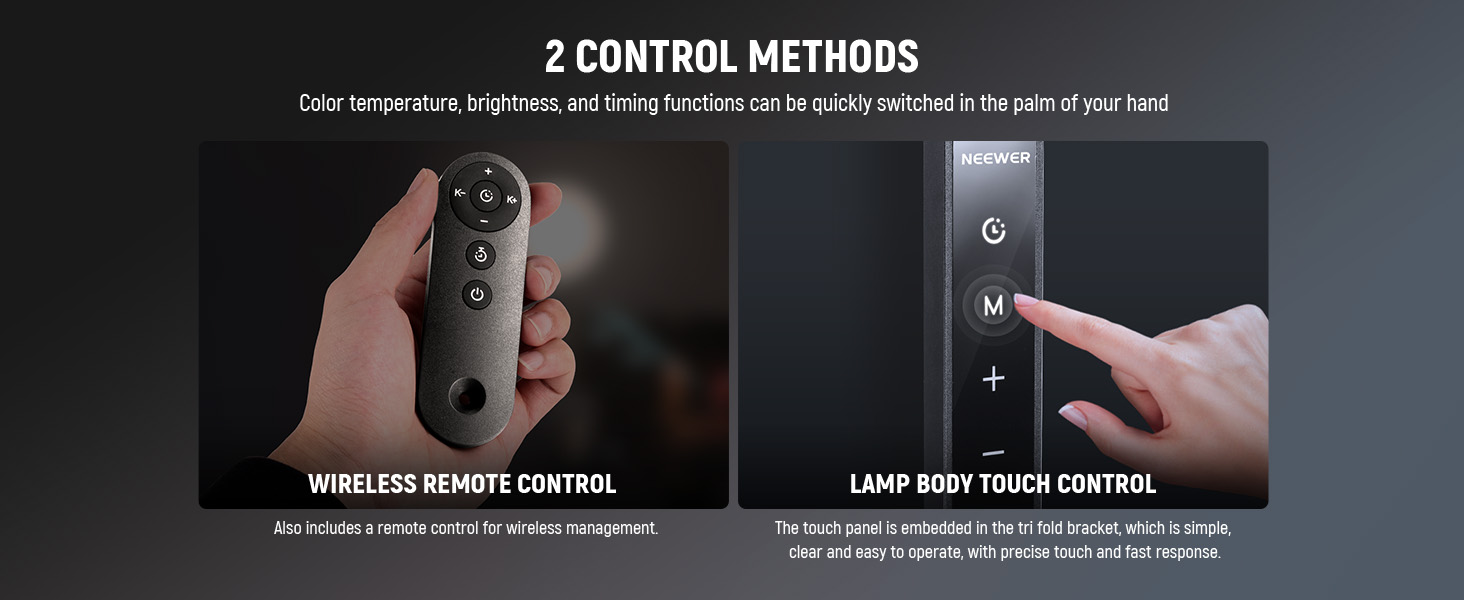
Image: Displays both the integrated touch panel on the light arm and the wireless remote control for the NEEWER R18.
5. 特徴
5.1 Soft Lighting Effect
The R18 features 84 built-in LEDs with edge-lit technology, providing soft, uniform, and shadow-free illumination. This design helps to brighten skin tones and minimize facial blemishes for a professional appearance on camera.

Image: Demonstrates the soft, shadow-free lighting effect produced by the R18 ring light compared to regular LED ring lights.
5.2 Adjustable Color Temperature and Brightness
The light offers a color temperature range from 3000K (warm) to 6500K (cool) and 10 brightness settings (10% to 100%). This allows for precise control to match ambient lighting or achieve desired creative effects. A high Color Rendering Index (CRI) of 95 ensures accurate color reproduction.
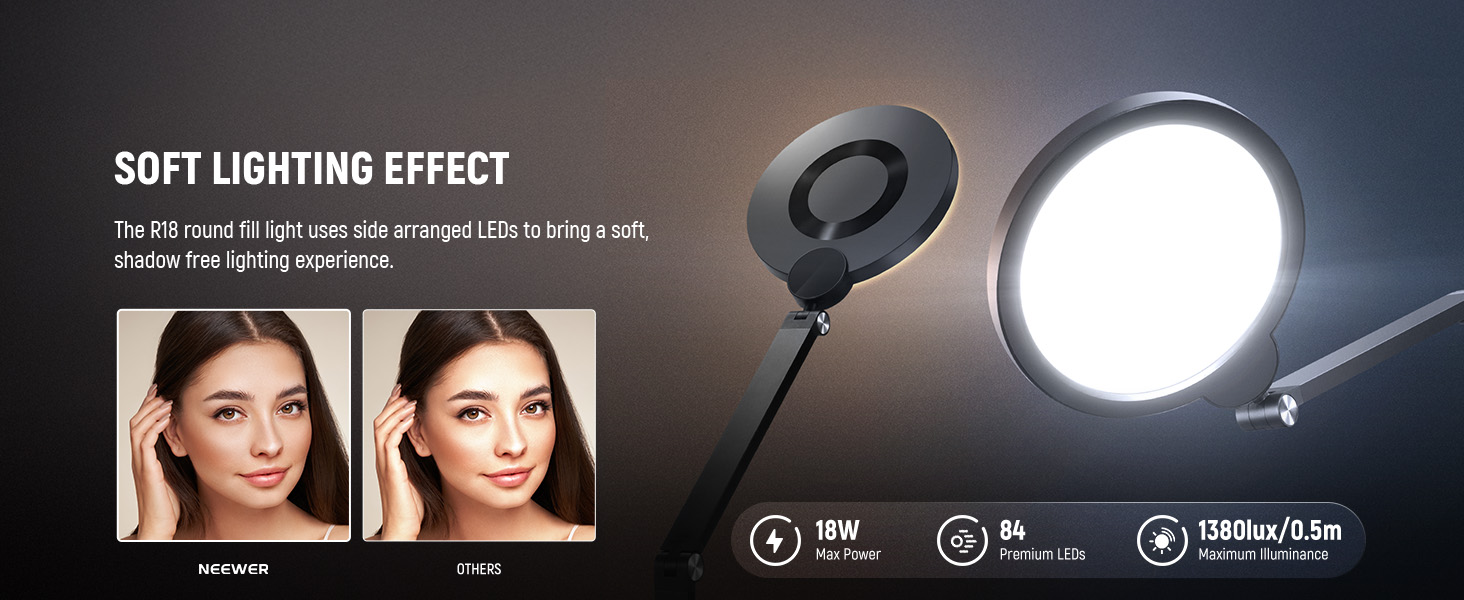
Image: Illustrates the adjustable color temperature range from 3000K to 6500K and 10%-100% brightness adjustment.
5.3 柔軟な角度調整
The articulating arm allows for 360° rotation at two points, and the lamp head can be rotated 210° vertically and 180° horizontally. This flexibility enables precise positioning of the light for optimal coverage.
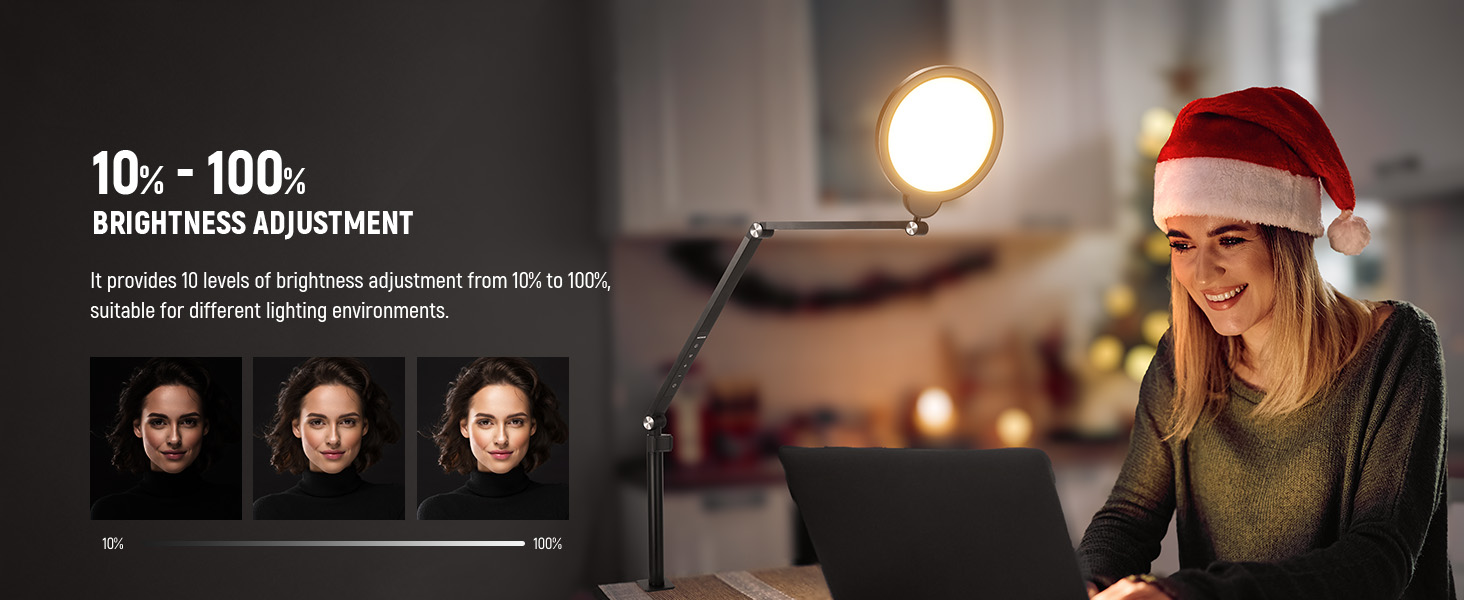
Image: Shows the various rotation and tilt capabilities of the R18 ring light's articulating arm and lamp 頭。
5.4 Ultra-Slim Design
With a simple and slim profile, the R18 is a lightweight and space-saving lighting solution for any desktop setup.
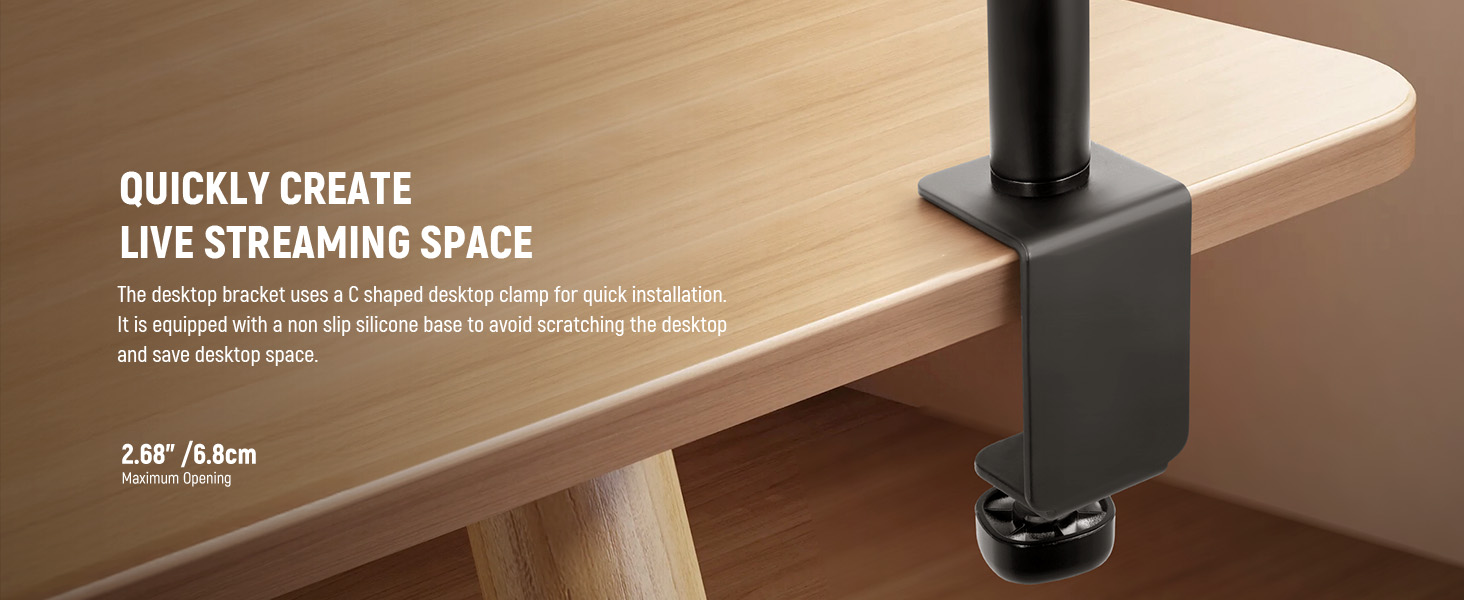
Image: Highlights the thin profile and compact size of the NEEWER R18 ring light.
5.5 幅広い応用
The NEEWER R18 is suitable for a variety of uses, enhancing visual quality for:
- ゲーム
- ライブストリーミング
- 製品写真
- ビデオ録画
- Zoom Calls and Video Conferences
- メイクアップの塗布
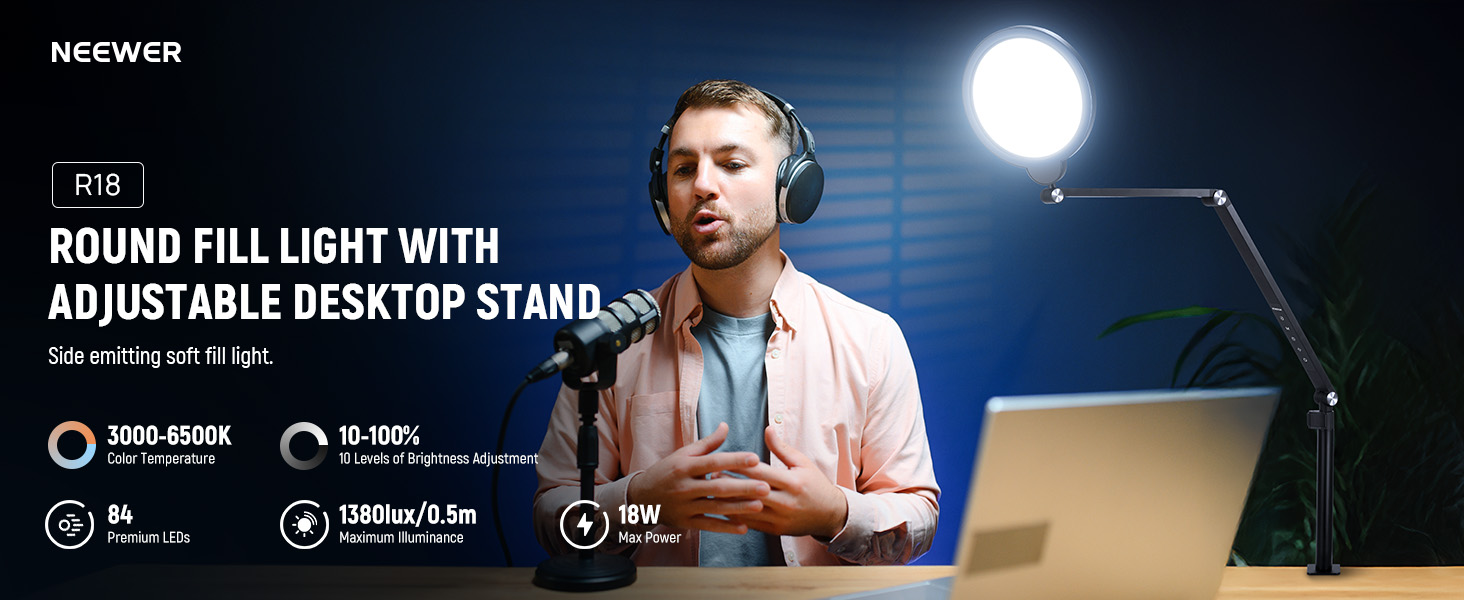
Image: Collage showing the NEEWER R18 ring light being used in various settings such as gaming, live streaming, product photography, and video calls.
6. 仕様
| 特徴 | 仕様 |
|---|---|
| モデル | R18 |
| 材料 | Zinc alloy / ABS+PC / Acrylic |
| 定格出力 | 18W |
| 出力 | DC24V 0.75A |
| LED について | 84個 |
| クリ | 95 |
| 電源方式 | Separate DC5.5 Socket Power Supply |
| 色温度 | 3000K-6500K |
| 最大照度 | 1380ルクス/0.5m |
| 重さ | 1.43ポンド(0.65kg) |
| Maximum Installation Height | 42.9インチ(109 cm) |
| パッケージ寸法 | 17.06 x 10.95 x 2.32インチ |
7. メンテナンス
- クリーニング: Use a soft, dry cloth to clean the light panel and body. Avoid using abrasive cleaners or solvents.
- ストレージ: When not in use, fold the articulating arm for compact storage. Store the light in a cool, dry place away from direct sunlight and excessive humidity.
- 取り扱い: Handle the light with care to prevent damage to the LED panel or articulating joints.
8。 トラブルシューティング
- ライトが点灯しない:
- 電源アダプターがライトと正常な電源コンセントの両方にしっかりと接続されていることを確認します。
- 別のデバイスを接続して、電源コンセントが機能するかどうかを確認します。
- Verify that the power button on the panel or remote has been pressed.
- リモコンが動作しない:
- Check the battery in the remote control and replace it if necessary (uses a replaceable button battery).
- リモコンとライトのセンサーの間に障害物がないことを確認してください。
- Light Flickering or Uneven Illumination:
- 電源接続が安定していることを確認してください。
- 問題が解決しない場合は、カスタマーサポートに連絡してください。
9. 保証とサポート
For warranty information, please refer to the documentation provided with your purchase or contact your retailer. For technical support or further assistance, please visit the official NEEWER webサイトまたは顧客サービス部門に連絡してください。
NEEWER公式 Webサイト: www.neewer.com