
導入
Welcome to the GUHUAVMI GT4 Pro Smartwatch user manual. This guide provides detailed instructions on how to set up, operate, and maintain your new smartwatch. The GT4 Pro combines advanced health monitoring, comprehensive fitness tracking, and smart connectivity features in a durable, stylish design. Please read this manual carefully to ensure optimal performance and longevity of your device.
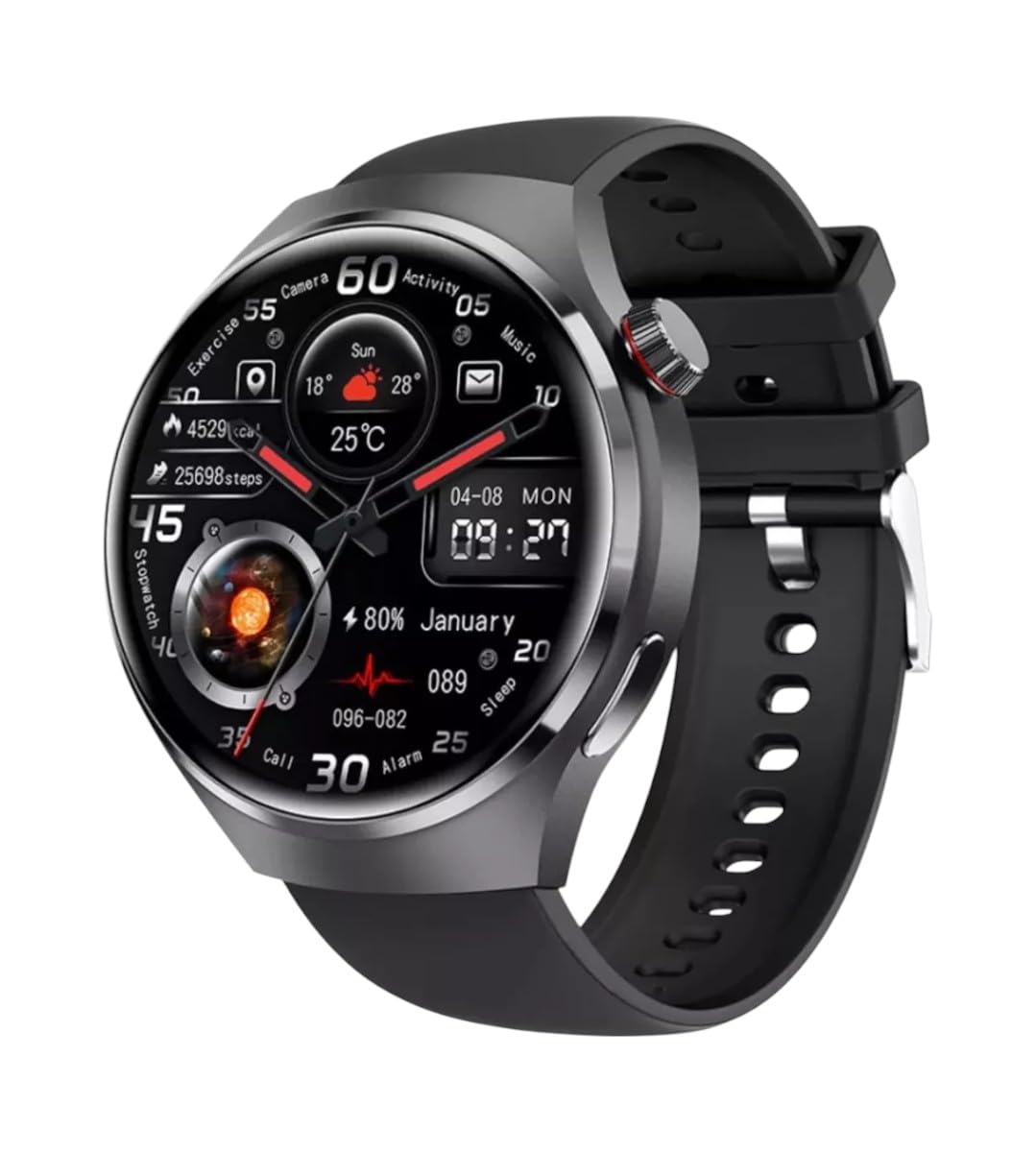
画像: 正面 view of the GUHUAVMI GT4 Pro Smartwatch, showcasin洗練されたデザインとディスプレイ。
設定
1. 開梱とコンポーネント
始める前に、パッケージにすべてのコンポーネントが含まれていることを確認してください。
- GUHUAVMI GT4 Pro Smartwatch
- ワイヤレス充電器
- ユーザーマニュアル(このドキュメント)
2. スマートウォッチの充電
For first-time use, fully charge your GT4 Pro Smartwatch. Connect the wireless charger to a USB power adapter (not included) and place the smartwatch onto the magnetic charging base. The watch will indicate charging status on its screen.
- 充電時間: フル充電には約3時間かかります。
- バッテリー寿命: Typical usage provides 5-7 days of battery life.

Image: The GUHUAVMI GT4 Pro Smartwatch placed on its magnetic wireless charger, displaying battery life and charging time information.
3. 電源のオン/オフ
- 電源オン: 画面が点灯するまでサイドボタンを押し続けます。
- 電源を切る: サイドボタンを長押しして、画面上の「電源オフ」オプションを選択します。
4. アプリのダウンロードとペアリング
To unlock the full potential of your GT4 Pro, download the companion app on your smartphone. Scan the QR code provided in the watch's initial setup screen or search for the app name (usually indicated on the watch or packaging) in your phone's app store.
- スマートフォンでBluetoothを有効にします。
- コンパニオン アプリを開き、画面の指示に従ってアカウントを作成するか、ログインします。
- In the app, select 'Add Device' or 'Pair Device' and choose 'GT4 Pro' from the list of available devices.
- スマートフォンとスマートウォッチの両方でペアリング要求を確認します。
操作手順
1. 基本的なナビゲーション
The GT4 Pro features a 1.6-inch HD AMOLED touchscreen and a side crown button for navigation.
- 上/下にスワイプ: メニューと通知をスクロールします。
- 左/右にスワイプ: クイックウィジェットやさまざまなウォッチフェイスにアクセスします。
- タップ: 項目を選択するか、アプリケーションを開きます。
- サイドボタンを押します: ホーム画面に戻るか、アプリ リストにアクセスします。
2. AI音声アシスタント
Your GT4 Pro is equipped with an integrated AI voice assistant for hands-free operation.
- アクティベーション: Tap the voice assistant icon on the watch face or use a designated gesture/button press (refer to watch settings).
- コマンド: Speak clearly to ask questions, set reminders, make calls, or control music.
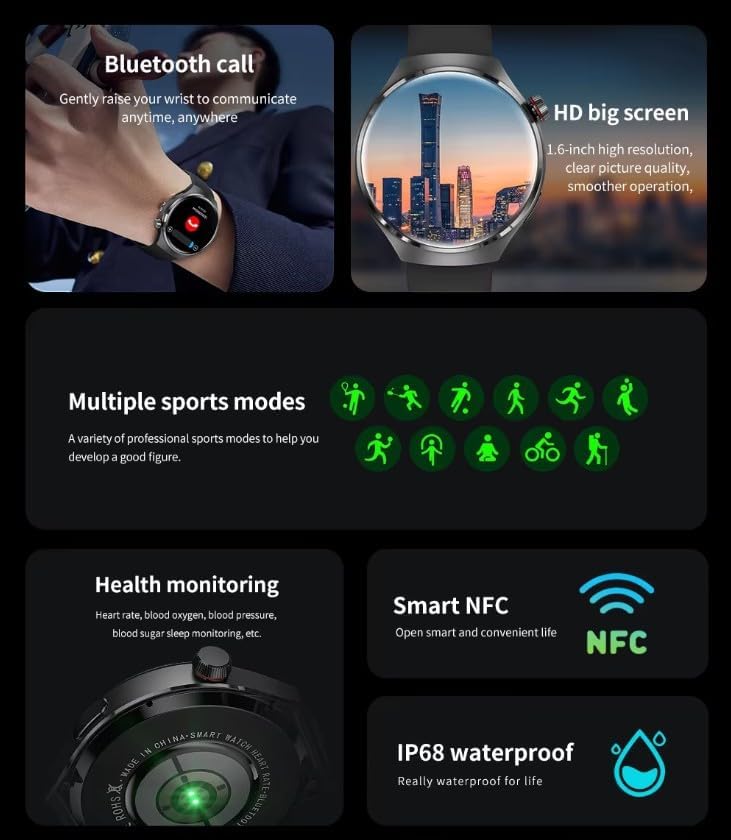
Image: The GUHUAVMI GT4 Pro Smartwatch displaying the AI voice assistant interface, showing examp音声コマンドのリスト。
3. Bluetooth通話
スマートフォンとペアリングすると、スマートウォッチから直接電話をかけたり受けたりできるようになります。
- 電話をかける: 時計のダイヤラーまたは連絡先リストにアクセスします。
- 電話を受ける: 時計画面から直接着信に応答または拒否できます。
4. 健康モニタリング
The GT4 Pro provides real-time health data to help you monitor your well-being.
- 心拍: 一日中継続的に監視します。
- 血中酸素濃度(SpO2): 血中酸素飽和度を測定します。
- 血糖値: Provides estimated blood sugar readings.
- 睡眠追跡: 睡眠を監視するtagesと品質。
View detailed health reports in the companion app.
5. フィットネストラッキング
ワークアウトと毎日のアクティビティを正確に追跡します。
- 複数のスポーツモード: Select from various activities like running, cycling, swimming, and more for accurate data.
- 内蔵GPS: Records your route, distance, and pace during outdoor activities.
- コンパス: Provides directional guidance for outdoor adventures.

Image: The GUHUAVMI GT4 Pro Smartwatch showcasing icons for NFC, GPS, compass, heart rate, and Bluetooth call, highlighting its comprehensive features.
6. NFC Features
The GT4 Pro supports NFC for convenient interactions.
- アクセス制御: Use your watch for compatible access systems.
- Find My iPhone: Utilize NFC to locate your paired iPhone.
7. Dynamic Island Function
Experience enhanced interactive displays for notifications, music, and charging status.
- Interactive Displays: Smart displays adapt to show relevant information dynamically.
- OTA アップグレード: New functional interactive displays may be added through future over-the-air updates.
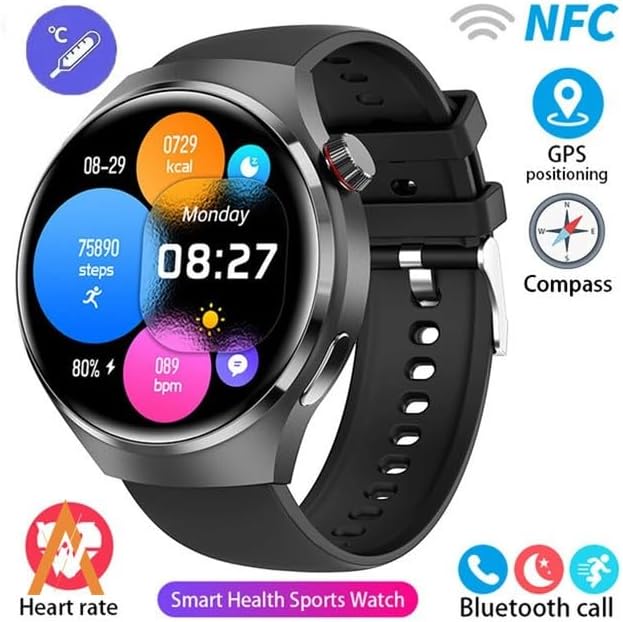
Image: The GUHUAVMI GT4 Pro Smartwatch screen demonstrating the Dynamic Island function, showing notifications and active processes.
8. Other Utility Features
The smartwatch includes several convenient tools:
- リモートカメラ: スマートフォンのカメラをリモートで制御します。
- 目覚まし時計: 手首から直接アラームを設定します。
- ストップウォッチとタイマー: 正確な時間管理のために。
- 温度測定: Monitor ambient temperature.
- Multi-Time Zone Settings: Keep track of different time zones.
- 音楽再生コントロール: Manage music on your paired smartphone.
メンテナンス
1. 耐水性(IP68)
The GT4 Pro has an IP68 waterproof rating, meaning it is resistant to dust and can withstand immersion in water up to 1.5 meters for 30 minutes. It is suitable for swimming and use in rainy conditions.
- Do not use in hot water, saunas, or steam rooms.
- Avoid exposure to high-velocity water.
- 水に濡れた場合は、柔らかい布で時計を拭いて乾かしてください。
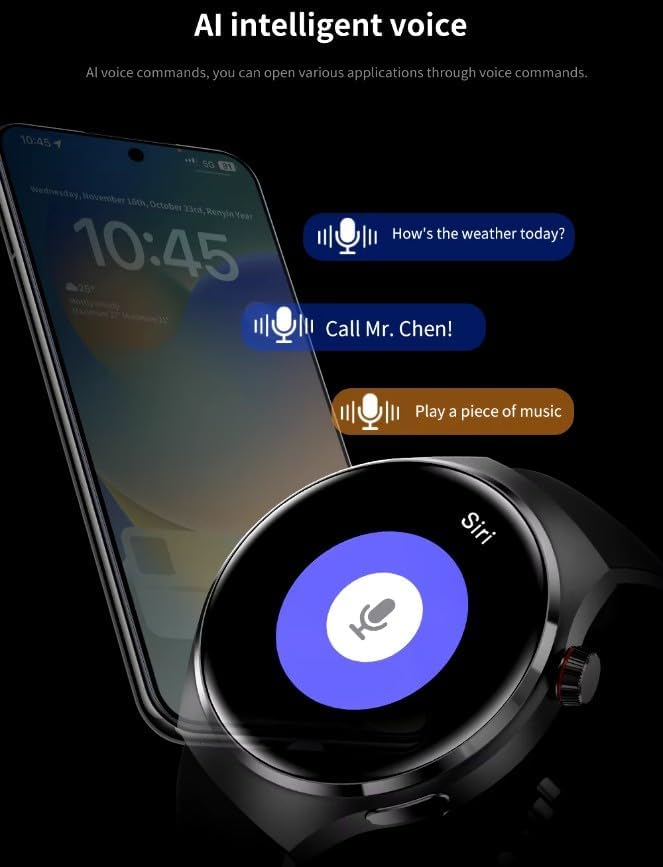
Image: Two GUHUAVMI GT4 Pro Smartwatches shown with water droplets, illustrating their IP68 waterproof capability.
2. 清掃
Regularly clean your smartwatch to maintain its appearance and sensor accuracy.
- 画面と本体を柔らかくて乾いた布で拭いてください。amp糸くずの出ない布。
- Clean the charging contacts and heart rate sensor on the back of the watch to ensure proper function.
- 強力な化学薬品や研磨材の使用は避けてください。
3. ソフトウェアの更新
Periodically check for software updates through the companion app. Updates can provide new features, performance improvements, and bug fixes.
トラブルシューティング
- 時計がオンにならない: 時計が完全に充電されていることを確認してください。充電器に少なくとも30分間接続してください。
- スマートフォンとペアリングできない:
- 携帯電話と時計で Bluetooth が有効になっていることを確認してください。
- 時計が携帯電話の範囲内にあることを確認してください。
- 時計と携帯電話の両方を再起動します。
- コンパニオン アプリが最新バージョンに更新されているかどうかを確認します。
- 不正確な健康データ:
- 時計が手首にぴったりとフィットし、きつすぎたり緩すぎたりしていないことを確認してください。
- 時計の裏側にあるセンサーを清掃してください。
- 測定中は過度の動きを避けてください。
- 短いバッテリー寿命:
- 画面の明るさを下げます。
- 不要な通知や機能を無効にします。
- 必要がない場合は継続的な心拍数モニタリングを制限します。
仕様
| 特徴 | 説明 |
|---|---|
| モデル番号 | GT4プロ |
| 画面 | 1.6-inch HD AMOLED, 360x360 resolution |
| 接続性 | ブルートゥース5.0 |
| 防水等級 | IP68 |
| 健康モニタリング | Heart Rate, Blood Oxygen, Blood Sugar, Sleep Tracking |
| フィットネストラッキング | Built-in GPS, Compass, Multiple Sports Modes |
| 音声アシスタント | AI Voice Assistant Integrated |
| 非対称 | Supported (e.g., Find My iPhone, Access Control) |
| 充電タイプ | 磁気ワイヤレス充電 |
| 一般的なバッテリー寿命 | 5~7日 |
| 充電時間 | 約3時間 |
| 含まれるコンポーネント | Smartwatch, User Manual, Wireless Charger |
保証とサポート
保証情報
The GUHUAVMI GT4 Pro Smartwatch comes with a 6ヶ月保証 ご購入日から1年間有効です。この保証は、通常の使用における製造上の欠陥を対象としています。誤用、事故、不正な改造、または通常の摩耗や損耗による損傷は保証の対象外となります。
カスタマーサポート
If you encounter any issues or have questions regarding your GUHUAVMI GT4 Pro Smartwatch, please refer to the troubleshooting section of this manual. For further assistance, contact your retailer or the manufacturer's customer support channel. Please have your purchase receipt and product model number (GT4 Pro) ready when contacting support.