
導入
The REACHER 16.5-inch Digital LED Wall Clock (Model GQ01-DE) combines a clock, timer, and temperature display into one device. Featuring a super clear LED screen with large, vibrant digits, it ensures readability from a distance. The included remote control allows for convenient adjustment of all settings. An ambient light sensor automatically adjusts brightness, while manual brightness control with 6 levels (including total darkness) is also available. This clock is suitable for various environments such as homes, gyms, offices, and schools.
パッケージ内容
- REACHER 16.5-inch Digital LED Wall Clock
- リモートコントロール
- 3mケーブル付き電源アダプター
- 取り付けテンプレート
- ユーザーマニュアル
Note: 1 x AAA battery for backup memory is not included and must be purchased separately.
安全情報
- 電源アダプターがお住まいの地域の電源と互換性があることを確認してください。
- 時計を極端な温度、直射日光、高湿度にさらさないでください。
- デバイスを水やその他の液体から遠ざけてください。
- ご自身で時計を分解したり修理したりしないでください。資格のあるサービス担当者にご相談ください。
- 地域の規制に従ってバッテリーを廃棄してください。
設定
1. 電源接続
- Connect the power adapter to the clock's power input port.
- 電源アダプタを標準の電源コンセントに差し込みます。時計の表示が点灯します。
2. バッテリーバックアップの取り付け
電源オフ時に時間と設定を保持するtage, install one AAA battery (not included) into the battery compartment on the back of the clock. During battery backup, the display will be blank to conserve power, but settings will be preserved.
3.壁への取り付け
- Select a suitable location on a wall.
- Use the provided drilling template to mark the positions for the mounting screws.
- 必要に応じて穴を開け、壁アンカーを挿入します。
- Install screws, leaving a small gap for the clock's keyhole slots.
- Align the clock's two keyhole slots with the screws and slide the clock down to secure it.
- Utilize the integrated cable organizer on the back of the clock to manage the power cable for a clean appearance.

This image depicts the back of the clock, showcasing the integrated cable organizer designed to keep the power cable tidy and flush against the wall. The 3-meter (9.87 ft) power cable is shown extending downwards, emphasizing a clean installation.
操作手順
All functions of the clock can be controlled using the included remote control.
1. 基本時間設定
Refer to the remote control for specific buttons to set the time (e.g., 'SET' button, arrow keys for hour/minute adjustment). The clock supports 12-hour and 24-hour formats.
2.明るさの調整
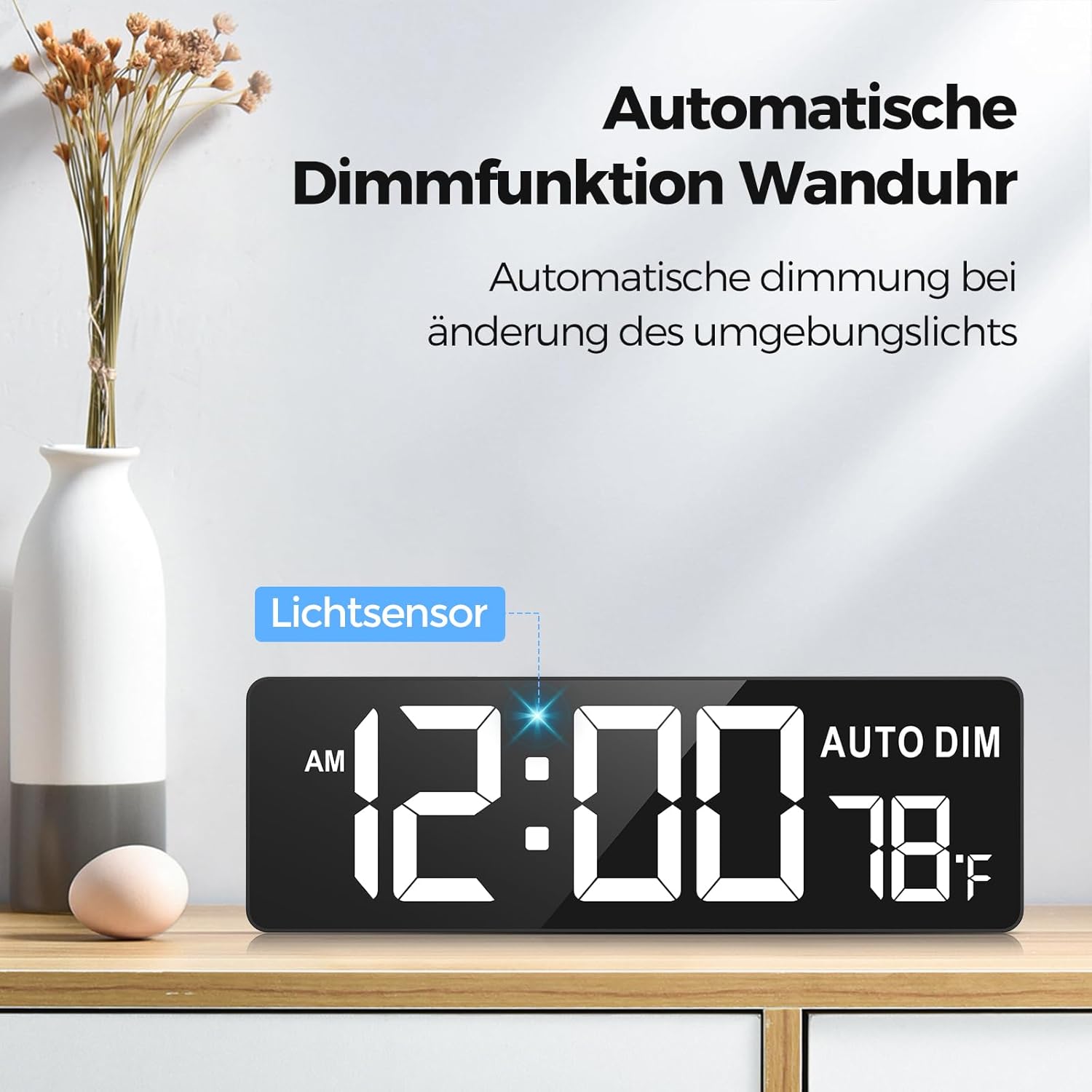
The clock is shown on a wooden shelf, illustrating its automatic dimming feature. A 'Lichtsensor' (light sensor) is indicated, which adjusts the display brightness based on ambient light conditions. The time 12:00 AM and temperature 78°F are visible.
- 自動調光: The clock features an ambient light sensor that automatically adjusts the display brightness based on the surrounding light conditions. This sensor reduces brightness in dark environments and increases it in bright areas.
- 手動明るさ: Use the remote control to manually adjust the brightness through 6 levels, including a total darkness option.
3. 色の選択
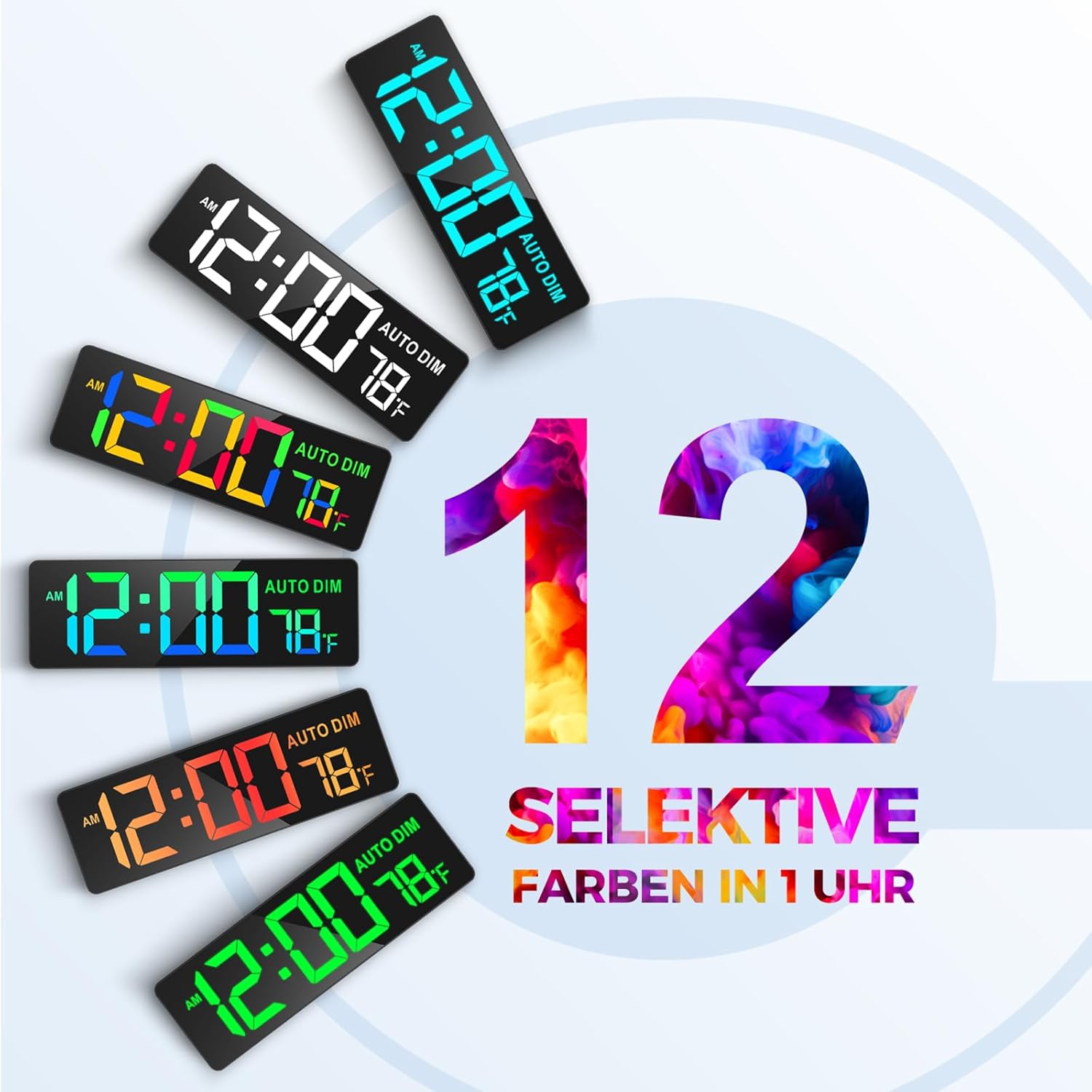
This graphic demonstrates the 12 selective color options available for the clock's digits. Various clock faces are shown with different vibrant colors, highlighting the customization feature for style and ambiance.
The clock offers 12 distinct digit colors, including 4 color gradients and a rainbow mode. Use the dedicated color selection buttons on the remote control to cycle through these options and choose your preferred display color.
4. Countdown and Count-up Timer Function

This image features the clock displaying a countdown timer set to 99 minutes and 59 seconds. The remote control is shown with quick access buttons for common countdown durations (30s, 1m, 3m, 5m, 10m, 15m, 30m), demonstrating its intelligent control for training or other activities.

The clock is mounted on a wall in a classroom, showing '00:00' and 'AUTO DIM' with temperature. This illustrates its function as a quiet counter, useful for managing learning time for students, with a maximum count-up/countdown capacity of 99 minutes and 59 seconds.
- クイックアクセス: The remote control includes 7 shortcut keys for common countdown durations (30 seconds to 30 minutes).
- カスタムタイマー: Set a custom countdown or count-up timer up to 99 minutes and 59 seconds using the remote control's numeric and control buttons.
- 音量: The timer features 30 volume levels for alerts.
5.温度表示
The clock displays the ambient temperature. Use the remote control to switch between Celsius and Fahrenheit units if applicable.

This image displays the 16.5-inch LED screen of the clock, highlighting its large digits for clear visibility. It shows the time, 'AM' indicator, 'AUTO DIM' status, and temperature in Fahrenheit. Dimensions of 16.5 inches (41.9 cm) width and 4.3 inches (10.9 cm) height are marked.
6. リモコンの使用
The remote control operates wirelessly with a range of up to 9 meters (30 feet). Its soft-touch buttons ensure quiet operation. Point the remote control towards the clock when making adjustments.
メンテナンス
- クリーニング: 時計の表面は柔らかく乾いた布で拭いてください。研磨剤入りの洗剤や溶剤は使用しないでください。
- バッテリー交換: If the backup battery (AAA) is installed, replace it periodically to ensure settings are saved during power interruptions.
- ストレージ: If storing the clock for an extended period, disconnect it from power and remove the backup battery.
トラブルシューティング
| 問題 | 考えられる原因 | 解決 |
|---|---|---|
| 時計の表示が空白です。 | No power supply. Backup battery is active (display off). | Check power connection. If on backup battery, display is intentionally off. |
| リモコンが機能しない。 | Remote battery depleted. Obstruction between remote and clock. | Replace remote control battery. Ensure clear line of sight to the clock. |
| 電源を切ると時間/設定がリセットされますtage. | No backup battery installed or battery depleted. | Install a fresh AAA backup battery. |
| Display too dim/bright. | Automatic dimming active or manual setting incorrect. | Adjust brightness manually using the remote or check ambient light conditions. |
仕様
| 特徴 | 詳細 |
|---|---|
| ブランド | リーチャー |
| モデル番号 | GQ01-DE |
| 色 | 黒 |
| 製品寸法(長さ x 幅 x 高さ) | 41 x 3.81 x 13.5 cm(16.14 x 1.5 x 5.31インチ) |
| アイテム重量 | 1.04キログラム(2.29ポンド) |
| 材料 | プラスチック |
| 表示サイズ | 16.5インチ(対角) |
| 桁サイズ | 9.4 x 4.3インチ |
| 明るさレベル | 6 (manual) + Automatic Dimmer |
| 表示色 | 12 selectable colors, including gradients and rainbow mode |
| Timer Max Duration | 99分59秒 |
| リモコン範囲 | 最大9メートル(30フィート) |
| バックアップバッテリー | 1 x AAA(含まれません) |
保証情報
REACHER products are designed and manufactured to the highest quality standards. For specific warranty details, please refer to the warranty card included with your purchase or contact REACHER customer support. Keep your proof of purchase for warranty claims.
サポート
For technical assistance, troubleshooting, or product inquiries, please contact REACHER customer support. Contact information can typically be found on the product packaging, warranty card, or the official REACHER webサイト。