
導入
Thank you for choosing the UGREEN Zapix 65W 5-Port USB C GaN Desktop Charger. This manual provides essential information for the safe and efficient use of your device. Please read it thoroughly before operation and retain it for future reference.
製品終了view
The UGREEN Zapix 65W 5-Port USB C GaN Desktop Charger is designed for efficient multi-device charging. It incorporates advanced GaN technology for compact size and superior performance.
主な特徴:
- 合計出力65W: Provides up to 65W total power output across 5 ports (4 USB-C, 1 USB-A).
- High-Speed Single Port Charging: USB-C1 port delivers up to 45W, capable of charging a MacBook Air from 0% to 38% in approximately 30 minutes.
- GaNテクノロジー: Utilizes Gallium Nitride (GaN) for enhanced efficiency, smaller footprint, higher power density, and improved thermal management.
- 総合的な安全性: Equipped with real-time temperature detection and protection against short circuits, overvoltagたとえば、過熱、過電流などです。
- ユニバーサル互換性: Supports a wide range of devices including iPhone 17/16/15/14/13/12/11 series, Galaxy S25/S24/S23/S22/S21, MacBook Air/Pro M4/M3/M2/M1, iPad Pro/Air/mini, Galaxy Tab S10/S9/S8/S7, Thinkpad, and Steam Deck.
- Desktop Design: Includes a 2-meter power cable for convenient desktop placement.
パッケージ内容:
- UGREEN Zapix 65W 5-Port USB C GaN Desktop Charger (Model: 65195)
- 2-meter AC Power Cable
- 取扱説明書

Image: The UGREEN Zapix 65W 5-Port USB C GaN Desktop Charger with its included 2-meter power cable.
セットアップ手順
- 開梱: 充電器とすべての付属品をパッケージから慎重に取り出します。
- 電源ケーブルを接続します: Insert the 2-meter AC power cable into the power input port on the back of the charger.
- コンセントに差し込む: Connect the other end of the AC power cable to a standard wall outlet (230V).
- インジケーターライト: The charger may have an indicator light that illuminates when powered on, confirming it is ready for use.

Image: The UGREEN Zapix 65W charger connected to its power cable with a European plug.
操作手順
- デバイスを接続する: Use appropriate USB-C to USB-C or USB-A to USB-C/Lightning cables (not included) to connect your devices to the charger's available ports.
- 最適な充電:
- For maximum 45W output to a single device, use the USB-C1 port.
- When charging multiple devices, the charger intelligently distributes power. Refer to the power distribution table in the Specifications section for details.
- 充電ステータス: Your device's screen or indicator light will show its charging status.
- 切断中: Once charging is complete, disconnect your devices and then unplug the charger from the wall outlet.

Image: The UGREEN Zapix 65W charger connected to and simultaneously charging a laptop, smartphone, smartwatch, and wireless earbuds.

Image: A technical diagram illustrating the power distribution across the 5 ports of the UGREEN 65W charger under various load conditions.
安全情報
- 充電器を液体、湿気、または極端な温度にさらさないでください。
- 充電器を落としたり、強い衝撃を与えたりしないでください。
- 充電器を分解、修理、改造しないでください。
- 認定された互換性のある充電ケーブルのみを使用してください。
- お子様の手の届かない場所に保管してください。
- 雷雨のときや長期間使用しない場合は、充電器のプラグを抜いてください。
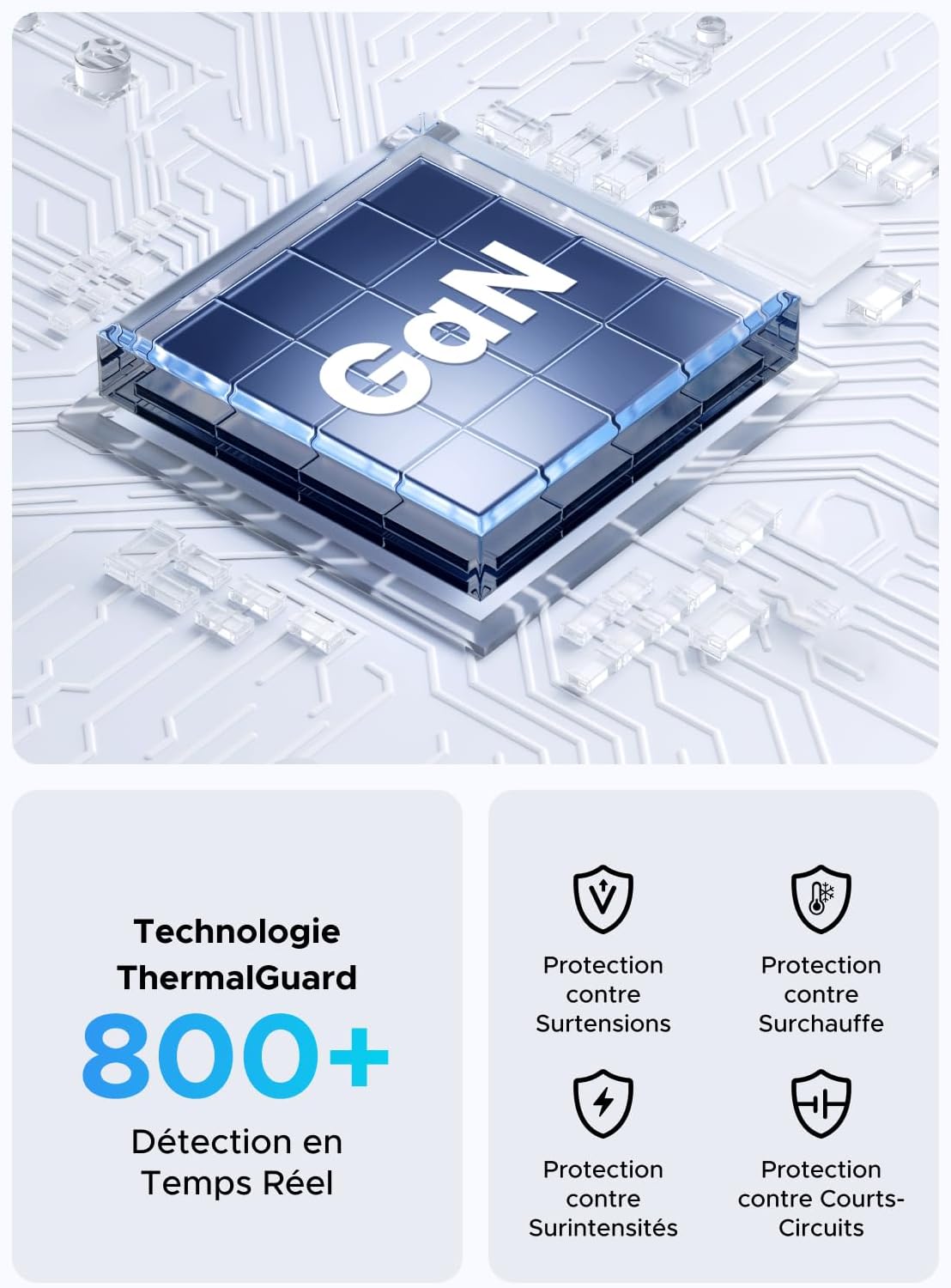
Image: An illustration highlighting the GaN chip and various safety features including protection against overvoltag例えば、過熱、過電流、短絡などです。
メンテナンス
- クリーニング: 清掃する前に、充電器を電源コンセントとすべてのデバイスから外してください。表面は柔らかく乾いた布で拭いてください。液体クリーナーやエアゾールは使用しないでください。
- ストレージ: 充電器は直射日光や極端な温度を避け、涼しく乾燥した場所に保管してください。
- ケーブルのお手入れ: Avoid bending or twisting the power cable excessively. Do not place heavy objects on the cable.
トラブルシューティング
| 問題 | 考えられる原因 | 解決 |
|---|---|---|
| デバイスが充電されていません。 |
|
|
| 充電速度が遅い。 |
|
|
| 充電器が暖かく感じます。 |
|
|
仕様
| ブランド | ユーグリーン |
| モデル番号 | 65195 |
| メーカー | ユーグリーングループ株式会社 |
| 原産国 | 中国 |
| コネクタタイプ | USB タイプ A、USB タイプ C |
| USBポート合計 | 5 (USB-C x 4、USB-A x 1) |
| 出力 | 65ワット(最大) |
| 入力ボリュームtage | 230ボルトAC |
| 出力巻tage | 15ボルト(最大) |
| 出力電流 | 3 Amperes(マックス) |
| 対応デバイス | Mobile phones, tablets, laptops (e.g., iPhone 16-8 series, Galaxy S25, S24, A15, Pixel 9, iPad, MacBook Air/Pro, Thinkpad, Steam Deck) |
| 特集 | Portable, GaN Technology |
| 電気プラグタイプ | European plug CEE 7/16, Type C/EF – 2 pins |
| 含まれるコンポーネント | 1 adapter, 1 x 2-meter extension cable |

画像: クローズアップ view of the UGREEN Zapix 65W charger's 4 USB-C ports and 1 USB-A port, indicating individual and combined power outputs.
保証とサポート
このUGREEN製品には、 2年間のメーカー保証 ご購入日から有効です。この保証は、通常の使用における製造上の欠陥および仕上がりをカバーします。
保証は、誤用、事故、不正な改造、または自然災害によって生じた損傷には適用されません。
技術サポート、保証請求、その他のサポートについては、UGREENの公式カスタマーサービスまでお問い合わせください。 website or the retailer where the product was purchased. Please have your model number (65195) and proof of purchase ready.
UGREEN公式 Webサイト: www.ugreen.com