
1. 重要な安全情報
Please read all safety instructions carefully before using your COLORROOM A30 tablet. Keep this manual for future reference.
- デバイスを極端な温度、直射日光、高湿度にさらさないでください。
- タブレットを落としたり、強い衝撃を与えたりしないでください。
- 損傷を防ぎ安全を確保するために、承認された充電器とアクセサリのみを使用してください。
- 自分でデバイスを分解したり修理したりしないでください。 サポートが必要な場合は、カスタマー サポートにお問い合わせください。
- 小さな部品を誤って飲み込まないように、タブレットを子供やペットの手の届かないところに保管してください。
2. パッケージ内容
パッケージにすべてのアイテムが揃っていることを確認します。
- COLORROOM A30 Tablet
- USB Type-Cケーブル
- Power Adapter (18W PD compatible)
- ユーザーマニュアル
- 保護ケース
- スクリーンプロテクター(貼り付け済みまたは付属)
- SIM Ejector Tool (SD pin)

Image: The COLORROOM A30 tablet and its included accessories, such as the USB-C cable, power adapter, and documentation, neatly arranged in the product box.
3.デバイスオーバーview
Familiarize yourself with the physical components of your COLORROOM A30 tablet.
- フロントカメラ: 横向きに持ったときに上部の中央に配置され、ビデオ通話や自撮りに使用します。
- 画面: 10.1-inch IPS screen for clear visuals.
- 電源ボタン: 通常は側面にあり、デバイスの電源をオン/オフにしたり、画面を起動/スリープ状態にしたりするために使用します。
- 音量ボタン: 電源ボタンの横にあり、オーディオレベルを調整します。
- USB Type-Cポート: 充電やデータ転送に。
- MicroSDカードスロット: ストレージを最大 2TB まで拡張します。
- リアカメラ: 背面にあり、写真やビデオを撮影するために使用します。
- 講演者: 強化されたオーディオ体験を実現するデュアルスピーカー。
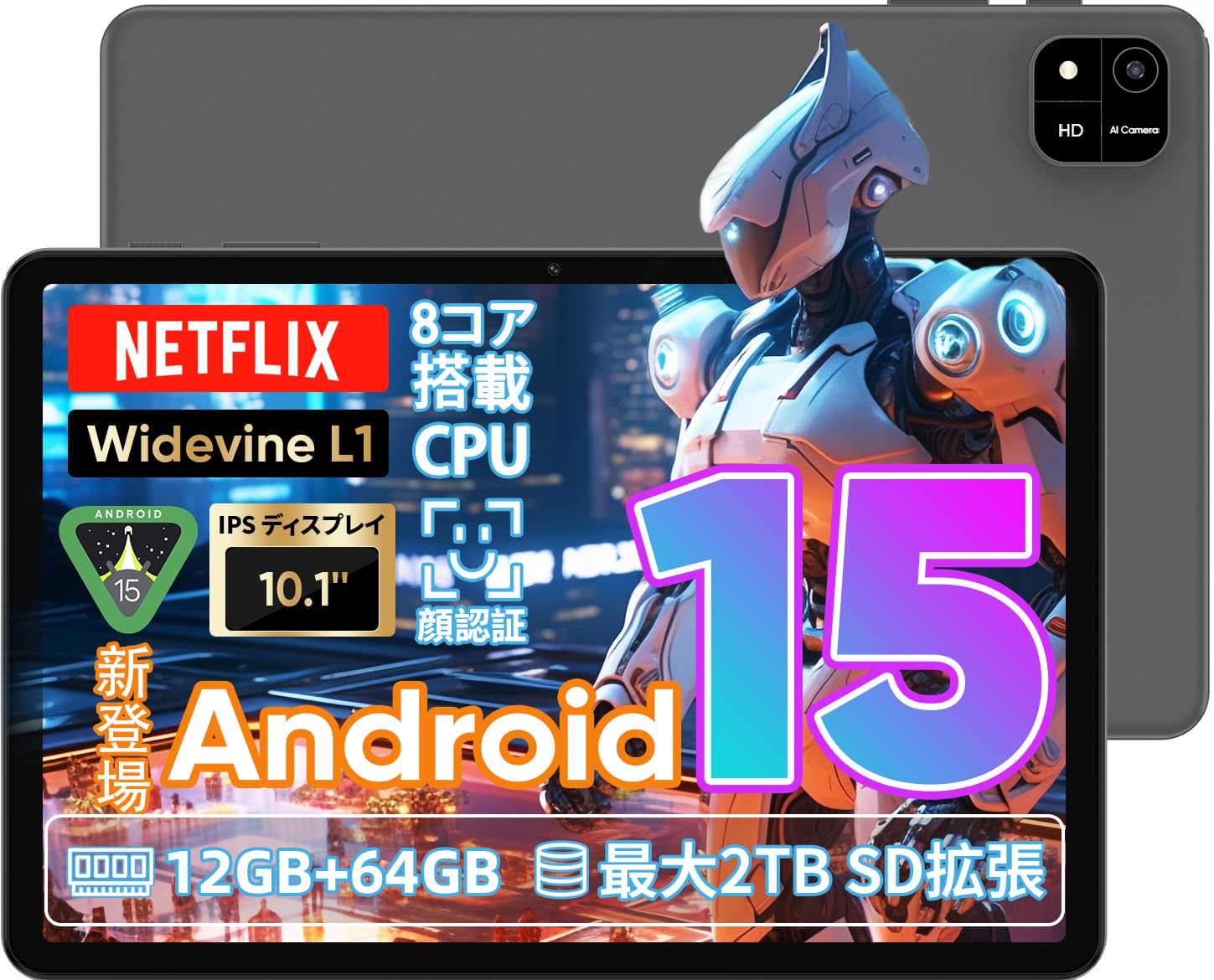
Image: A visual representation of the COLORROOM A30 tablet, highlighting its 10.1-inch display, Android 15 OS, T606 8-core CPU, 12GB RAM, 64GB ROM, 6000mAh battery, 5MP front camera, 8MP rear camera, 2.4G/5G WiFi, Bluetooth 5.0, GPS, and Widevine L1 support.
4. セットアップ
4.1 初回電源投入と言語選択
- COLORROOM ロゴが表示されるまで電源ボタンを押し続けます。
- Follow the on-screen prompts to select your preferred language (e.g., Japanese).
- Tap 'Start' or 'Next' to proceed.
4.2 Wi-Fi接続
- リストから希望の Wi-Fi ネットワークを選択します。
- プロンプトが表示されたら、Wi-Fi パスワードを入力します。
- 「接続」をタップします。
4.3 Googleアカウントの設定
- Googleアカウントでログインするか、新しいアカウントを作成してください。Google Playストアからアプリをダウンロードするには、アカウントが必要です。
- Review and accept the Google Terms of Service and Privacy Policy.
4.4 Set Screen Lock (PIN/Pattern/Password)
- For security, set a screen lock method (PIN, pattern, or password). A 6-digit PIN is recommended.
- You may choose to skip this step, but it is not recommended for device security.
Video: This video demonstrates the initial setup process for an Android 15 tablet, including language selection, Wi-Fi connection, Google account setup, and setting a screen lock. While the video features an M30 tablet, the setup steps are generally applicable to the COLORROOM A30.
5. 操作手順
5.1 基本操作
- ウィジェット: Long-press on an empty area of the home screen to add widgets like a clock or calendar for quick access to information.
- 画面のオン/オフ: The tablet can be configured to turn on the screen automatically when lifted, allowing you to quickly check notifications. This setting can be found under System > Gestures.
Video: This video illustrates basic Android tablet functions, including adding and removing widgets from the home screen, and enabling the 'lift to wake' feature for notifications. Although shown on an M30 tablet, these features are common to Android 15 devices like the COLORROOM A30.
5.2 表示機能
The COLORROOM A30 features a 10.1-inch IPS display with 1280x800 resolution, offering clear and vibrant visuals for all your content. It supports Widevine L1, enabling high-definition streaming from platforms like Netflix and Hulu.

Image: The COLORROOM A30 tablet showcasing its 10.1-inch IPS display with vivid colors and sharp details, ideal for watching movies and reading e-books.
5.3 パフォーマンス
Powered by an 8-core T606 CPU, the COLORROOM A30 delivers smooth performance for multitasking, gaming, and media consumption. It comes with 12GB (virtual) RAM and 64GB of internal storage, expandable up to 2TB via a TF (MicroSD) card.

画像: 詳細な view of the COLORROOM A30 tablet's internal components, emphasizing the T606 8-core CPU and the 6000mAh large-capacity battery, indicating high performance and extended usage.
5.4 カメラ
The tablet is equipped with an 8MP rear camera for capturing photos and videos, and a 5MP front camera for video calls and selfies. Face recognition is supported for convenient unlocking.

Image: The COLORROOM A30 tablet displayed from the front and back, showcasing its 8MP rear camera and 5MP front camera, designed for capturing moments and facilitating video communication.
5.5 接続性
Enjoy seamless connectivity with 2.4G/5G dual-band Wi-Fi, Bluetooth 5.0, and built-in GPS for navigation and location services.
5.6 バッテリー管理
The 6000mAh battery provides extended usage, and with Type-C and 18W PD fast charging, you can quickly recharge your device.
5.7 Kids Space
The tablet includes a Kids Space feature, offering a safe and curated environment for children. Parents can manage content, set usage limits, and monitor activities remotely.
Video: This video demonstrates the Kids Space feature on a tablet, showing how children can access age-appropriate content and how parents can manage settings like usage time and content restrictions remotely. While shown on a T10 tablet, the functionality is similar for the COLORROOM A30.
5.8 マルチタスクと分割画面
Android 15 enhances multitasking capabilities. You can use the split-screen feature to run two applications simultaneously, improving productivity. For example, watch a video while browsing the web.
Video: This video showcases the unboxing of an Android 15 tablet and demonstrates various features including reading comics, watching videos, using split-screen mode for multitasking, and taking screenshots. While the video features an AvidPad S60, the demonstrated features are applicable to the COLORROOM A30.
6. メンテナンス
- クリーニング: タブレットの画面と本体を拭く際は、柔らかく糸くずの出ない布をご使用ください。刺激の強い化学薬品や研磨剤の使用は避けてください。
- ソフトウェアアップデート: 最適なパフォーマンス、セキュリティ、そして新機能へのアクセスを確保するため、定期的にシステムアップデートを確認し、インストールしてください。「設定」>「システム」>「システムアップデート」に移動してください。
- ストレージ管理: 定期的に不要なものをクリアする files とアプリを同期してストレージ容量を解放し、デバイスの速度を維持します。
7。 トラブルシューティング
| 問題 | 解決 |
|---|---|
| タブレットの電源が入らない | バッテリーが充電されていることを確認してください。充電器を接続し、数分待ってから再度電源を入れてください。反応しない場合は、電源ボタンを10~15秒間押し続けて強制的に再起動してください。 |
| Wi-Fi接続の問題 | 設定でWi-Fiが有効になっているか確認してください。ルーターとタブレットを再起動してください。Wi-Fi信号の範囲内にいることを確認してください。 |
| アプリがクラッシュしたりフリーズしたりする | Close and reopen the app. Clear the app's cache (Settings > Apps > [App Name] > Storage > Clear cache). Ensure the app is updated to the latest version. Restart the tablet. |
| パフォーマンスが遅い | 使用していないアプリを閉じます。キャッシュと一時ファイルを消去します。 files. Check for system updates. Consider a factory reset if the issue persists (backup data first). |
8. 仕様
| 特徴 | 詳細 |
|---|---|
| ブランド | カラールーム |
| モデル | A30 |
| オペレーティング·システム | アンドロイド15 |
| プロセッサ | Unisoc T606 8-core CPU |
| ラム | 12GB (Virtual) |
| ロム | 64GB |
| 拡張可能なストレージ | Up to 2TB via TF (MicroSD) card |
| 画面 | 10.1-inch IPS, 1280x800 resolution, Widevine L1 support |
| バッテリー容量 | 6000mAh |
| 充電 | Type-C, 18W PD |
| リアカメラ | 8MP |
| フロントカメラ | 5MP |
| 接続性 | 2.4G/5G WiFi, Bluetooth 5.0, GPS |
| 寸法 | 32.29 x 19.8 x 3.7 cm(パッケージサイズ) |
| 重さ | 1.04 kg(パッケージ重量) |
9. 保証とサポート
Your COLORROOM A30 tablet comes with a manufacturer's warranty. Please refer to the warranty card included in your package for specific terms and conditions.
For technical support, troubleshooting, or warranty claims, please contact COLORROOM customer service through the retailer where you purchased the product or visit the official COLORROOM web連絡先情報のサイト。
Always provide your product model (A30) and purchase details when seeking support.