
TATTMUSE A887-BK
TATTMUSE Tattoo Stencil Printer User Manual
モデル: A887-BK
ブランド: TATTMUSE
1. はじめに
This manual provides comprehensive instructions for the operation and maintenance of your TATTMUSE Tattoo Stencil Printer. This wireless thermal printer is designed for efficient and high-quality tattoo stencil creation, compatible with various devices and featuring advanced anti-wrinkle technology.

Figure 1: TATTMUSE Tattoo Stencil Printer Overview
2. セットアップ
2.1 開梱と初期充電
Upon unboxing, ensure all components are present: Tattoo Stencil Printer, 10 x Tattoo Transfer Paper, 1 x USB to USB-C Adapter, 1 x USB-C cable (80cm), 1 x Quick Start Guide, and 1 x Velvet Pouch. Charge the printer fully before first use using the provided USB-C cable.
2.2 用紙のセット
- Peel off the clear sheet from the transfer paper.
- Use a ruler or similar flat object to lift the yellow backing.
- Power up the printer by pressing the power button.
- Place the paper smoothly onto the printer, ensuring the ribbon page faces down.

Figure 2: Steps for Paper Loading
2.3 接続性
The printer supports wireless Bluetooth connection for smartphones and tablets (Android, iOS) and wired USB Type-C connection for laptops (macOS 10+, Windows 7+, Chrome OS, Linux).

図3: デバイスの互換性と接続方法
3. 操作手順
3.1 Phomemoアプリの使用
The Phomemo APP provides access to over 800 free tattoo designs and various editing tools. Key features include large image cutting (splitting designs into 2-9 parts), filter functions to convert photos into outlines, tattoo preview, and AI-powered tattoo design generation.

Figure 4: Phomemo App Features
3.2 印刷プロセス
Once connected and your design is ready in the app, initiate the print command. The printer utilizes advanced thermal technology for ink-free printing, ensuring clear and quick results. The patented wrinkle-resistant mode adds lines to the paper edges to maintain flatness during printing, minimizing wrinkles and creases.

Figure 5: Anti-Wrinkle Technology in Action
3.3 Stencil Application
- Cleanse the skin area with a wipe or alcohol.
- Apply tattoo transfer gel evenly to the cleansed skin.
- Press the printed stencil firmly onto your skin.
- Wait for a few minutes to allow the transfer to set before carefully peeling off the stencil paper.

Figure 6: Steps for Flawless Stencil Transfers
3.4 製品デモビデオ
Video 1: Wireless Thermal Tattoo Transfer Printer Demonstration. This video illustrates the setup, printing, and stencil application process.
4. メンテナンス
The TATTMUSE Tattoo Stencil Printer is designed for low maintenance due to its ink-free thermal printing technology. To ensure optimal performance:
- Keep the paper path clear of any debris or dust.
- Store the printer in a clean, dry environment when not in use.
- プリンターを極端な温度や直射日光にさらさないでください。
- Use only compatible tattoo transfer paper to prevent damage to the print head.
5。 トラブルシューティング
If you encounter issues with your TATTMUSE Tattoo Stencil Printer, consider the following:
- 接続の問題: Ensure Bluetooth is enabled on your device and the printer is within range. For USB-C connection, verify the cable is securely connected to both the printer and your computer.
- 印刷品質: Ensure the transfer paper is loaded correctly with the ribbon page facing down. The printer's wrinkle-resistant mode is designed to minimize creases and maintain print quality.
- 電力の問題: Ensure the printer is sufficiently charged. The 1200mAh battery provides long-lasting operation.
- アプリの機能: Ensure your Phomemo APP is updated to the latest version for optimal performance and access to all features.
For further assistance, refer to the Quick Start Guide or contact TATTMUSE customer support.
6. 仕様
| 特徴 | 詳細 |
|---|---|
| 製品寸法 | 2.64 x 12.2 x 1.57インチ |
| アイテム重量 | 1.57 ポンド |
| モデル番号 | A887-BK |
| バッテリー | 1 リチウムポリマー電池 (付属) |
| メーカー | タトゥー |
| 接続技術 | Bluetooth、USB-C |
| 印刷技術 | Thermal (Ink-Free) |
| 特集 | Wider Device Connectivity, Wireless, Rechargeable, Bluetooth, Lightweight, Portable, Wrinkle-resistant Mode, Thermal, Inkless |
| 色 | 黒 |
| プリンタ出力 | モノクロ |
| 最大印刷速度(モノクロ) | 30ppm |
| 最大メディアサイズ | A4 |

図7: バッテリー性能view
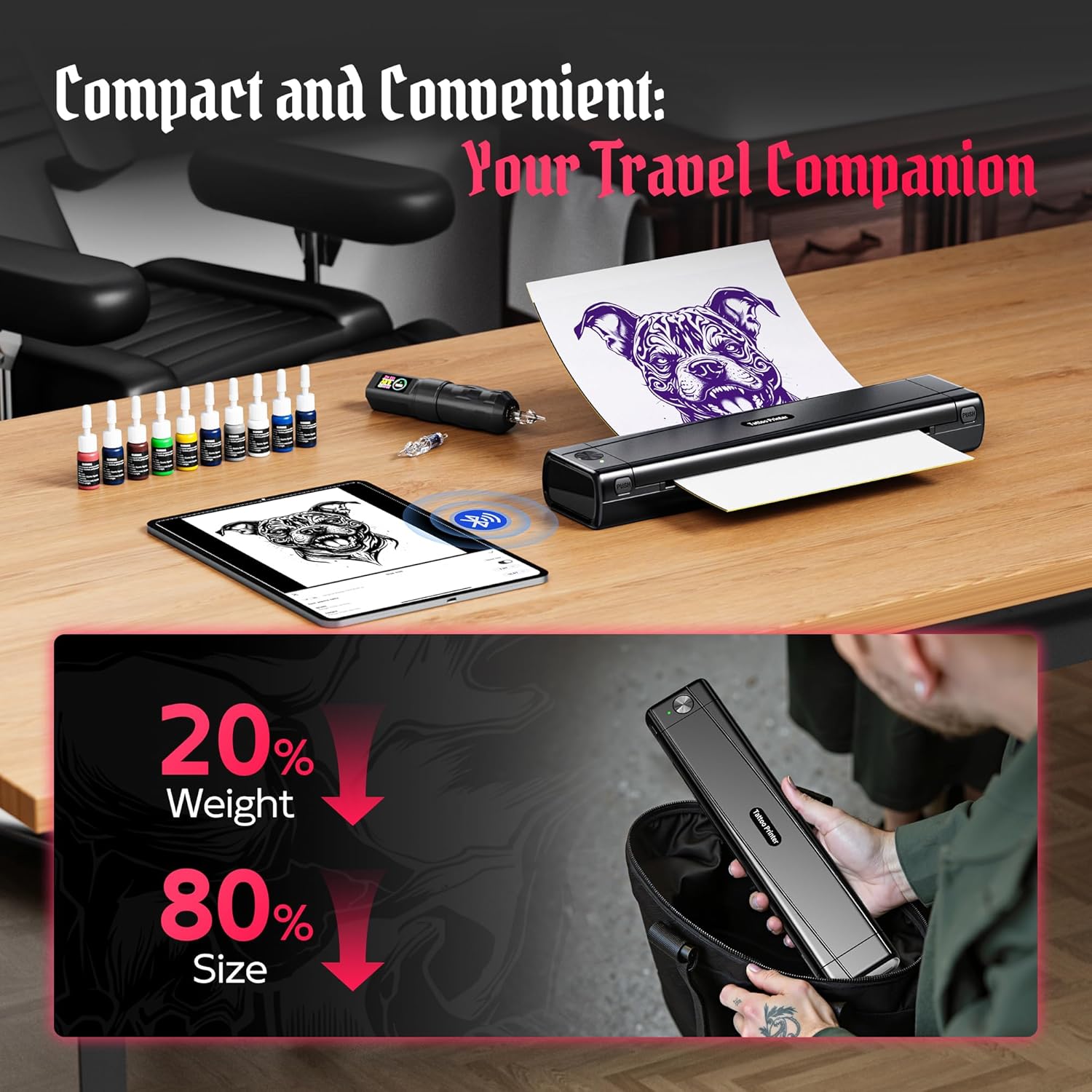
図8: コンパクトでポータブルなデザイン

Figure 9: Print Resolution Comparison
7. 安全情報
No specific safety information is provided by the manufacturer in the product details. Always handle electronic devices with care and follow general safety guidelines. Keep out of reach of children. Do not disassemble or attempt to repair the device yourself.
8. 保証とサポート
Warranty information for the TATTMUSE Tattoo Stencil Printer is not explicitly detailed in the provided product information. For specific warranty terms, conditions, and duration, please refer to the manufacturer's official website or contact TATTMUSE customer support directly.
For technical support, troubleshooting assistance beyond this manual, or any product-related inquiries, please visit the TATTMUSE store on Amazon or their official support channels.
TATTMUSE Store Link: Visit TATTMUSE Store
Ask a question about this manual
Ask about setup, troubleshooting, compatibility, parts, safety, or missing instructions. Manuals+ will review the question and use this page’s manual context to help answer it.