
1. はじめに
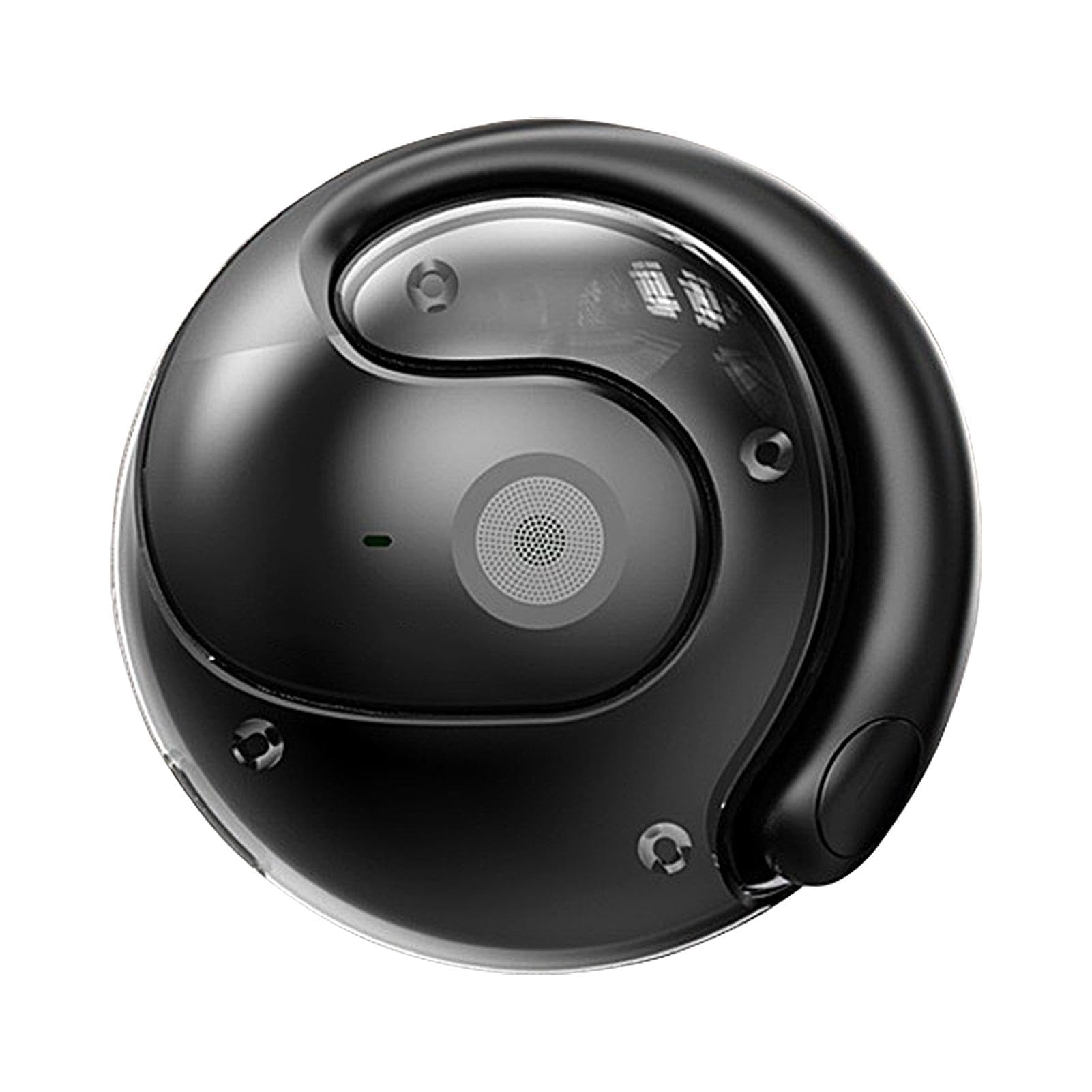
Thank you for choosing the Generic HY-T26 Pro Smart Translator Earbuds. These innovative wireless Bluetooth earbuds are designed to provide seamless multilingual communication and high-fidelity audio. Equipped with advanced AI technology, they offer real-time translation, immersive sound, and a range of smart functions to enhance your daily interactions and travel experiences. This manual will guide you through the setup, operation, maintenance, and troubleshooting of your new device.
2.製品オーバーview
2.1 パッケージ内容
The HY-T26 Pro package includes the following items:
- 1 Pair of HY-T26 Pro Earbuds
- 1ストラップ
- 1ワイヤレス充電ケース
- タイプC充電ケーブル1本
- 1 ユーザーマニュアル
2.2 主な特徴
- Immersive Hi-Fi Audio: Integrated 16mm moving coil speaker with noise cancellation offering 360-degree stereo sound.
- Advanced AI Translation: Up to 98% translation accuracy with five essential functions: recording, writing, translation, listening, and speaking.
- Comprehensive AI Application: Features include recording, translation, AI chat, image generation, and simple music generation.
- Seamless Cross-Language Communication: Eliminates language barriers for effective global interaction.
- ポータブルデザイン: Includes a lanyard for easy carrying and to prevent loss.
- Bluetooth 5.4接続: 最大 10 メートルまでの安定した効率的なワイヤレス接続。
2.3製品コンポーネント
Familiarize yourself with the main components of your HY-T26 Pro Smart Translator Earbuds.

画像2.3.1: The HY-T26 Pro earbuds and their compact wireless charging case.

画像2.3.2: 閉じる view of the HY-T26 Pro charging case, highlighting its AI capabilities.

画像2.3.3: The HY-T26 Pro charging case can be worn with a lanyard for portability and to prevent loss.
3. セットアップ
3.1 初期充電
初めて使用する前に、イヤホンと充電ケースを完全に充電してください。
- イヤホンを充電ケースに入れます。
- Connect the Type-C charging cable to the charging case and a power source (e.g., USB wall adapter, computer USB port).
- The indicator lights on the charging case will show the charging status. A full charge takes approximately 1 hour.
3.2Bluetoothペアリング
To connect your HY-T26 Pro earbuds to your smartphone or other Bluetooth-enabled device:
- イヤホンが充電されていることを確認し、充電ケースから取り出してください。自動的にペアリングモードになります。
- デバイスで Bluetooth 設定に移動し、Bluetooth をオンにします。
- 検索する available devices and select "HY-T26 Pro" from the list.
- 接続されると、音声プロンプトが聞こえ、イヤホンのインジケーターライトが変化します。
3.3 AI Application Installation
To utilize the full translation and AI features, download and install the dedicated AI application on your smartphone.
- Scan the QR code provided in the physical user manual or search for the "HY-T26 Pro AI App" in your device's app store (Google Play Store for Android, Apple App Store for iOS).
- アプリケーションをダウンロードしてインストールします。
- Open the app and follow the on-screen instructions to connect your HY-T26 Pro earbuds to the application.
4. 操作手順
4.1 基本的なオーディオ機能
- 再生/一時停止: どちらかのイヤホンを1回タップします。
- 次のトラック: 右のイヤフォンをダブルタップします。
- 前のトラック: 左のイヤフォンをダブルタップします。
- 通話の応答/終了: どちらかのイヤホンを1回タップします。
- 通話を拒否: どちらかのイヤフォンを2秒間押し続けます。
- 音声アシスタントを有効にする: どちらかのイヤフォンをトリプルタップします。
4.2 AI翻訳機能
The HY-T26 Pro earbuds offer advanced translation capabilities through the dedicated AI application.
画像4.2.1: User engaging in an AI voice conversation using the HY-T26 Pro earbuds and smartphone app for real-time translation.

画像4.2.2: The HY-T26 Pro enabling efficient communication through its AI app on a smartphone, anytime and anywhere.

画像4.2.3: The HY-T26 Pro facilitates cross-language communication, acting as a personal translator during business meetings or video calls.
- Real-time Conversation Translation:
- Open the AI application and select the "Conversation Translation" mode.
- ソース言語とターゲット言語を選択します。
- Speak into the earbud's microphone. The app will translate and play the translated audio through the earbuds or display it on the screen.
- テキスト翻訳:
- Within the app, select "Text Translation."
- Type or paste text into the input field. The translated text will appear instantly.
- Recording & Translation:
- Use the "Recording" feature in the app to record audio.
- After recording, you can select the audio to be translated into your desired language.
- リスニングモード:
- In this mode, the earbuds can pick up external speech and translate it into your chosen language, playing it directly into your ear.
4.3 AI Application Advanced Features
The AI application extends beyond translation, offering additional intelligent functionalities:
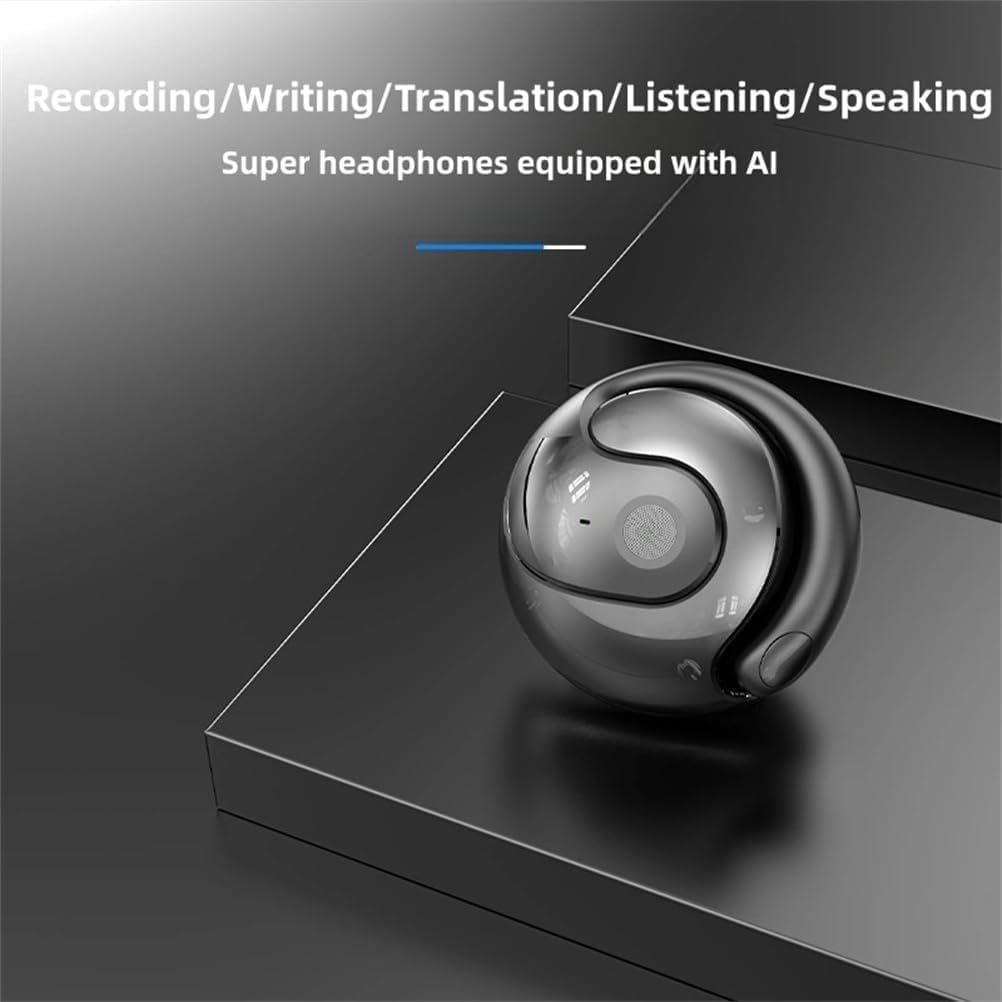
画像4.3.1: The HY-T26 Pro supports multiple AI-powered functions including recording, writing, translation, listening, and speaking.
- AIチャット: Engage in conversations with the AI for information, assistance, or practice.
- Image Generation: Utilize AI to generate images based on text prompts.
- Simple Music Generation: Experiment with AI-assisted music creation.
4.4使用シナリオ
The HY-T26 Pro earbuds are versatile for various communication needs:

画像4.4.1: A collage illustrating various usage scenarios for the HY-T26 Pro earbuds, including video calls, business meetings, and personal communication.
5. メンテナンス
5.1 クリーニング
- 柔らかく乾いた糸くずの出ない布でイヤホンと充電ケースを優しく拭いてください。
- 研磨剤入りの洗剤、溶剤、エアゾールスプレーは使用しないでください。
- 開口部に湿気が入らないようにしてください。
5.2 ストレージ
- 使用しないときは、イヤホンを保護し、充電を保つために充電ケースに保管してください。
- デバイスは直射日光や極端な温度を避け、涼しく乾燥した場所に保管してください。
5.3バッテリーケア
- バッテリー寿命を延ばすには、イヤホンと充電ケースを頻繁に完全に放電しないようにしてください。
- 継続的に使用しない場合でも、デバイスを定期的に充電してください。
6。 トラブルシューティング
If you encounter issues with your HY-T26 Pro earbuds, refer to the following common solutions:
| 問題 | 考えられる原因 | 解決 |
|---|---|---|
| イヤホンがペアリングされない | バッテリー残量が少ない、範囲外、ペアリング モードがアクティブでない、以前の接続に問題がある。 | Ensure earbuds are charged. Place them back in the case and take them out again. Ensure Bluetooth is on on your device. Forget "HY-T26 Pro" in your device's Bluetooth settings and try pairing again. |
| 音が出ない、または音質が悪い | Volume too low, earbuds not properly seated, connection issues, dirty speaker mesh. | Increase volume on both earbuds and connected device. Re-seat earbuds. Reconnect Bluetooth. Clean speaker mesh gently. |
| 翻訳が機能しない、または不正確です | App not connected, incorrect language settings, poor internet connection, background noise. | Ensure earbuds are connected to the AI app. Verify language settings. Check internet connection. Speak clearly in a quiet environment. |
| 充電ケースが充電されない | ケーブルの不良、電源の問題、充電ポートの汚れ。 | 別のType-Cケーブルと電源アダプターをお試しください。充電ポートが清潔でゴミなどがないことを確認してください。 |
7. 仕様
Technical details for the HY-T26 Pro Smart Translator Earbuds:
| 特徴 | 詳細 |
|---|---|
| 製品名 | HY-T26 Pro Language Translator Earbuds |
| ブランド | ジェネリック |
| モデル | HY-T26プロ |
| Bluetoothバージョン | 5.4 |
| 伝送距離 | 10メートル(33フィート) |
| 充電インターフェース | タイプC |
| 充電ケース容量 | 300mAh |
| 充電時間 | 約1時間 |
| 色 | 黒 |
8. 保証とサポート
8.1 保証情報
Specific warranty details for the Generic HY-T26 Pro Smart Translator Earbuds are not provided in the product information. Please refer to the retailer's return policy or contact the seller directly for warranty terms and conditions. Information regarding spare parts availability and software update guarantees is also not available.
8.2 カスタマーサポート
For further assistance or inquiries, please contact the seller or refer to the contact information provided with your purchase documentation.