
1. はじめに
The TRIGKEY Key-N150 Mini PC is a compact and efficient computer designed for various tasks, from office work to media entertainment. It features an Intel Twin Lake N150 processor, 16GB DDR4 RAM, and a 500GB M.2 PCIeX4 SSD, offering reliable performance in a small form factor. This manual provides essential information for setting up, operating, and maintaining your Mini PC.

画像1.1:正面 view of the TRIGKEY Key-N150 Mini PC.
2. パッケージ内容
パッケージに以下の項目が含まれているか確認してください。
- TRIGKEY Key-N150 Mini PC
- ユーザーマニュアル
- HDMIケーブル(1m)
- AC Power Cable (Optional: US/EU/UK/JP/AU)
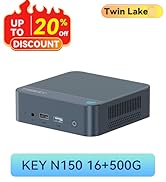
Image 2.1: TRIGKEY Key-N150 Mini PC and included accessories.
3.製品オーバーview
The Key-N150 Mini PC is equipped with a variety of ports and internal components to support its functionality.
3.1 Front and Rear Panel Interfaces

Image 3.1: Front panel of the Mini PC, showing USB ports and audio jack.

Image 3.2: Rear panel of the Mini PC, showing AC power, USB, LAN, and HDMI ports.
The Mini PC features:
- フロント: 3.5mm Audio Jack, USB 2.0, USB 3.2 (10Gbps), Power Button, Power Indicator Light.
- 後方: AC Power Input, USB 3.2 (10Gbps) x2, LAN (1000M) x2, HDMI x2.
3.2 内部コンポーネント
画像3.3: 分解図 view showing the internal components of the Mini PC, including the CPU, fan, RAM, and SSD slots.
主な内部機能は次のとおりです。
- プロセッサ: Intel Twin Lake N150 (4 Cores/4 Threads, up to 3.60GHz).
- グラフィック: Intel UHD Graphics (24EUs, 1000MHz).
- メモリ: 16GB DDR4 3200MHz SO-DIMM (single channel, expandable).
- ストレージ: 500GB M.2 PCIeX4 SSD (supports dual M.2 2280 SSDs, up to 2TB expansion).
- ワイヤレス接続: WiFi 5 と Bluetooth 5.0。
- 電源: Built-in 45W PSU.

Image 3.4: Details of the Intel Twin Lake N150 processor, highlighting its 3.6 GHz max turbo frequency, 4 cores, and 4 threads.

Image 3.5: Illustration of the 16GB DDR4 SO-DIMM RAM and the dual M.2 2280 SSD slots for storage expansion.
4. セットアップ手順
Follow these steps to set up your TRIGKEY Key-N150 Mini PC:
- ディスプレイに接続する: Use an HDMI cable to connect the Mini PC to your monitor or TV. The device supports dual HDMI output for multiple displays.
- 周辺機器を接続します。 利用可能な USB ポートに USB キーボードとマウスを接続します。
- ネットワークに接続する: For a wired connection, connect an Ethernet cable to one of the two LAN ports. For wireless, ensure your WiFi network is available during initial setup.
- 電源オン: Connect the AC power cable to the Mini PC and then to a power outlet. Press the power button on the front panel.
- 初期ブート: The Mini PC will boot up. Follow the on-screen instructions to complete the operating system setup (if not pre-configured).
ビデオ4.1: オーバーview of the TRIGKEY Key-N150 Mini PC, demonstrating its features and connectivity options. This video provides a visual guide to the product's design and capabilities.
5. 操作手順
5.1 基本操作
Once set up, your Mini PC functions like a standard desktop computer. You can perform tasks such as web browsing, media playback, and office applications.

Image 5.1: The Mini PC supports various applications including web browsing, media entertainment, office work, and 4K video playback.
5.2 デュアルディスプレイ設定
The Mini PC supports connecting two monitors via its dual HDMI ports. To configure dual displays:
- Connect both monitors to the HDMI ports on the rear of the Mini PC.
- Power on the Mini PC and both monitors.
- The operating system should automatically detect both displays. You can adjust display settings (extend, duplicate, primary display) through your OS display settings.
5.3 インテル ユニソン アプリ
The Intel Unison App allows seamless connection between your Mini PC and mobile devices. This enables features such as:
- Viewing photo galleries from your PC.
- タブレットでPC画面を拡張します。
- PC から電話をかけたり受けたりします。
- 転送中 file携帯電話/タブレットと PC 間の通信。
- Sending and receiving text messages from your PC.
- 単一のソースからデバイス通知を管理します。

Image 5.2: The Intel Unison App facilitates seamless connectivity and data transfer between your Mini PC and mobile devices.
6. メンテナンス
ミニ PC の寿命を延ばし、最適なパフォーマンスを確保するには、次のメンテナンスのヒントを考慮してください。
- 清潔に保つ: Regularly clean the exterior of the Mini PC with a soft, dry cloth. Ensure ventilation holes are free from dust and obstructions to maintain efficient cooling.
- ソフトウェアアップデート: セキュリティとパフォーマンスを向上させるために、オペレーティング システムとドライバーを最新バージョンに更新してください。
- 適切なシャットダウン: データの破損を防ぐために、必ずオペレーティング システムを介して Mini PC を適切にシャットダウンしてください。
- 環境条件: ミニ PC は、直射日光、過度の熱、湿気を避け、換気の良い場所で操作してください。

Image 6.1: The Mini PC features an efficient cooling system to ensure stable operation and heat dissipation.
7。 トラブルシューティング
ミニ PC で問題が発生した場合は、次の一般的な解決策を参照してください。
- 電源なし: Ensure the AC power cable is securely connected to both the Mini PC and the power outlet. Try a different power outlet.
- 表示なし: Check that the HDMI cable is firmly connected to both the Mini PC and the monitor. Verify the monitor is powered on and set to the correct input source. Try a different HDMI cable or monitor if possible.
- インターネット接続なし: For wired connections, check the Ethernet cable and router status. For wireless, ensure Wi-Fi is enabled in the operating system and you are connected to the correct network with the correct password.
- 周辺機器が動作しない: Ensure USB devices are properly plugged into the USB ports. Try different USB ports or restart the Mini PC.
- システムの速度低下: 不要なアプリケーションを閉じてください。大量のリソースを消費するバックグラウンドプロセスがないか確認してください。十分な空きストレージ容量を確保してください。
- 予期しないシャットダウン: Ensure the Mini PC is in a well-ventilated area and not overheating. Check for any recent software or driver installations that might be causing instability.
If problems persist, consult the TRIGKEY support resources mentioned in the Warranty and Support section.
8. 仕様
| 特徴 | 詳細 |
|---|---|
| ブランド | トリガーキー |
| モデル番号 | KEY N150 |
| CPUモデル | Intel Twin Lake N150 (Celeron) |
| CPU速度 | 最大3.6GHz |
| プロセッサ数 | 4 |
| グラフィックスコプロセッサ | インテルUHDグラフィックス |
| RAMメモリ搭載 | 16 GB DDR4 SDRAM |
| メモリ速度 | 3200 MHz |
| 利用可能なメモリスロット | 1 |
| メモリストレージ容量 | 500ギガバイト |
| ハードディスクの説明 | 500GB M.2 PCIeX4 SSD |
| オペレーティング·システム | OS(プリインストール) |
| 接続技術 | Bluetooth、イーサネット、HDMI、Wi-Fi |
| ワイヤレス互換性 | 802.11ac(Wi-Fi 5)、Bluetooth 5.0 |
| USBポート合計 | 3(USB 3.2 x2、USB 2.0 x1) |
| HDMIポートの総数 | 2 |
| ディスプレイ解像度最大 | 3840x2160(4K) |
| 冷却方法 | Passive (with fan for efficient heat dissipation) |
| 電源プラグタイプ | Type A - 2 pin (North American) |
| 色 | グレー |
9. 保証とサポート
TRIGKEY is committed to providing excellent customer service and support for your Mini PC.
- クイック返信: Support inquiries receive a reply within 24 hours.
- 返品規則: 30日間の返品ポリシー。
- 交換: 購入後12か月以内であれば交換可能です。
- 生涯サポート: 生涯にわたるアフターサービスとテクニカルサポート。

Image 9.1: TRIGKEY's commitment to customer service, including response times, return policy, replacement period, and lifetime technical support.
お問い合わせ
For further assistance, technical support, or warranty claims, please use the following channels:
- メールアドレス: Refer to your product packaging or the official TRIGKEY website for email contact information.
- Webサイト: 公式TRIGKEYをご覧ください webFAQ、ドライバー、サポート リソースのサイト。
- オンライン相談: Check the TRIGKEY store page for online chat or consultation options.

Image 9.2: Various contact methods for TRIGKEY customer service and technical support.