
フレキシスポットE6
FLEXISPOT E6 電動高さ調節式スタンディングデスク 取扱説明書
Model: E6 (White Frame + 55"x24" Solid Wood Desktop)
導入
This manual provides detailed instructions for the assembly, operation, and maintenance of your FLEXISPOT E6 Electric Height Adjustable Standing Desk. Please read this manual thoroughly before assembly and use to ensure proper function and safety. Keep this manual for future reference.

Image: The FLEXISPOT E6 standing desk in a home office setting.
安全情報
To prevent injury or damage to the desk, please observe the following safety guidelines:
- 使用する前に、デスクが適切に組み立てられ、安定していることを必ず確認してください。
- 220 ポンド (100 kg) の最大重量制限を超えないようにしてください。
- Keep the work area clear of obstacles to prevent accidents during height adjustment.
- Always use both hands when adjusting the desk height to maintain stability.
- Never leave children unattended near the desk.
- Ensure all cables are properly managed to avoid entanglement during movement.
- コントロール パネル上や電気部品の近くに液体を直接置かないでください。

Image: Anti-collision system diagram.
セットアップと組み立て
Follow these steps to assemble your FLEXISPOT E6 standing desk. It is recommended to have assistance for certain steps due to the weight of components.
1. コンポーネントを解凍する
Carefully unpack all components and verify against the parts list provided in your packaging. Ensure all parts are present and undamaged.
2. フレームを組み立てる
Begin by assembling the crossbeams and pedestals. Ensure screws are aligned with square holes in the cross member and pressed tightly. Pre-tighten all screws for installing the cross beams, then tighten them simultaneously.
ビデオ:FLEXISPOT E6 エッセンシャル スタンディングデスク 設置ガイド。このビデオでは、デスクフレームとデスクトップアタッチメントの組み立て手順をステップバイステップで説明します。
3. Attach the Desktop
Carefully place the desktop upside down on a soft, clean surface. Position the assembled frame onto the desktop, ensuring proper alignment. The distance between the supporting bracket and the edge of the tabletop should not exceed 200mm. Secure the frame to the desktop using the provided screws. Use a drill for efficiency, but ensure not to overtighten.

Image: The assembled desk with a light wood top and white frame.
4. Install Keypad and Cable Management
Attach the intelligent keypad to the underside of the desktop. Ensure the keypad is on the same side as the adapter bracket and its curved edge is flush with the edge of the table top. Connect all necessary cables (AC power cable, power adaptor, extension cord) to the control box and motors. Utilize the cable clips for organized cable management.
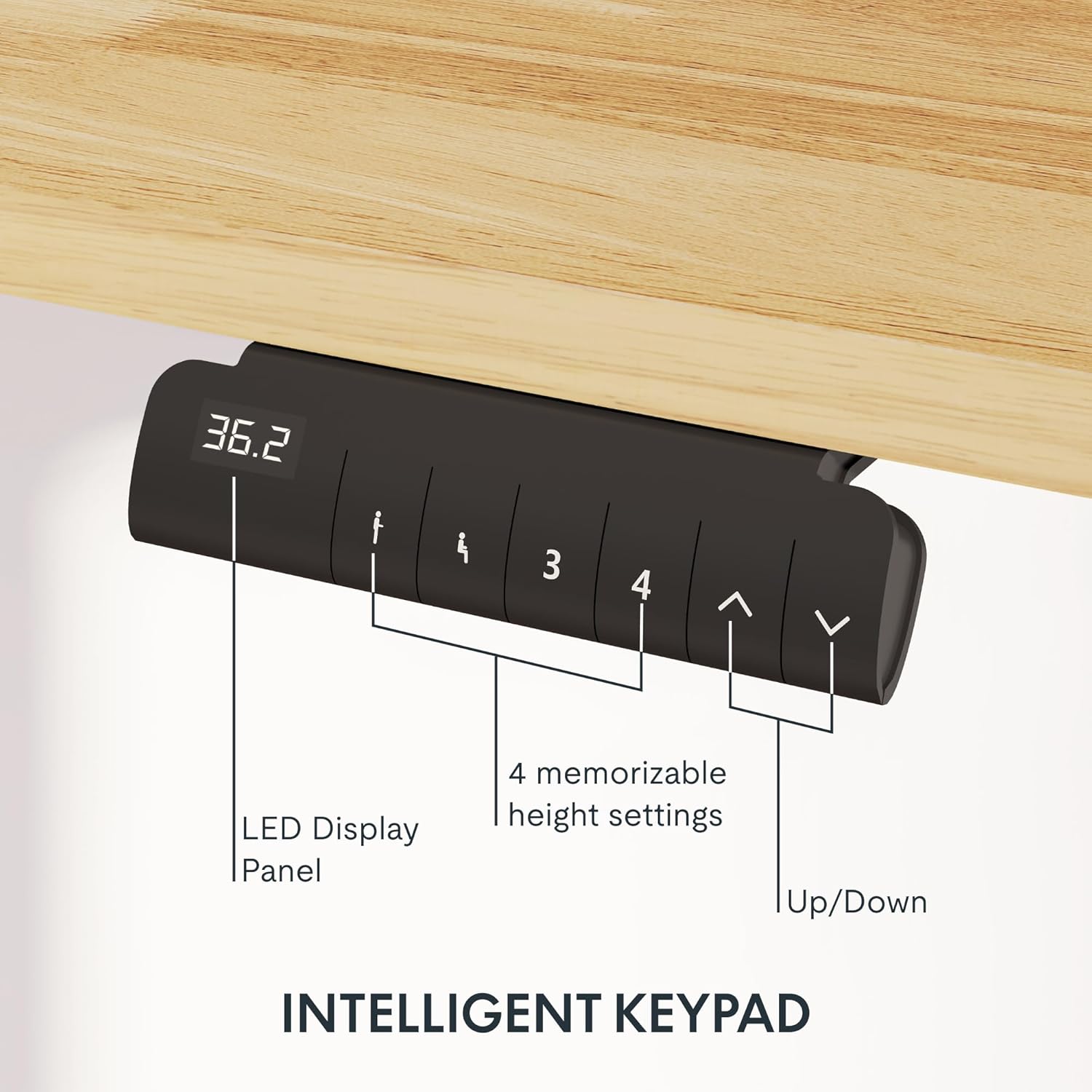
Image: Close-up of the intelligent keypad for height adjustment.
操作手順
Your FLEXISPOT E6 desk features a dual-motor system for smooth and quiet height adjustments.
高さ調整
- 使用 Up そして 下 arrows on the keypad to manually adjust the desk height.
- The LED display panel will show the current height.
メモリプリセット
The keypad includes four memorizable height settings for convenience:
- 上/下矢印を使用して、デスクを希望の高さに調整します。
- を押す M button (or similar memory set button) followed by a number button (1, 2, 3, or 4) to save the current height to that preset.
- 保存した高さを呼び出すには、対応する数字ボタンを押すだけです。

画像:デスクの高さ調整範囲の図。
メンテナンス
定期的なメンテナンスにより、スタンディング デスクの寿命が長くなり、最適なパフォーマンスが確保されます。
- クリーニング: デスクトップとフレームを柔らかくて乾いた布で拭きます。amp 布で拭いてください。仕上げを傷める可能性のある研磨剤入りの洗剤や刺激の強い化学薬品は使用しないでください。
- ケーブル管理 Periodically check and reorganize cables to prevent tangling or damage, especially after moving the desk.
- ネジの締め付け具合: Occasionally check all screws and bolts to ensure they are securely tightened. Retighten if necessary.
- 重量配分: Distribute weight evenly across the desktop to prevent strain on the motors and frame.
トラブルシューティング
If you encounter issues with your FLEXISPOT E6 desk, refer to the following common solutions:
- 机が動かない: すべての電源接続を確認してください。電源アダプターが壁のコンセントとコントロールボックスの両方にしっかりと差し込まれていることを確認してください。
- 不均一な動き: Perform a reset procedure (refer to the specific reset instructions in your packaged manual, as procedures can vary). Ensure no obstacles are impeding movement.
- エラーコード: If an error code appears on the LED display, consult the full product manual for specific code meanings and solutions.
- 動作中の騒音: A slight hum is normal for dual motors. Excessive or unusual noise may indicate loose components; check all connections and screws.
問題が解決しない場合は、FLEXISPOT カスタマー サポートにお問い合わせください。
仕様
Key specifications for the FLEXISPOT E6 Electric Height Adjustable Standing Desk:
| 特徴 | 詳細 |
|---|---|
| ブランド | フレキシポット |
| モデル番号 | E6 |
| デスクトップ素材 | Rubber Solid Wood (FSC-Certified) |
| フレーム素材 | 金属 |
| 製品寸法(奥行き×幅×高さ) | 55.1" x 23.6" x 23.6" (at minimum height) |
| デスクトップサイズ | 55"x24" (Whole-piece) |
| 最小高さ | 23.6インチ |
| 最大高さ | 48.8インチ |
| 最大重量容量 | 220ポンド |
| モータータイプ | デュアルモーター |
| 騒音レベル | 45dB未満 |
| コントロールパネル | Intelligent Keypad with LED Display and 4 Memory Presets |
| 特集 | Anti-collision system, Finger Joint Design |
| 組み立てが必要 | はい |
| 組み立てに推奨されるツール | ドライバー |
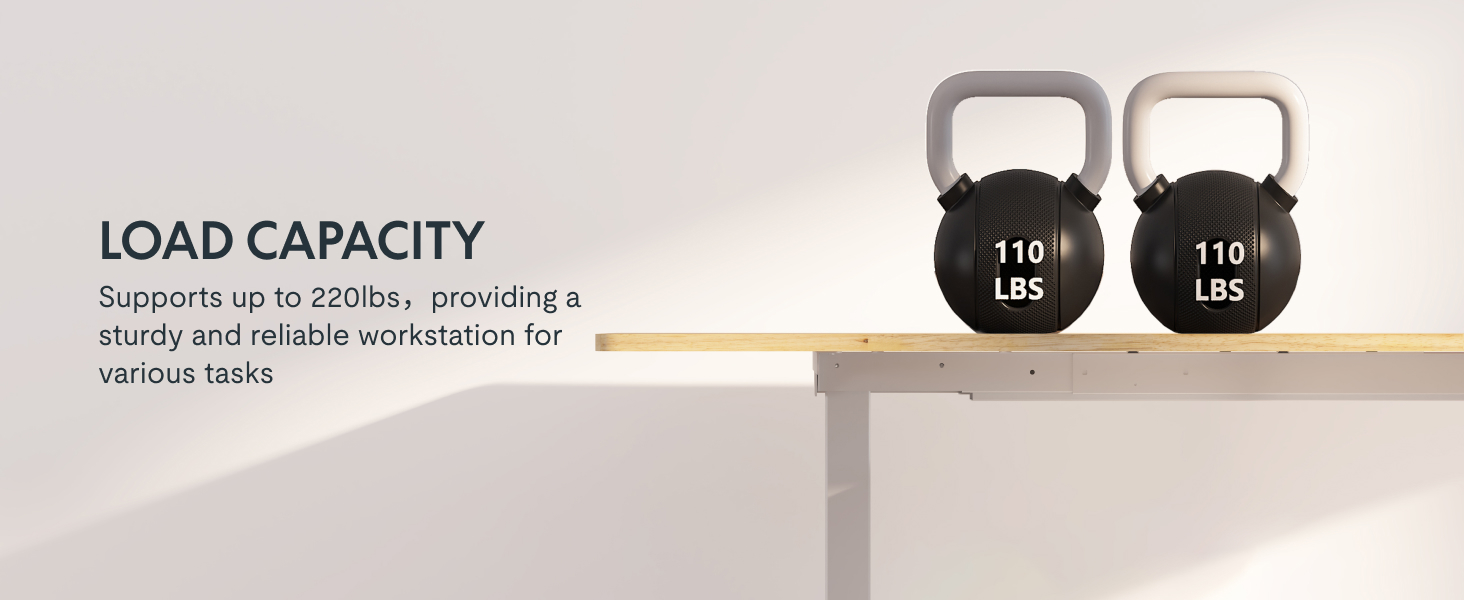
Image: Desk illustrating its 220 lbs maximum load capacity.
保証とサポート
FLEXISPOT は、お客様に安心していただけるよう包括的な保証を提供します。
- 5年間の保証: Applies to the desk frame and motors.
- 2年間の保証: コントロール パネルと電子機器に適用されます。
For any assistance, warranty claims, or product inquiries, please contact FLEXISPOT customer support. You can find contact information on the official FLEXISPOT webサイトまたは購入プラットフォームを通じて購入できます。
Returnable until January 31, 2026.
関連文書E6


Ask a question about this manual
Ask about setup, troubleshooting, compatibility, parts, safety, or missing instructions. Manuals+ will review the question and use this page’s manual context to help answer it.