
DCOLOR EU014AB
Dcolor TV Remote Control User Manual
Model: EU014AB
導入
This manual provides comprehensive instructions for the Dcolor Universal TV Remote Control, Model EU014AB. This remote is designed to offer seamless control over various entertainment devices, including TVs and compatible Dcolor ATSC TV Tuners. Its ergonomic design and intuitive layout ensure ease of use for navigating menus, adjusting volume, changing channels, and controlling playback functions.

Image: The Dcolor Universal TV Remote Control, showcasin洗練された黒のデザインとボタンレイアウト。
設定
1. バッテリーの取り付け
- リモコンの背面にある電池収納部を見つけます。
- バッテリーカバーをスライドさせて開きます。
- Insert 1 AAA battery, ensuring the correct polarity (+ and -) as indicated inside the compartment.
- 電池カバーをしっかりと閉じてください。
2. Compatibility and Initial Use
This remote is designed for universal compatibility with most major TV brands and specifically with Dcolor ATSC TV Tuners. No complex programming is typically required for basic functions with compatible Dcolor devices. For other TV brands, the remote may automatically detect and control the device, or refer to the "Remote Control Code" section for advanced setup if needed.
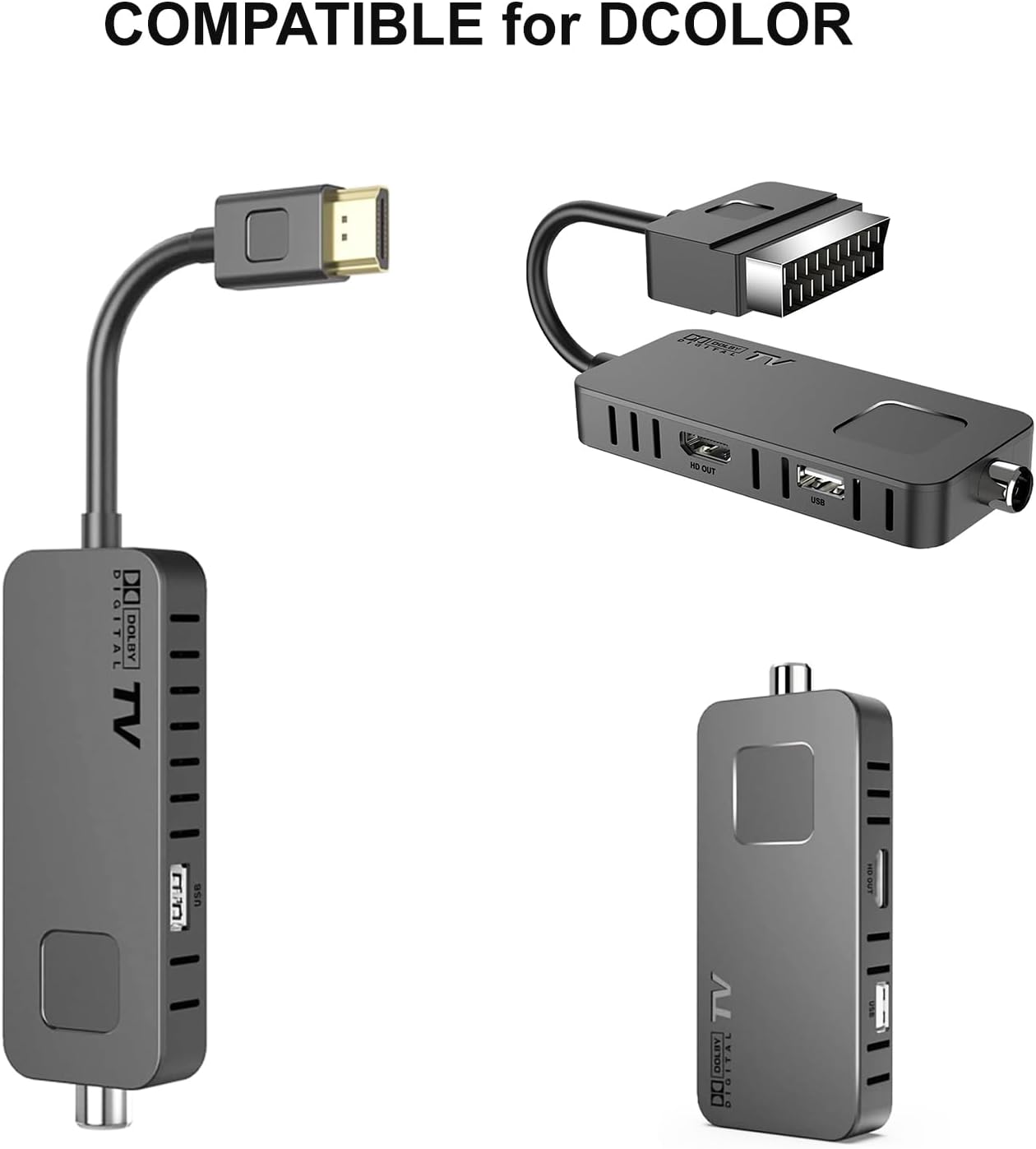
Image: The Dcolor remote control shown alongside compatible Dcolor TV tuner devices, illustrating its intended use.
操作手順
The Dcolor remote control features a comprehensive layout for intuitive operation. Below is a guide to its primary functions:

画像: 詳細な view of the Dcolor remote control, highlighting key buttons and their corresponding functions for TV and decoder control.
- 電源スイッチ (●): Turns the connected device on or off.
- セット: Used for advanced settings or programming.
- テレビ/AV: TVとAVの入力モードを切り替えます。
- VOL +/-:音量レベルを調整します。
- CH +/-: チャンネルを上または下に変更します。
- ナビゲーションパッド(上、下、左、右、OK): メニューを移動し、選択を確定します。
- メニュー: Opens the main menu of the device.
- EXIT: 現在のメニューまたは画面を終了します。
- 株価収益率: Accesses Personal Video Recorder functions.
- Vフォーマット: Changes video format settings.
- 側面: Adjusts screen aspect ratio.
- タイマー: Sets sleep timers or recording timers.
- Playback Controls (Play/Pause, Stop, Rewind, Fast Forward, Previous, Next): メディアの再生を制御します。
- 電子ブック: 電子番組ガイドを表示します。
- サブT: 字幕のオン/オフを切り替えます。
- 想起: 以前の viewedチャンネル。
- 情報: 現在のプログラムに関する情報を表示します。
- オーディオ: Selects audio tracks or modes.
- お気に入り: お気に入りのチャンネルリストにアクセスします。
- テテックス: Activates Teletext.
- 記録: 録音を開始します。
- PAGE+/-: メニューまたはガイド内のページ間を移動します。
- 数字ボタン(0-9): チャンネル番号を直接入力します。
- テレビ/ラジオ: TV モードとラジオ モードを切り替えます。
Remote Control Code (Advanced Setup)
For specific programming or if the remote does not automatically control your device, refer to the remote control code diagram. This diagram illustrates the internal codes corresponding to various buttons, which may be used for manual programming with certain devices or universal remote setup guides.

Image: A diagram showing the internal code mapping for various buttons on the Dcolor remote control, useful for advanced programming.
メンテナンス
- クリーニングリモコンのお手入れには、柔らかく乾いた布をご使用ください。液体クリーナーや研磨剤は使用しないでください。
- バッテリー交換: Replace batteries when the remote's responsiveness decreases. Always use new AAA batteries and dispose of old batteries responsibly.
- ストレージ: リモコンは直射日光や極端な温度を避け、涼しく乾燥した場所に保管してください。
- 耐久性: While designed for durability, avoid dropping the remote or exposing it to excessive force or moisture.
トラブルシューティング
| 問題 | 考えられる原因 | 解決 |
|---|---|---|
| リモコンが応答しません。 | 電池が切れているか、正しく挿入されていません。リモコンとデバイスの間に障害物があります。リモコンが通信範囲外です。 | Check battery polarity and replace if necessary. Ensure clear line of sight to the device's IR receiver. Move closer to the device. |
| 特定のボタンが機能しません。 | Button stuck or damaged. Device not compatible with specific function. | Gently press the button to ensure it's not stuck. Verify if the function is supported by your device. |
| Remote controls wrong device. | Interference from other remotes. Incorrect device selected (if applicable). | Ensure only one remote is being used at a time. If your device has multiple input modes, ensure the correct one is selected. |
仕様
- モデル番号: EU014AB
- 製品寸法: 7.09 x 1.78 x 0.78 インチ
- アイテム重量: 2.12オンス
- 電池が必要: 単1電池XNUMX本
- 対応デバイス: Television (specifically Dcolor ATSC TV Tuners and most major TV brands)
- 特集: Infrared Technology, Multi-device Control, Universal Programming
- 色: 黒
Ask a question about this manual
Ask about setup, troubleshooting, compatibility, parts, safety, or missing instructions. Manuals+ will review the question and use this page’s manual context to help answer it.