
Baseus CCNMS140
Baseus NOMOS 5-in-1 140W Desktop Charging Station
Model: CCNMS140
ブランド: Baseus
導入
The Baseus NOMOS 5-in-1 140W Desktop Charging Station is a versatile power solution designed to efficiently charge multiple devices simultaneously. Featuring a Qi2 certified wireless charger, a retractable USB-C cable, two additional USB-C ports, and one USB-A port, this station provides comprehensive charging capabilities for a wide range of electronic devices, including smartphones, tablets, and laptops. Its integrated LCD display allows for real-time monitoring of charging status and power distribution.

図1:以上view of the Baseus NOMOS 5-in-1 140W Desktop Charging Station.
セットアップガイド
Follow these steps to set up your Baseus NOMOS Charging Station:
- デバイスを開梱します。 Carefully remove the charging station and any accessories from its packaging.
- 電源に接続: Plug the provided power cable into the charging station's power input port, then connect the other end to a standard 220V AC power outlet.
- 配置: Place the charging station on a stable, flat surface, such as a desk or table, ensuring adequate ventilation around the device.
- 初回電源オン: The LCD display should illuminate, indicating the device is powered on and ready for use.
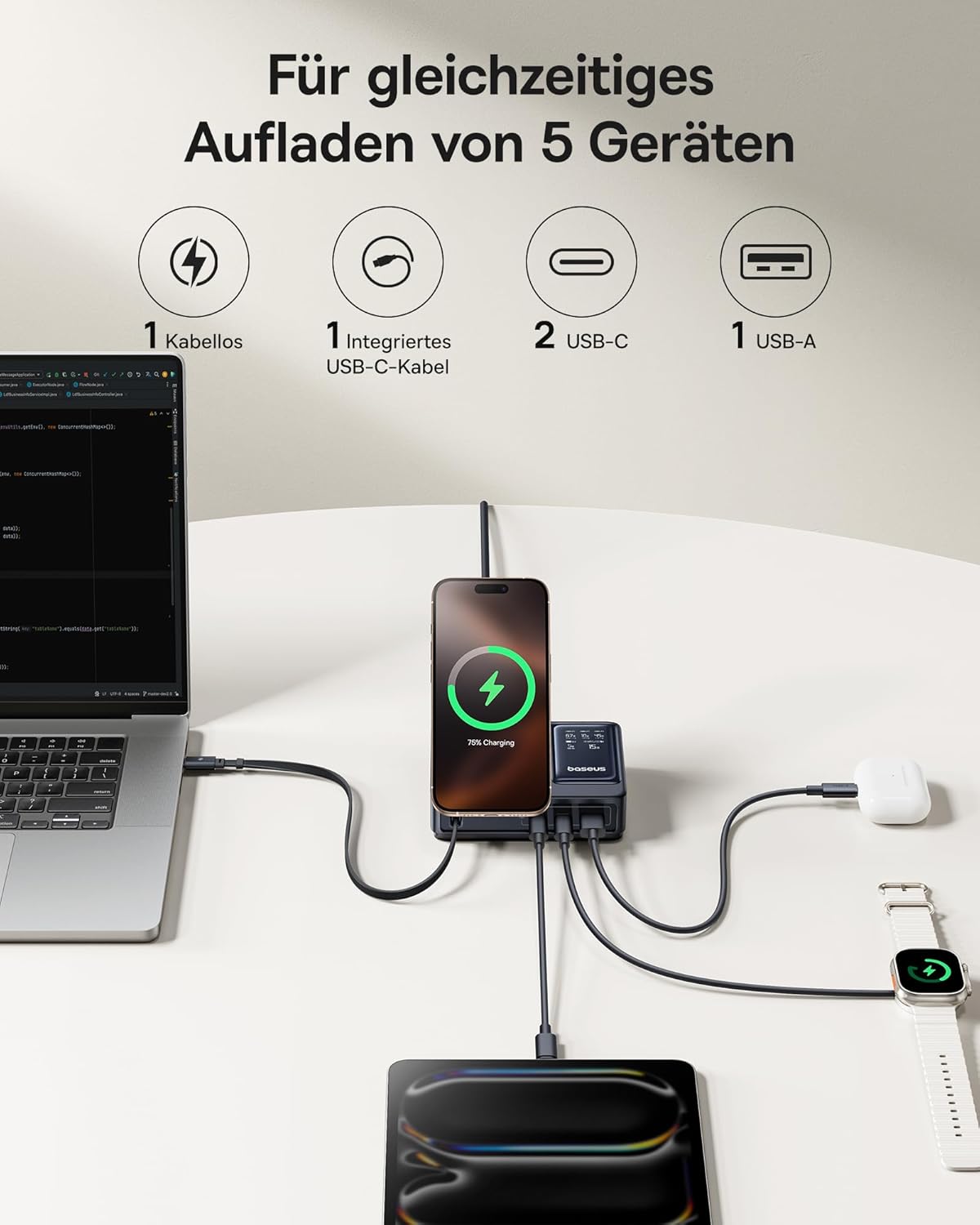
Figure 2: The charging station supports simultaneous charging of up to five devices.
操作手順
The Baseus NOMOS Charging Station offers multiple charging methods:
1. Qi2 Wireless Charging
The integrated wireless charging pad supports Qi2 certified devices, including iPhone 13-16 series (iOS 17.2.0 or higher) at 15W, and other Qi2 compatible Android phones at 5W.
- 使用法: Place your compatible smartphone directly onto the wireless charging pad. Ensure the device is centered for optimal charging.
- 調整可能なスタンド: The wireless charging pad features an adjustable and foldable stand, allowing you to position your phone for comfortable view充電しながら。
- インジケータ: The LCD display will show the charging status and power output for the wireless connection.

Figure 3: The Qi2 wireless charging pad provides fast charging for compatible devices.

Figure 4: The adjustable stand allows for flexible phone positioning during wireless charging.
2. Retractable 100W USB-C Cable
The charging station includes a built-in 100W retractable USB-C cable for convenient wired charging.
- 使用法: Gently pull the USB-C cable from its housing to extend it. Connect the cable to your USB-C compatible device.
- 撤回: When finished, gently pull the cable again to activate the retraction mechanism, allowing it to neatly store back into the station.
- 耐久性: This cable has been tested for over 10,000 retractions, ensuring long-term reliability.

Figure 5: The integrated 100W retractable USB-C cable for convenient charging.
3. USB-C Ports (PD3.1 140W Max)
Two additional USB-C ports are available, supporting Power Delivery 3.1 for high-speed charging up to 140W, ideal for laptops like MacBook Pro.
- 使用法: Connect your device using a compatible USB-C to USB-C cable to either of the two USB-C ports.
- ハイパワー出力: These ports are capable of delivering significant power, suitable for demanding devices.
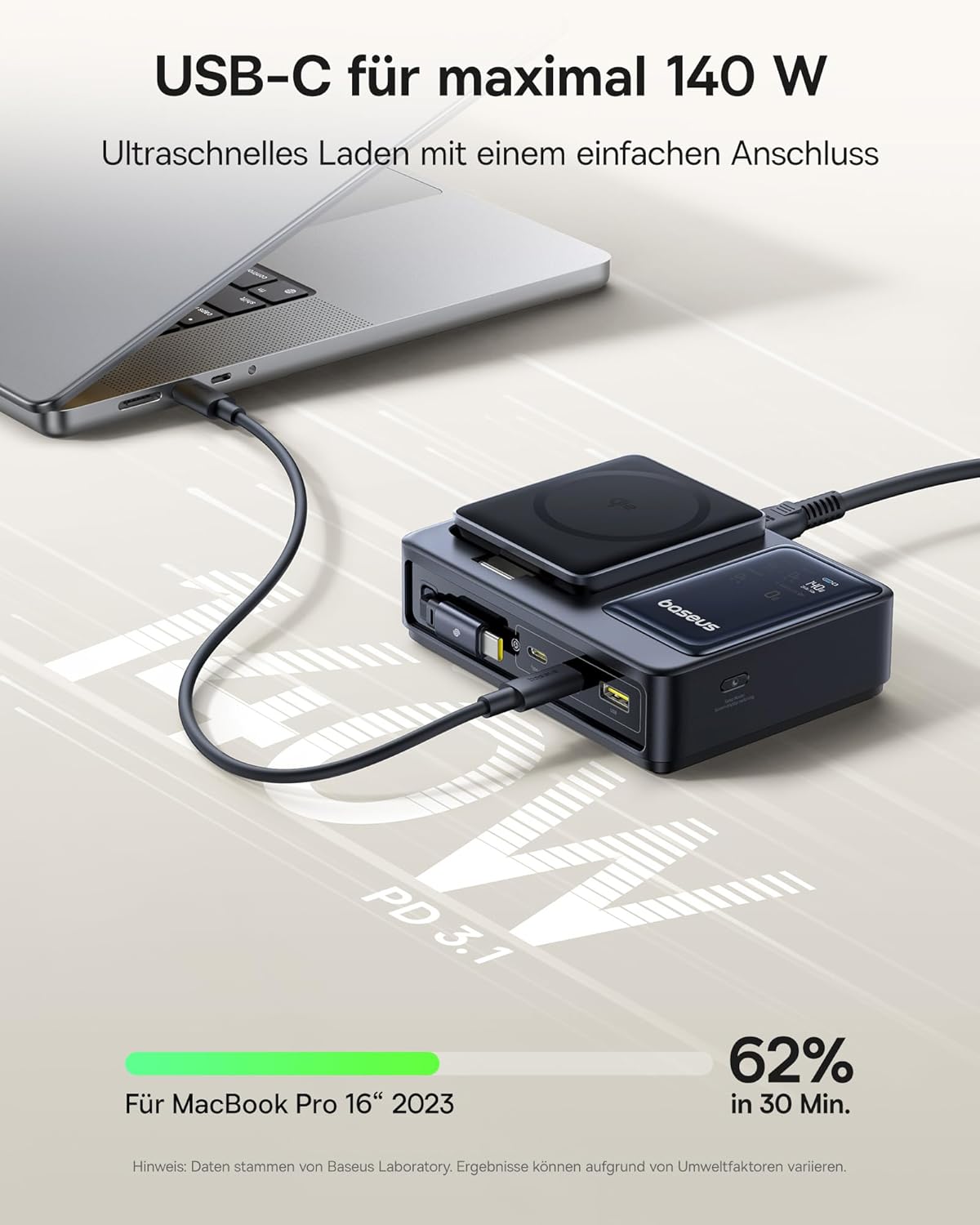
Figure 6: High-speed 140W USB-C charging for laptops and other power-hungry devices.
4.USB-Aポート
One standard USB-A port is included for charging devices that utilize this connection type.
- 使用法: 互換性のある USB-A ケーブルを使用してデバイスを USB-A ポートに接続します。
5.LCDディスプレイ
The integrated LCD display provides real-time charging information.
- 表示される情報: The screen shows the power output for each connected port and the total power being drawn when multiple devices are charging.
- 監視: This allows you to monitor the charging status and ensure optimal power delivery to your devices.

Figure 7: The LCD display provides detailed charging status and power allocation information.
仕様
| 特徴 | 詳細 |
|---|---|
| ブランド | ベースス |
| モデル番号 | 中国語 |
| 色 | 黒 |
| 総出力 | 140ワット(最大) |
| 入力ボリュームtage | 220ボルトAC |
| ポート数 | 5 (1x Qi2 Wireless, 1x Retractable USB-C, 2x USB-C, 1x USB-A) |
| Retractable Cable Output | 100W USB-C |
| USB-C ポート出力 | 最大140W(PD3.1) |
| Qi2 Wireless Output | 15W (iPhone 13-16 series), 5W (other Qi2 Android) |
| 対応デバイス | iPhone 13-16 series, Qi2 compatible Android phones, MacBook Pro, other USB-C/USB-A devices |
| 特集 | Digital LCD Display, Adjustable Phone Stand, Low Temperature Charging |
| 欧州連合 | 850068772803 |
メンテナンス
To ensure the longevity and optimal performance of your Baseus NOMOS Charging Station, follow these maintenance guidelines:
- クリーニング: Disconnect the power cable before cleaning. Use a soft, dry, lint-free cloth to wipe the surface of the device. Do not use liquid cleaners, aerosols, or abrasive materials.
- ストレージ: 長期間使用しない場合は、充電ステーションを直射日光や極端な温度を避け、涼しく乾燥した場所に保管してください。
- ケーブルのお手入れ: Ensure the retractable USB-C cable is fully retracted when not in use to prevent damage. Avoid pulling the cable excessively or at sharp angles.
- 換気: Do not block the ventilation openings on the device. Ensure there is sufficient airflow to prevent overheating.
トラブルシューティング
充電ステーションで問題が発生した場合は、次の一般的な問題と解決策を参照してください。
| 問題 | 考えられる原因 / 解決策 |
|---|---|
| デバイスが充電されない |
|
| 充電速度が遅い |
|
| LCD display is off or not showing information |
|
| Retractable cable not retracting |
|
保証とサポート
Information regarding the specific warranty period and support contact details for the Baseus NOMOS 5-in-1 140W Desktop Charging Station was not available in the provided product data. For warranty claims, technical support, or service inquiries, please refer to the product packaging, the official Baseus webサイトをご覧いただくか、製品を購入した小売店にお問い合わせください。
It is recommended to retain your proof of purchase for any warranty-related matters.
Ask a question about this manual
Ask about setup, troubleshooting, compatibility, parts, safety, or missing instructions. Manuals+ will review the question and use this page’s manual context to help answer it.