
Prexiso B0DNDLT8TC
PREXISO Professional 61-Inch Aluminum Laser Level Tripod User Manual
Model: B0DNDLT8TC
導入
This manual provides detailed instructions for the setup, operation, and maintenance of your PREXISO Professional 61-Inch Aluminum Laser Level Tripod. Designed for stability and versatility, this tripod is compatible with laser levels, cameras, and other equipment featuring a 1/4-20 mounting thread. Please read these instructions thoroughly before use to ensure safe and efficient operation.
箱の中身
開梱したら、すべてのコンポーネントが揃っていて損傷がないことを確認してください。
- PREXISO Professional 61-Inch Aluminum Tripod
- Quick Release Plate with 1/4-20 mounting thread
- ポータブルキャリーバッグ

Image: The PREXISO Professional 61-Inch Aluminum Tripod shown with its included carrying bag.
セットアップ手順
1. 三脚を展開する
- 三脚をキャリングバッグから取り出します。
- 3 本の脚が完全に伸びて安定するまで、ゆっくりと外側に広げます。
- Ensure the leg locks are securely fastened to prevent accidental collapse.
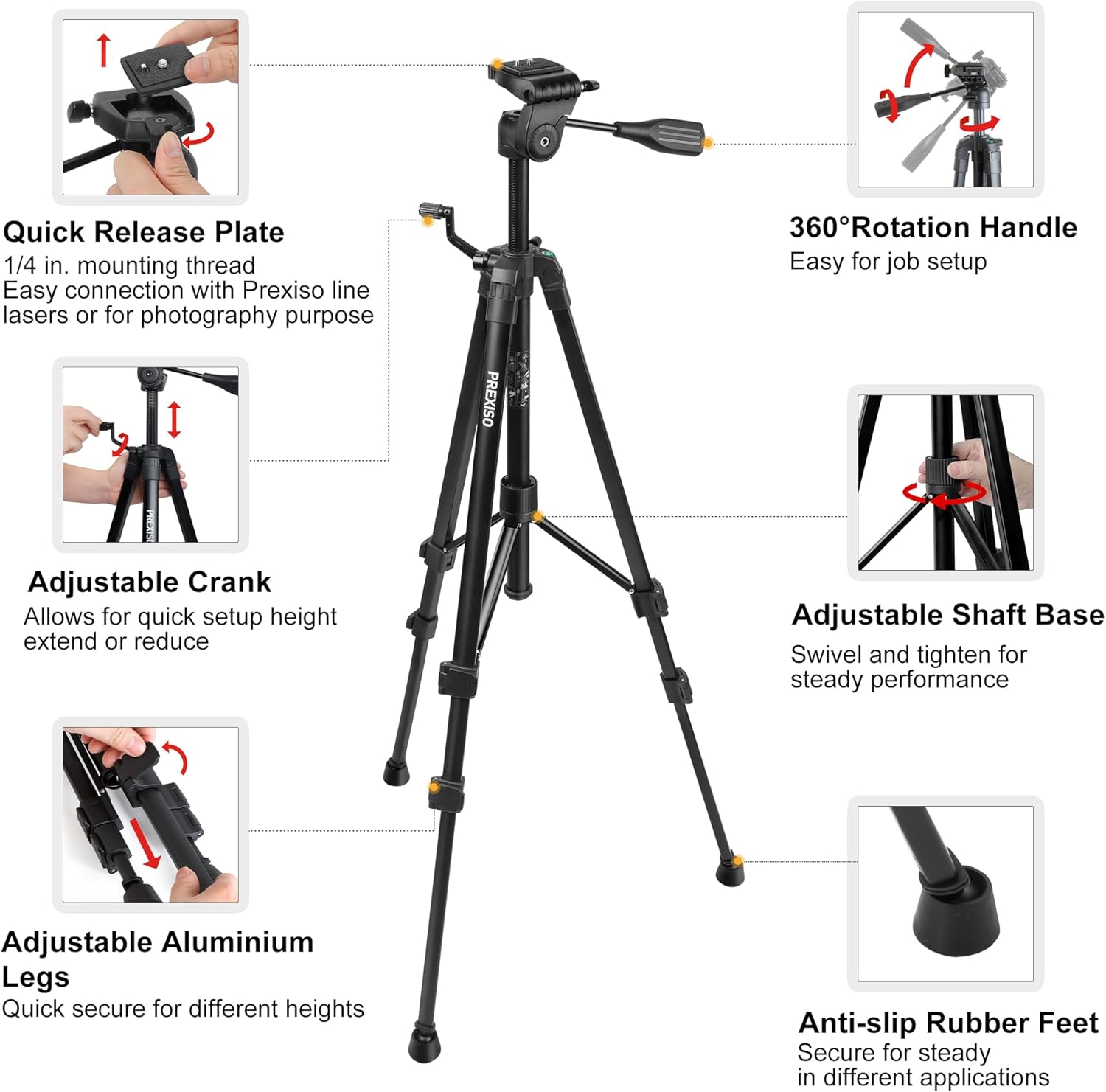
Image: The tripod with its legs fully extended, ready for height adjustment.
2. Attaching Your Device (Laser Level, Camera, etc.)
- 三脚ヘッド上のクイックリリースプレートを見つけます。
- リリースレバーを押して、クイックリリースプレートを三脚ヘッドから取り外します。
- Screw your laser level or camera onto the 1/4-20 mounting thread on the quick release plate. Ensure it is tightened securely.
- Slide the quick release plate, with your device attached, back into the tripod head until it clicks into place. Verify it is firmly seated.
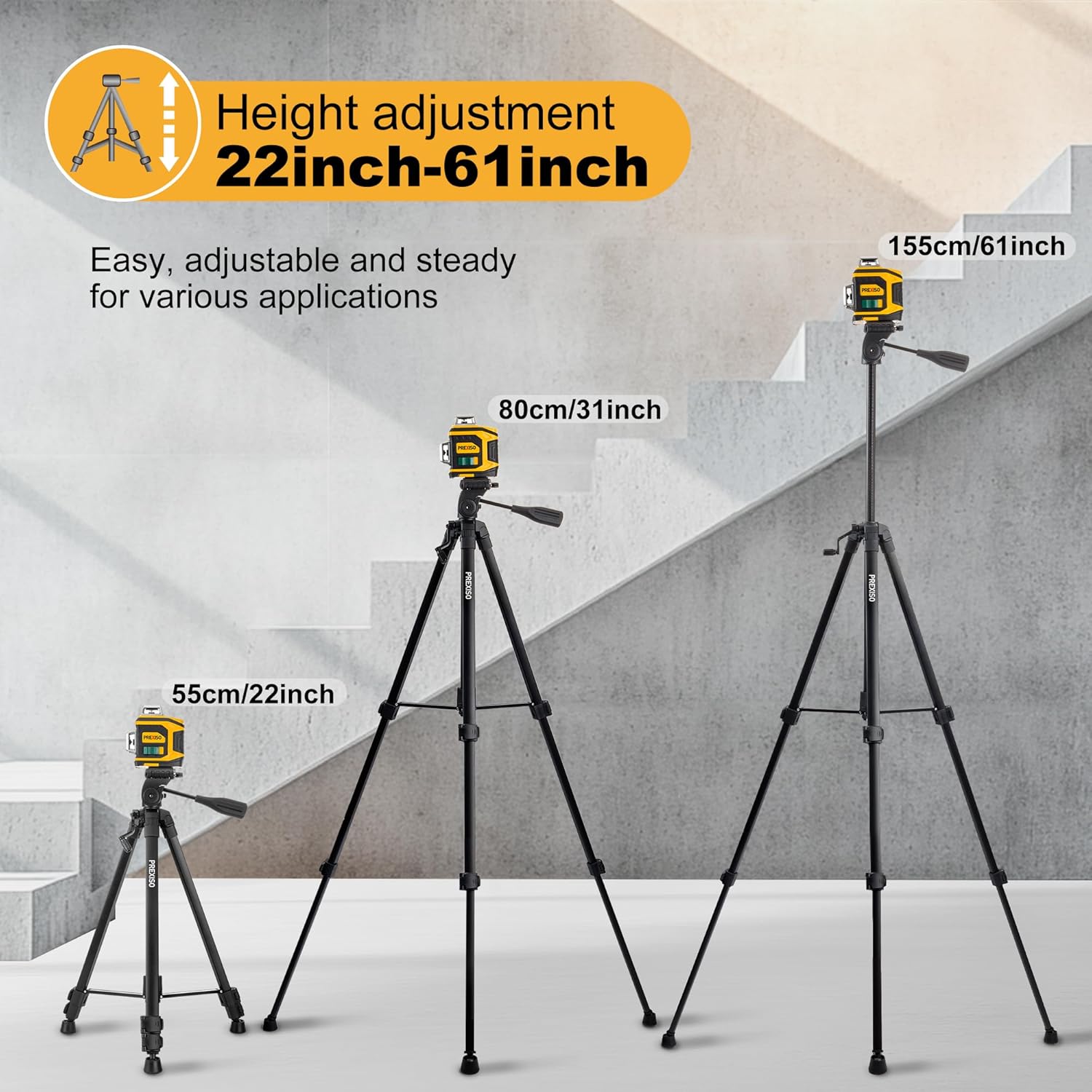
Image: A laser level securely mounted onto the quick release plate of the tripod.
Video: Demonstrates the quick release plate mechanism and how to attach a device to the tripod.
3. 三脚の水平調整
The tripod features a bullseye level on the head to assist in achieving horizontal alignment. Adjust the leg lengths as needed until the bubble is centered within the level indicator.

Image: Close-up of the tripod head showing the bullseye level for precise horizontal alignment.
操作手順
1. 三脚の高さを調整する
The tripod offers multiple height adjustments:
- 脚セクション: Each leg has multiple sections with quick-release flip locks. Open the locks, extend the leg sections to the desired height, and then securely close the locks.
- 中央の列: For fine adjustments or additional height, use the crank handle to raise or lower the center column. Loosen the locking knob, rotate the crank, and then tighten the knob to secure the column.

Image: Visual representation of the tripod's adjustable height range, from 22 inches to 61 inches.
2. Horizontal and Tilt Rotation
The tripod head allows for flexible positioning of your device:
- 水平回転(360°): Loosen the horizontal rotation knob on the tripod head to pan your device 360 degrees. Tighten the knob to lock it in position.
- Tilt Rotation (90° Vertical): Use the tilt handle to adjust the vertical angle of your device. Loosen the handle, set the desired angle, and then tighten the handle to secure.

画像: 詳細 view of the tripod head illustrating the range of motion for horizontal and vertical adjustments.
互換性
The PREXISO Professional Tripod is designed for broad compatibility with devices that utilize a 1/4-20 mounting thread. This includes, but is not limited to:
- Laser Levels (e.g., line lasers, point lasers)
- Laser Distance Measures
- デジタルカメラ
- ビデオ機器
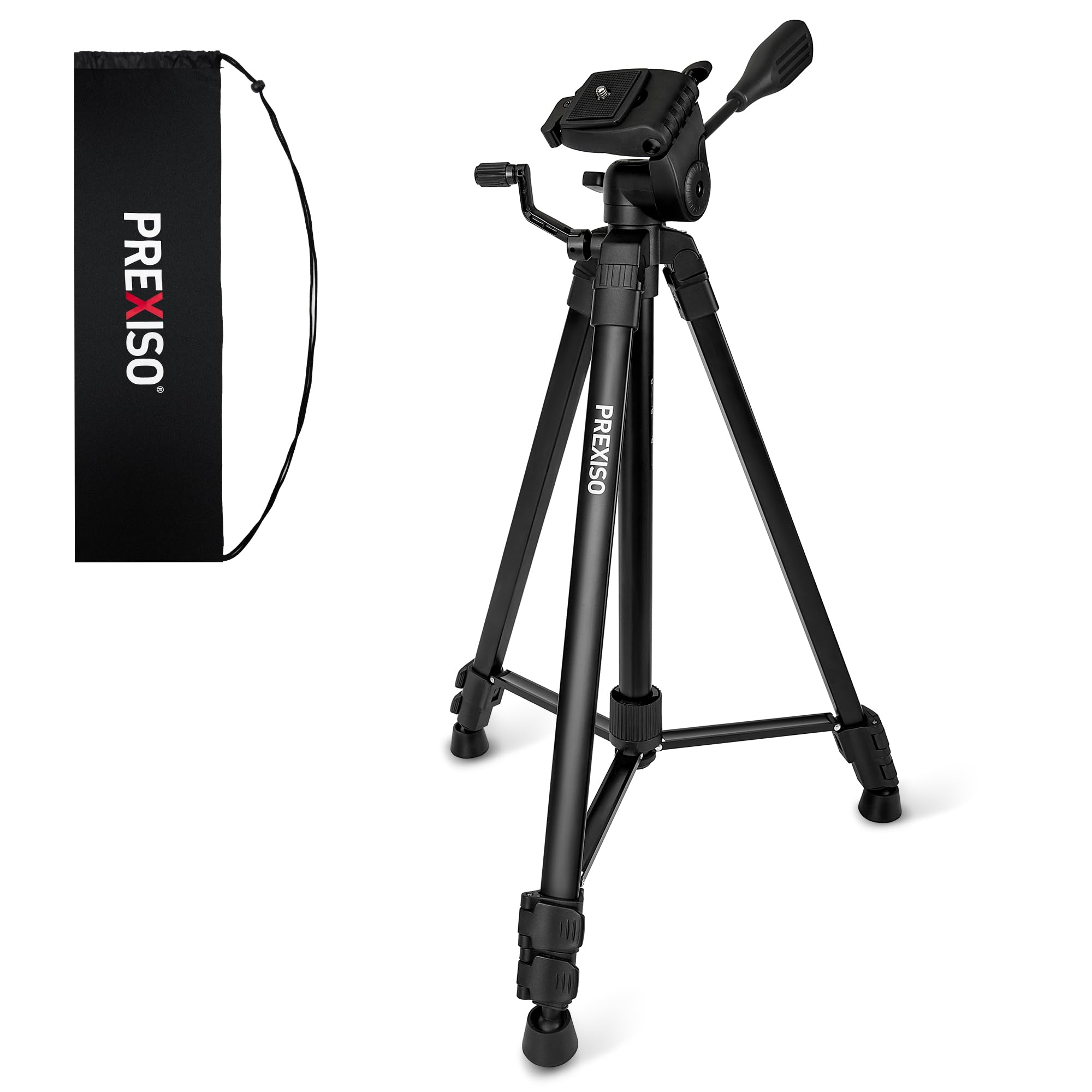
Image: The tripod shown with various compatible devices, including a laser level, laser distance measure, and a camera.
メンテナンス
To ensure the longevity and optimal performance of your PREXISO tripod, follow these maintenance guidelines:
- クリーニング: 三脚を柔らかくて乾いた布で拭いてください。amp cloth after each use to remove dust and debris. Avoid abrasive cleaners or solvents.
- ストレージ: When not in use, collapse the tripod and store it in its portable carrying bag in a dry, cool place to protect it from dust and moisture.
- 検査: Periodically check all screws, locks, and moving parts for tightness and proper function. Tighten any loose components.
- 潤滑: Lightly lubricate moving parts, such as the center column mechanism, with a silicone-based lubricant if movement becomes stiff.
トラブルシューティング
三脚に問題が発生した場合は、次の一般的な問題と解決策を参照してください。
- 三脚が不安定です:
- すべての脚セクションが完全に伸びており、フリップロックがしっかりと閉じていることを確認します。
- センターコラムのロックノブが締められていることを確認します。
- Adjust the rotatable rubber feet to achieve maximum contact and stability on uneven surfaces.
- Device is not securely attached:
- Confirm the 1/4-20 screw on the quick release plate is tightly fastened to your device.
- Ensure the quick release plate is fully inserted into the tripod head and the release lever is locked.
- 調整は厳格です:
- Check for any debris obstructing moving parts.
- Apply a small amount of silicone lubricant to the affected mechanisms.
仕様
| 特徴 | 詳細 |
|---|---|
| ブランド | プレキシソ |
| モデル | B0DNDLT8TC |
| 材料 | アルミニウム |
| 最大高さ | 61.8インチ(155 cm) |
| 最小高さ | 21.7インチ(55 cm) |
| 折りたたみサイズ | 21.7インチ(55 cm) |
| アイテム重量 | 3.19ポンド(1.45kg) |
| 取り付けネジ | 1/4-20 |
| ヘッドタイプ | Ball Heads (Pan/Tilt Head) |
| 脚部 | 3-セクションレッグ |
| 足 | Anti-Skid Rubber Feet (Rotatable) |
| 色 | 黒 |
保証とサポート
For warranty information or technical support, please refer to the contact details provided with your product packaging or visit the official PREXISO webサイトでご確認ください。購入証明として購入レシートを保管してください。
Ask a question about this manual
Ask about setup, troubleshooting, compatibility, parts, safety, or missing instructions. Manuals+ will review the question and use this page’s manual context to help answer it.