
Arikasen A6
Arikasen A6 Bluetoothヘッドセット ユーザーマニュアル
Model: A6 | Wireless On-Ear Earphones
導入
Welcome to the user manual for your Arikasen A6 Bluetooth On-Ear Headset. This manual provides detailed instructions on how to set up, operate, maintain, and troubleshoot your new wireless earphones. Designed for comfort and superior sound, the A6 headset features Bluetooth 5.0 for stable connections, deep bass, and 3D stereo sound. Please read this manual carefully to ensure optimal performance and longevity of your device.
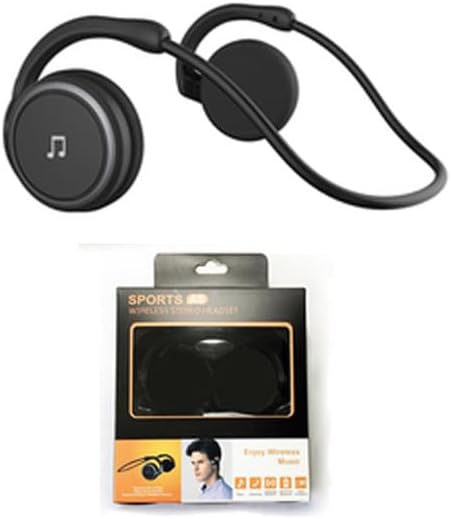
Figure 1: Arikasen A6 Bluetooth Headset. This image displays the overall design of the black on-ear headset, highlighting its lightweight and ergonomic form factor.
セットアップと初回使用
1. ヘッドセットの充電
Before first use, fully charge your Arikasen A6 headset. The headset charges via a cable connection.
- 充電ケーブルをヘッドセットの充電ポートに接続します。
- ケーブルのもう一方の端を USB 電源 (コンピューターの USB ポート、壁のアダプターなど) に接続します。
- インジケータ ライトは充電状態を示します (具体的なライトの動作についてはデバイスを参照してください)。
- A full charge provides approximately 11 hours of music playback time.
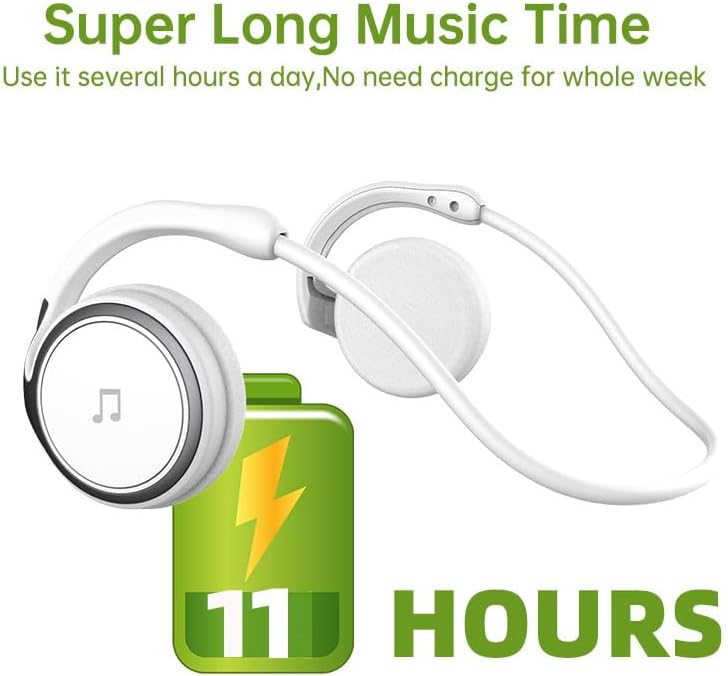
Figure 2: Battery Life Indication. This image illustrates the headset's capability to provide up to 11 hours of continuous music playback on a single charge.
2.Bluetoothペアリング
To connect your headset to a device (smartphone, tablet, computer), follow these steps:
- ヘッドセットが充電され、電源がオフになっていることを確認します。
- Press and hold the power button on the headset until the indicator light flashes, indicating pairing mode.
- デバイスで Bluetooth 設定に移動し、Bluetooth をオンにします。
- 検索する available devices. The headset should appear as "Arikasen A6" or similar.
- Select "Arikasen A6" to connect. Once connected, the indicator light will change (e.g., solid blue or off).
- パスワードの入力を求められた場合は、「0000」と入力してください。

Figure 3: Bluetooth 5.0 Connectivity. This image highlights the headset's Bluetooth 5.0 capabilities, ensuring stable and swift connections for both audio and voice calls.
操作手順
コントロールオーバーview
The Arikasen A6 headset features intuitive controls located on the earcup. Familiarize yourself with these buttons for easy operation.
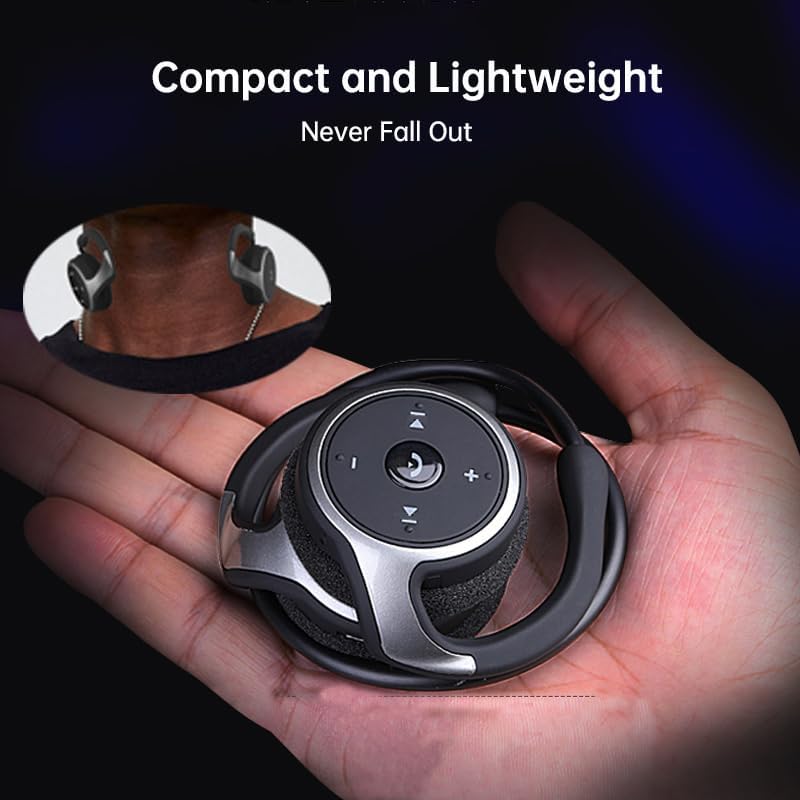
Figure 4: Headset Controls. This image provides a close-up view of the control panel on the headset's earcup, detailing the button layout for music and call management.
- 電源ボタン(多機能ボタン):
- 長押しすると電源のオン/オフになります。
- 1 回押すと音楽が再生/一時停止されます。
- 一度押すと通話に応答/終了します。
- 長押しすると通話を拒否します。
- ボリュームアップ(+): を押して音量を上げます。
- ボリュームダウン (-): を押して音量を下げます。
- 次のトラック (>>|): 押すと次の曲にスキップします。
- 前のトラック (|<<): を押して前の曲に移動します。
ヘッドセットの装着
The Arikasen A6 is designed for ultra-comfort, balancing stress on the ear. Its lightweight and compact design ensures it stays securely in place.

Figure 5: Ultra Comfort Design. This image demonstrates the ergonomic design of the headset, emphasizing its comfortable fit for extended wear, particularly beneficial for sensitive ears.
メンテナンスとケア
Proper maintenance ensures the longevity and optimal performance of your Arikasen A6 headset.
- クリーニング: Use a soft, dry cloth to wipe the headset. Do not use abrasive cleaners, solvents, or strong chemicals.
- ストレージ: 使用しないときは、ヘッドセットを直射日光や極端な温度を避け、涼しく乾燥した場所に保管してください。
- 湿気を避ける: ヘッドセットは防水仕様ではないため、水や過度の湿気にさらさないでください。
- 取り扱いにはご注意ください: ヘッドセットを落としたり、強い衝撃を与えたりしないでください。
- 充電: Only use the provided charging cable or a certified equivalent. Do not overcharge the battery.
トラブルシューティング
If you encounter issues with your Arikasen A6 headset, refer to the following common problems and solutions:
| 問題 | 考えられる原因 | 解決 |
|---|---|---|
| ヘッドセットがオンになりません。 | バッテリー残量が少なくなりました。 | ヘッドセットを完全に充電します。 |
| デバイスとペアリングできません。 | ヘッドセットがペアリング モードになっていません。デバイスの Bluetooth がオフになっています。デバイスが遠すぎます。 | Ensure headset is in pairing mode (flashing light). Turn on Bluetooth on your device. Move headset closer to device (within 10 meters). |
| 音が出ない、または音量が低い。 | ヘッドセットまたはデバイスの音量が低すぎる、またはヘッドセットが正しく接続されていません。 | Increase volume on both headset and connected device. Re-pair the headset. |
| 接続が断続的です。 | 干渉、デバイスが遠すぎる、バッテリー残量が少ない。 | 他のワイヤレスデバイスから離れて使用してください。ヘッドセットが範囲内にあることを確認してください。ヘッドセットを充電してください。 |
問題が解決しない場合は、保証とサポートのセクションを参照してさらにサポートを受けてください。
仕様
The following are the technical specifications for the Arikasen A6 Bluetooth Headset:
- モデル: A6
- ブランド: Generic (Arikasen)
- 接続性: ブルートゥース5.0
- Earcups Type: セミオープン
- 遮音性: いいえ
- 出力: 50mW
- ドライバー数: 2
- ドライバーサイズ: 18mm (for superior sound and deeper bass)
- 充電方法: ケーブル
- Headphone Pads Material: ソフトフォーム
- マグネットタイプ: ネオジム
- 材料: プラスチック
- 色: Black (without box)
- Approximate Music Playback Time: 11時間

Figure 6: Driver Technology. This image illustrates the internal components of the earcup, highlighting the 18mm driver responsible for delivering superior sound quality and deep bass.
保証とサポート
Your Arikasen A6 headset comes with dedicated customer support.
If you encounter any issues with your product, such as a damaged product or receiving incorrect items, please contact us directly through the Amazon platform. We are committed to providing the best solution to resolve any issues promptly.
For further assistance or inquiries, please reach out to our customer service team via the Amazon messaging system.
Ask a question about this manual
Ask about setup, troubleshooting, compatibility, parts, safety, or missing instructions. Manuals+ will review the question and use this page’s manual context to help answer it.