
1. はじめに
This manual provides detailed instructions for the setup, operation, and maintenance of your TUINYO WH-819 Wireless Over-Ear Bluetooth Headphones. Please read this manual thoroughly before using the product to ensure proper function and longevity.
2.製品オーバーview
The TUINYO WH-819 headphones offer high-fidelity stereo sound, comfortable over-ear design, and versatile connectivity options. They are designed for extended listening periods, featuring a long-lasting battery and a foldable structure for portability.
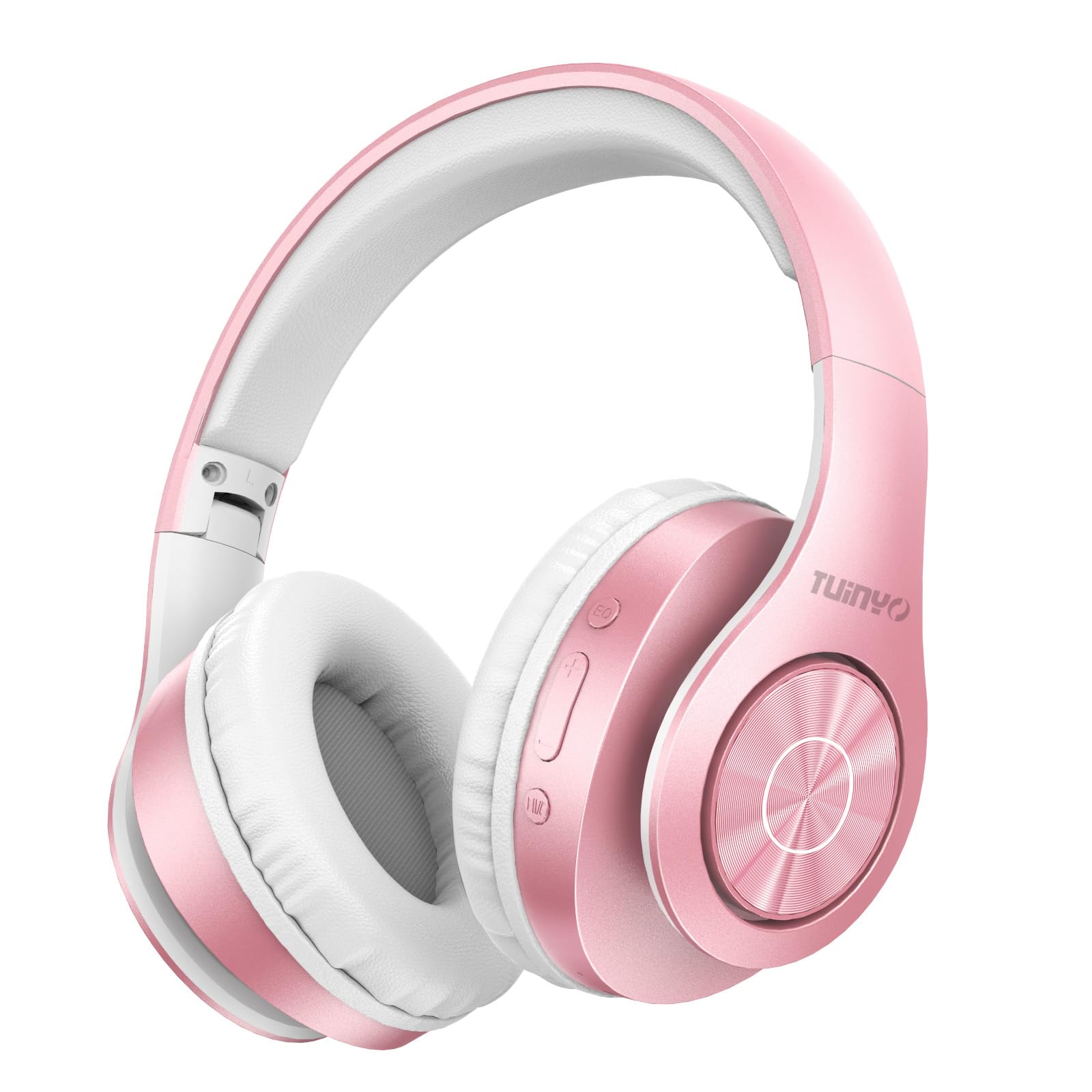
Figure 2.1: TUINYO WH-819 Rose Gold Wireless Over-Ear Bluetooth Headphones.
ビデオ2.1: オーバーview of the TUINYO wireless Bluetooth headphones, highlighting their design and features.
3. パッケージ内容
パッケージにすべてのアイテムが揃っていることを確認します。
- TUINYO WH-819 Wireless Over-Ear Bluetooth Headphones
- USB充電ケーブル
- 3.5mmオーディオケーブル
- Protective Premium Case
- ユーザーマニュアル

Figure 3.1: Included accessories with the TUINYO WH-819 headphones.
4. コントロールとポート
ヘッドフォンのコントロールとポートについて理解しておきましょう。
- 電源ボタン: 長押しで電源のオン/オフ、短押しで音楽の再生/一時停止、通話の応答/終了ができます。
- 音量アップ/次のトラックボタン: 短く押すと音量が上がります。長く押すと次のトラックに進みます。
- 音量ダウン/前のトラックボタン: 短く押すと音量が下がります。長押しすると前のトラックに戻ります。
- EQボタン: Press to cycle through different equalizer modes (Normal, Rock, Pop, Classic, Jazz, Country).
- 3.5mmオーディオジャック: 有線接続の場合。
- USB充電ポート: ヘッドホンの充電用。
- MicroSDカードスロット: For direct music playback from a MicroSD card.

図4.1:詳細 view of headphone controls and features.
Video 4.1: A demonstration of the TUINYO headphones' folding mechanism and button controls.
5. セットアップ
5.1 ヘッドホンの充電
- Connect the USB charging cable to the headphone's charging port.
- USB ケーブルのもう一方の端を互換性のある USB 電源 (コンピューター、壁のアダプターなど) に接続します。
- LED インジケーターは充電状態を示します (例: 充電中は赤、完全に充電されている場合は青)。
- フル充電には通常2〜2.5時間かかります。
5.2Bluetoothペアリング
- ヘッドフォンが完全に充電されていることを確認してください。
- Long press the Power button until the LED indicator flashes blue and red, indicating pairing mode.
- デバイス(スマートフォン、タブレット、ラップトップ)で Bluetooth を有効にし、利用可能なデバイスを検索します。
- Select "WH-819" from the list of devices.
- 接続されると、LED インジケーターが青色でゆっくり点滅し、音声プロンプトによってペアリングが成功したことが確認されます。
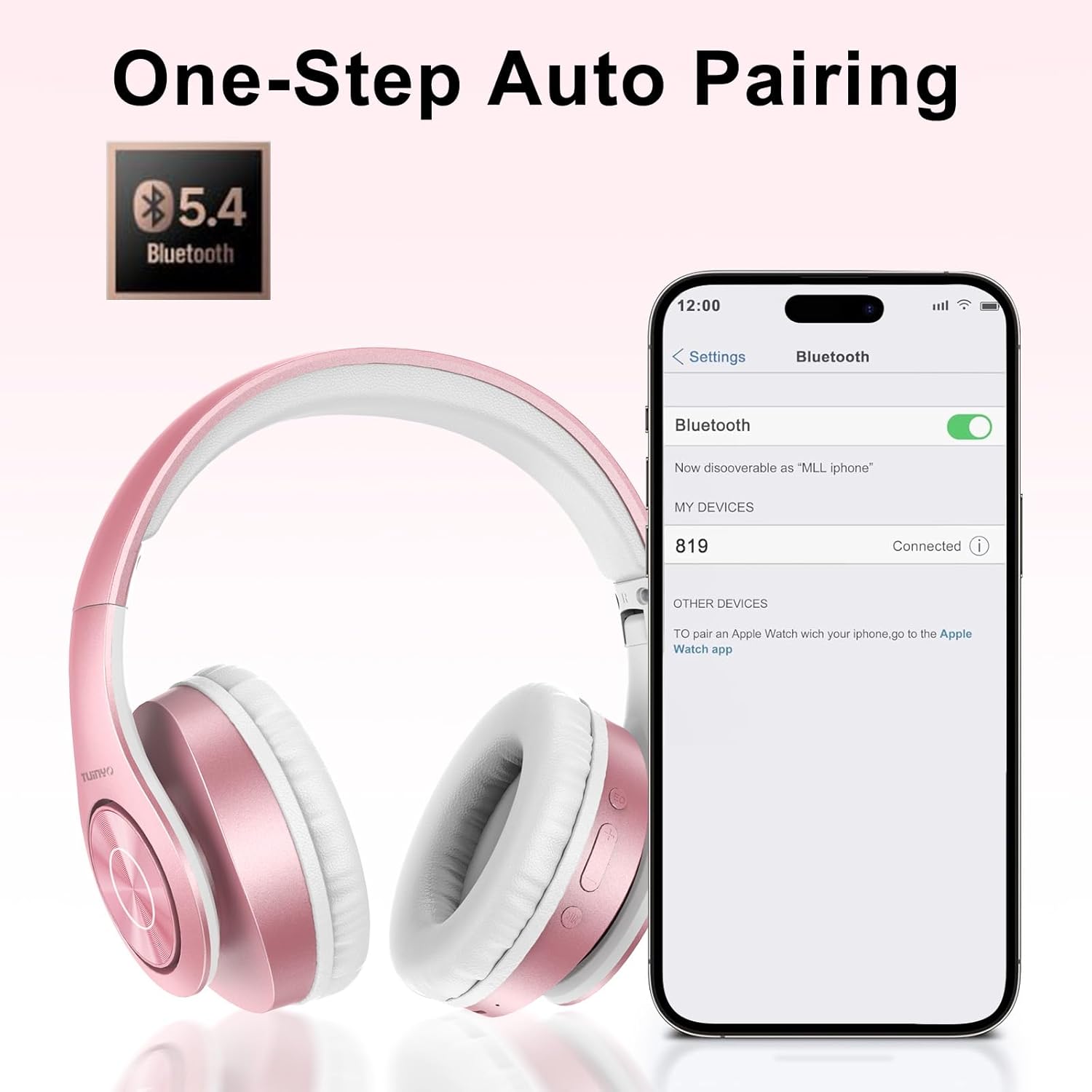
図 5.1: スマートフォンでの Bluetooth ペアリング プロセス。
6. 操作手順
6.1 電源オン/オフ
- 電源オン: Long press the Power button until the LED indicator lights up blue.
- 電源を切る: LED インジケーターが消えるまで電源ボタンを長押しします。
6.2音楽の再生
- 再生/一時停止: 電源ボタンを短く押します。
- 次のトラック: 音量アップボタンを長押しします。
- 前のトラック: 音量ダウンボタンを長押しします。
- 音量調整: 音量アップボタンまたは音量ダウンボタンを短く押します。
6.3 通話管理
- 通話の応答/終了: 電源ボタンを短く押します。
- 通話を拒否: 電源ボタンを長押しします。
6.4 EQモード
- Press the EQ button to switch between different sound equalizer modes (Normal, Rock, Pop, Classic, Jazz, Country) to optimize your listening experience.
6.5 有線モード
- Insert the 3.5mm audio cable into the headphone's audio jack and the other end into your audio device.
- ヘッドフォンは自動的に有線モードに切り替わり、Bluetooth 機能は無効になります。
6.6 MicroSDカードの再生
- Insert a MicroSD card with MP3 audio fileMicroSD カード スロットに挿入します。
- ヘッドフォンは自動的にカードを検出し、音楽の再生を開始します。
- Use the music playback controls (Play/Pause, Next/Previous Track, Volume) to manage your audio.
7. メンテナンス
- ヘッドフォンは定期的に柔らかく乾いた布で拭いてください。
- 研磨剤入りのクリーナーや溶剤の使用は避けてください。
- 損傷を防ぐために、使用していないときはヘッドフォンを保護ケースに保管してください。
- 極端な温度や湿気を避けて保管してください。
8。 トラブルシューティング
| 問題 | 解決 |
|---|---|
| ヘッドホンの電源が入りません。 | ヘッドホンが充電されていることを確認してください。電源に接続してもう一度お試しください。 |
| Bluetooth経由でペアリングできません。 | ヘッドホンがペアリングモードになっていることを確認してください(LEDが青/赤に点滅)。デバイスのBluetoothをオフにしてからオンにしてください。デバイスに近づいてください。 |
| Bluetooth モードで音が出ません。 | ヘッドホンと接続されたデバイスの両方の音量レベルを確認してください。ヘッドホンが正しくペアリングされていることを確認してください。 |
| 有線モードでは音が出ません。 | Ensure the 3.5mm audio cable is fully inserted into both the headphones and the audio device. Check the audio source. |
| MicroSD カードが再生されません。 | Ensure the MicroSD card is inserted correctly and contains compatible MP3 audio files. |
9. 仕様
| 特徴 | 詳細 |
|---|---|
| モデル名 | WH-819 |
| 接続技術 | ワイヤレス(Bluetooth)、有線(3.5mmジャック) |
| 無線通信技術 | ブルートゥース4.0 |
| オーディオドライバータイプ | Dynamic Driver (40mm neodymium) |
| バッテリー寿命 | Up to 40 hours of music time (800mAh battery) |
| 充電時間 | 2~2.5時間 |
| イヤーピースの形状 | オーバーイヤー |
| 材料 | Plastic, Memory-Protein Earmuffs |
| 重さ | 13.4オンス |
| 寸法 | 8.5 x 6.22 x 4.25インチ(パッケージ) |
| 対応デバイス | Tablets, Laptops, Desktops, Smartphones, Bluetooth-enabled devices |
| 耐水性レベル | 耐水性はありません |
10. 保証とサポート
Your TUINYO WH-819 headphones are covered by a 30-day warranty from the date of purchase. For any product inquiries, technical support, or warranty claims, please refer to the contact information provided with your purchase or visit the official TUINYO webサイト。