
1. はじめに
Thank you for choosing the TechniSat DIGITRADIO 52 BT. This DAB+ FM alarm clock radio is designed to provide reliable timekeeping, radio reception, and Bluetooth audio streaming. This manual will guide you through the setup, operation, and maintenance of your device.
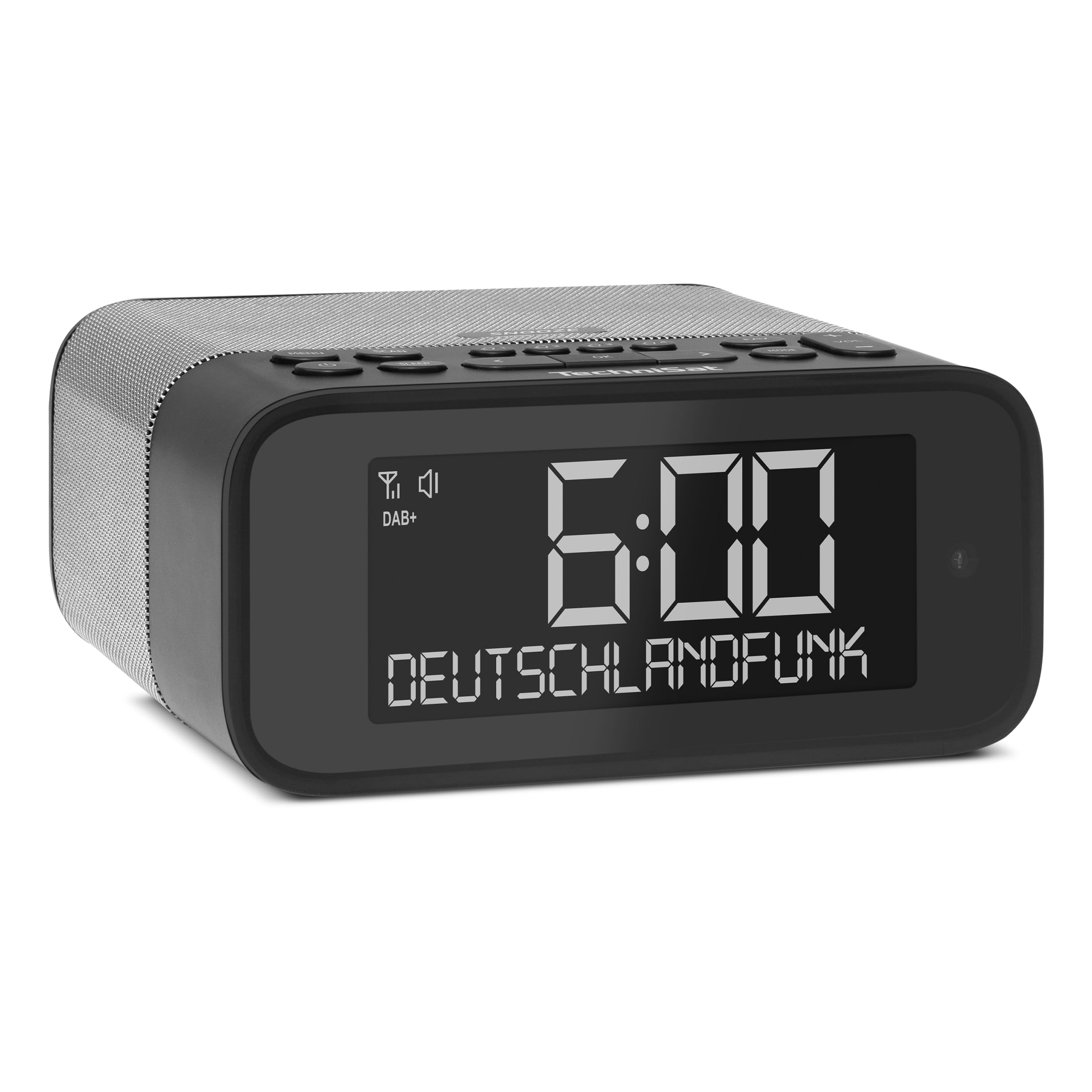
画像1:正面 view of the TechniSat DIGITRADIO 52 BT. The device is black with a large digital display showing "6:00" and "DEUTSCHLANDFUNK". Control buttons are visible on the top panel.
2. 安全情報
- 使用前にすべての指示をよくお読みください。
- Keep the device away from water, moisture, and direct heat sources.
- 本製品を分解または改造しないでください。修理は必ず資格のある専門家にご依頼ください。
- 付属の電源アダプターのみを使用してください。
- デバイス周囲の適切な換気を確保してください。
- 柔らかく乾いた布でデバイスを拭いてください。液体クリーナーは使用しないでください。
3. パッケージ内容
パッケージに以下の項目が含まれているか確認してください。
- TechniSat DIGITRADIO 52 BT unit
- 電源アダプター
- ユーザーマニュアル
4.製品オーバーview
4.1. コントロールとディスプレイ
The DIGITRADIO 52 BT features an intuitive layout for easy access to all functions.
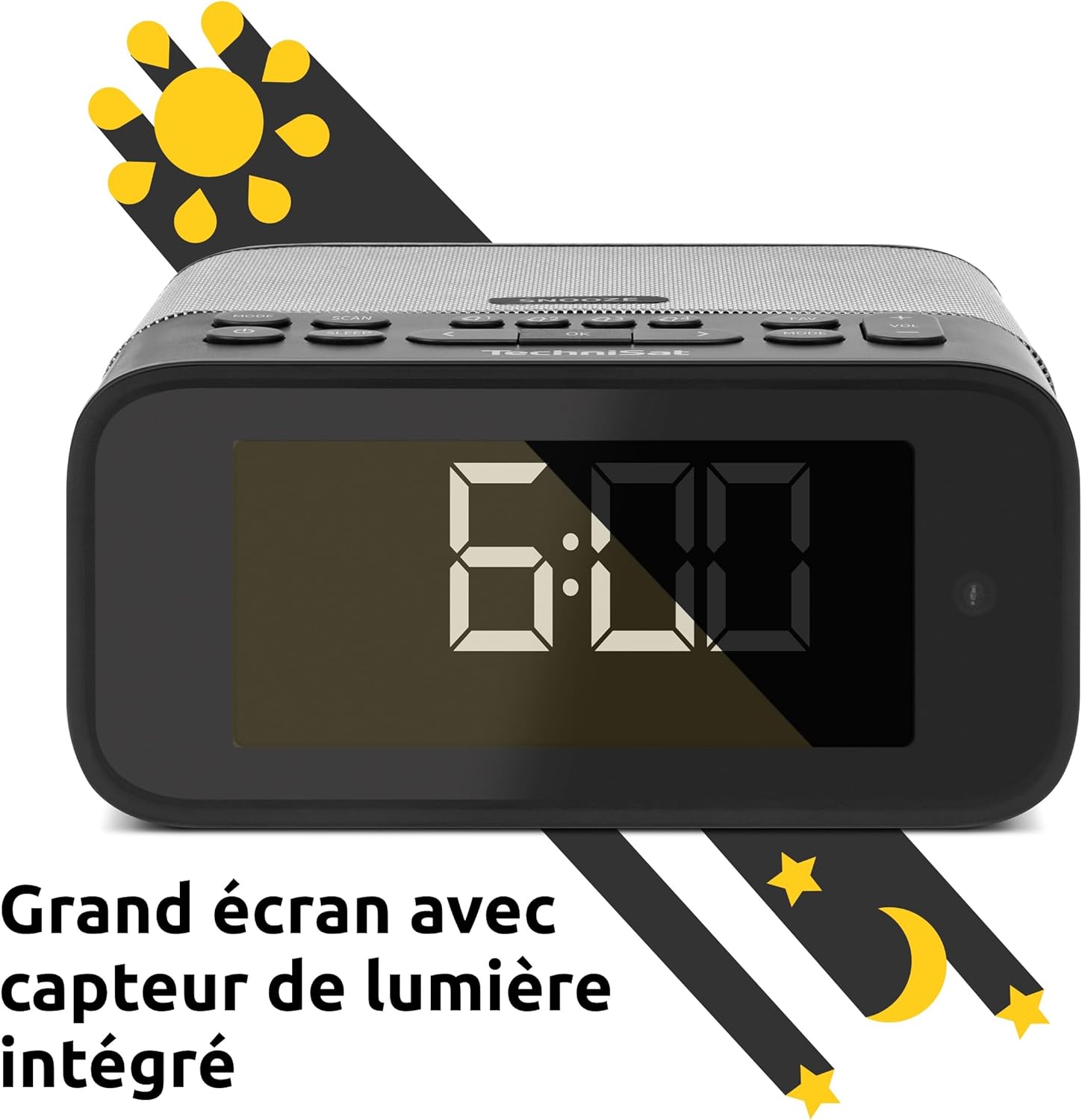
Image 2: Close-up of the large display with integrated light sensor. The display shows "6:00". The light sensor automatically adjusts screen brightness based on ambient light.
4.2.リアパネルの接続
The rear panel provides essential connectivity options.
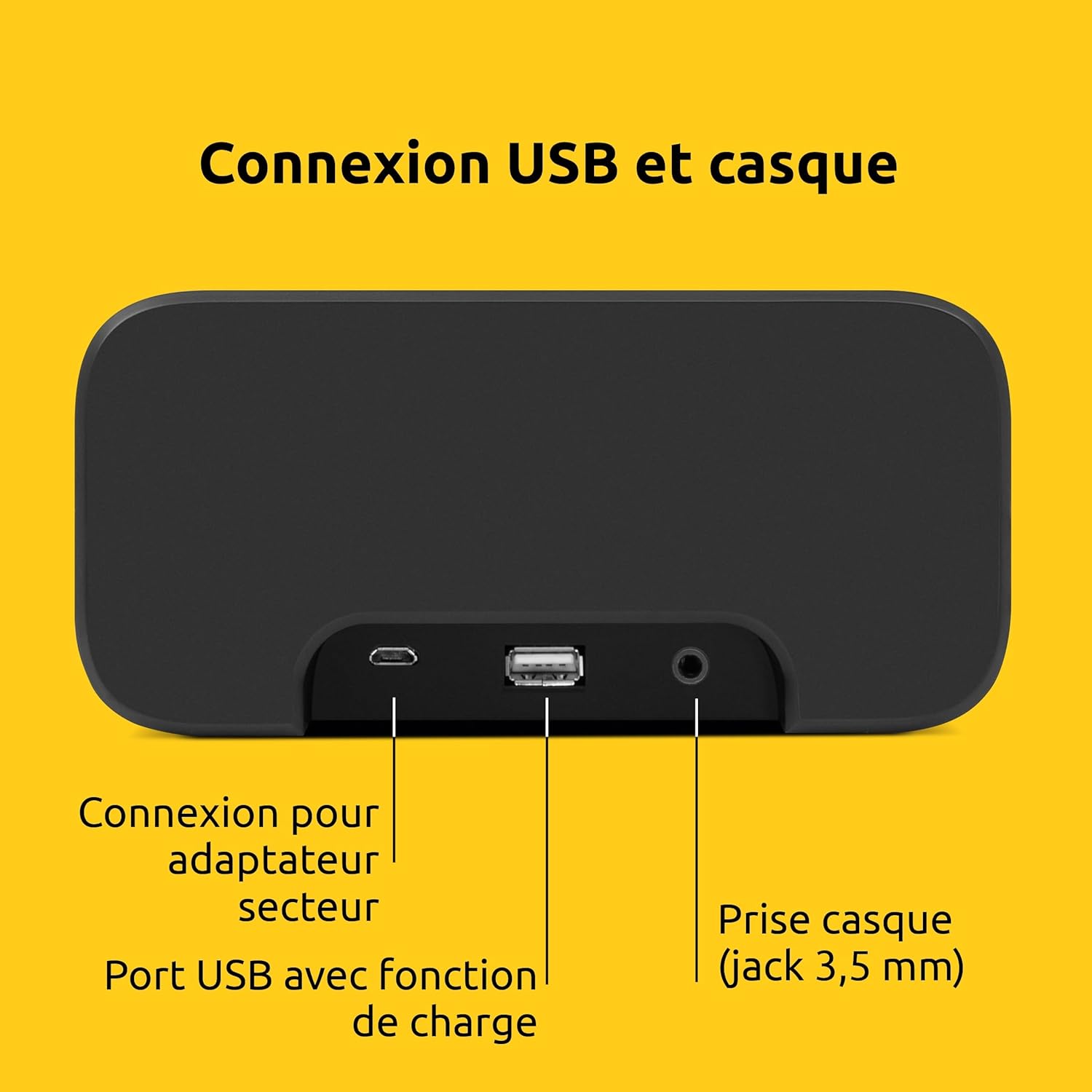
画像3:リア view of the device showing the power adapter connection, a USB port with charging function, and a 3.5mm headphone jack.
- 電源接続: 付属の電源アダプターをここに接続します。
- USBポート: 外部デバイス(スマートフォン、タブレットなど)の充電用。
- ヘッドホンジャック(3.5mm): プライベートリスニング用。
5. セットアップ
5.1. 電源接続
- Connect the power adapter to the DC input on the rear of the DIGITRADIO 52 BT.
- Plug the power adapter into a standard wall outlet (230 Volts).
- The device will power on and enter standby mode or begin initial setup.
5.2. Initial Scan (DAB+ and FM)
Upon first power-on, the radio will automatically scan for available DAB+ and FM stations. This process may take a few minutes.

Image 4: The radio display showing "DAB+" and "6:00 DEUTSCHLANDFUNK", indicating successful reception of a DAB+ station.
5.3. 時刻と日付の設定
The time and date are usually synchronized automatically via DAB+ or FM signals. If manual adjustment is needed, refer to the "Operating" section for menu navigation.
6. 操作
6.1. 電源のオン/オフとスタンバイ
- を押す 力 デバイスの電源をオンまたはオフにするボタン。
- In standby mode, the display shows the current time.
6.2. Radio Tuning (DAB+ / FM)
- を押す モード button to select DAB+ or FM radio.
- 使用 調整/選択 knob or buttons to scan for stations.
- To save a favorite station, press and hold the プリセット button, then select a preset number.
- To recall a favorite station, press the プリセット button, then select the desired preset number. Up to 20 favorite stations can be stored for both DAB+ and FM.
6.3. Bluetoothオーディオストリーミング
- を押す モード button to select Bluetooth mode. The display will show "Bluetooth Pairing".
- On your Bluetooth-enabled device (e.g., smartphone, tablet), search for "DIGITRADIO 52 BT" in the Bluetooth settings.
- Select the device to pair. Once paired, you can stream audio from your device to the radio.
6.4. 音量コントロール
- 使用 音量 buttons or knob to adjust the audio output level.
7. アラーム機能
The DIGITRADIO 52 BT supports up to four programmable alarms, a snooze function, and a sleep timer.

Image 5: Visual representation of the alarm features: 4 adjustable alarms, adjustable alarm rhythm, sleep timer, and a tactile snooze button.
7.1.アラームの設定
- を押す アラーム アラーム設定に入るボタン。
- 利用可能な 4 つのアラーム (アラーム 1 ~ 4) のいずれかを選択します。
- Set the desired alarm time, alarm source (radio or beep), and alarm volume.
- Choose the alarm rhythm: daily, weekdays (Mon-Fri), or weekends (Sat-Sun).
- アラームを有効にするには設定を確認してください。
7.2. スヌーズ機能
- When an alarm sounds, gently touch the スヌーズ area on the top of the device to temporarily silence the alarm. The alarm will sound again after a set interval.
7.3。 目覚まし時計
- を押す 寝る button to activate the sleep timer.
- Select the desired duration (e.g., 15, 30, 60 minutes). The radio will play for the set duration and then automatically switch to standby.
8.ディスプレイ設定
The large display's brightness can be adjusted manually or automatically.
- 自動明るさ: The integrated light sensor automatically adjusts the display brightness based on ambient light conditions. This ensures comfortable viewing during the day and minimal disturbance at night.
- 手動明るさ: Access the display settings through the menu to manually set the desired brightness level.
9。 USB充電
The USB port on the rear panel can be used to charge external devices.
- Connect your smartphone, tablet, or other USB-powered device to the USB port using a compatible charging cable.
- デバイスの充電は自動的に開始されます。
10。 トラブルシューティング
| 問題 | 考えられる原因 | 解決 |
|---|---|---|
| 電源なし | 電源アダプターが接続されていないか、コンセントに障害があります。 | 電源アダプタがしっかりと接続され、コンセントが機能していることを確認してください。 |
| ラジオの受信状態が悪い | Weak signal, antenna position. | Adjust the antenna position. Try moving the radio to a different location. Perform a new station scan. |
| Bluetoothペアリングに失敗しました | Device not in pairing mode, out of range, or already paired. | Ensure the radio is in Bluetooth pairing mode. Move your device closer. Disconnect from other Bluetooth devices. |
| アラームが鳴らない | アラームが作動しません。音量が低すぎます。 | Check alarm settings to ensure it is enabled and the volume is adequate. |
| ディスプレイが暗すぎる/明るすぎる | Automatic brightness setting, manual override needed. | Adjust manual brightness settings or ensure the light sensor is not obstructed. |
11. 仕様
| 特徴 | 詳細 |
|---|---|
| ブランド | テクニサット |
| モデル | DR 52 (0000/2938) |
| ラジオチューナー | 軽打+、FM |
| ブルートゥース | はい(Bluetooth 5) |
| 出力電力 | 3W RMS (mono) |
| 画面 | 4.2-inch Dimmable LCD with Light Sensor |
| アラーム | 4 programmable alarms (radio/beep) |
| スヌーズ機能 | Yes (tactile button) |
| スリープタイマー | はい |
| 接続性 | USB (charging), 3.5mm Headphone Jack |
| 電源 | Electric Cable (230V input) |
| 寸法(L x H x D) | 15 cm x 7 cm x 14 cm |
| 重さ | 606グラム |
| 材料 | プラスチック |

Image 6: The compact design of the radio with its dimensions indicated as 15 cm (length), 7 cm (height), and 14 cm (depth).
12. 保証とサポート
12.1. 製造元の保証
The TechniSat DIGITRADIO 52 BT comes with a 2年間の限定保証 ご購入日から1年間有効です。本保証は、通常の使用状況における材料および製造上の欠陥を対象としています。保証請求の際は、購入証明書を保管してください。
12.2. カスタマーサポート
For technical assistance, troubleshooting, or warranty inquiries, please contact TechniSat customer support. Refer to the official TechniSat web連絡先の詳細と詳細については、サイトをご覧ください。
Note: Software updates are not guaranteed. Information on spare parts availability is not provided.