
1. はじめに
This manual provides detailed instructions for the setup, operation, and maintenance of your TMY Native 1080P Mini Projector. Please read this manual thoroughly before using the projector to ensure proper function and longevity.
2. 箱の中身
- TMY Native 1080P Mini Projector
- リモートコントロール
- 電源コード
- HDMIケーブル
- ユーザーマニュアル
- クリーニングキット
3.製品オーバーview
The TMY Native 1080P Mini Projector is designed for versatile home entertainment, offering native 1080P resolution and various connectivity options in a compact form factor.

3.1 接続ポート
The projector features multiple ports for connecting various devices:

- HDMIポート: For connecting devices such as TV sticks, PCs, gaming consoles, and DVD players.
- USBポート: USBドライブを接続してメディアを再生します files.
- 3.5mmオーディオジャック: For connecting external wired speakers or headphones.
- 電源入力: 電源コードを接続します。
4. セットアップ
4.1 配置
Position the projector on a stable, flat surface. The projection distance can range from 1.5 meters to 5 meters, producing a screen size from 40 inches to 200 inches. Ensure there are no obstructions between the projector and the projection surface.
4.2電源接続
- 電源コードをプロジェクターの電源入力ポートに接続します。
- 電源コードのもう一方の端を電源コンセントに差し込みます。
4.3初期電源オン
プロジェクターまたはリモコンの電源ボタンを押してデバイスの電源を入れます。インジケーターライトが点灯します。
4.4 フォーカスとキーストーン補正
To achieve a clear and rectangular image, adjust the focus ring and keystone correction dial located on the projector. The projector supports ±15° vertical keystone correction.

5. 操作手順
5.1 デバイスの接続
プロジェクターでは、デバイスを接続する方法が複数用意されています。

5.1.1HDMI接続
Connect your device (e.g., TV Stick, PC, gaming console) to the projector's HDMI port using an HDMI cable. Select the corresponding HDMI input source from the projector's menu.
5.1.2 USB接続
Insert a USB drive into the USB port. Navigate to the media player function in the projector's menu to browse and play files.
5.1.3 WiFi接続(画面ミラーリング)
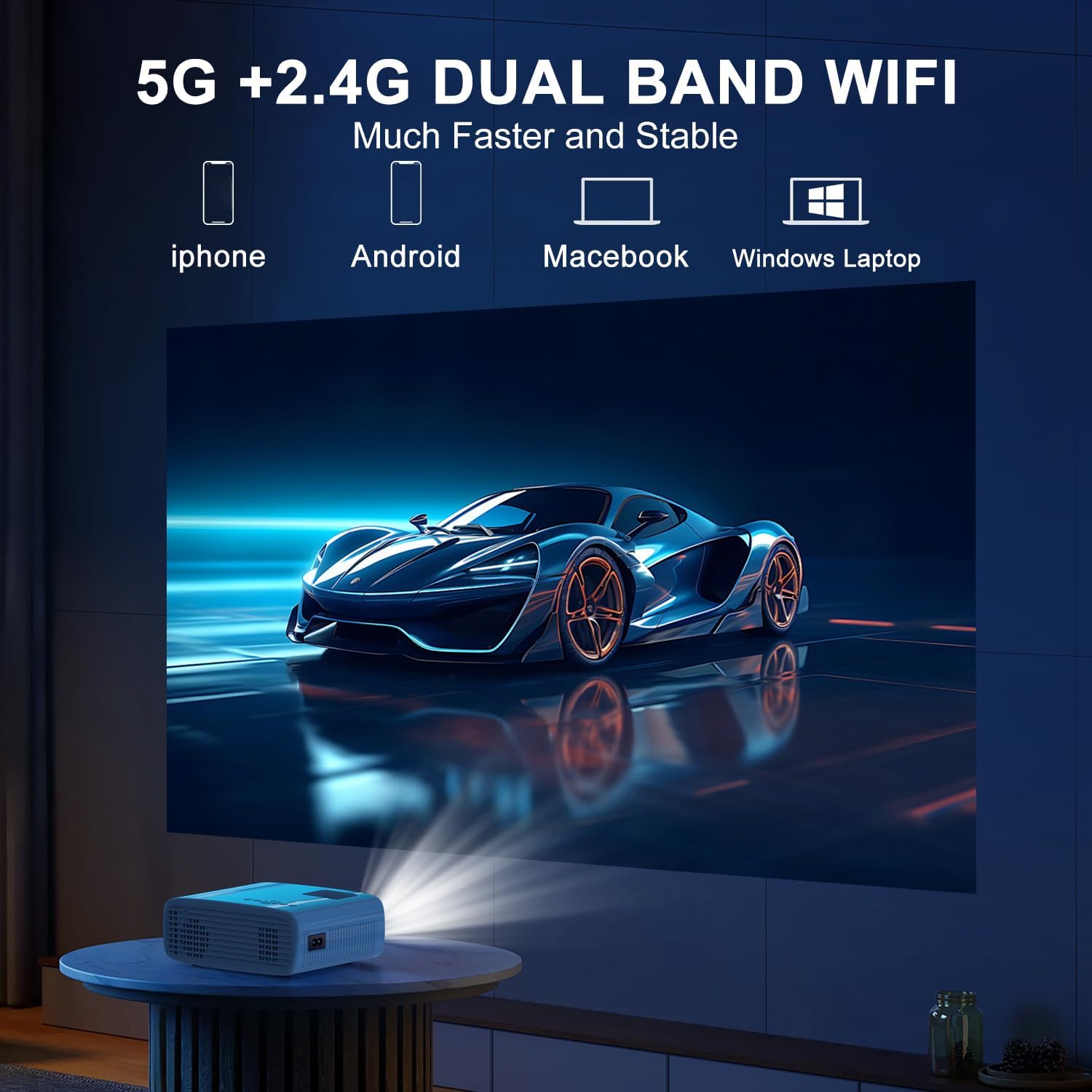
The projector supports 5G/2.4G dual-band WiFi for wireless screen mirroring from compatible smartphones, tablets, and laptops. Access the WiFi settings in the projector's menu to connect to your home network and initiate screen mirroring.

5.1.4 Bluetooth接続
The projector features two-way Bluetooth 5.2 technology. It can connect to external Bluetooth speakers or headphones for audio output. Additionally, it can function as a Bluetooth speaker itself, allowing you to connect your smartphone or tablet to play audio through the projector's built-in speakers.
注記:
- Bluetooth does not support screen mirroring with your phone.
- When connecting to external Bluetooth speakers, ensure the speaker is in pairing mode.
5.2 ズーム機能
The projector includes a 100% to 50% zoom function, allowing you to adjust the screen size digitally without physically moving the projector. This feature is accessible through the projector's menu settings.
5.3メニューナビゲーション
Use the remote control to navigate through the projector's on-screen menu. The menu allows you to select input sources, adjust picture settings (brightness, contrast, color), sound settings, and other system configurations.
6. メンテナンス
6.1 クリーニング
- レンズ: Use the provided cleaning cloth or a soft, lint-free cloth to gently wipe the projector lens. Avoid abrasive materials.
- 外観: プロジェクターの外装は、柔らかく乾いた布で拭いてください。液体クリーナーや溶剤は使用しないでください。
- 通気口: Periodically check and clean the air vents to ensure proper airflow and prevent overheating.
6.2 ストレージ
When not in use, store the projector in a cool, dry place, away from direct sunlight and extreme temperatures. Use the original packaging or a protective case to prevent dust accumulation and damage.
7。 トラブルシューティング
- 電源なし: 電源コードがプロジェクターと電源コンセントの両方にしっかりと接続されていることを確認してください。電源コンセントが正常に機能しているかどうかも確認してください。
- 画像無し: Verify that the correct input source is selected in the projector's menu. Check all cable connections (HDMI, USB).
- ぼやけた画像: Adjust the focus ring on the projector until the image is clear. Ensure the projection distance is within the recommended range.
- 画像が長方形ではありません: Use the keystone correction dial to adjust the image until it appears rectangular.
- 音が出ない: プロジェクターと接続デバイスの両方の音量設定を確認してください。外付けスピーカーを使用している場合は、正しく接続され、電源が入っていることを確認してください。
- Sound/Video Lag: For screen mirroring, ensure a stable WiFi connection. For wired connections, try a different cable or port. Note that Bluetooth does not support screen mirroring and may introduce slight audio delay with external speakers.
- 過熱: Ensure the projector's air vents are not blocked. Operate the projector in a well-ventilated area.
8. 仕様
| 特徴 | 仕様 |
|---|---|
| ブランド | TMY |
| モデル | B0DMW2G124 |
| ディスプレイ解像度 | ネイティブ 1920 x 1080 (1080P) |
| 接続技術 | 3.5mm Jack, Bluetooth 5.2, HDMI, USB, Wi-Fi (5G/2.4G) |
| 特集 | 50%-100% Zoom, Built-In Cooling System, Two-way Bluetooth, Wi-Fi Ready |
| 推奨用途 | ゲーム、ホームシアター |
| アイテム重量 | 2.51ポンド |
| パッケージ寸法 | 9.09 x 8.7 x 4.17インチ |
| 色 | ホワイト+ブラック |
9. 保証とサポート
For warranty information or technical support, please refer to the warranty card included in your product packaging or contact TMY customer service directly. Contact details can typically be found on the official TMY webサイトまたは購入プラットフォームを通じて購入できます。