
導入
ご購入ありがとうございますasing the VATOS RC Helicopter XK-1. This remote-controlled helicopter is designed for ease of use, featuring one-key take-off, altitude hold, and a stable coaxial rotor system, making it suitable for beginners. Please read this manual thoroughly before operation to ensure safe and correct use of the product.

Image: The VATOS RC Helicopter XK-1, showcasinデザインと機能。
安全情報
- 推奨年齢: This product is not suitable for children under 3 years of age due to small parts. The manufacturer recommends this product for ages 6 years and older.
- 監督: 特に年少のユーザーの場合は、大人の監督をお勧めします。
- 環境: Operate the helicopter in open, clear spaces, away from people, animals, and obstacles. Avoid flying near walls as air suction can affect control. When flying outdoors, ensure there is no wind.
- 水への露出: Keep the helicopter and remote control away from water and moisture to prevent damage to electronic components.
- バッテリーの安全性: Do not short-circuit, disassemble, or expose batteries to extreme temperatures. Use only the provided charging cables.
- プロペラ: Do not touch the rotating propellers. In case of collision, the helicopter features an automatic power-off function to stop propellers.
パッケージ内容
パッケージの内容をチェックして、すべてのアイテムが揃っていることを確認してください。
- RC Helicopter (x1)
- リモコン(x1)
- Spare A/B Propellers (x1 set)
- USB充電ケーブル(2本)
- 充電式バッテリー(2個)
- ドライバー(x1)

Image: The package includes the VATOS RC Helicopter, one remote control, a set of spare A/B propellers, two USB charging cables, two rechargeable batteries, and a screwdriver.
設定
1. バッテリーの充電
The helicopter comes with two rechargeable batteries. Ensure they are fully charged before first use.
- Connect one end of the USB charging cable to the battery and the other end to a USB power source (e.g., computer, USB adapter).
- Alternatively, you can charge the battery directly while it is installed in the helicopter by connecting the USB cable to the helicopter's charging port. Ensure the helicopter is powered OFF during this method.
- The battery indicator light will be red during charging and will turn off automatically when charging is complete.
- フル充電には通常約 60 分かかります。

Image: The helicopter batteries can be charged directly by connecting a USB cable to the helicopter (ensure helicopter is powered off), or by charging the battery separately using a USB cable. The battery indicator is red during charging and turns off when complete. Safe charging time is 60 minutes.
2. ヘリコプターのバッテリーの取り付け
Carefully insert a charged battery into the battery compartment of the helicopter. Ensure it is securely connected.
3. リモコンの電池の取り付け
リモコンには単3電池がXNUMX本必要です (別売り)。
- 付属のドライバーを使用して、リモコンの背面にある電池ボックスを開きます。
- 正しい極性 (+/-) を確認して、単 4 電池 3 本を挿入します。
- 電池ボックスを閉じてネジで固定します。

Image: The remote control requires the installation of 3 AAA batteries (not included). Open the battery compartment on the back of the remote control to insert them.
4. リモコンのペアリング
- ヘリコプターを平らな場所に置きます。
- Power on the helicopter. The LED lights on the helicopter will flash.
- リモコンの電源を入れます。
- Push the throttle stick (left stick) all the way up, then all the way down. The remote control will beep, and the helicopter's LED lights will become solid, indicating successful pairing.
操作手順
1. 基本的な操作
- ワンキー離陸: After pairing, press the one-key take-off button on the remote control. The helicopter will automatically ascend and hover at a stable altitude.
- ワンキー着陸: Press the one-key landing button, and the helicopter will slowly descend and land automatically.
- 高度維持: The helicopter features an altitude hold function, allowing it to maintain a stable height without constant throttle input.
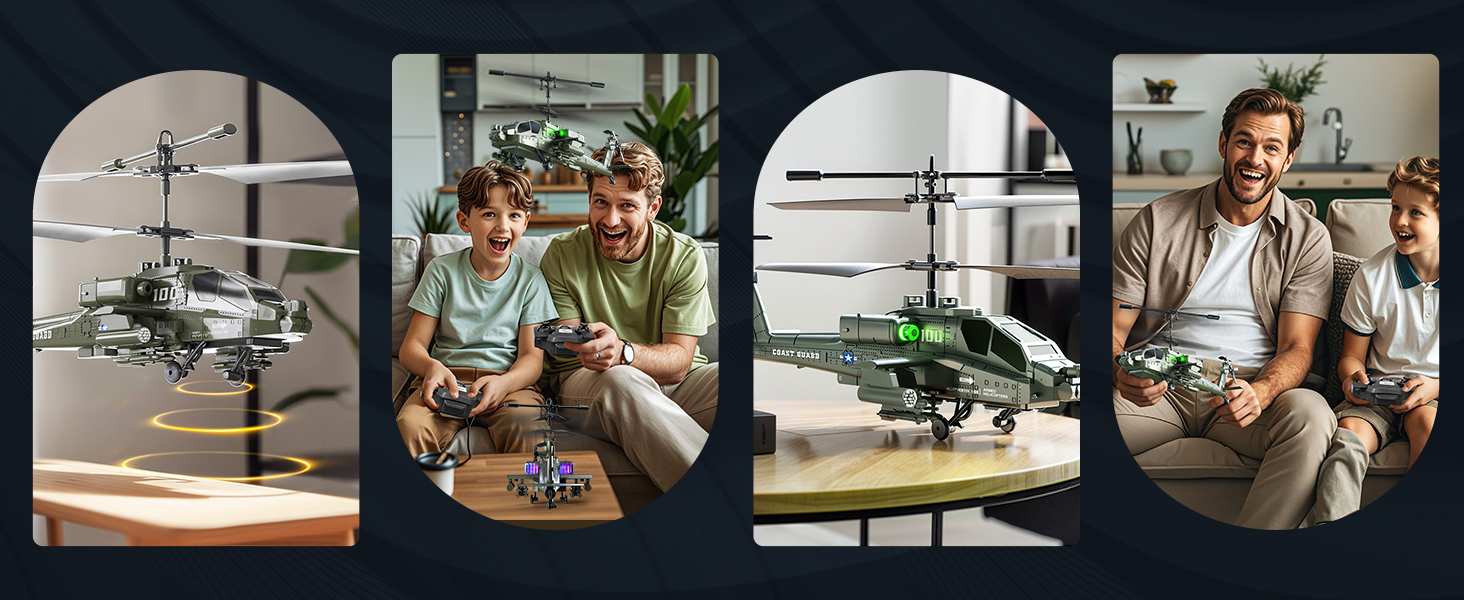
Image: The helicopter features one-key take-off and landing for simplified operation. It also includes an altitude hold function, allowing it to maintain a stable height automatically.
2. 3.5 Channel Control
The 3.5-channel remote control allows for various flight maneuvers:
- スロットルスティック(左): Push up to rise, pull down to fall.
- Direction Stick (Right): Push up for forward flight, pull down for backward flight. Push left to turn left, push right to turn right.
- 速度調整: The remote control allows for acceleration and deceleration, making flight more flexible.

Image: The 3.5-channel design allows for comprehensive control, including rising, falling, moving forward, backward, turning left, and turning right. It also supports speed adjustment.
3. LEDライト
The helicopter is equipped with colorful LED lights that illuminate when powered on, enhancing visibility and adding to the flying experience, especially in low-light conditions.

Image: The helicopter features colorful LED lights that are visible during flight.
メンテナンス
- クリーニング: ヘリコプターとリモコンの清掃には、柔らかく乾いた布をご使用ください。水や化学洗剤は使用しないでください。
- バッテリーのケア: Always remove batteries from the remote control when not in use for extended periods. Store rechargeable helicopter batteries in a cool, dry place. Do not overcharge or completely discharge the batteries.
- プロペラの検査: Regularly check the propellers for any damage or cracks. Replace damaged propellers with the provided spare parts using the screwdriver.
- ストレージ: Store the helicopter and remote control in a safe place, away from direct sunlight and extreme temperatures.
トラブルシューティング
| 問題 | 考えられる原因 | 解決 |
|---|---|---|
| ヘリコプターがリモコンに反応しません。 | Not paired; low batteries in helicopter or remote. | Ensure both helicopter and remote are powered on and successfully paired. Charge helicopter batteries; replace remote control batteries. |
| 短い飛行時間。 | バッテリーが完全に充電されていない、またはバッテリーが老朽化している。 | Ensure batteries are fully charged (60 minutes). Consider replacing old batteries if performance significantly degrades. |
| Unstable flight or difficulty controlling. | Windy conditions; damaged propellers; incorrect calibration. | Fly in calm conditions. Check and replace damaged propellers. Ensure helicopter is placed on a flat surface before take-off. |
| LED lights flashing quickly. | バッテリー残量低下の通知。 | Land the helicopter immediately and recharge the battery. |
| Helicopter propellers stop after a collision. | Automatic power-off protection activated. | This is a safety feature. Check for damage, then power cycle the helicopter and remote to resume operation. |

Image: The helicopter is equipped with double protection functions. In case of a collision, the propellers will automatically stop rotating to prevent damage. A low battery reminder is indicated by quickly flashing LED lights.
仕様
| 特徴 | 詳細 |
|---|---|
| モデル番号 | XK-1 |
| 製品寸法 | 18 x 10 x 8 cm (7.09 x 3.94 x 3.15 inches); 450 g |
| 推奨年齢 | 6歳以上 |
| 制御モード | Remote Control (2.4G) |
| チャンネル | 3.5チャンネル |
| 電源 | バッテリー(リチウムイオン) |
| リモコン電池 | 単3電池XNUMX本(別売) |
| 特集 | Flashing LED lights, One-Key Take-off/Landing, Altitude Hold, Anti-collision design |
| 材質タイプ | プラスチック |
| 色 | 緑 |

Image: The helicopter measures approximately 23 cm (9.05 inches) in length, 8.5 cm (3.35 inches) in height (to main rotor), and 9.5 cm (3.70 inches) in tail height.
保証とサポート
This product is covered by a standard manufacturer's warranty. For specific warranty details, please refer to the product packaging or contact the retailer where the product was purchased. For technical support or inquiries, please contact VATOS customer service through their official channels.


