
導入
This manual provides detailed instructions for the DOOMAY Thermometer Model 5294B and the DOOMAY Digital Kitchen Countdown Timer Model 6226. These devices are designed to assist with temperature and humidity monitoring, and precise time management in various settings.

Image: The DOOMAY Thermometer 5294B (top) displays temperature, humidity, date, and time. The DOOMAY Digital Kitchen Countdown Timer 6226 (bottom) features a large digital display and control buttons.
設定
バッテリーの取り付け
Both the Thermometer 5294B and the Digital Kitchen Countdown Timer 6226 require batteries for operation. Locate the battery compartment on the back of each device. Insert the required batteries, ensuring correct polarity (+/-). Close the battery compartment cover securely.
初回電源投入
Upon battery installation, both devices should power on automatically. If not, check battery placement or for a power button (if present, though typically automatic for these types of devices).
Placement Recommendations (Thermometer 5294B)
For accurate temperature and humidity readings, place the Thermometer 5294B in a location away from direct sunlight, heat sources, or drafts. Ensure good air circulation around the device.
Thermometer 5294B Operation
The DOOMAY Thermometer 5294B functions as an indoor temperature and humidity monitor with additional features.

画像: 上view of the Thermometer 5294B's functions, including thermometer, hygrometer, comfort level indicator, date & time display, °C/°F switcher, and calibration.
表示要素
- 温度: Displays current temperature in Fahrenheit (°F) or Celsius (°C).
- 湿度: Displays current relative humidity in percentage(%)。
- 日付: Shows the current month and day (M D).
- 時間: Displays the current time (HH:MM AM/PM).
機能
- 温度計: 周囲温度を測定して表示します。
- 湿度計: Measures and displays ambient humidity.
- 快適さレベルインジケーター: Provides a visual indication of the indoor comfort level based on temperature and humidity.
- 日付と時刻の表示: 現在の日付と時刻を表示します。
- °C/°F Switcher: Allows switching between Celsius and Fahrenheit temperature units. Refer to the device's physical buttons or settings for this function.
- 較正: The device supports calibration for enhanced accuracy. Refer to specific instructions on the device or packaging for calibration procedures.
Comfort Level Indicator Details
The comfort level indicator uses a smiley face icon to represent the environmental conditions. This indicator changes based on specific temperature and humidity ranges.

Image: Chart illustrating the comfort level indicator based on temperature and humidity ranges. A happy face indicates optimal conditions (66°F ≤ Temp ≤ 80°F and 30% < Humidity ≤ 70%).
Refer to the chart above for specific temperature and humidity thresholds that determine the comfort level icon displayed.
典型的な使用シナリオ

画像: Examples of where the thermometer can be used, including baby rooms, offices, greenhouses, and wine cellars.
The Thermometer 5294B is suitable for monitoring environmental conditions in various indoor spaces such as baby rooms, offices, greenhouses, and wine cellars.
Digital Kitchen Countdown Timer 6226 Operation
The DOOMAY Digital Kitchen Countdown Timer 6226 offers precise time management for various tasks.

Image: The Digital Kitchen Countdown Timer 6226 showing its large LED display, Minute, Second, D/II (Play/Pause), Custom, Reset, and volume/light buttons.
コントロールボタン
- 分ボタン: Press to increase the minute setting.
- XNUMX 番目のボタン: Press to increase the second setting.
- D/II (Play/Pause) Button: タイマーを開始または一時停止します。
- カスタム ボタン: Sets or recalls a pre-defined custom countdown time.
- リセットボタン: Clears the current timer setting to 00:00.
- スピーカーアイコンボタン: Adjusts the alarm volume level.
- Sun Icon Button: Controls the display backlight or brightness.
タイマーの設定
- を押す 分 ボタンを押して希望の分数を設定します。
- を押す 2番 ボタンを押して希望の秒数を設定します。
- The timer can be set from 00:00 up to 99:59.
開始と一時停止
After setting the desired time, press the D/II button to start the countdown. Press D/II もう一度押すとタイマーが一時停止します。もう一度押すと再開します。
タイマーのリセット
To clear the current timer setting and return to 00:00, press the リセット ボタン。
カスタム機能
の カスタム button allows you to quickly set and recall a frequently used countdown time. To set a custom time, first set the desired minutes and seconds, then press and hold the カスタム button until the display confirms the setting. To recall the custom time, simply press the カスタム ボタンを1回押します。
タイミングモード

Image: Illustration of the two timing modes: Countdown (from 99:59 to 00:00) and Count Up (from 00:00 to 99:59).
- カウントダウンモード: Set a specific time, and the timer will count down to 00:00. The range is 00:00 to 99:59.
- カウントアップモード: When the timer is at 00:00, press the D/II button to start counting upwards. The range is 00:00 to 99:59.
Alarm Sounds and Volume
The timer features four alarm sound levels, ranging from mute (0dB) to 85dB. Press the スピーカーアイコン button to cycle through the volume levels (L00 for mute, L01, L02, L03 for increasing ボリューム)。
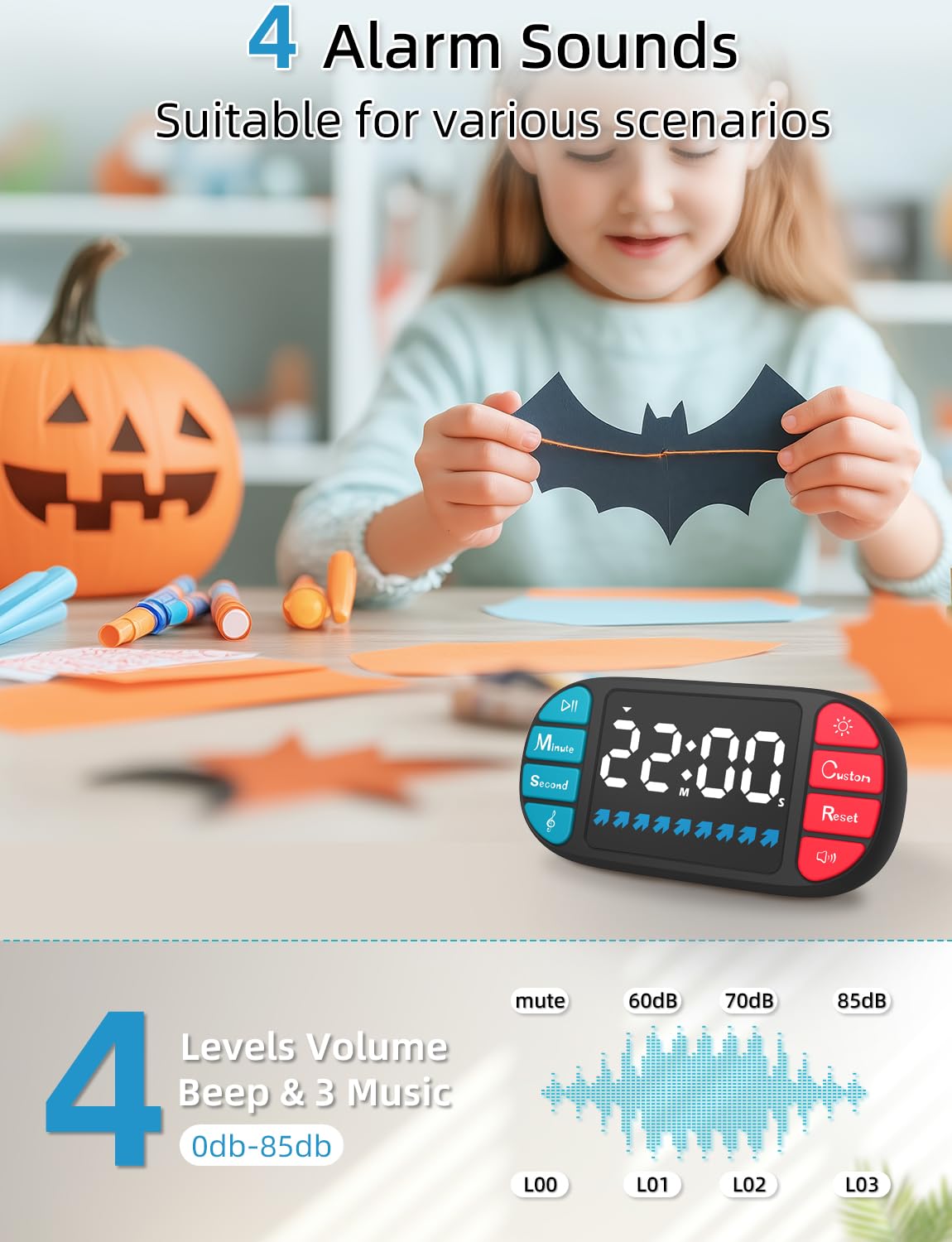
Image: Visual representation of the four alarm sound levels (mute, 60dB, 70dB, 85dB) and their corresponding display indicators (L00, L01, L02, L03).
典型的な使用シナリオ

画像: Examples of where the timer can be used, including cooking, classroom activities, homework, exercise, naps, skin care routines, and in toy rooms.
The Digital Kitchen Countdown Timer 6226 is versatile and can be used for various activities such as cooking, classroom management, homework sessions, exercise routines, managing nap times, timing skin care applications, and organizing play in toy rooms.
メンテナンス
クリーニング
To clean the devices, use a soft, dry cloth. For stubborn marks, a slightly damp cloth with mild soap can be used, followed by drying thoroughly. Do not use abrasive cleaners or immerse the devices in water.
バッテリー交換
When the display becomes dim or the device functions erratically, it is time to replace the batteries. Follow the battery installation steps outlined in the Setup section. Dispose of old batteries responsibly according to local regulations.
トラブルシューティング
デバイスの電源が入っていない
- 電池が正しい極性で正しく挿入されていることを確認してください。
- 新しい電池と交換してください。
Inaccurate Thermometer Readings
- Relocate the thermometer away from direct sunlight, heat sources, or drafts.
- Allow the device to stabilize for 15-30 minutes after relocation.
- Consider performing a calibration if supported and necessary.
Timer Alarm Not Sounding
- Check the volume setting using the スピーカーアイコン button. Ensure it is not set to L00 (mute).
- Replace batteries if the device is generally weak.
Display Issues (Dim, Flickering, Incomplete)
- 電池を交換してください。
- Ensure the display is not exposed to extreme temperatures.
仕様

Image: Dimensions of the Thermometer 5294B (8.7cm x 6.5cm, display 9.2cm x 3.62cm) and a comparison highlighting features like large LCD display, big digits, calibration, and longer battery life.
DOOMAY Thermometer 5294B
- 寸法: Approximately 8.7 cm (3.43 in) x 6.5 cm (2.58 in)
- 表示サイズ: Approximately 9.2 cm (3.62 in) x 3.62 cm (1.42 in)
- 機能: Thermometer, Hygrometer, Comfort Level Indicator, Date & Time, °C/°F Switcher, Calibration.
- 画面: Large LCD Display with Big Digits.
- 電源: Battery (type not specified, typically AAA or button cell).
DOOMAY Digital Kitchen Countdown Timer 6226
- Count Range: 00:00 to 99 Minutes 59 Seconds.
- タイミングモード: Countdown and Count Up.
- アラーム音量: 4 levels (0dB - 85dB).
- 画面: Large LED Display.
- 特別な機能: Blue Status Bar, Custom Function.
- 電源: Battery (type not specified, typically AAA or button cell).
保証とサポート
For warranty information or technical support, please refer to the documentation included with your purchase or contact DOOMAY customer service. Contact details can typically be found on the product packaging or the official DOOMAY webサイト。