
1. はじめに
This manual provides comprehensive instructions for the Ailgely Digital Thermometer Hygrometer Sensor Meter. This wireless sensor is designed to measure temperature and humidity both indoors and outdoors, transmitting data to a compatible Fanju weather station. Please read this manual thoroughly before use to ensure proper setup and operation.
2. パッケージ内容
開梱したら、以下にリストされているすべてのアイテムが揃っていて良好な状態であることを確認してください。
- 1 x Ailgely Digital Thermometer Hygrometer Sensor Meter
注意: 動作には単三電池 2 本が必要ですが、パッケージには含まれていません。
3 製品の特徴
- 屋内および屋外での使用: Suitable for monitoring temperature and humidity in various environments.
- ワイヤレス伝送: Offers a 60-meter transmission range in open areas for accurate data collection.
- 防水設計: IPX4 waterproof rating ensures durability in different weather conditions.
- 柔軟な設置: Can be easily mounted on a wall or placed on a desktop.
- 互換性: Specifically designed for use with Fanju weather stations.
4. セットアップ
4.1 バッテリーの取り付け
- センサーの背面にある電池ボックスのカバーを見つけます。
- カバーを慎重にスライドまたは外して、コンパートメントを開きます。
- Insert two (2) AA batteries, ensuring correct polarity (+ and - terminals).
- 電池収納部のカバーをしっかりと取り付けてください。
4.2 配置と取り付け
センサーには多様な配置オプションがあります。
- デスクトップの配置: The sensor can stand upright on any flat surface.
- 壁掛け: Use the integrated hanging hole on the back of the sensor. Secure a screw (not included) into the desired wall location and hang the sensor.

図1:戻る view of the sensor with battery compartment and mounting hole.
4.3 Pairing with Fanju Weather Station
Important: This sensor is designed exclusively for use with Fanju weather stations. It may not be compatible with other brands or models.
To pair the sensor with your Fanju weather station:
- Ensure both the sensor and the Fanju weather station are powered on and within the 60-meter transmission range.
- Refer to your Fanju weather station's instruction manual for specific pairing procedures. Typically, this involves initiating a sensor search function on the weather station.
- The sensor will automatically attempt to transmit data once powered. The weather station should detect and display the sensor's readings.
5. 操作
5.1ディスプレイオーバーview
The sensor features a clear LCD display showing current temperature and humidity readings.
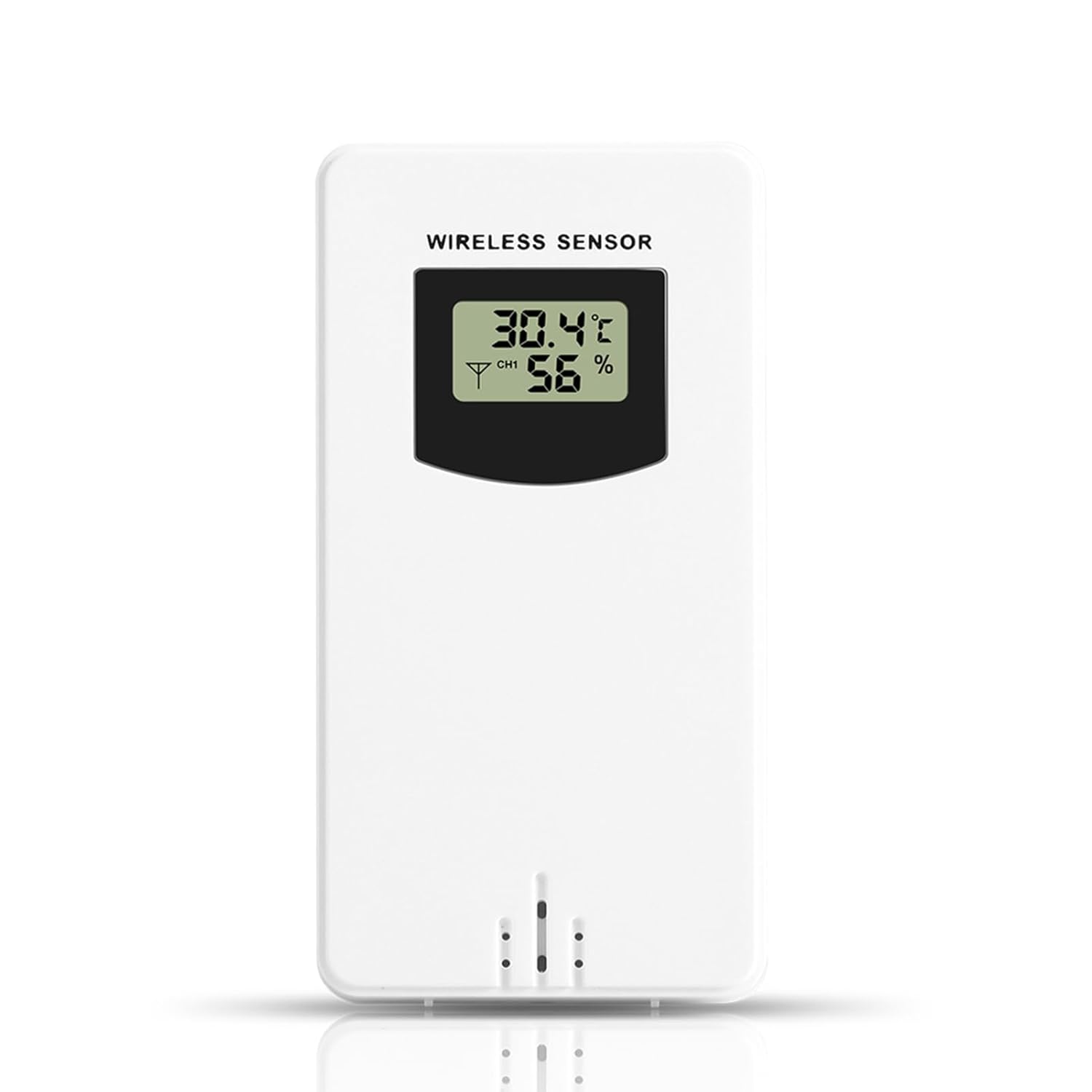
図2: 前面 view of the sensor display.
- 温度: Displays in Celsius (°C) or Fahrenheit (°F), depending on the setting of the connected Fanju weather station.
- 湿度: パーセントで表示tage(%)。
- チャンネルインジケーター: May show a channel number (e.g., CH1) if the sensor supports multiple channels or if the weather station is configured for multiple sensors.
5.2 送信
The sensor wirelessly transmits temperature and humidity data to the paired Fanju weather station. Ensure there are no significant obstructions (e.g., thick walls, large metal objects) between the sensor and the weather station to maintain optimal signal strength and transmission range.
6. メンテナンス
6.1 電池の交換
When the display becomes dim or the sensor stops transmitting data, it is time to replace the batteries. Follow the battery installation steps in Section 4.1. Always use fresh AA batteries.
6.2 クリーニング
センサーを清掃するには、柔らかくて乾いた布で拭いてください。amp cloth. Do not use abrasive cleaners, solvents, or immerse the unit in water. Ensure the battery compartment is dry before closing.
7。 トラブルシューティング
- 表示なし: 電池の取り付けを確認し、電池が新しいものであることを確認します。
- No Data on Weather Station:
- Verify the sensor is within the 60m transmission range of the weather station.
- Ensure there are no major obstructions blocking the signal.
- Re-pair the sensor with the weather station according to the weather station's manual.
- センサーの電池を交換してください。
- 不正確な読み取り: Ensure the sensor is placed in a location free from direct sunlight, heat sources, or excessive moisture that could skew readings.
8. 仕様
| 特徴 | 仕様 |
|---|---|
| モデル番号 | Ailgelyvwcdo75mzp-5W |
| 材料 | アブソリュート |
| 色 | 白 |
| 防水等級 | IPX4 |
| 伝送距離 | 最大60メートル(オープンエリア) |
| 電源 | 単三電池2本(別売) |
| 寸法(約) | 9.6cm (H) x 5cm (W) x 3.4cm (D) / 3.78in (H) x 1.97in (W) x 1.34in (D) |
| 重量(約) | 73g / 2.57オンス |
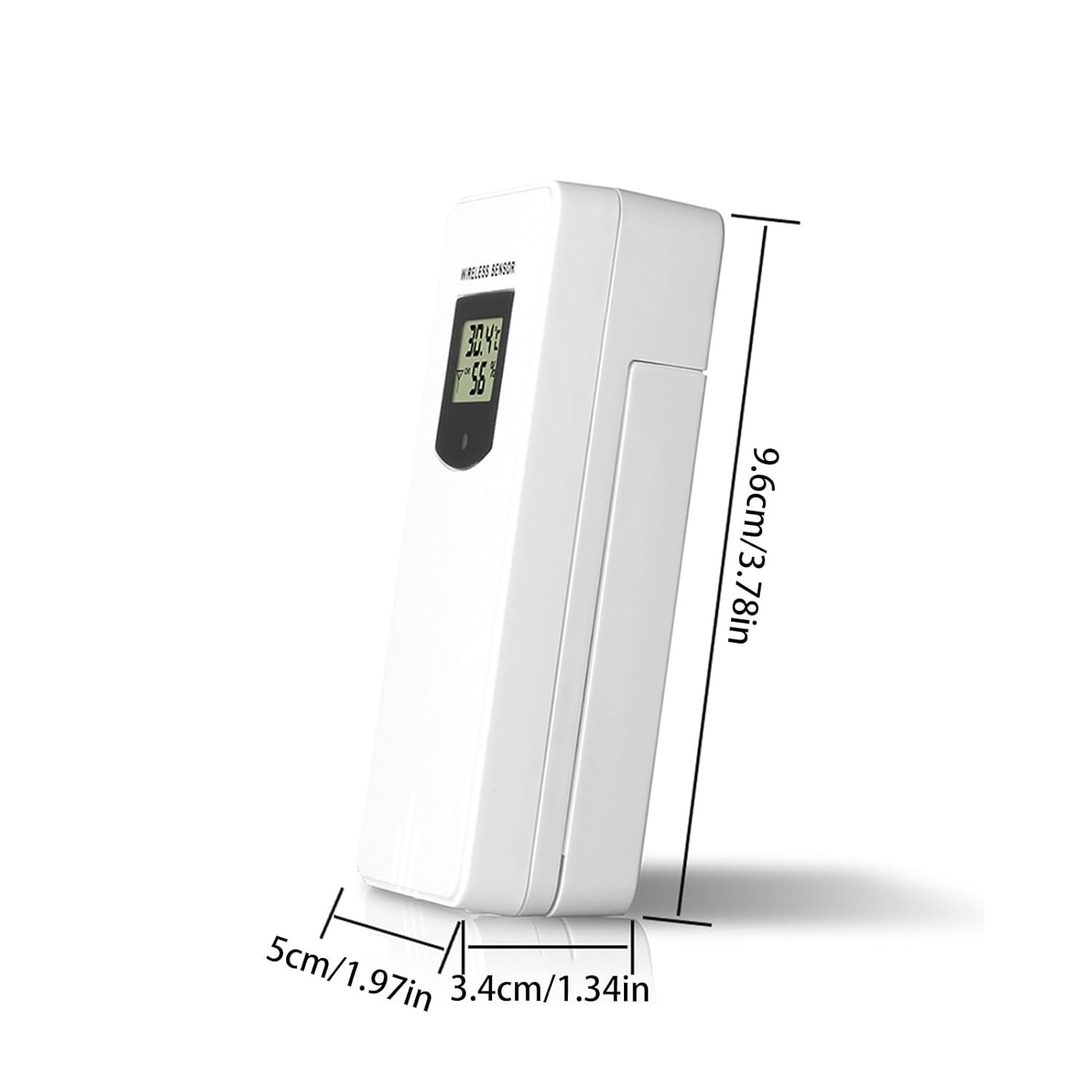
図3: センサーの寸法。
9. 保証とサポート
保証情報やテクニカルサポートについては、ご購入時に付属の説明書をご参照いただくか、販売店にお問い合わせください。ご購入の証明として、ご購入時のレシートを保管してください。