
1.製品オーバーview
The Cloudray 30W Fiber Laser Engraver & Cutter is a portable, all-in-one laser marking machine designed for metal fabrication. It offers high precision and speed for engraving and etching various metal materials. This device is suitable for both small businesses and individual users.

Image 1.1: The Cloudray 30W Fiber Laser Engraver and Cutter.
Key features include a maximum marking speed of 10,000 mm/s, an engraving depth of up to 0.5 mm, and an accuracy of 0.01 mm. It is compatible with EZCAD2 and Lightburn software, supporting various image formats like BMP, GIF, JPG, JPEG, DXF, DST, and AI.
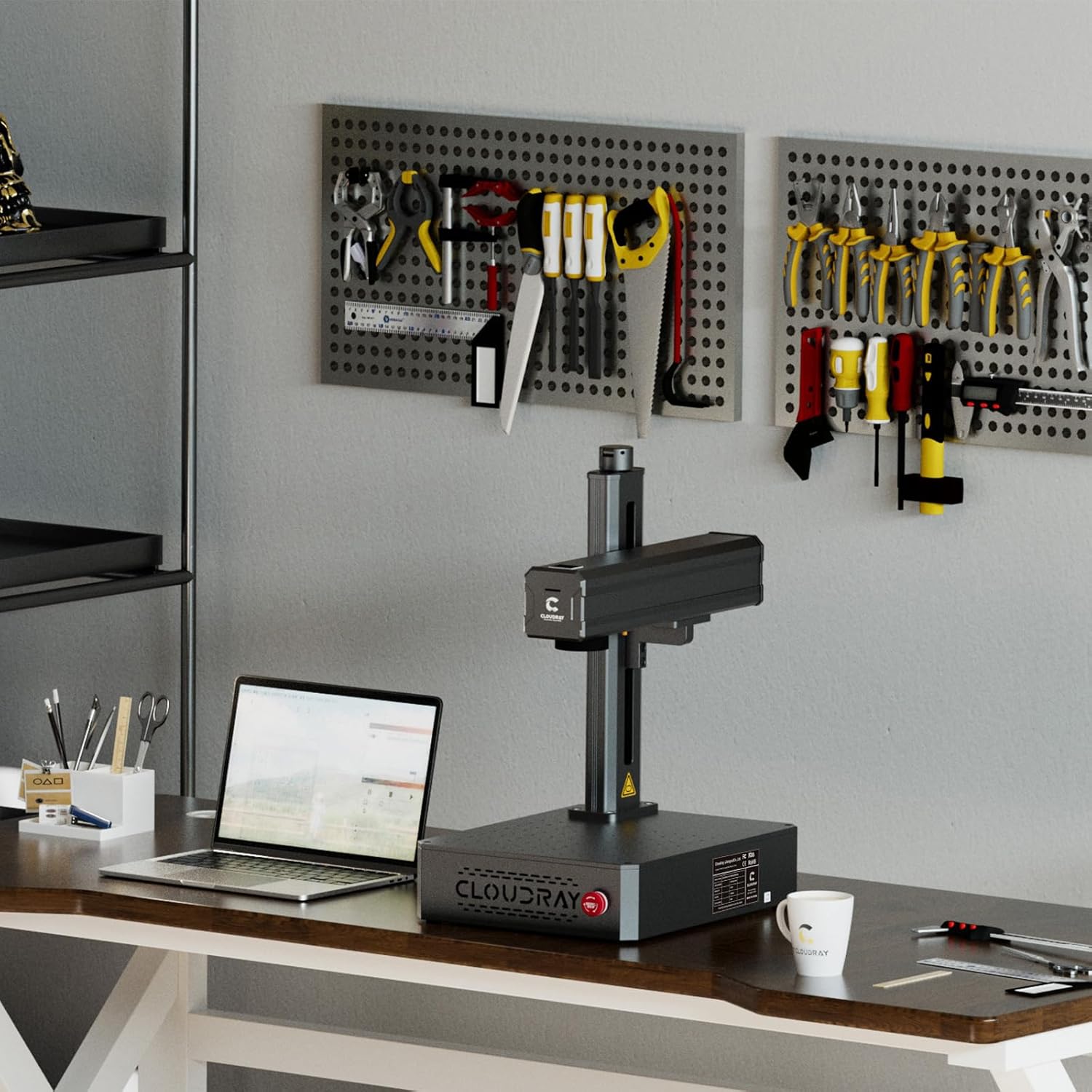
Image 1.2: Key specifications and software compatibility.
2. 安全情報
This laser engraver is classified as a Class 1 Laser device when used with the appropriate laser protective cover. Always ensure the protective cover is in place during operation to maintain Class 1 safety standards. Failure to do so may expose users to Class 4 laser radiation, which can cause severe eye and skin damage.
- Always wear certified laser safety goggles when operating the machine, especially if the protective cover is not used or is compromised.
- Ensure the work area is well-ventilated to dissipate any fumes or particles generated during engraving.
- Do not look directly into the laser beam or at reflections from shiny surfaces.
- 可燃性物質をレーザーの進路から遠ざけてください。
- Familiarize yourself with the emergency stop button location and function before operation.
3. パッケージ内容
3.1 標準付属品

Image 3.1: Standard accessories included with the engraver.
- Safety Goggles (1x)
- U Disk (1x, containing manuals and software)
- Foot Switch (1x)
- Craft Kit (1x set, with screws)
- Power Supply (1x)
- USBケーブル(1本)
3.2 Optional Accessories (Purchased Separately)
- Protective Cover: Enhances safety by enclosing the laser working area.
- Rotation Axis: Allows for engraving on cylindrical objects.

Image 3.2: Optional Protective Cover.

Image 3.3: Optional Rotation Axis.
4. セットアップ手順
- 開梱: すべての部品をパッケージから慎重に取り出してください。輸送中に損傷がないか確認してください。
- 配置: Place the laser engraver on a stable, level surface in a well-ventilated area. Ensure sufficient space around the machine for operation and heat dissipation.
- 電源接続: Connect the power supply to the machine and then to a suitable power outlet.
- USB接続: Connect the laser engraver to your computer using the provided USB cable.
- ソフトウェアのインストール: Insert the U disk into your computer and install the EZCAD2 software. Alternatively, install Lightburn software if preferred. Follow the on-screen instructions for installation.
- 初期テスト: Perform a small test engraving on a scrap piece of material to ensure proper functionality and calibration.

Image 4.1: Engraver set up in a workspace.
5. 操作手順
5.1 ソフトウェアの使用
- Launch EZCAD2 or Lightburn software on your computer.
- Import your desired design. The software supports various image formats including BMP, GIF, JPG, JPEG, DXF, DST, and AI.
- Adjust laser parameters such as power, speed, and frequency according to the material being engraved. Refer to the software's documentation for detailed parameter settings.
- Position the material on the workbed. The default working area is 4.3"x4.3" (110x110mm). Larger working areas (5.9"x5.9" or 7.9"x7.9") are available with customizable field lenses.
- Use the red light preview function to verify the engraving area and position before starting the laser.
- Initiate the engraving process. Monitor the process closely.
5.2 Compatible Materials and Applications
The Cloudray 30W Fiber Laser Engraver is designed for marking and engraving a wide range of metals, including:
- 金
- アルミニウム
- 銀
- Steel (including Stainless Steel)
- 真鍮
- チタン
- 銅
Common applications include creating custom metal business cards, personalized pens, nameplates, pet tags, and various items for print shops or decorative purposes.
Video 5.1: Demonstration of the Cloudray 30W Fiber Laser Engraver with Rotary Axis in action, showcasing its capabilities on various materials.
6. メンテナンス
定期的なメンテナンスにより、レーザー彫刻機の最適なパフォーマンスと寿命が確保されます。
- クリーニング: Periodically clean the lens and mirrors with a soft, lint-free cloth and appropriate lens cleaning solution. Ensure the workbed is free of debris.
- 接続: Check all electrical and USB connections regularly to ensure they are secure.
- ソフトウェアアップデート: Keep your engraving software updated to the latest version for improved features and stability.
- 環境条件: Operate the machine within the recommended temperature and humidity ranges to prevent damage.
7。 トラブルシューティング
If you encounter issues with your Cloudray 30W Fiber Laser Engraver, refer to the following common troubleshooting steps:
- レーザー出力なし: Check power connections, emergency stop button, and software settings. Ensure the laser is enabled in the software.
- 彫刻品質が悪い: Verify laser parameters (power, speed, frequency) are appropriate for the material. Clean the lens and check focus.
- ソフトウェアが接続されない: Ensure the USB cable is securely connected and the correct drivers are installed. Restart both the machine and the computer.
- マシンが応答しません: Press the emergency stop button, then release it. Restart the machine. If the issue persists, contact customer support.
8. 仕様

Image 8.1: Product specifications table.
| 特徴 | 仕様 |
|---|---|
| 製品モデル | 30W |
| 最大マーキング速度 | 10,000mm/秒 |
| マーキング精度 | 0.01ミリメートル |
| マーキングの深さ | ≦0.5 mm |
| Working Area (Default) | 110x110 mm (4.3"x4.3") |
| Working Area (Customized) | 150x150 mm (5.9"x5.9"), 175x175 mm (6.9"x6.9") |
| レーザータイプ | ファイバ |
| 定格出力 | 30W |
| 波長 | 1064 nm |
| 変調周波数 | 27-60 kHzの |
| パルス幅 | 90±10 ns |
| レーザー安全分類 | Class 4 Laser system, possibility to switch to Class 1 with laser protective cover |
| オペレーティングソフトウェア | EZCAD2 (Included) / Lightburn |
| 適用コンピュータシステム | Windows 7、8、10、11 |
| 適用可能な画像フォーマット | BMP、GIF、JPG、JPEG、DXF、DST、AI など。 |
| 入力ボリュームtage | AC 110V 50/60 Hz, AC 220V 50/60 Hz |
| 冷却 | 空気 |
| 動作温度 | 0~40℃(32~104℉) |
| 動作湿度 | 10% - 95% |
| 製品寸法 | 22 x 15.7 x 11.2インチ |
| アイテム重量 | 35ポンド |
9. 保証とサポート
Cloudray provides comprehensive support for its products:
- 保証: The Cloudray 30W Fiber Laser Engraver & Cutter comes with 2 years of comprehensive coverage.
- テクニカルサポート: Lifetime technical support is available to assist with any operational or technical queries.
For further assistance, please refer to the contact information provided on the U disk or visit the official Cloudray webサイト。