
ARPHA AL501-01
ARPHA Smart Door Lock with Video Camera User Manual
モデル: AL501-01
1. はじめに
The ARPHA AL501 Smart Door Lock with Video Camera is an advanced 6-in-1 security solution designed for modern homes. It integrates a 2K HD camera, doorbell, fingerprint reader, keypad, traditional key access, and Wi-Fi app control into a single device. This manual provides comprehensive instructions for installation, operation, and maintenance to ensure optimal performance and security.
2. 箱の中身
インストールを開始する前に、すべてのコンポーネントが揃っていることを確認してください。
- ARPHA AL501 Smart Door Lock (Exterior and Interior Assemblies)
- Rechargeable 10,000 mAh Battery Pack
- Doorbell Chime Module
- インストールテンプレート
- 取り付けハードウェア(ネジ、スピンドルなど)
- ユーザーマニュアル(このドキュメント)
- クイックスタートガイド
- 32GB SDカード(プリインストールまたは付属)
- Traditional Keys (2)
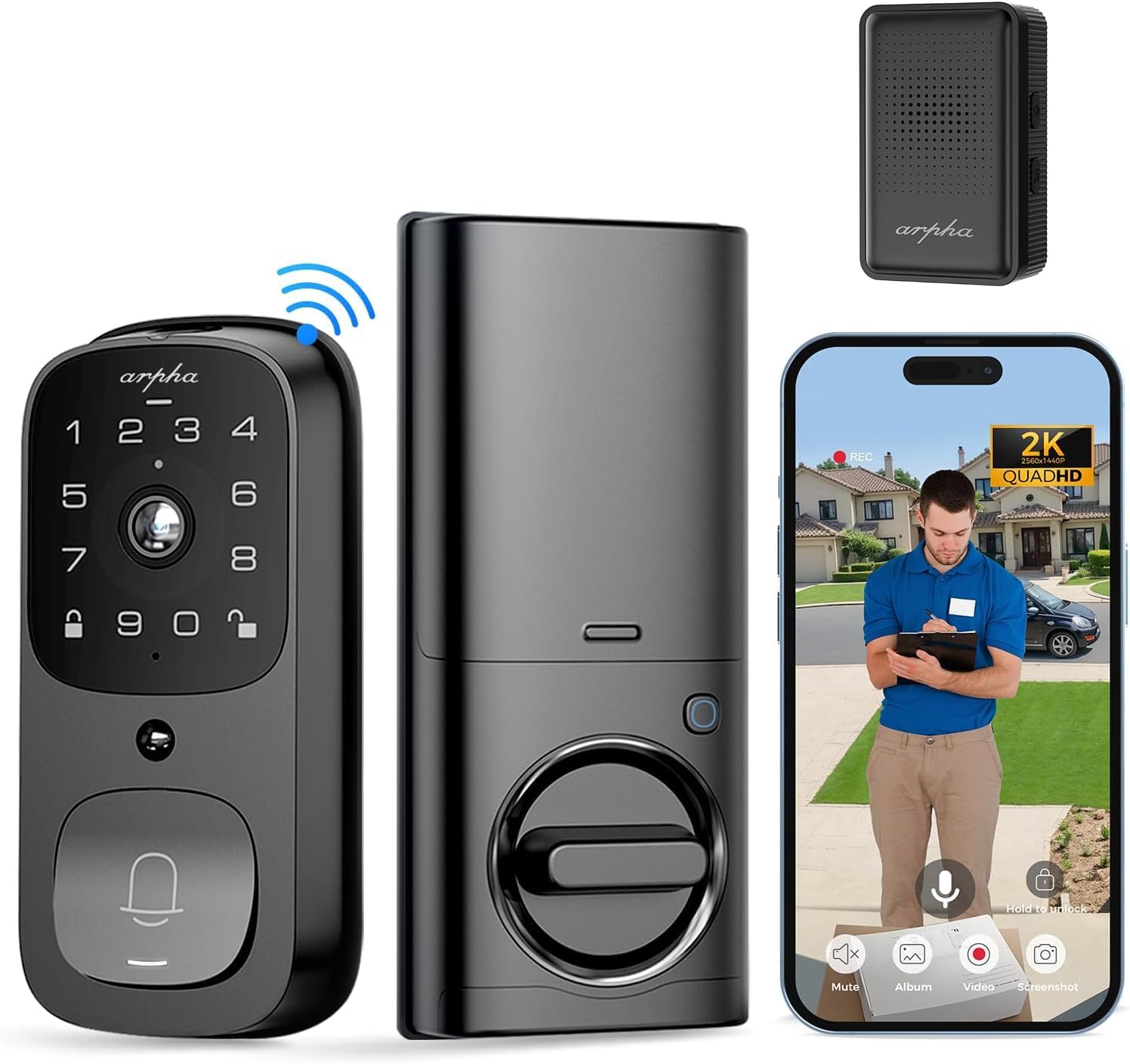
画像: 上view of the ARPHA AL501 Smart Door Lock and its accessories.
3. セットアップとインストール
3.1 インストール前のチェックリスト
- Ensure your door thickness is between 1-3/8" to 2-1/8" (35mm - 55mm).
- Verify your door's backset is 2-3/8" (60mm) or 2-3/4" (70mm).
- Confirm the lock is suitable for both left and right-handed door directions.
- A screwdriver is the primary tool required for installation.

Image: Door compatibility and dimensions for installation.
3.2 インストール手順
正しくインストールするには、次の手順に注意深く従ってください。
- 既存のハードウェアの削除: Unscrew and remove your current deadbolt and any associated hardware from the door.
- ラッチボルトの取り付け: Insert the new latch bolt into the door edge, ensuring the "UP" arrow is pointing upwards. Secure it with screws.
- 外装アセンブリを取り付けます。 Place the exterior keypad assembly onto the door, aligning the spindle through the latch bolt. Ensure the cable passes through the door.
- 取り付けプレートを取り付けます: Secure the interior mounting plate to the door using the provided screws, ensuring it's flush against the door surface.
- ケーブルを接続する: 外部アセンブリから内部アセンブリにケーブルを接続します。
- 内部アセンブリを取り付けます: Attach the interior assembly to the mounting plate, securing it with screws. Ensure the thumb turn operates smoothly.
- 電池を挿入します: Fully charge the 10,000 mAh battery pack before first use. Insert the charged battery into the interior assembly.
- Install Doorbell Chime: Plug the Doorbell Chime module into a USB power port. Press and hold the doorbell icon button on the chime for 10 seconds until you hear a sound to pair it with the lock.
- テスト操作: Test the lock's functionality using the keypad, fingerprint sensor, and traditional key.
- アプリのセットアップ: Download the "Arpha Plus" app from your device's app store. Follow the in-app instructions to connect your smart lock to your 2.4GHz Wi-Fi network and complete the setup.
4. 操作手順
4.1 Arpha App Control
The Arpha Plus App provides remote control and monitoring capabilities:
- リモートロック解除: Unlock your door from anywhere using the app.
- 一時コード: Generate and share one-time or time-limited access codes for visitors and family.
- リアルタイム通知: Receive alerts for motion detection, doorbell rings, and lock status changes.
- ライブ View: Access the 2K HD camera live feed to see who is at your door.
- 双方向オーディオ: アプリを通じて訪問者と直接コミュニケーションをとることができます。

Image: Two-way audio and app control interface.
4.2 指紋ロック解除
The integrated fingerprint sensor offers quick and secure access:
- Fast Identification: Unlock the door in approximately 0.3 seconds.
- 高精度: Features a 99.9% accuracy rate with AI self-learning for improved recognition over time.
- 登録: Follow the app instructions to enroll multiple fingerprints for authorized users.

Image: Fingerprint unlock feature.
4.3 Keypad Entry
Use the touchscreen keypad for code-based entry:
- 設定コード: Create and manage user codes through the Arpha Plus app.
- 覗き見防止パスワード: 他の人が入力コードを推測できないように、実際のコードの前または後にランダムな数字を入力します。
- バックライト付きキーパッド: The keypad illuminates for easy use in low-light conditions.
4.4 2K Video & Two-Way Audio
The integrated camera and audio features enhance security and communication:
- 2K HDビデオ: 鮮明で高解像度のビデオ映像を提供tage.
- 170°広角レンズ: 幅広い view of your front door area, minimizing blind spots.
- 強化されたナイトビジョン: 暗い場所でも最大 33 フィートまで鮮明に見えます。
- 双方向オーディオ: Speak and listen to visitors in real-time via the Arpha Plus app.
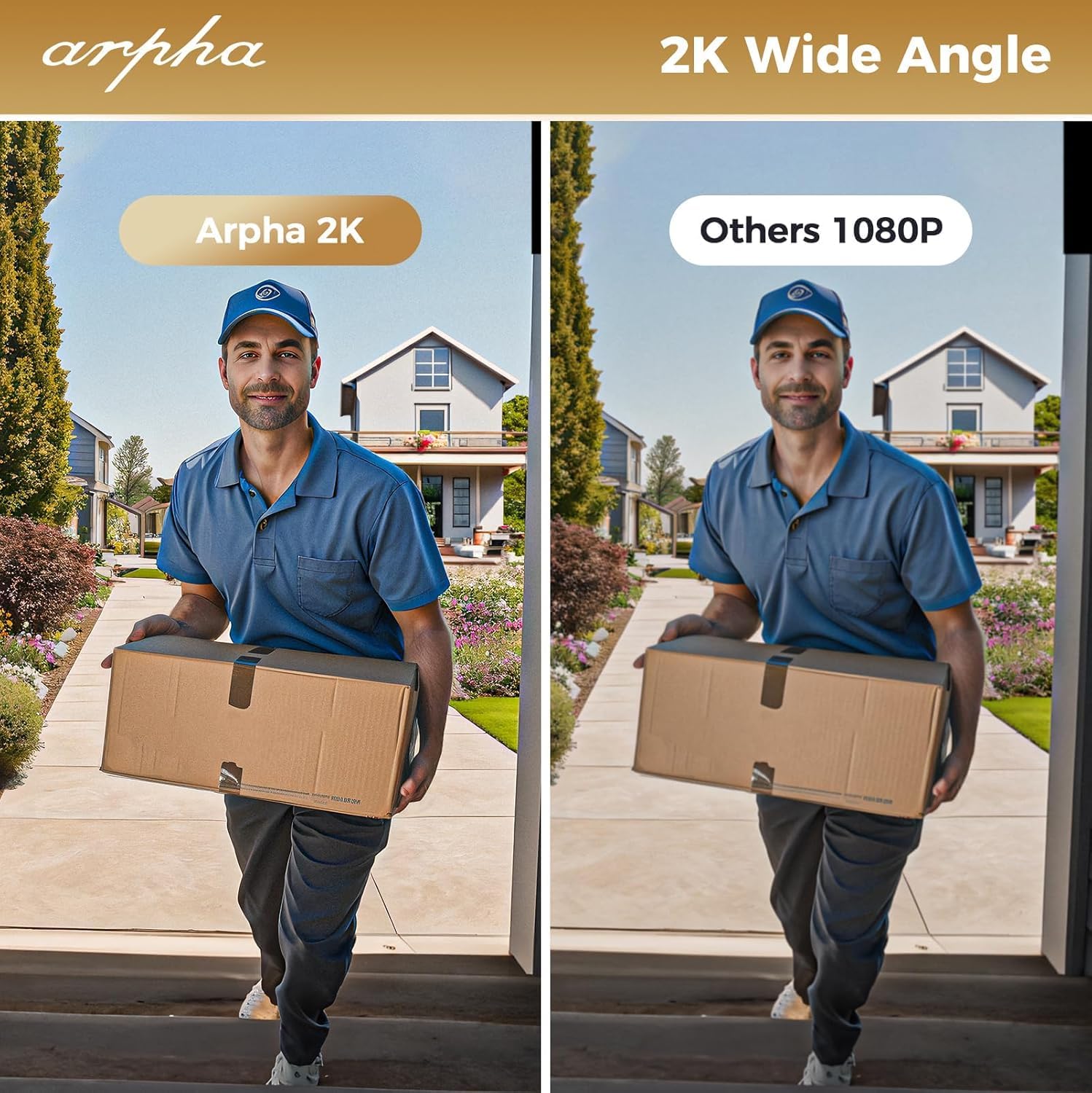
Image: 2K wide-angle camera view 比較。
4.5 PIRモーション検出
The Passive Infrared (PIR) sensor detects movement and provides alerts:
- Human/Animal Detection: Identifies motion in the front door area.
- リアルタイム通知: Sends instant alerts to your Arpha Plus app when motion is detected.
- Customizable Activity Areas: Define specific zones to monitor, reducing unwanted alerts.
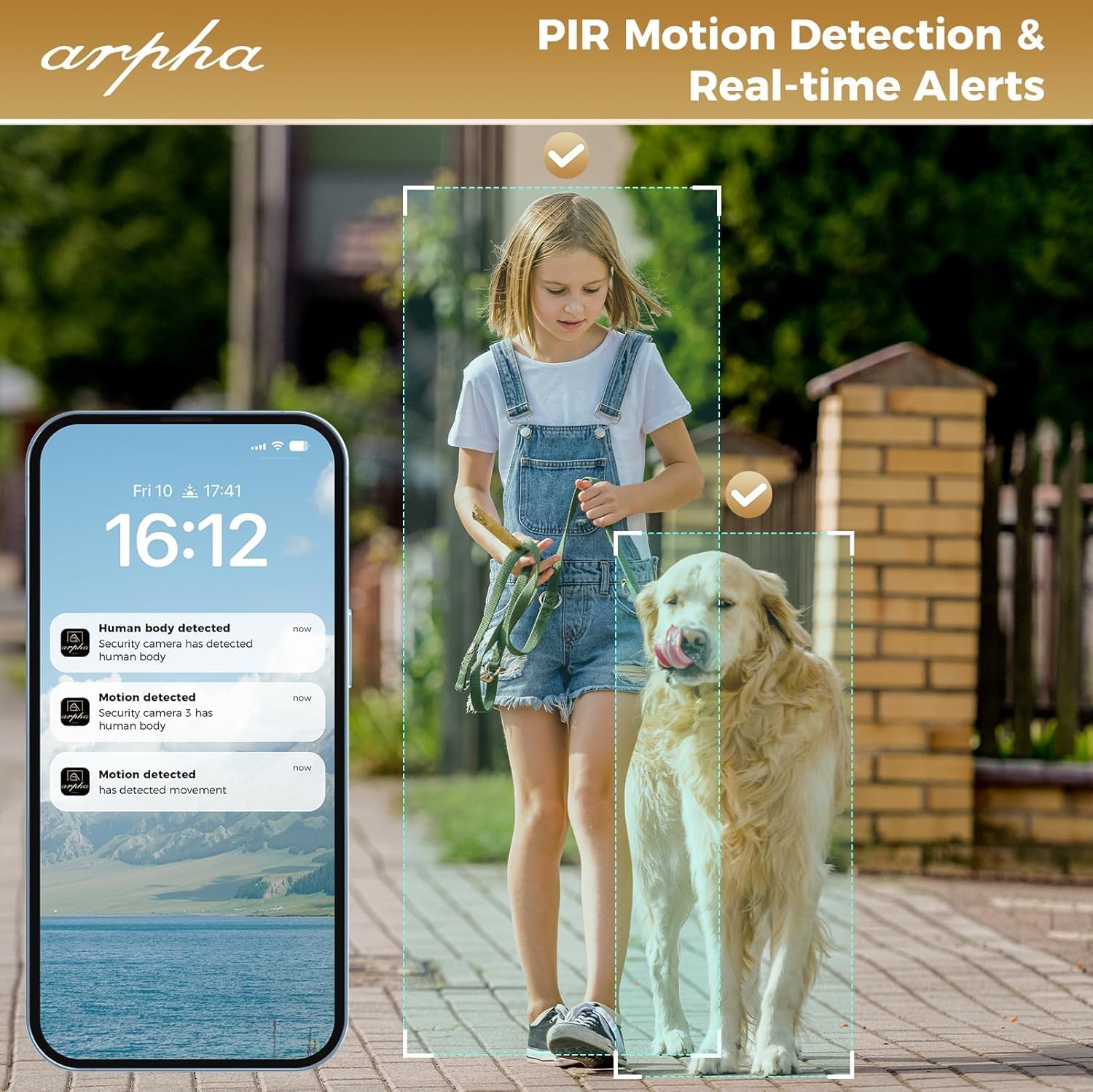
Image: PIR motion detection and real-time alerts.
5. メンテナンス
- バッテリー寿命: The 10,000 mAh battery pack can last up to 270 days with 10 daily uses on a single full charge.
- 充電: Recharge the battery using the provided USB cable when the low battery warning is issued.
- ローカルストレージ: The lock supports up to 32GB of local storage for video recordings.
- クリーニング: Regularly clean the camera lens with a soft microfiber cloth to ensure clear video quality. Avoid harsh cleaners.
- 耐候性: The lock is IP65 weatherproof, designed to withstand rain and various weather conditions.

Image: Long battery life feature.
6。 トラブルシューティング
- ロックが応答しません: Check battery level. If low, recharge the battery. Ensure the battery is properly seated.
- 指紋認識の問題: 指が清潔で乾いていることを確認してください。問題が解決しない場合は、指紋を再登録してください。
- Wi-Fi 接続の問題: The lock only connects to 2.4GHz Wi-Fi networks. Ensure your router is broadcasting on this frequency. Move the router closer if signal is weak.
- Doorbell Chime Not Working: Ensure the chime module is plugged into a USB power port. Re-pair the chime by pressing and holding its doorbell icon button for 10 seconds until it makes a sound.
- App Issues (Android): As of mid-August, the Android app is undergoing an upgrade. If you experience issues, please contact customer service for assistance.
- ビデオ品質が悪い: Clean the camera lens with a soft microfiber cloth. Ensure adequate lighting for optimal night vision performance.
- 誤動作アラート: Adjust the sensitivity settings for PIR motion detection in the Arpha Plus app. Consider customizing activity areas to exclude high-traffic zones.
- Lock Not Fitting Door: Double-check your door's thickness and backset against the specifications in Section 3.1.
7. 仕様
| 特徴 | 詳細 |
|---|---|
| ブランド | ARPHA |
| モデル名 | AL501 |
| 商品型番 | AL501-01 |
| ロックタイプ | Biometric (Fingerprint), Keypad, Key, App Control |
| 接続性 | Wi-Fi(2.4GHzのみ) |
| カメラ解像度 | 2K HD |
| カメラアングル | 170°広角 |
| 暗視範囲 | 最大33フィート |
| バッテリー容量 | 10,000mAhリチウムポリマー |
| ローカルストレージ | 32GB SDカード(付属) |
| 耐候性 | IP65 |
| ドアの厚さの互換性 | 1-3/8インチ~2-1/8インチ(35mm~55mm) |
| バックセットの互換性 | 2-3/8" (60mm) and 2-3/4" (70mm) |
| 材料 | 金属 |
| 商品の寸法 (長さ x 幅 x 高さ) | 2.8 x 5.9 x 1.2インチ |
| アイテム重量 | 2.75ポンド |
8.保証とサポート
ARPHA is committed to providing high-quality products and excellent customer service. For any questions, concerns, or support needs regarding your ARPHA Smart Door Lock, please contact our support team.
- オンラインサービス: 24時間7日のオンラインサポートをご利用いただけます。
- 応答時間: お問い合わせに対しては 2 時間以内に返答いたします。
- メールサポート: サポートが必要な場合は、メールでお問い合わせください support@arpha.com.

Image: ARPHA Support Team commitment.
Ask a question about this manual
Ask about setup, troubleshooting, compatibility, parts, safety, or missing instructions. Manuals+ will review the question and use this page’s manual context to help answer it.