1. はじめに
ご購入ありがとうございますasing the AGIMA X3 Projector. This manual provides essential information for setting up, operating, and maintaining your projector. Please read it thoroughly before use to ensure optimal performance and safety.
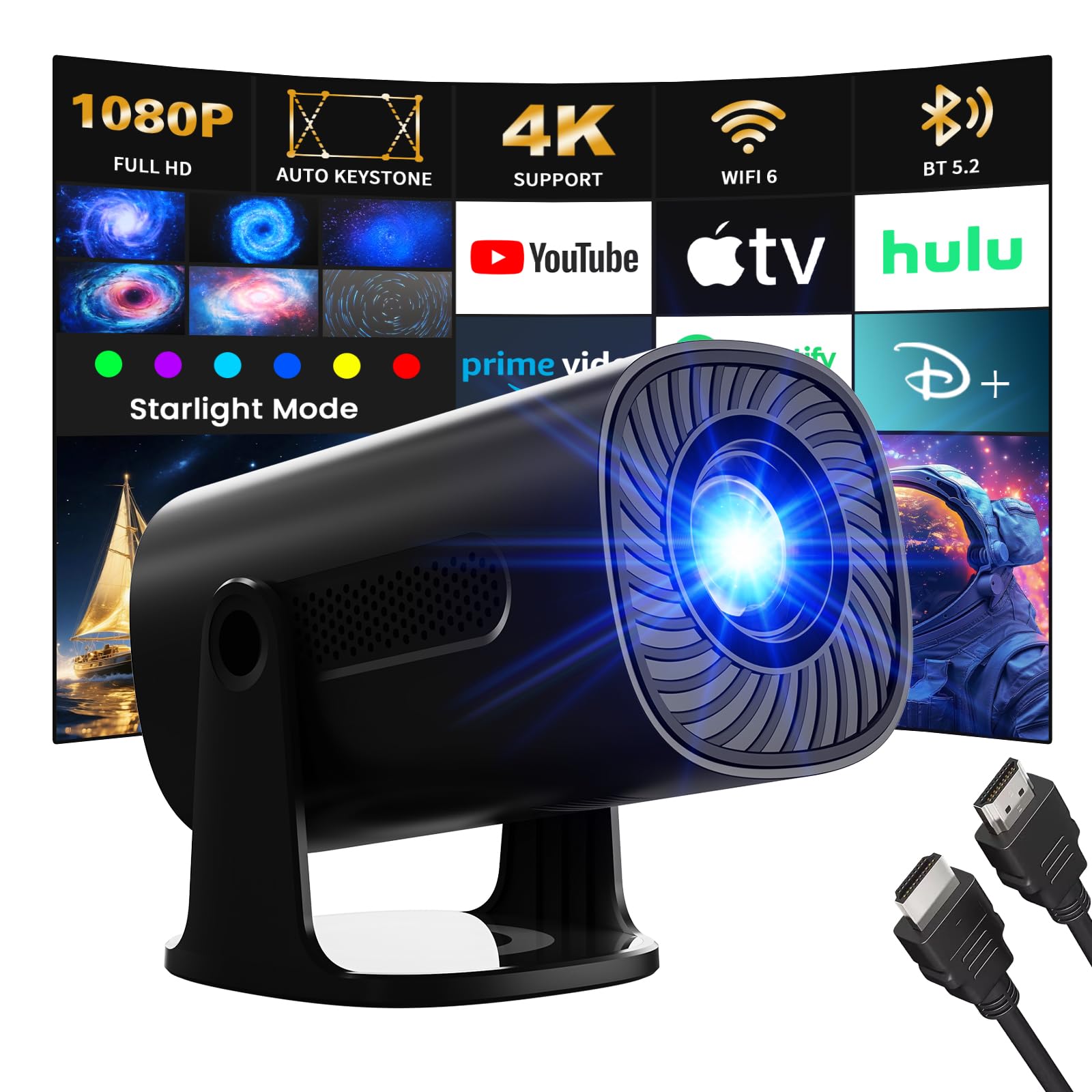
The AGIMA X3 Projector offers a versatile entertainment experience with features such as 4K 1080P support, integrated Android TV OS, WiFi6, Bluetooth 5.2, and automatic keystone correction. It also includes unique star projection modes and ambient lighting options to enhance your viewing環境。
The AGIMA X3 Projector in a modern living room, showcasing 投影機能。
2. 安全情報
火災、感電、または怪我を防ぐため、次の安全上の注意事項を守ってください。
- 通気口を塞がないでください。プロジェクターの周囲に十分なスペースを確保し、適切な空気の流れを確保してください。
- 感電を避けるため、プロジェクターを雨や湿気にさらさないでください。
- プロジェクターのレンズを直視しないでください。amp 明るい光により目が損傷する恐れがあるため、電源をオンにしてください。
- プロジェクターに付属の電源アダプターのみを使用してください。
- プロジェクターをご自身で分解したり修理したりしないでください。修理はすべて資格のある専門家にご依頼ください。
- プロジェクターを熱源や直射日光から遠ざけてください。
- プロジェクターが落下しないように、安定した水平な面に設置してください。
- The projector features intelligent eye protection, utilizing diffuse reflection imaging to filter blue light and protect your eyes during viewing。

Intelligent eye protection technology helps reduce eye strain during extended viewing。
3. パッケージ内容
パッケージにすべてのアイテムが揃っていることを確認します。
- 1 x AGIMA X3 Projector
- 1 x ケーブル付き電源アダプター
- リモコン x 1
- ユーザーマニュアル (本書) x 1
4.製品オーバーview
プロジェクターのコンポーネントについて理解しておきましょう。

前面と側面 view of the AGIMA X3 Projector, highlighting its compact design and connectivity options.
ポートと接続:
- HDMIポート: Connect to laptops, game consoles, TV sticks, etc.
- USBポート: メディアを再生するには USB ドライブを接続します。
- 3.5mmオーディオジャック: 外部ヘッドフォンまたはスピーカーを接続します。
- 電源入力: 電源アダプタを接続します。
5. セットアップ
5.1電源接続
- 電源アダプタをプロジェクターの電源入力ポートに接続します。
- 電源アダプタを壁のコンセントに差し込みます。
- プロジェクターまたはリモコンの電源ボタンを押して電源を入れます。
5.2 配置と投影
Position the projector on a stable surface. The AGIMA X3 is portable and can be mounted on a table. Adjust the projector's angle to achieve the desired screen position.
- 投影サイズ: The projector offers projection sizes from 39 inches to 200 inches.
- 投影距離: 最適 viewing distances range from 4 feet to 25 feet.

Illustration of projection sizes (50", 100", 200") at different distances (1.5m, 3m, 6m).
5.3 フォーカス調整
Use the manual focus ring (if available) or the remote control to sharpen the projected image until it is clear.
5.4 自動キーストーン補正
The AGIMA X3 features automatic keystone correction. This function automatically adjusts the image to be rectangular, even if the projector is placed at an angle. This eliminates the need for manual adjustments.

The automatic keystone correction feature ensures a perfectly rectangular image from various angles.
6. 操作手順
6.1 Smart OS Navigation (Android TV)
The projector comes with an integrated Android TV OS, providing access to various applications directly. Use the remote control to navigate the interface.
- ホーム画面: Access pre-installed apps like YouTube, Spotify, and Video.
- アプリストア: 追加のアプリケーションをダウンロードします。
- 設定: Configure network, display, audio, and system preferences.

The built-in Android TV OS allows direct access to popular streaming and entertainment applications.
6.2 Wi-Fiへの接続
To access online content and applications, connect your projector to a Wi-Fi network:
- へ移動 設定 ホーム画面に表示されます。
- 選択 ネットワークとインターネット.
- 希望する Wi-Fi ネットワークを選択し、パスワードを入力します。
The projector supports the latest WiFi6 technology for faster and more stable content transfer.

Enjoy a high-speed and smooth projection experience with WiFi 6 connectivity.
6.3Bluetoothペアリング
Connect external Bluetooth devices like speakers or headphones:
- へ移動 設定.
- 選択 接続されたデバイス or ブルートゥース.
- Bluetoothをオンにして、リストからデバイスを選択してペアリングします。
The projector features Bluetooth 5.2 for easy and stable connections to audio devices, enhancing your sound experience.

Connect external Bluetooth speakers for an enhanced audio experience.
6.4 外部デバイスの接続(HDMI、USB)
- HDMI: Connect your laptop, game console, or TV stick to the HDMI port. The projector will automatically detect the input or you may need to select the HDMI source from the input menu.
- USB: USBフラッシュドライブをUSBポートに挿入してメディアを再生します file直接。
6.5 Star Mode and Ambient Light
The AGIMA X3 offers unique visual modes:
- スターモード: Choose from 6 dynamic galactic projection modes to create a romantic or meditative ambiance.
- 周囲光: Select from 7 adjustable ambient light colors to transform your space and create a cinematic atmosphere.

Experience immersive star projection modes for a unique ambiance.

カスタマイズ viewing environment with 7 built-in ambient light colors.
6.6 Screen Mirroring (IOS/Android)
The projector supports wireless screen mirroring for both iOS and Android devices. Refer to the on-screen instructions or the projector's settings for specific steps to connect your smartphone or tablet.
6.7 ズーム機能
Adjust the projection size from 50% to 100% without moving the projector. This digital zoom feature allows for flexible installation and fine-tuning of the image size.

The digital zoom function allows you to adjust the screen size from 50% to 100% without repositioning the projector.
7. メンテナンス
7.1 クリーニング
- レンズ: 光学レンズ専用の柔らかく糸くずの出ない布を使用してください。研磨剤入りのクリーナーや溶剤は使用しないでください。
- Casing: プロジェクターの外側は、柔らかく乾いた布で拭いてください。頑固な汚れには、軽く湿らせた布を使用してください。amp 布で拭いてから完全に乾かしてください。
- 換気口: パフォーマンスや寿命に影響を与える可能性があるほこりの蓄積を防ぐために、柔らかいブラシまたは圧縮空気を使用して通気口を定期的に清掃してください。
7.2 ストレージ
When not in use for an extended period, store the projector in a cool, dry place. Use the lens cap to protect the lens from dust and scratches.
8。 トラブルシューティング
If you encounter issues with your AGIMA X3 Projector, refer to the following common problems and solutions:
| 問題 | 考えられる原因 | 解決 |
|---|---|---|
| 画像が投影されない | 電源ケーブルが外れている、入力ソースが正しくない、レンズキャップが装着されている。 | 電源接続を確認し、正しい入力ソース (HDMI/USB) を選択し、レンズキャップを取り外します。 |
| ぼやけた画像 | 焦点が合っていません、キーストーンが正しくありません。 | Adjust focus manually, ensure automatic keystone correction is active or adjust manually if needed. |
| 音が出ない | 音量が低すぎる、外部オーディオデバイスが接続されていない、オーディオ出力が正しくない。 | Increase volume, check Bluetooth connection, ensure internal speakers are selected or external audio is properly connected. |
| Wi-Fi接続の問題 | パスワードが間違っている、範囲外、ルーターの問題。 | Verify password, move projector closer to router, restart router. |
| リモコンが動作しない | 電池切れ、障害物、範囲外。 | Replace batteries, remove obstructions, ensure line of sight to projector's IR receiver. |
9. 仕様
Technical specifications for the AGIMA X3 Projector:
| 特徴 | 詳細 |
|---|---|
| ブランド | アギマ |
| モデル番号 | X3 |
| オペレーティング·システム | アンドロイド |
| 表示タイプ | 液晶 |
| ネイティブ解像度 | 1920 x 1080 (フルHD) |
| サポートされている解像度 | 4K |
| 接続技術 | HDMI, USB, WiFi6, Bluetooth 5.2 |
| ハードウェアインターフェイス | HDMI |
| デバイスの互換性 | Game console, Laptop, Smartphone, TV Stick |
| 寸法(長さ×幅×高さ) | 19.5 x 9.5 x 9.5 cm |
| フォームファクター | ポータブル |
| 特集 | Built-in Speaker, Lightweight, Digital Keystone Correction, Star Modes, Ambient Light |
| 推奨用途 | ホームシネマ |
10. 保証とサポート
For warranty information and customer support, please refer to the documentation provided with your purchase or contact AGIMA customer service directly. Specific details regarding warranty periods and support channels are typically included with the product packaging or available on the manufacturer's official webサイト。