
EDUP EP-SK0019
EDUP Starlink PoEインジェクター ユーザーマニュアル
Model: EP-SK0019 | Brand: EDUP
1.製品オーバーview
The EDUP 2-in-1 Starlink PoE Injector 150W is designed to streamline the power and network connection for your Starlink Standard Internet Kit satellite. This device integrates the functions of a PoE injector, a DC Step Up Converter, and a power supply into a single unit, simplifying installation and optimizing space.
It provides up to 150W of power for stable operation of the Starlink satellite and supports 10/100/1000M Gigabit Ethernet for rapid data transmission. With its plug-and-play design, it offers effortless network integration for various applications, including RVs, boats, and remote outdoor setups.

Image 1.1: The EDUP 2-in-1 Starlink PoE Injector connected in a typical setup, showing its compact design and integration with Starlink and a network router.
2. 主な特徴
- 150W 2-in-1 Step Up PoE Injector: Combines PoE injection, DC step-up conversion, and power supply into one device for streamlined and space-saving installation.
- 150W GigE PoE Injector for Starlink Satellite Network: Ensures stable power supply for Starlink Standard Internet Kit satellite and supports 10/100/1000M network speed with four pairs of Gigabit Ethernet for faster data transfer.
- Flexible Connection & Efficient Power Management: Suitable for connecting Starlink Gen3 Internet Kit satellite network to routers or desktops/laptops. Optimizes power distribution with a maximum input/output capacity of 3A.
- Effortless Network Integration: Features a plug-and-play design and a single LAN output for straightforward connection to a Gigabit router or PC, maintaining optimal network speeds.
- 対応デバイス: Specifically designed for Standard Starlink Device, featuring comprehensive protection systems.
3. パッケージ内容
パッケージにすべてのアイテムが含まれていることを確認します。
- 1 x EDUP 2-in-1 Step Up PoE Injector 150W for Standard Starlink Device
4. 仕様

Image 4.1: Physical dimensions and port identification of the EDUP Starlink PoE Injector.
| パラメータ | 価値 |
|---|---|
| インタフェース | LAN*1, POE*1, Power |
| ピン配置 | +V: 1, 2, 3, 6; -V: 4, 5, 7, 8 |
| ネットワーク速度 | 10/100 / 1000Mbps(ギガビットイーサネット) |
| 入力 | DC 9〜36V / 15A |
| 出力 | DC 56V / 3Aマックス |
| 保護 | Surge: ± 8KV (Differential), Class A; ESD: ± 8KV (Contact), ± 15KV(Air), Class A |
| 動作温度 | -20 ~ +55 °C |
| 動作湿度 | 10% - 90% (結露なし) |
| 保管温度 | -40 ~ +70 °C |
| 出力電力 | 最大150W |
| パッケージ寸法 | 5.43 x 3.9 x 1.65インチ |
| アイテム重量 | 9.9オンス |
| 商品型番 | EP-SK0019 |
| メーカー | 教育 |
| 原産国 | 中国 |
| ハードウェアインターフェイス | イーサネット |
| 色 | グレー |
| 対応デバイス | Laptop, Desktop (with Starlink Standard Device) |
| データリンクプロトコル | イーサネット |
| データ転送速度 | 1000メガビット/秒 |

Image 4.2: Detailed technical parameters of the EDUP Starlink PoE Injector.
5. 互換性
This EDUP PoE Injector is specifically designed for use with the Standard Starlink Device (Gen 3). It is not compatible with other Starlink terminal models such as Standard Actuated, High Performance, or Flat High Performance.

Image 5.1: Visual guide to compatible and incompatible Starlink terminal models.
6.セットアップガイド
Follow these steps to set up your EDUP Starlink PoE Injector:
- ルーターを接続します: Connect your Gigabit router or PC to the 無線LAN port of the EDUP PoE Injector using a standard Ethernet cable.
- Connect the Starlink Dish: Connect the original Starlink cable from your Starlink Standard Device (Gen 3) to the ポエ port on the EDUP PoE Injector.
- 接続電源: Connect your DC 9-36V power supply to the power input terminals (+ and -) on the EDUP PoE Injector. Ensure correct polarity. The indicator light will turn on once power is supplied.
- 接続を確認します: Once all connections are made and power is supplied, the Starlink device should begin operating, providing internet access through your connected router or PC.

Image 6.1: Connection diagram for the EDUP Starlink PoE Injector.
セットアップデモビデオ
Video 6.1: An official video demonstrating the setup process and functionality of the EDUP 2-in-1 Starlink Gen 3 GigE PoE Injector 150W.
注意: Utilizing incorrect cables or PoE injectors may result in irreversible damage to equipment. Always ensure correct wiring and compatibility.
7. 操作手順
Once properly installed and powered, the EDUP Starlink PoE Injector operates automatically to provide power and data connectivity to your Starlink Standard Device. It is designed for continuous operation in various environments.
一般的な使用シナリオ:

Image 7.1: Ideal for RV installations, providing efficient power and network for mobile Starlink setups.
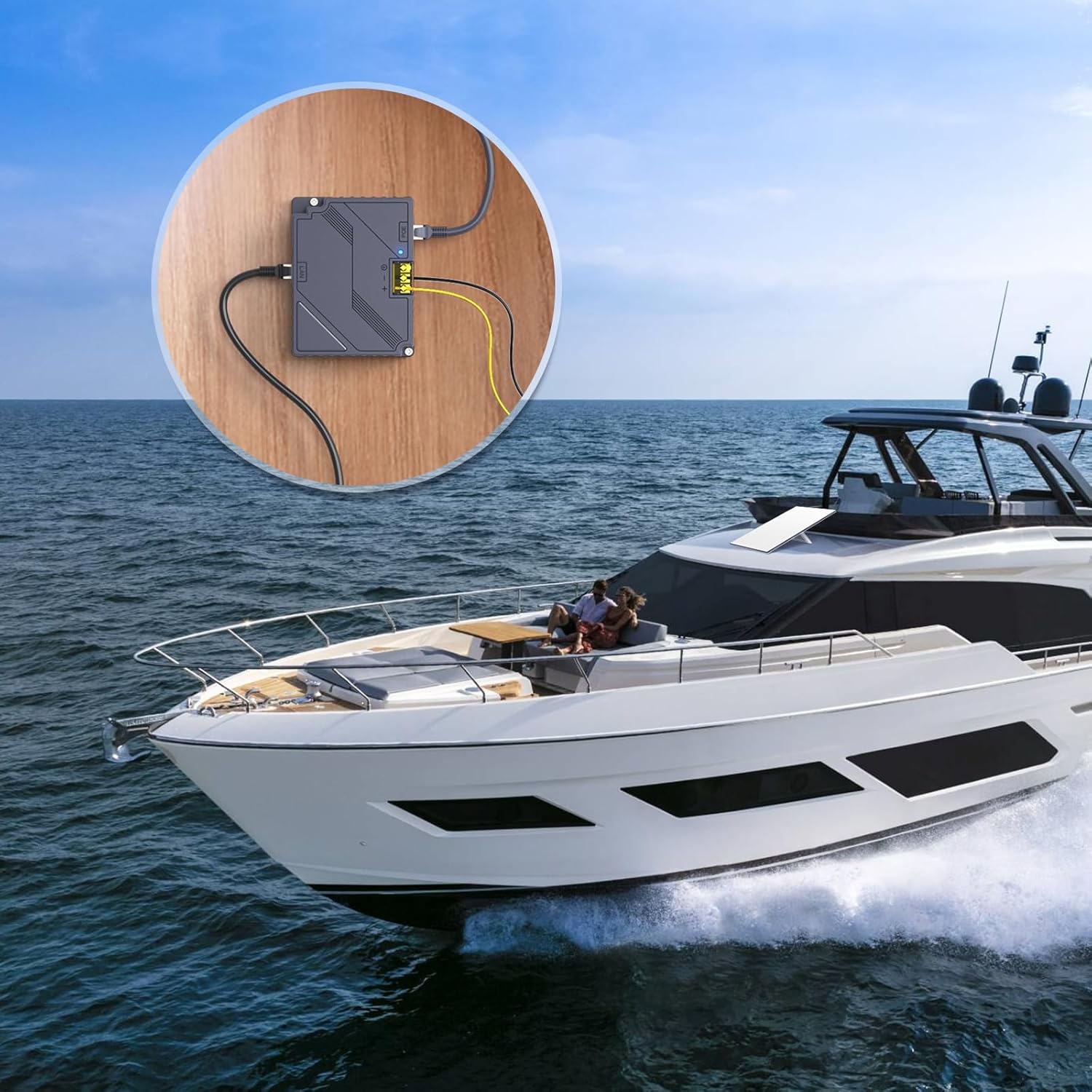
Image 7.2: Suitable for marine applications, enabling Starlink connectivity on boats and yachts.

Image 7.3: Perfect for remote outdoor settings, providing reliable internet where power access is limited.
The device is designed to operate within a wide DC input range (9-36V), making it versatile for various power sources commonly found in mobile or off-grid environments. The integrated indicator light provides a quick visual confirmation of power status.
8. メンテナンス
The EDUP Starlink PoE Injector is designed for minimal maintenance. Follow these guidelines to ensure optimal performance and longevity:
- クリーニング: デバイスを清潔に保ち、ほこりを取り除いてください。清掃には柔らかく乾いた布を使用してください。液体クリーナーやエアゾールは使用しないでください。
- 換気: Ensure adequate ventilation around the device to prevent overheating. Do not block the ventilation slots.
- ケーブル接続: すべてのケーブル接続が安全で損傷がないことを定期的に確認してください。
- 環境条件: Operate the device within the specified operating temperature and humidity ranges (-20 ~ +55 °C, 10% - 90% non-condensing) to prevent damage.
9。 トラブルシューティング
If you encounter issues with your EDUP Starlink PoE Injector, refer to the following common problems and solutions:
| 問題 | 考えられる原因 / 解決策 |
|---|---|
| 電源表示ランプが点灯しない |
|
| Starlink Dish Not Receiving Power/Data |
|
| No Internet Connection via LAN Port |
|
| Device Feels Hot During Operation |
|
If the problem persists after attempting these solutions, please contact EDUP customer support for further assistance.
10. 保証とサポート
EDUP products are designed and manufactured to the highest quality standards. For information regarding warranty coverage and technical support, please refer to the warranty card included with your product or visit the official EDUP store on Amazon:
Visit the EDUP Store on Amazon
For direct assistance, please have your model number (EP-SK0019) and purchase information ready when contacting support.
Ask a question about this manual
Ask about setup, troubleshooting, compatibility, parts, safety, or missing instructions. Manuals+ will review the question and use this page’s manual context to help answer it.