
1. はじめに
Thank you for choosing the LEKATO GA-02 5W Rechargeable Guitar Ampコンパクトで持ち運びに便利な amplifier is designed for electric guitar and bass practice, offering both clean and overdrive effects, Bluetooth connectivity, and multiple input/output options. Please read this manual carefully to ensure proper operation and to maximize your experience with the product.
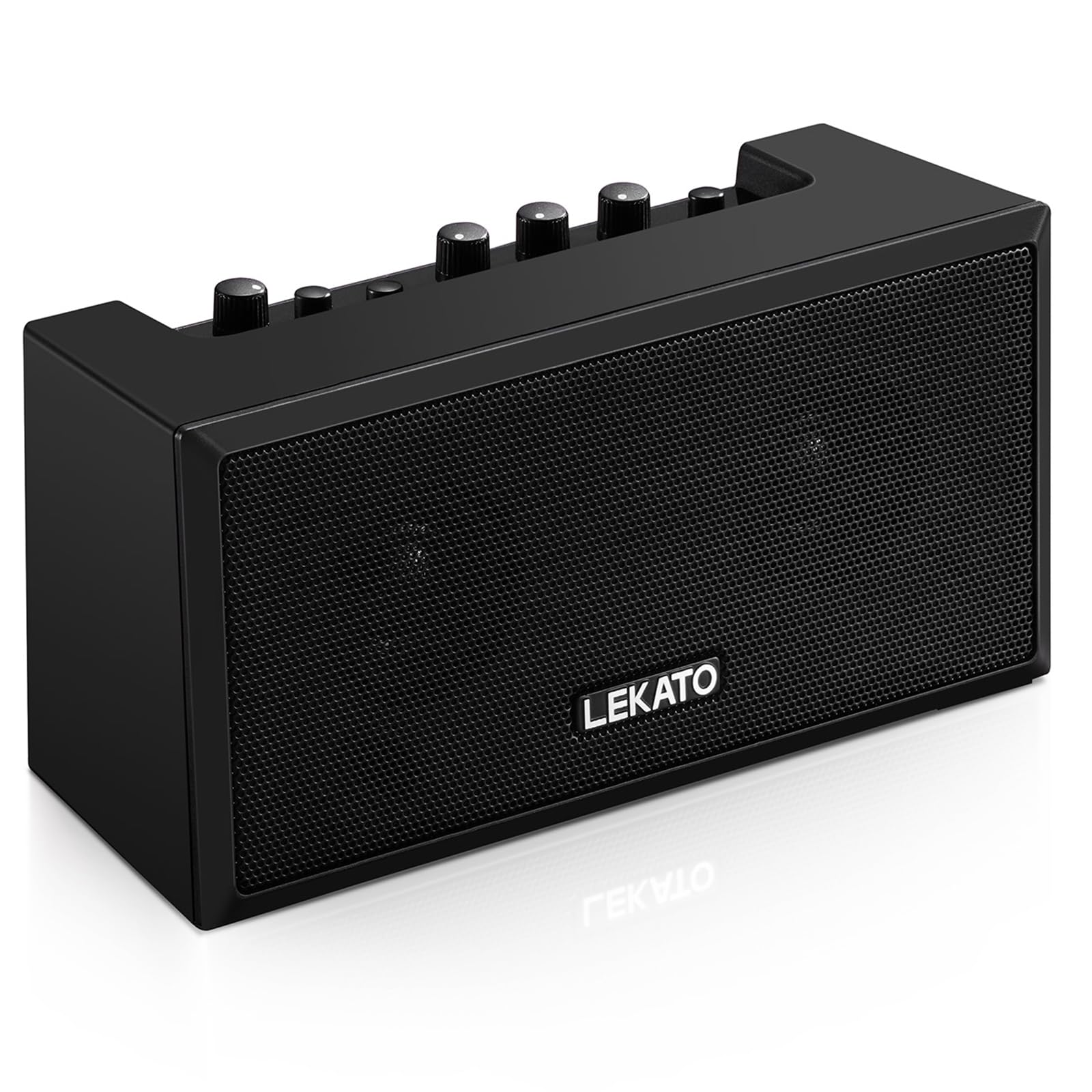
図1: 前面 view of the LEKATO GA-02 Guitar Amplifier。
2. 主な特徴
- デュアルトーンチャンネル: Easily switch between Clean and Overdrive effects with a single button.
- コンパクトで持ち運びに便利: 5W dual speakers in a mini size, ideal for practice anywhere.
- Bluetooth 5.0接続: Connect wirelessly to your smartphone or other devices for accompaniment.
- 豊富なインターフェース: Includes 1/8" Aux input, 1/8" stereo headphone output, and 6.35mm instrument input.
- 充電式バッテリー: Built-in 3.7V/2000mA battery provides up to 6 hours of playtime on a single charge, rechargeable via Type-C USB.
3. セットアップと接続
3.1 充電 Ampリファイアー
初めて使用する前に、 amplifier. Connect the included Type-C USB cable to the DC 5V charging port on the rear panel of the amplifier and to a standard USB power source (e.g., wall adapter, computer USB port).

Figure 2: Type-C USB charging port on the rear panel.
フル充電すると約6時間の再生が可能です。
3.2 Controls and Interfaces Overview

Figure 3: Front panel controls (top) and rear panel interfaces (bottom) of the amplifier。
フロントパネルのコントロール:
- BT/AUX 音量: Adjusts the volume for Bluetooth and Aux input.
- BTボタン: Bluetooth ペアリング モードを有効/無効にします。
- OVERDRIVE Button: クリーン チャンネルとオーバードライブ チャンネルを切り替えます。
- ゲインノブ: Adjusts the input sensitivity and distortion level (primarily for Overdrive channel).
- トーンノブ: 音質特性(高音/低音のバランス)を調整します。
- ボリュームノブ: ギター信号の全体的な出力音量を調整します。
- 電源スイッチ: 回転する ampリファイアのオンまたはオフ。
背面パネルのインターフェース:
- INPUT (6.35mm Jack): エレキギターまたはベースを接続します。
- AUX (1/8" Jack): Connect external audio sources like smartphones or CD players.
- Headphone Output (1/8" Stereo Jack): 静かに練習するにはヘッドフォンを接続します。
- DC 5V(Type-Cポート): 充電用の電源入力。
3.3 機器の接続
Insert your instrument cable (6.35mm jack) into the 入力 背面のポート amplifier。
3.4 Bluetooth接続
- をオンにする ampを使用したリファイア 力 ボタン。
- を押す B.T. button on the front panel. The Bluetooth indicator light will flash, indicating pairing mode.
- On your smartphone or Bluetooth-enabled device, search for "TOP-GT" in the Bluetooth settings.
- Select "TOP-GT" to pair. Once connected, the Bluetooth indicator light will remain solid.
- Adjust the Bluetooth/Aux volume using the BT/AUX 音量 ノブ。

図 4: モバイル デバイスとの Bluetooth ペアリング プロセス。
3.5 Aux Input Connection
Connect an external audio source (e.g., MP3 player, computer) to the 補助 input jack on the rear panel using a 1/8" (3.5mm) stereo audio cable. Adjust the volume using the BT/AUX 音量 ノブ。
3.6 ヘッドホン接続
静かに練習するには、ヘッドフォンを ヘッドフォン出力 jack on the rear panel. This will mute the amplifier's internal speakers.
4. 操作手順
4.1 電源オン/オフ
を押す 力 ボタンを回して ampリファイアのオンまたはオフ。
4.2 Selecting Tone Channels
の amplifier には、クリーンとオーバードライブの 2 つのトーン チャンネルがあります。
- を押す オーバードライブ button to switch between the Clean and Overdrive channels.
- When the Overdrive channel is active, the corresponding indicator light will illuminate.
- クリーン: Provides a pure instrument tone.
- オーバードライブ: Produces a distorted rock sound.

Figure 5: Pressing the OVERDRIVE button to switch channels.
4.3 サウンドの調整
- 利得: Rotate the GAIN knob to adjust the input signal level. Higher gain settings will increase distortion, especially in Overdrive mode.
- トーン: Use the TONE knob to shape the amplifier's frequency response, making the sound brighter or warmer.
- ボリューム: Adjust the overall output volume of your instrument using the VOLUME knob.
5. メンテナンス
- クリーニング: 拭く amp柔らかく乾いた布で拭いてください。液体クリーナーや研磨剤は使用しないでください。
- ストレージ: 保存する amp直射日光や極端な温度を避け、涼しく乾燥した場所に保管してください。
- バッテリーのケア: For optimal battery life, avoid fully discharging the battery frequently. Charge the amp長期間使用しない場合でも、定期的に洗浄してください。
- 取り扱い: 落としたり、 amp強い衝撃に強い。
6。 トラブルシューティング
| 問題 | 考えられる原因 | 解決 |
|---|---|---|
| 音が出ない amplifier。 |
|
|
| Bluetoothが接続されていません。 |
|
|
| Sound is distorted (not desired). |
|
|
| バッテリー寿命が短い。 |
|
|
7. 仕様
| 特徴 | 詳細 |
|---|---|
| モデル | GA-02 |
| 出力ワットtage | 5ワット |
| チャンネル | クリーン、オーバードライブ |
| 接続性 | ブルートゥース5.0 |
| 入力 | 6.35mm Instrument Jack, 3.5mm Aux Input |
| 出力 | 3.5mmステレオヘッドフォン出力 |
| 電源 | 電池式(充電式) |
| 電池のタイプ | 3.7V/2000mA Lithium Polymer (included) |
| 充電ポート | Type-C USB (DC 5V) |
| プレイ時間の目安 | 6時間 |
| 製品寸法 | 奥行き2.76インチ x 幅4.53インチ x 高さ3.23インチ (7 x 11.5 x 8.2 cm) |
| アイテム重量 | 1.23ポンド(0.56kg) |

Figure 6: Dimensions of the LEKATO GA-02 Amplifier。
8. 保証とサポート
LEKATO products are designed for reliability and performance. For warranty information or technical support, please refer to the warranty card included with your product or visit the official LEKATO website. You can also contact your retailer for assistance.
For more information about LEKATO products, visit the LEKATO Brand Store.
9. 製品ビデオデモンストレーション
Video 1: Official product demonstration of the LEKATO GA-02 Guitar Ampライフファイア、ショーasin機能とサウンド機能について説明します。