
導入
This instruction manual provides essential information for the proper setup and operation of your GODIYMODULES 15-48V Phantom Power Electret Condenser Microphone Amplifier Board. This board is designed to amplify electret microphones, enabling their use with 15-48V phantom power sources for various audio applications.
特徴
- Designed for 15-48V phantom power operation.
- Compatible with universal and single-point electret microphones.
- Suitable for applications such as karaoke, recording, and conference speech.
- Optimized for low noise performance when paired with a low-noise electret microphone.
仕様
| パラメータ | 価値 |
|---|---|
| マイクタイプ | エレクトレットマイク |
| 電源 | 15-48Vファンタム電源 |
| 出力インピーダンス | 250オーム |
| 音圧レベル (SPL) | 125デシベル |
| 信号対雑音比(SNR) | 60デシベル |
| 動作電流 | 約3.2mA |
| ボードサイズ | 45mm x 15.82mm (excluding cannon head part) |
| アイテム重量 | 1.06オンス |
| パッケージ寸法 | 3.94 x 1.97 x 0.79インチ |
パッケージ内容
- 1 x Electret Condenser Microphone Ampリファイアボード
セットアップと接続
これ amplifier board requires an electret microphone and a phantom power source (15-48V) for operation. The board converts the phantom power into the necessary bias voltage for the electret microphone and amplifies its signal.
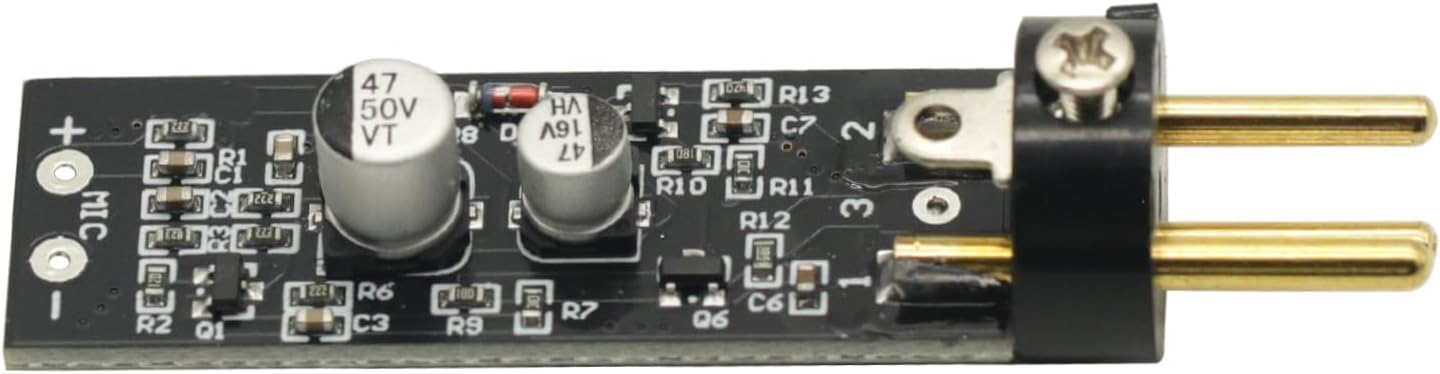
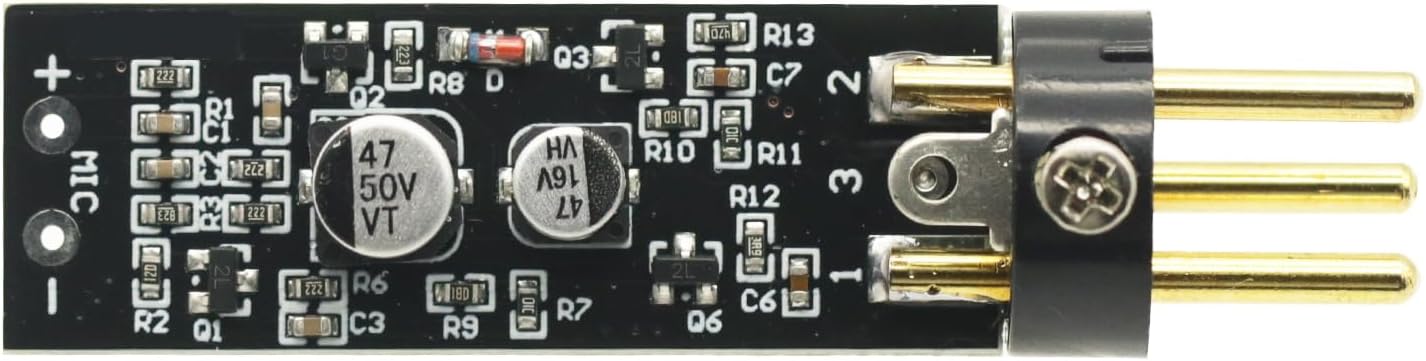
- Connect the Electret Microphone: Solder or connect your electret microphone to the designated 'MIC +' and 'MIC -' pads on the amp電源ボード。極性が正しいことを確認してください。
- Connect to Phantom Power Source: The output pins of the amplifier board are designed to connect to an XLR input that provides 15-48V phantom power. This connection will supply power to the board and the microphone, and carry the amp音声信号がリファイド化されます。
- オーディオ機器に接続する: The XLR output from your phantom power source (or directly from the board if integrated) should then be connected to your mixer, audio interface, or other recording/sound equipment.
重要: The overall noise performance of the system is significantly influenced by the quality of the electret microphone used. For optimal results, it is recommended to use a low-noise electret microphone.
手術
Once properly connected, the amplifier board operates automatically when phantom power is supplied. It boosts the low-level signal from the electret microphone to a line-level signal suitable for professional audio equipment.
- 電源を投入する前に、すべての接続が安全であることを確認してください。
- Activate the phantom power on your mixer or audio interface.
- Monitor audio levels on your connected equipment to prevent clipping or distortion. Adjust gain settings on your mixer/interface as needed.
メンテナンス
の amplifier board requires minimal maintenance. Keep the board clean and free from dust and moisture. Avoid exposing it to extreme temperatures or direct sunlight. Do not attempt to disassemble the board beyond necessary connections, as this may void any potential warranty.
トラブルシューティング
- サウンド出力なし:
- Verify that phantom power (15-48V) is active on your connected audio equipment.
- すべてのケーブル接続が適切に固定され、導通しているかどうかを確認します。
- Ensure the electret microphone is correctly wired to the board with correct polarity.
- Test with a different electret microphone or cable if available.
- 過度のノイズ/ハム音:
- すべてのオーディオ機器が適切に接地されていることを確認してください。
- Use shielded cables for all connections.
- Verify that the electret microphone itself is low-noise.
- Check for nearby electronic devices that might cause interference.
- Low Output Level:
- Confirm that the phantom power voltageは15~48Vの範囲内です。
- Adjust the gain settings on your mixer or audio interface.
視覚補助



製品ビデオ
ビデオ1: このビデオでは、view of the Electret Microphone Amplifier Boards, showing their packaging and physical appearance. It demonstrates the compact size and how the electret microphone capsule connects to the board.
保証とサポート
保証情報やテクニカルサポートについては、製品をご購入いただいたプラットフォームの販売者のポリシーをご確認ください。購入証明書として、購入レシートを保管してください。