
導入
The Quad Lock Stem Cap Mount is engineered to integrate seamlessly between your bicycle's stem and stem cap, effectively optimizing cockpit space and positioning your smartphone in a neat and functional manner. Its patented dual-stage locking mechanism ensures your phone remains securely attached across various terrains, providing stability during your rides. The toggle head offers flexibility, allowing it to be positioned on either side for optimal viewing angles. This mount is constructed from CNC-machined, anodized black aircraft-grade aluminum, featuring black components and a short black lever for a minimalist and lightweight design. It is compatible with stems of Ø 28.6 mm diameter and common angles of +15° or -15°.
箱の中身
パッケージにすべてのコンポーネントが含まれていることを確認してください。
- 1 x Quad Lock Stem Cap Mount
- 1mmスペーサー5個
セットアップとインストール
Follow these steps to correctly install your Quad Lock Stem Cap Mount:
- Remove Existing Stem Cap: Carefully remove the bolt and your bicycle's existing stem cap.
- マウントの位置: Place the Quad Lock Stem Cap Mount directly onto the steerer tube, ensuring it sits flush. If necessary, use the provided 5mm spacer to achieve the correct height and clearance.
- マウントを固定する: Insert the original stem cap bolt through the Quad Lock mount and tighten it to the manufacturer's recommended torque specifications for your bicycle's stem. Ensure the mount is stable and does not rotate freely.
- Adjust Toggle Head: The toggle head can be rotated and fixed on either side of the mount to optimize your smartphone's viewing angle. Loosen the small bolt on the side of the toggle head, adjust its orientation, and then re-tighten the bolt securely.
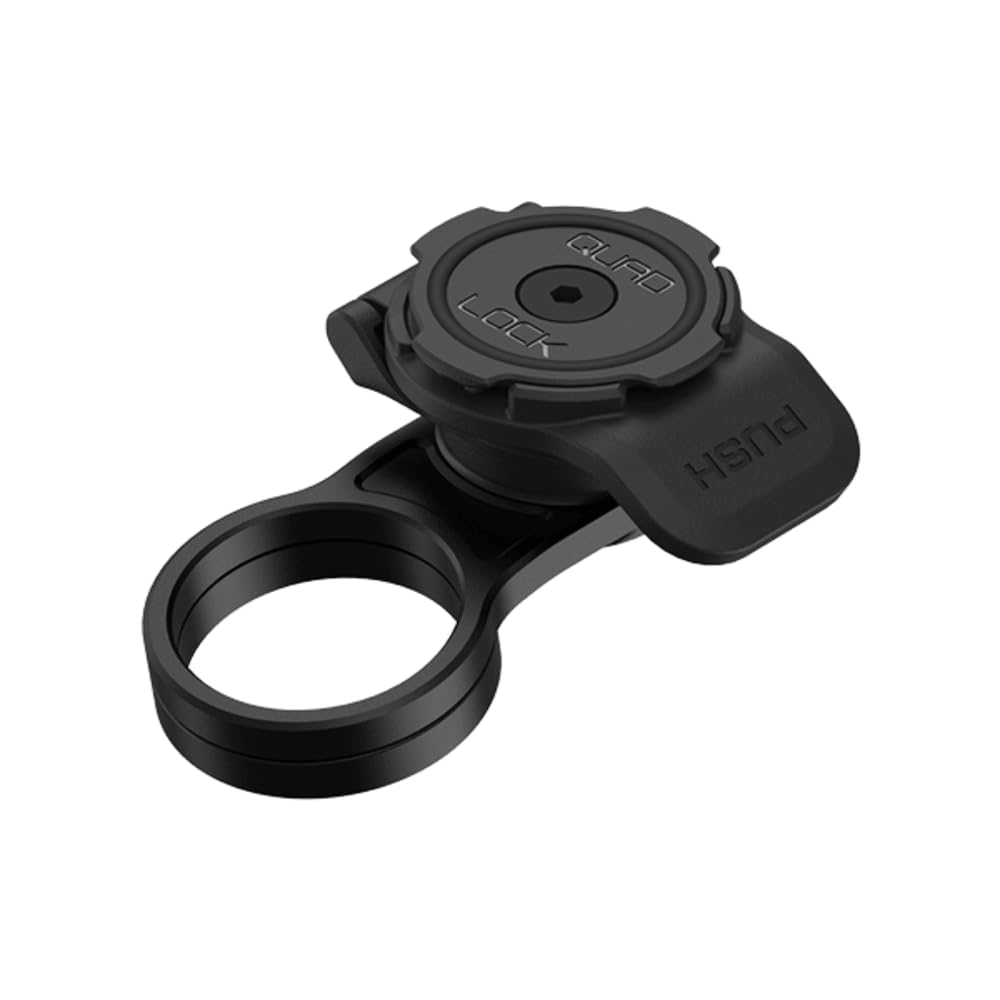
Image: The Quad Lock Stem Cap Mount securely installed on a bicycle's stem, ready for smartphone attachment. The mount is black and made of aluminum, positioned above the stem with a hand in the background.
操作手順
The Quad Lock system features a patented dual-stage lock for quick and secure attachment and detachment of your smartphone.
- スマートフォンの取り付け: Align your Quad Lock-compatible smartphone case with the mount's head. Press down and twist your phone clockwise until you hear a click. This indicates the dual-stage lock is engaged, securing your phone firmly in place.
- Detaching Your Smartphone: To remove your phone, press down on the blue lever located on the side of the mount. While holding the lever down, twist your phone counter-clockwise until it disengages from the mount.

画像: 詳細な view of the Quad Lock Stem Cap Mount, highlighting the central locking mechanism and the blue lever used for quick release. The mount is black and made of aluminum.
メンテナンス
To ensure the longevity and optimal performance of your Quad Lock Stem Cap Mount, follow these maintenance guidelines:
- クリーニング: Regularly wipe the mount with a damp cloth to remove dirt, dust, and grime. Avoid using harsh chemicals or abrasive cleaners, as these can damage the anodized finish.
- 気密性を確認してください: Periodically check all bolts, especially the main stem cap bolt and the toggle head adjustment bolt, to ensure they remain securely tightened. Overtightening can cause damage, so adhere to recommended torque specifications.
- 摩耗を検査します: Before each ride, visually inspect the mount for any signs of wear, cracks, or damage. If any damage is observed, discontinue use and consider replacing the mount.
トラブルシューティング
If you encounter any issues with your Quad Lock Stem Cap Mount, refer to the following common solutions:
- Smartphone Not Locking Securely: Ensure your Quad Lock-compatible smartphone case is correctly aligned with the mount. Apply firm, even pressure while twisting clockwise until a distinct click is heard. Check for any debris in the locking mechanism that might prevent full engagement.
- Mount Feels Loose or Rotates: Re-check the tightness of the main stem cap bolt. Ensure it is tightened to your bicycle manufacturer's specifications. If the toggle head rotates, tighten its adjustment bolt.
- Difficulty Detaching Smartphone: Ensure you are fully pressing down the blue release lever before twisting your phone counter-clockwise. If the mechanism feels stiff, clean it to remove any accumulated dirt.
仕様
| 特徴 | 詳細 |
|---|---|
| ブランド | クアッドロック |
| モデル名 | QLM-SCM |
| モデル番号 | QLM-SCM |
| 色 | 黒 |
| 材料 | アルミニウム |
| 対応デバイス | Quad Lock compatible devices |
| 互換性のある電話モデル | ユニバーサル |
| 取り付けタイプ | Bicycle (Stem Cap) |
| 製品の特徴 | Adjustable mounting system |
| 耐水性レベル | 耐水性はありません |
| アイテムの寸法 | 12.7 x 7.6 x 5.1 cm |
| GTIN (世界貿易商品番号) | 09348943102698 |
| メーカー部品番号 | QLMSCM |
保証情報
This Quad Lock Stem Cap Mount comes with a 2年間の製品保証 from the date of purchase. This warranty covers manufacturing defects and material faults under normal use. Please retain your proof of purchase for any warranty claims. For detailed terms and conditions, refer to the official Quad Lock webサイトをご覧いただくか、カスタマー サポートにお問い合わせください。
サポート
For further assistance, technical support, or to explore other Quad Lock products, please visit the official Quad Lock web公式サイトをご覧いただくか、カスタマーサービスまでお問い合わせください。 AmazonのQuad Lockストア.