
KEENSTAR ST-265TC
KEENSTAR ST-265TC Touch Screen 2-Slice Toaster
Model: ST-265TC
1. 重要な安全対策
電気製品を使用するときは、次のような基本的な安全上の注意事項を必ず守ってください。
- トースターを操作する前にすべての説明書をお読みください。
- 熱い表面に触れないでください。ハンドルまたはノブを使用してください。
- 感電を防ぐために、コード、プラグ、トースターを水やその他の液体に浸さないでください。
- いかなる機器も、子供が使用したり、子供の近くで使用したりする場合には、厳重な監視が必要です。
- 使用していないときや清掃する前には、コンセントからプラグを抜いてください。部品の取り付けや取り外しは、冷めてから行ってください。
- コードやプラグが損傷している機器、または機器が故障したり何らかの損傷を受けたりした後は、機器を操作しないでください。
- コードをテーブルやカウンターの端から垂らしたり、熱い表面に触れたりしないでください。
- 高温のガスバーナーや電気バーナーの上や近く、または加熱されたオーブンの中に置かないでください。
- トースターを本来の用途以外に使用しないでください。
- 火災や感電の危険があるため、大きすぎる食品、金属箔の包装、または食器をトースターに入れないでください。
- トースターが作動中にカーテン、ドレープ、壁などの可燃性物質で覆われていたり、それらに触れていたりすると、火災が発生する可能性があります。
- トースターが電源プラグに差し込まれているときは、食べ物を取り出そうとしないでください。
- この機器は家庭用にのみご使用いただけます。
2.製品オーバーview
The KEENSTAR ST-265TC is a modern 2-slice toaster featuring a touch screen interface for precise control over your toasting preferences. It includes wide slots to accommodate various bread types and a removable crumb tray for easy cleaning.
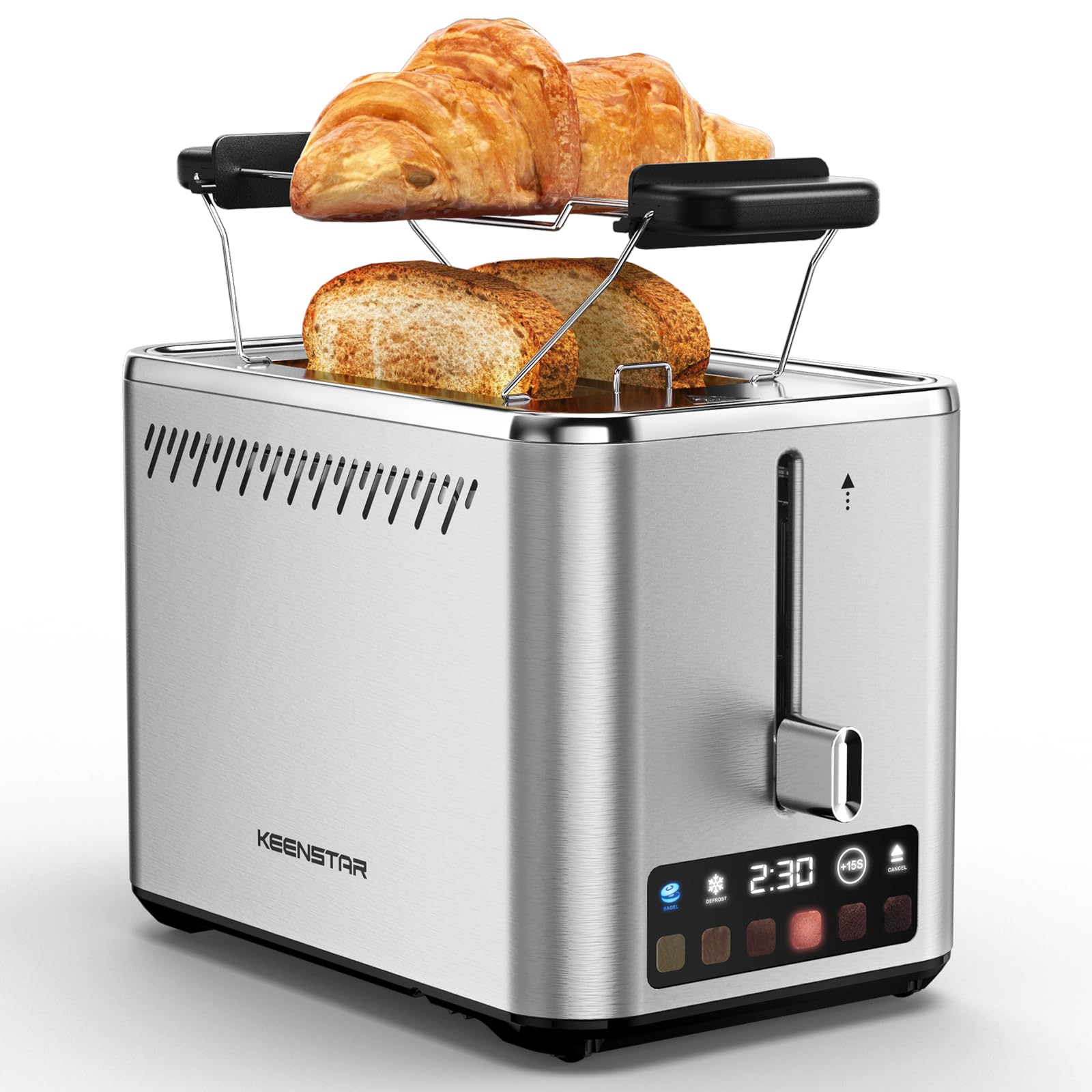
Image: KEENSTAR ST-265TC 2-Slice Toaster in silver stainless steel.
3. セットアップ
開梱
Carefully remove the toaster and all packaging materials from the box. Ensure all accessories, including the warming rack, are present.
配置
トースターは、カーテンや壁などの可燃物から離れた、安定した平らな耐熱面に置いてください。機器の周囲に十分な換気を確保してください。
初回使用
Before toasting food for the first time, operate the toaster without bread on the highest browning setting (level 6) to burn off any manufacturing residues. A slight odor or smoke may be present; this is normal and will dissipate.
4. 操作手順
コントロールパネルオーバーview

Image: The toaster's smart touch control display showing 6 browning levels and extra functions like Bagel, Defrost, +15S, and Cancel.
基本的なトースト
- Insert up to two slices of bread into the wide 1.5-inch slots.
- Select your desired browning level (1-6) by touching the corresponding icon on the display. Level 1 is the lightest, and Level 6 is the darkest.
- Press the lever down until it locks into place. The digital display will show a countdown timer.
- The toast will automatically pop up when the cycle is complete.

Image: Visual guide showing the steps for easy toaster operation: 1. Put bread in slots, 2. Select browning level and function, 3. Press the lever down, 4. Enjoy delicious bread.
ベーグル機能
This function is designed to toast the cut side of bagels while gently warming the outer side.
- Insert bagel halves into the slots with the cut side facing outwards.
- 希望する焼き色レベルを選択します。
- タッチ ベーグル button on the display. It will illuminate.
- Press the lever down until it locks.

Image: The toaster's display showing the illuminated BAGEL mode. BAGEL mode toasts one side only; place the cut side facing outward.
霜取り機能
Use this function to toast frozen bread without pre-thawing.
- 冷凍パンをスロットに挿入します。
- 希望する焼き色レベルを選択します。
- タッチ デフロスト button on the display. It will illuminate.
- Press the lever down until it locks.

Image: The toaster's display showing the illuminated DEFROST mode. This mode allows you to cook frozen breads easily without guesswork.
+15S Function
If your toast is not quite browned enough after a cycle, you can add an additional 15 seconds of toasting time.
- After a toasting cycle, if more browning is desired, touch the +15秒 ボタン。
- The toaster will initiate a 15-second toasting cycle.
キャンセル機能
To stop the toasting cycle at any time, simply touch the キャンセル button. The lever will automatically raise, and the heating elements will turn off.

Image: The toaster's display highlighting the +15S button to increase baking time by 15 seconds, and the Cancel button to stop heating.
ウォーミングラック
The included warming rack can be used to warm pastries, croissants, or other items that cannot be placed directly into the toaster slots.
- Place the warming rack securely on top of the toaster, aligning it over the slots.
- Place the item to be warmed on the rack.
- Start a toasting cycle (without bread in the slots) to generate heat. The heat rising from the toaster will warm the item on the rack.
- Monitor the item closely to prevent over-warming or burning.

Image: The removable warming rack attached to the toaster, with a croissant placed on it for warming.
製品ビデオ
Video: Demonstrates the touchscreen and warming tray features of the KEENSTAR toaster.
ビデオ: 詳細なview of the KEENSTAR Smart 2-Slice Toaster, highlighting its touch screen and various functions.
Video: Explores the key features and functionalities of the KEENSTAR toaster.
5. メンテナンスと清掃
一般的な清掃
Always unplug the toaster from the power outlet and allow it to cool completely before cleaning. Wipe the exterior with a soft, damp 布で拭いてください。研磨剤入りの洗剤や金属製のたわしは、ステンレスの表面を傷つける恐れがあるため使用しないでください。
パンくずトレイ
The removable crumb tray collects crumbs during toasting and should be emptied regularly to prevent fire hazards.
- トースターの電源プラグが抜かれ、完全に冷えていることを確認してください。
- Pull out the crumb tray located at the bottom rear of the toaster.
- パンくずを捨てて、広告でトレイをきれいに拭きますamp 布。
- Slide the crumb tray back into place until it clicks securely.

Image: The toaster's convenient design showing the removable crumb tray being pulled out and the cord storage area on the bottom.
コード収納
For neat storage, the power cord can be wrapped around the designated area on the underside of the toaster.
6。 トラブルシューティング
- トースターが電源が入らない: Ensure the power cord is securely plugged into a working electrical outlet. Make sure the toast lever is fully pressed down.
- 焼きムラ: Ensure bread slices are centered in the slots. Try adjusting the browning level. Different types of bread may require different settings.
- Bread stuck in slots: Unplug the toaster immediately and allow it to cool. Gently remove the bread using non-metallic tongs. Never use metal utensils.
- トースターから煙が出ています: Unplug the toaster immediately. Remove any food particles or crumbs that may be lodged inside the slots or on the heating elements. Ensure the crumb tray is clean.
7. 仕様
| ブランド | キーンスター |
| モデル | ST-265TC |
| 力 | 900ワット |
| 巻tage | 120ボルト(AC) |
| スライス数 | 2 |
| 材料 | ステンレス鋼 |
| 製品寸法(奥行き×幅×高さ) | 10.39インチ x 7.1インチ x 6.1インチ |
| スロット幅 | 1.5インチ |
| 特集 | Cancel Function, LED Indicator, Removable Crumb Tray, Touchscreen, Warming Rack |

Image: Diagram showing the dimensions of the KEENSTAR ST-265TC toaster: 9.4 inches (24cm) length, 6.1 inches (15.6cm) width, 7 inches (18cm) height, and 1.5 inch (3.8cm) wide slots.
8. 保証とサポート
保証
This KEENSTAR toaster comes with a 2-year warranty. Please refer to the warranty card included in the product packaging for detailed terms and conditions.
カスタマーサポート
For any questions, technical assistance, or warranty claims, please contact KEENSTAR customer support. Contact information can typically be found on the warranty card or the official KEENSTAR webサイト。
Ask a question about this manual
Ask about setup, troubleshooting, compatibility, parts, safety, or missing instructions. Manuals+ will review the question and use this page’s manual context to help answer it.