
1. はじめに
This manual provides detailed instructions for the setup, operation, and maintenance of your GOLOZA Digital Calendar and Projection Clock. Please read this manual thoroughly before using the device to ensure proper functionality and to maximize your user experience. This clock combines a digital calendar display with a red projection alarm clock, offering multiple features for timekeeping, alarms, and reminders.
2. パッケージ内容
パッケージに以下の項目が含まれているか確認してください。
- GOLOZA Digital Calendar and Projection Clock Unit
- 電源アダプター
- Remote Control (for Digital Calendar Display)
- ユーザーマニュアル(このドキュメント)
3.製品オーバーview
Familiarize yourself with the main components of your GOLOZA clock.
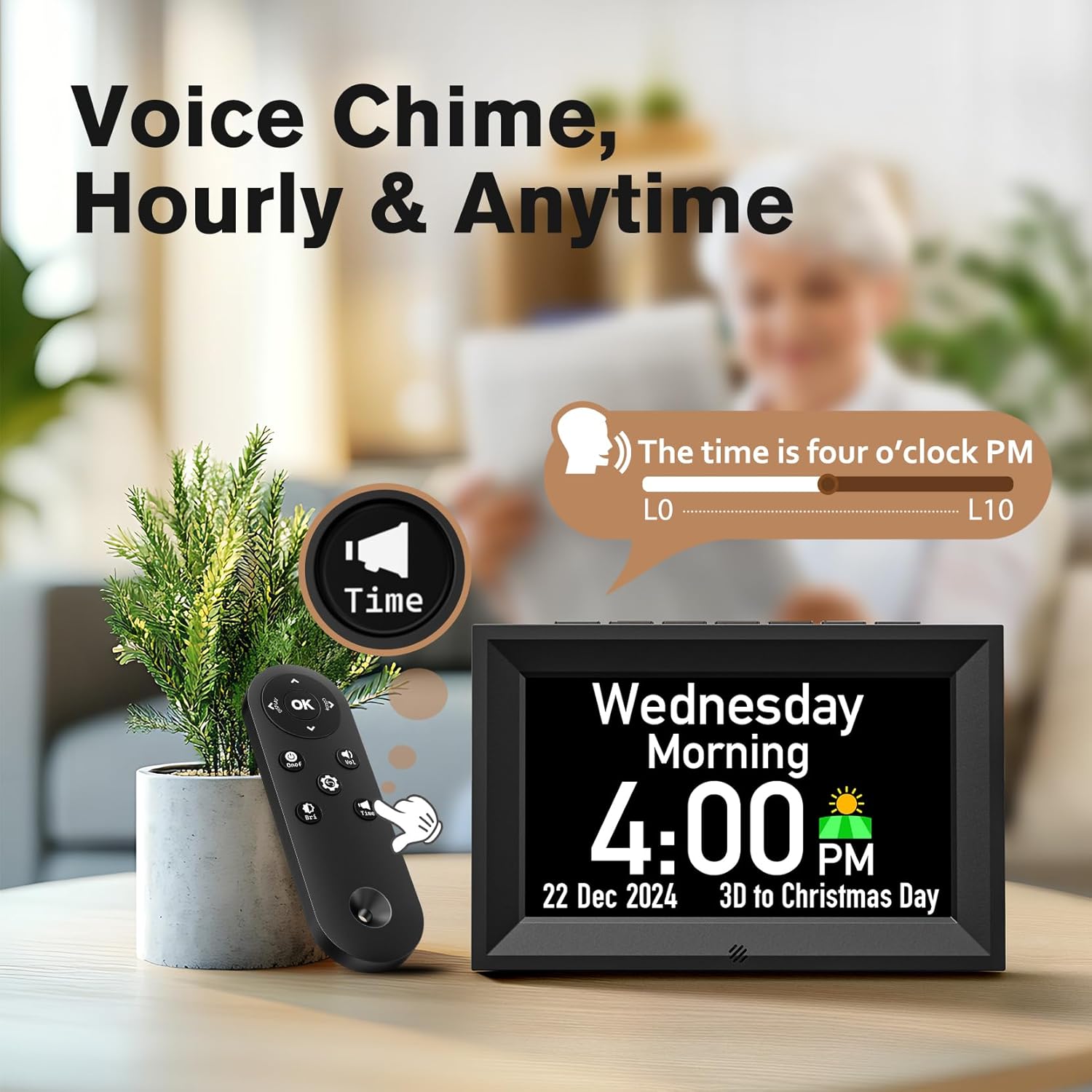
図3.1: Digital Calendar Clock Display with Remote Control. This image shows the main digital calendar display, which presents the day, date, time, and includes a voice chime feature. A remote control is also visible, used for operating the digital calendar functions.

図3.2: Red Projection Alarm Clock. This image highlights the compact design and dimensions of the projection alarm clock component, featuring a large LED curved screen that displays time in red digits.

図3.3: USB Charging Port. This image illustrates the integrated USB charging port (5V/1.2A) located on the side of the projection clock, allowing users to charge external devices.
4. セットアップ
- 開梱: すべての部品をパッケージから慎重に取り出してください。将来の輸送や保管のために、パッケージは保管しておいてください。
- 電源接続: 付属の電源アダプターを時計背面のDC入力ポートに接続します。アダプターを標準のコンセントに差し込むと、時計は自動的に電源が入ります。
- 初期設定: Upon first power-on, the clock may prompt you to set the time, date, and other preferences. Use the buttons on the clock or the remote control (for the digital calendar display) to navigate and adjust settings. Refer to Section 5 for detailed operating instructions.
- 配置: Place the clock on a stable, flat surface. Ensure the projection lens (if using the projection feature) is aimed at a suitable surface (wall or ceiling) for optimal visibility.
5. 操作手順
5.1 Setting Time and Date (Digital Calendar Display)
Use the remote control or buttons on the clock to access the settings menu. Navigate to "Time Settings" and "Date Settings" to adjust the current time, date, year, and time format (12/24-hour).
5.2つのアラーム機能
The clock supports multiple alarms and dedicated medicine reminders.
- アラームの設定: Access the "Alarm Settings" menu. You can set multiple daily alarms with customizable texts.
- Medicine Reminders: The clock features three dedicated medicine reminders. Configure these through the "Medicine Reminder" menu, setting specific times and custom text messages (e.g., "Take 2 Red Tablets").

図5.2: Alarm and Medicine Reminder Settings. This image demonstrates the clock's capability to set unlimited alarms and up to three customizable medicine reminders, displaying examples like "Take 2 Red Tablets" and "Exercise".
5.3 Projection Feature (Red Projection Alarm Clock)
The projection clock displays the time onto a wall or ceiling in red digits. Locate the projection lens and adjust its angle for optimal viewing. Some models may allow for focus adjustment.
- Projection On/Off: Use the dedicated button on the projection clock or remote (if applicable) to toggle the projection feature.
- 投影の明るさ: The red projection display typically offers 3 levels of brightness adjustment. Refer to the controls on the projection clock unit.

図5.3: Red Projection Brightness Levels. This image illustrates the three adjustable brightness levels (0%, 30%, 60%, 100%) for the red projection display, allowing users to customize visibility in different lighting conditions.
5.4 Display Brightness (Digital Calendar Display)
The digital calendar display features an auto-dimmer function and 10 levels of manual brightness adjustment.
- 自動調光器: The clock can automatically adjust its display brightness based on ambient light. Default settings are often brighter during the day (e.g., 7:00 AM - 7:00 PM) and dimmer at night (e.g., 7:00 PM - 7:00 AM).
- 手動明るさ: Use the remote control or dedicated buttons to manually select one of the 10 brightness levels for the digital calendar display.

図5.4: Digital Calendar Display Brightness. This image shows the digital calendar clock's auto-dimmer functionality and its 10-level brightness adjustment, adapting to day and night conditions.
5.5 Voice Chime
The digital calendar display offers a voice chime feature that can announce the time hourly or on demand.
- Hourly チャイム: 有効または無効にするurly voice announcement through the settings menu.
- Anytime Chime: Press the designated "Time" button on the remote control to hear the current time announced.
5.6USB充電ポート
The projection clock unit includes a USB output port (5V/1.2A) for charging compatible electronic devices.
- 使用法: Connect your device's USB charging cable to the port on the clock. Ensure the clock is powered on.
- 注記: This port is for charging only and does not support data transfer.
5.7 Birthday and Holiday Reminders
The digital calendar display can be configured to remind you of birthdays and holidays with a 3-day countdown.
- リマインダーの設定: Access the "Birthday/Holiday Reminder" menu. Input specific dates and names for birthdays. The clock will provide a countdown and play a "Happy Birthday" tune for birthdays.
- Exiting Reminders: Press any key on the clock or remote to exit a reminder notification.
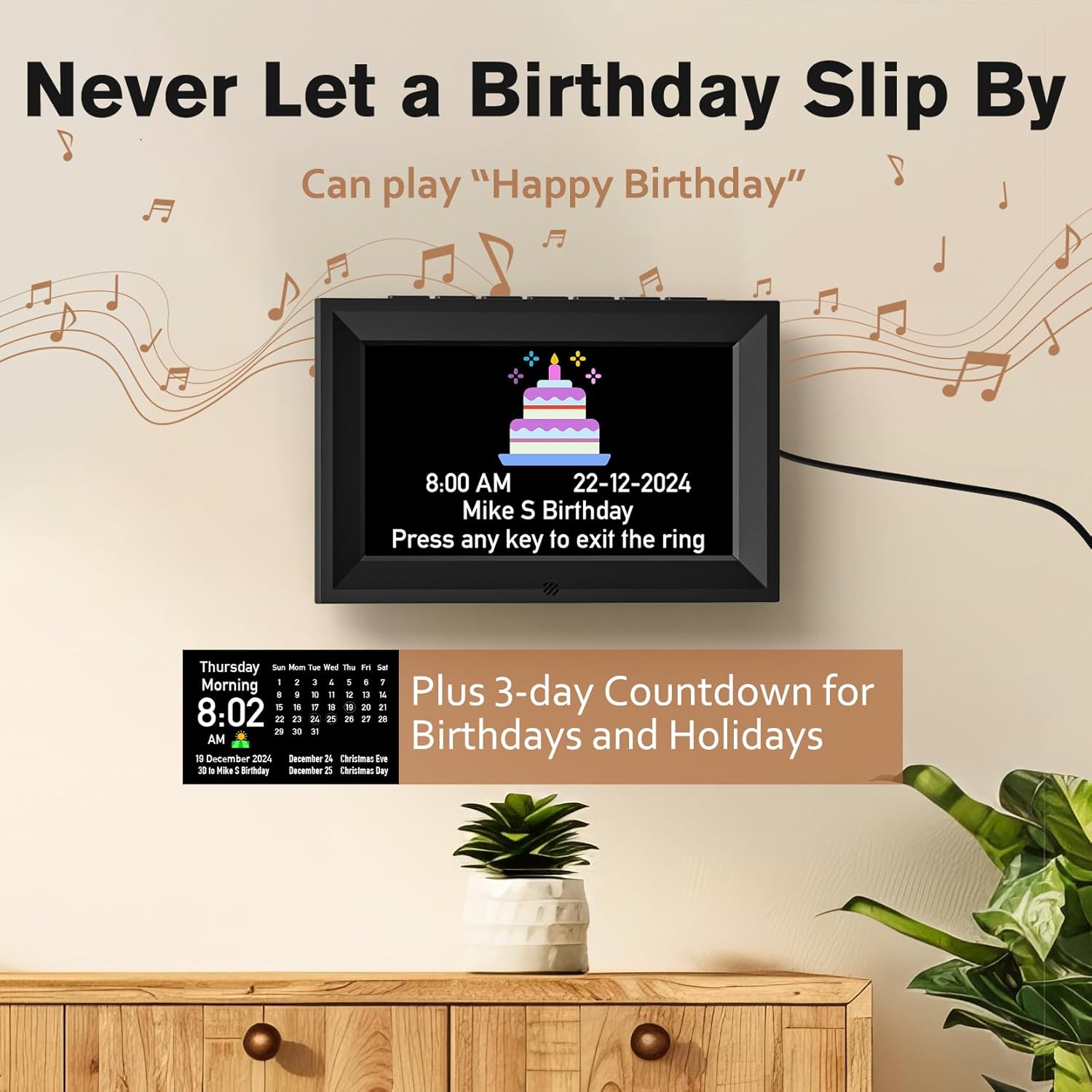
図5.7: Birthday and Holiday Countdown. This image illustrates the digital calendar clock's feature to display birthday reminders with a countdown, including a "Happy Birthday" song playback, and a 3-day countdown for holidays.
6. メンテナンス
- クリーニング: 時計の表面を拭く際は、柔らかく乾いた布をご使用ください。研磨剤入りの洗剤、ワックス、溶剤は表面の仕上げを傷める恐れがあるため、使用しないでください。
- ほこりの除去: Gently wipe the projection lens and display screens to remove dust.
- 電源切断: Disconnect the power adapter from the wall outlet before cleaning or if the clock will not be used for an extended period.
- 環境: Avoid placing the clock in direct sunlight, extreme temperatures, or high humidity.
7。 トラブルシューティング
| 問題 | 考えられる原因 | 解決 |
|---|---|---|
| 時計の電源が入りません。 | 電源アダプターが接続されていないか故障しています。 | 電源アダプターが時計本体とコンセントにしっかりと接続されていることを確認してください。別のコンセントでお試しください。 |
| 投影が暗かったり不鮮明です。 | Incorrect brightness setting; lens out of focus; ambient light too bright. | Adjust projection brightness levels. Ensure the projection lens is clean. Adjust the focus (if available). Reduce ambient light in the room. |
| デジタル表示が明るすぎる/暗すぎる。 | Brightness setting needs adjustment; auto-dimmer active. | Manually adjust the display brightness using the remote or buttons. Check auto-dimmer settings. |
| Alarms do not sound. | Alarm not set correctly; volume too low; alarm disabled. | Verify alarm times and ensure alarms are enabled in the settings. Check the volume level. |
| リモコンが機能しない。 | 電池が切れた、障害物がある、リモコンが範囲外である。 | Replace remote control batteries. Ensure no obstructions between remote and clock. Operate within effective range. |
8. 仕様
| 特徴 | 詳細 |
|---|---|
| ブランド | ゴローザ |
| 表示タイプ | デジタル |
| スタイル | Digital Calendar Clock & Red Projection Clock |
| 特集 | Alarm, Voice Chime, Projection, USB Charging, Birthday/Holiday Reminders |
| 形 | Square (Digital Calendar), Rectangular/Curved (Projection Clock) |
| 屋内/屋外での使用 | 屋内 |
| フレーム素材 | プラスチック |
| 取り付けタイプ | テーブルトップ |
| 目覚まし時計 | はい |
| 操作モード | 電気 |
| クロックフォーム | マルチディスプレイ |
| USB出力 | 5V/1.2A |
9. 保証とサポート
GOLOZA products are manufactured with quality and reliability in mind. For specific warranty information, please refer to the warranty card included with your purchase or contact GOLOZA customer support.
If you encounter any issues or have questions regarding your GOLOZA Digital Calendar and Projection Clock, please contact our customer support team for assistance. Contact details can typically be found on the product packaging or the official GOLOZA webサイト。