
1. はじめに
This manual provides instructions for the safe and efficient use of your CCYLEZ Bone Conduction Speaker, Model CCYLEZivfe1mhwxk-12. This portable speaker utilizes bone conduction technology to deliver sound directly through vibrations on solid mediums, offering a unique and immersive audio experience. It is designed for versatile application in various environments, including wet conditions.
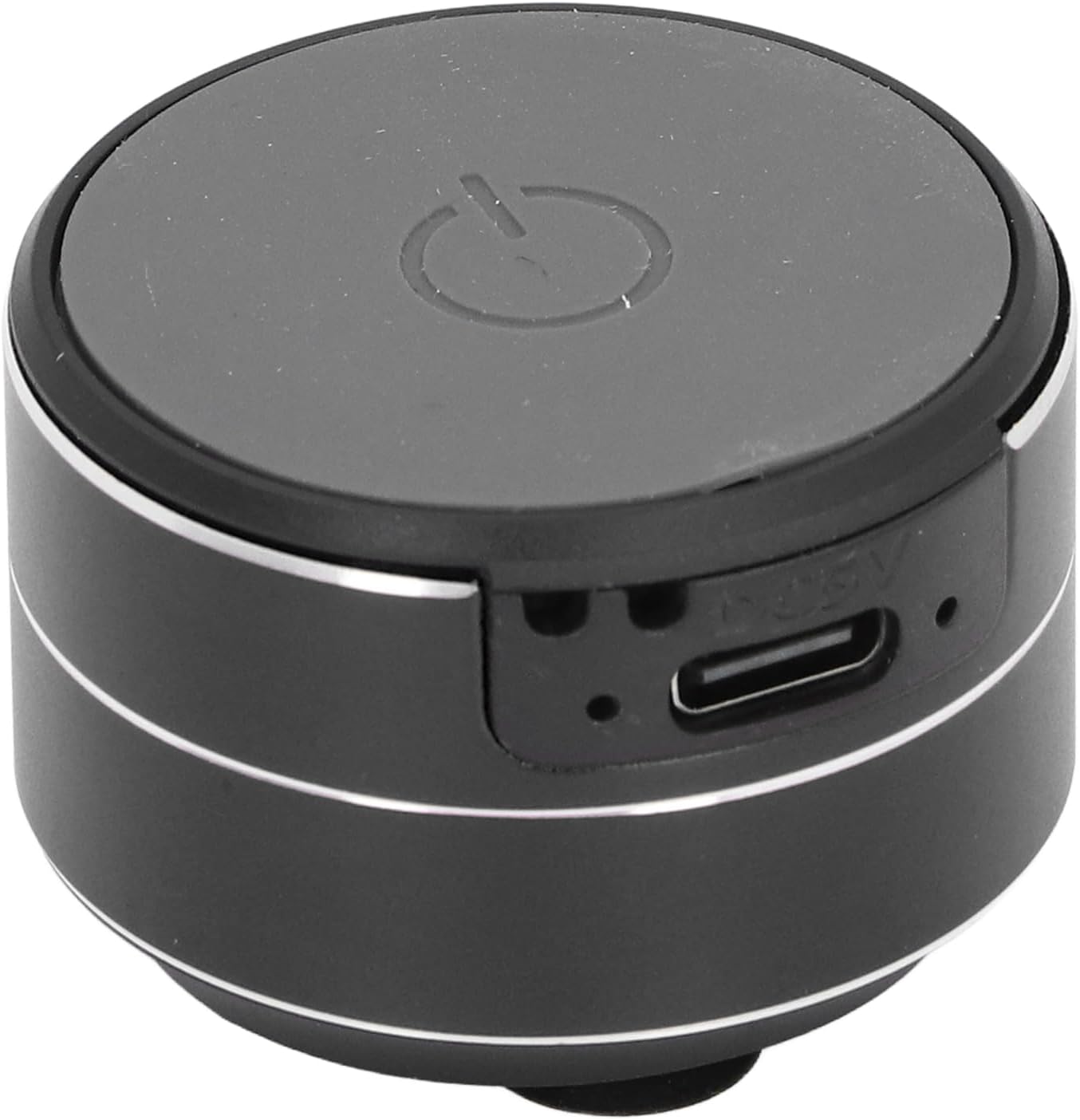
画像1.1:正面 view of the CCYLEZ Bone Conduction Speaker, highlighting the power button and charging port.
2. パッケージ内容
以下にリストされているすべてのアイテムがパッケージに含まれていることを確認してください。
- 1 x CCYLEZ Bone Conduction Speaker
- 1 x USBデータケーブル
- 吊り下げロープ1本
- 両面テープ1枚
- ユーザーマニュアル (本書) x 1

Image 2.1: The CCYLEZ Bone Conduction Speaker shown with its accompanying accessories.
3. 安全情報
安全な操作を確保し、損傷を防ぐために、次の安全ガイドラインを守ってください。
- スピーカーを使用する前に、すべての説明書をよくお読みください。
- デバイスを極端な温度(高温または低温)や直射日光に長時間さらさないでください。
- スピーカーを子供やペットの手の届かない場所に保管してください。
- 指定された充電容量のみを使用してくださいtage of 5V. Using higher voltagデバイスが損傷する可能性があります。
- スピーカーをご自身で分解、修理、改造しないでください。必要に応じて、資格のあるサービス担当者にご連絡ください。
- スピーカーを落としたり、強い衝撃を与えたりしないでください。
4. セットアップ
4.1 初期充電
Before first use, fully charge the speaker. Connect the provided USB data cable to the speaker's charging port and a standard 5V USB power adapter (not included) or a computer USB port. The charging port is located on the side of the speaker.

Image 4.1: Close-up of the speaker's side, indicating the USB charging port.
4.2 電源のオン/オフ
To power on the speaker, press and hold the power button located on the top surface until you hear an audible prompt or see an indicator light. To power off, press and hold the same button again.
4.3 Bluetooth接続
Once powered on, the speaker will automatically enter Bluetooth pairing mode. On your smartphone, tablet, or other Bluetooth-enabled device, navigate to the Bluetooth settings and search for available devices. Select 'CCYLEZ Speaker' (or a similar name) from the list to connect.
4.4 Dual Speaker Pairing (True Stereo)
For an immersive stereo experience, you can pair two CCYLEZ Bone Conduction Speakers together:
- 両方のスピーカーの電源がオフになっていることを確認します。
- Power on both speakers simultaneously. They will automatically attempt to find and pair with each other.
- Once successfully paired, one speaker will act as the master and the other as the slave.
- Connect your device via Bluetooth to the master speaker as described in Section 4.3. Audio will now play through both speakers in stereo.
4.5取り付けオプション
The speaker offers versatile mounting options to optimize sound transmission through different surfaces:
- 吸盤ベース: The speaker is equipped with a suction cup base for stable attachment to smooth, non-porous surfaces like glass, tiles, or metal. Ensure the surface is clean and dry for optimal adhesion.
- 両面テープ: For more permanent or textured surfaces, use the provided double-sided tape. Attach one side to the speaker's base and the other to your desired surface.
- 吊りロープ: Utilize the included hanging rope to suspend the speaker, allowing it to vibrate against various objects or simply hang freely.

Image 4.2: Detail of the speaker's suction cup base for secure mounting.
5. 操作手順
Once connected via Bluetooth, you can control audio playback directly from your paired device. The speaker itself typically does not have volume or track control buttons, relying on the connected source device for these functions.
- 音量コントロール: Adjust the volume using the controls on your connected smartphone, tablet, or computer.
- 再生制御: Play, pause, skip tracks, or repeat using the media controls on your connected device.
- 最適なサウンド: Experiment with placing the speaker on different surfaces. Hard, resonant surfaces like wooden tables, glass, or metal panels will produce distinct sound characteristics.
6. メンテナンス
適切なお手入れをするとスピーカーの寿命が延びます。
- クリーニング: スピーカーを柔らかく乾いた布、または軽く湿らせた布で拭いてください。amp 布で拭いてください。刺激の強い化学薬品、研磨剤入りの洗剤、溶剤は使用しないでください。
- 吸盤のお手入れ: For optimal adhesion, periodically clean the suction cup base with water and allow it to air dry. Ensure the mounting surface is also clean and free of dust or grease.
- ストレージ: 長期間使用しない場合は、スピーカーを直射日光や極端な温度を避け、涼しく乾燥した場所に保管してください。
- バッテリー: To maintain battery health, avoid fully discharging the battery frequently and recharge it regularly, even if not in use.
7。 トラブルシューティング
スピーカーに問題が発生した場合は、次の一般的な問題と解決策を参照してください。
- 音が出ない:
- Ensure the speaker is powered on and fully charged.
- Verify that the speaker is successfully connected to your device via Bluetooth.
- Check the volume levels on both the speaker (if applicable) and your connected device. Ensure neither is muted.
- Bluetooth接続を再度試してください。
- Bluetooth経由でペアリングできない:
- Ensure the speaker is in pairing mode (usually indicated by a flashing light).
- Turn off and then turn on the speaker and your device's Bluetooth.
- デバイスをスピーカーに近づけます(10 メートル以内)。
- デバイスの以前の Bluetooth 接続をクリアして、再度ペアリングを試みてください。
- 音質が悪い/歪み:
- Bone conduction sound quality is highly dependent on the surface it's placed on. Experiment with different surfaces (e.g., wood, glass, metal) to find the best sound.
- Ensure the speaker is firmly attached to the surface. Loose contact can cause distortion.
- Reduce the volume on your connected device if distortion occurs at high levels.
- Check for any physical obstructions or damage to the speaker's vibrating surface.
- スピーカーが充電されない:
- Ensure the USB cable is securely connected to both the speaker and the power source.
- 別の USB ケーブルまたは電源アダプターを試してください。
- Verify the power source is active and providing 5V output.
8. 仕様
| モデル番号 | CCYLEZivfe1mhwxk-12 |
| 材料 | アルミニウム合金 |
| 接続タイプ | ブルートゥース5.3 |
| 接続距離 | 約 10m / 32.81ft |
| スピーカー出力 | 3W、4Ω |
| スピーカーサイズ | 約27mm / 1.06インチ |
| 周波数応答 | 20Hz~20kHz |
| 信号対雑音比 | ≥75db |
| ねじれ | ≤0.1% |
| 充電Voltage | 5V |
| 電池のタイプ | Built-in 3.7V 400mAh Lithium Ion Battery |
| 防水 | はい |
9. 保証情報
This CCYLEZ Bone Conduction Speaker is covered by a limited warranty. The specific terms and duration of the warranty may vary by region and retailer. Please refer to the warranty card included in your product packaging for detailed information. Alternatively, you may contact CCYLEZ customer support or the retailer from whom you purchased the product for warranty inquiries.
10. カスタマーサポート
For technical assistance, product support, or any questions regarding your CCYLEZ Bone Conduction Speaker, please contact our customer support team. You can typically find contact information through the retailer where you purchased the product or by visiting the official CCYLEZ brand webサイト。
Please have your model number (CCYLEZivfe1mhwxk-12) and purchase details ready when contacting support to facilitate a quicker resolution.