
WIITHINK WTB-795S-Black
WIITHINK Cassette Tape Player Recorder Boombox User Manual
Model: WTB-795S-Black (White Variant)
1.製品オーバーview
The WIITHINK Cassette Tape Player Recorder Boombox is a versatile audio device combining vintage appeal with modern functionality. It allows you to enjoy classic cassette tapes, listen to AM/FM/SW radio, stream music via Bluetooth, and play/record audio to USB drives and SD cards. Its portable design and dual power options make it suitable for various environments.
主な特徴:
- カセットプレーヤー&レコーダー: Play your favorite cassette tapes and record audio from the built-in microphone, external sources, or radio directly to cassette.
- Bluetooth接続: スマートフォン、タブレット、その他の Bluetooth 対応デバイスからオーディオをワイヤレスでストリーミングします。
- USB/SD Player & Recorder: Play MP3, WAV, AAC, WMA files from USB flash drives and SD cards. Easily convert cassette audio to MP3 format on USB/SD.
- AM/FM/SW Radio: Enjoy a wide range of radio stations with excellent reception thanks to the long antenna and DSP upgrade chip.
- Premium 10W Sound: Equipped with dual 5W speakers for clear, powerful, and full sound quality.
- AC/DC Dual Power Supply: Operates on AC power (adapter included) or battery power (batteries not included) for true portability.
- 3.5mmヘッドフォンジャック: プライベートリスニング用。
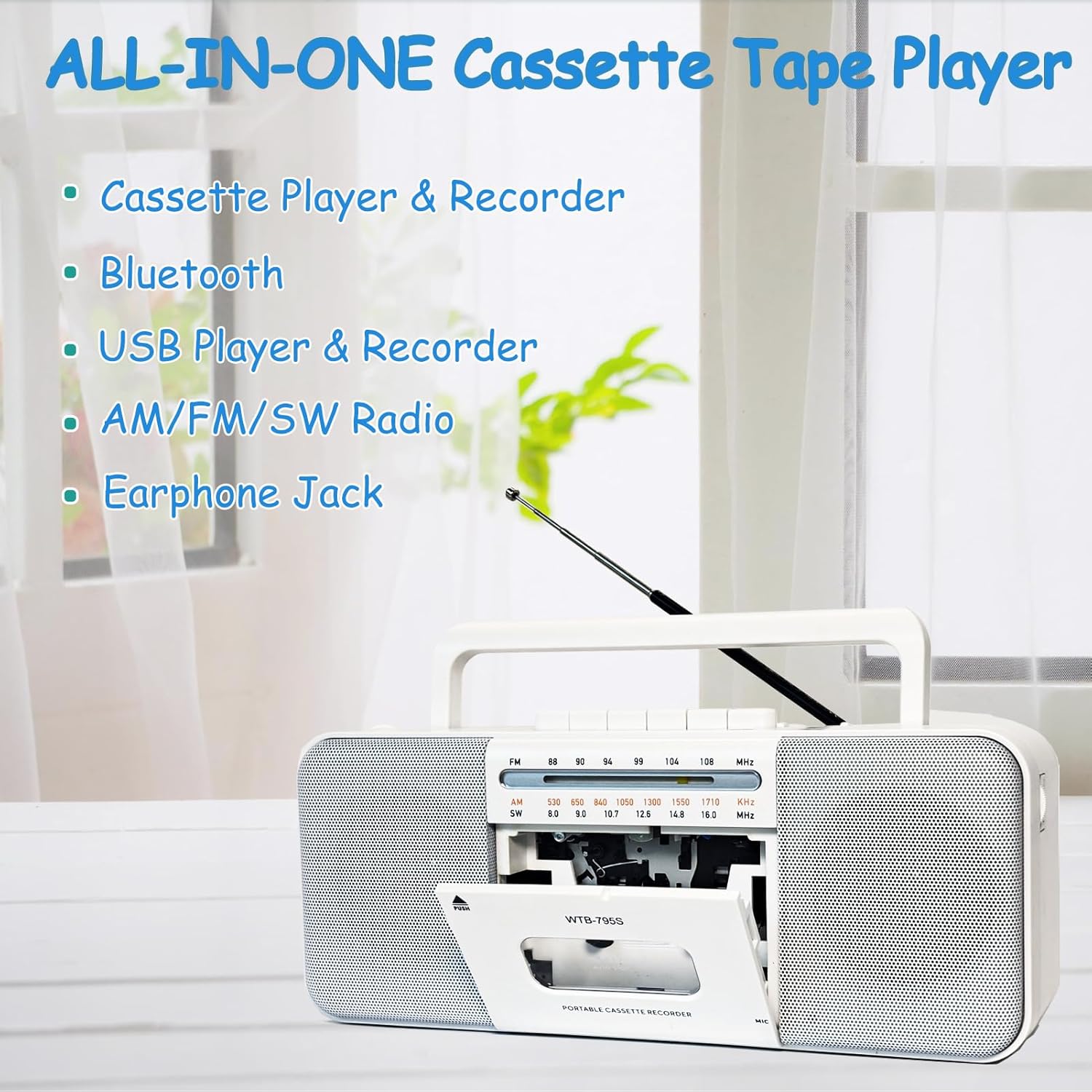
Image: The WIITHINK boombox highlighting its all-in-one capabilities including cassette, Bluetooth, USB, radio, and earphone jack.
2.セットアップガイド
2.1電源オン
Your WIITHINK boombox can be powered by either AC electricity or batteries.
- AC電源: Connect the included AC power cable to the AC input jack on the back of the unit and plug the other end into a standard wall outlet.
- バッテリー電源: For portable use, open the battery compartment on the back. Insert 4 x D-cell batteries (not included) or 2 x 18650 button-top rechargeable lithium-ion batteries (not included). Ensure correct polarity (+/-). Flat-top 18650 batteries are not compatible.

画像: 背面 view of the boombox illustrating its dimensions and the battery compartments for D-cell and 18650 batteries, along with the AC power input.

Image: A detailed diagram showing the battery types (D-cell and 18650 button-top) and the AC power connection for the boombox.
3. 操作手順
3.1 カセットの再生と録音
- To Play a Cassette: Press the 'PUSH' button to open the cassette door. Insert a cassette tape with the open edge facing upwards. Close the door. Select 'TAPE' mode using the function switch. Press the 'PLAY' button to begin playback. Use 'STOP', 'FF' (Fast Forward), and 'REW' (Rewind) buttons as needed.
- カセットに録音するには:
- 内蔵マイクから: Insert a blank cassette. Select 'TAPE' mode. Press the 'RECORD' button (red button) along with 'PLAY' simultaneously. The unit will start recording from its internal microphone.
- ラジオから: Tune to your desired radio station. Insert a blank cassette. Press 'RECORD' and 'PLAY' simultaneously. The radio broadcast will be recorded onto the cassette.
- From External Source (e.g., AUX-in): Connect an external audio device to the AUX-in port (if available, refer to specifications). Select 'AUX' mode. Insert a blank cassette. Press 'RECORD' and 'PLAY' simultaneously. Play audio from your external device.
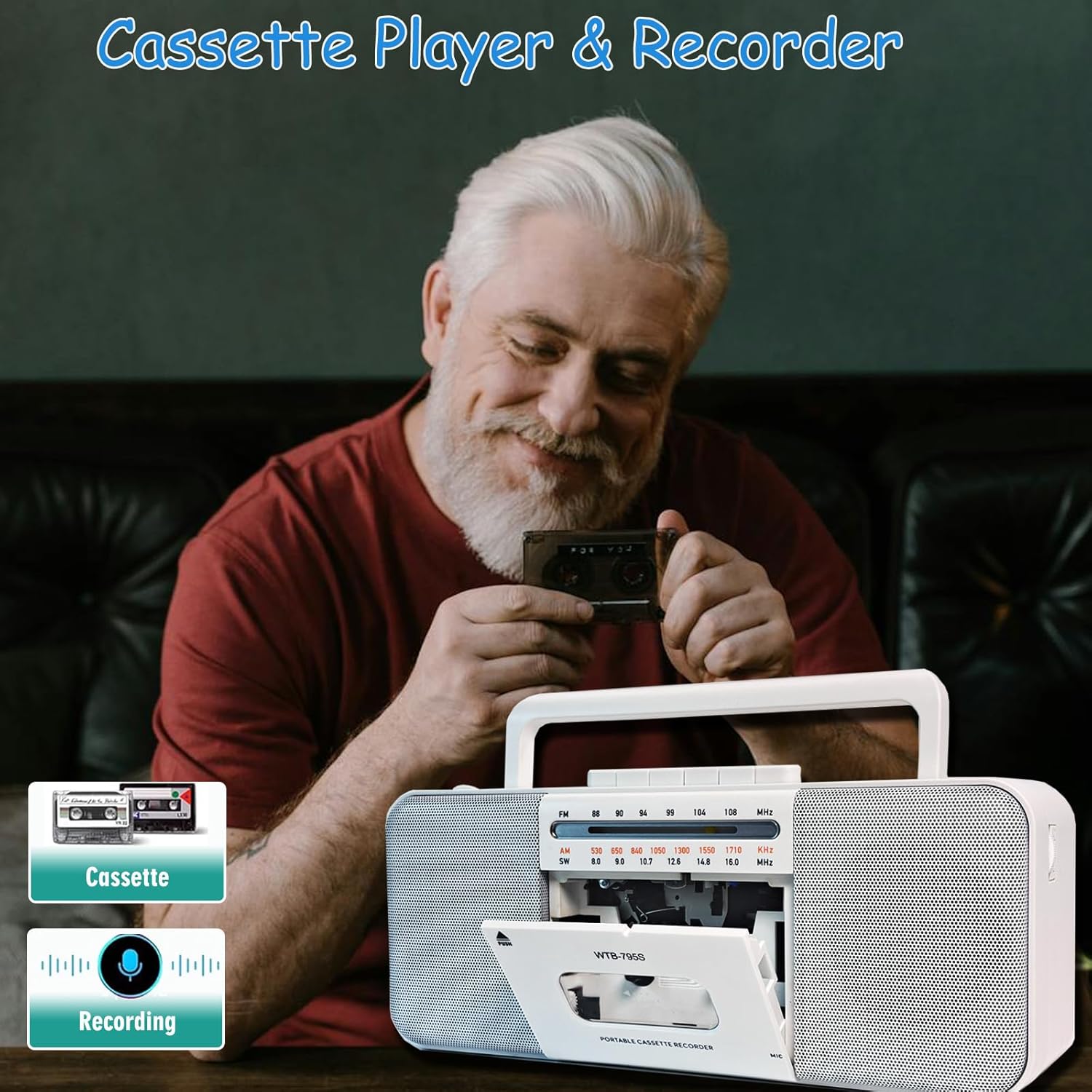
Image: A person holding a cassette tape, with the WIITHINK boombox in the foreground showing its open cassette compartment, ready for tape insertion.
3.2 AM/FM/SW Radio
- 最適な受信状態を得るために伸縮アンテナを伸ばします。
- Set the function switch to 'RADIO'.
- Select the desired band: AM, FM, or SW (Shortwave) using the band selector switch.
- Rotate the 'TUNING' knob to find your desired radio station.

Image: An elderly man smiling while the WIITHINK boombox with its extended antenna is visible on a table, indicating its radio functionality.
3.3 Bluetooth接続
- Set the function switch to 'BT' (Bluetooth) mode. The unit will enter pairing mode, indicated by an audible prompt or flashing indicator.
- Bluetooth 対応デバイス (スマートフォン、タブレットなど) で Bluetooth を有効にし、利用可能なデバイスを検索します。
- Select 'WIITHINK' or a similar name from the list of devices.
- Once paired, you will hear a confirmation sound. You can now play audio from your device through the boombox.

Image: The WIITHINK boombox on a table, with a hand holding a smartphone displaying a music player interface, illustrating Bluetooth music streaming.
3.4 USB/SD Playback and Recording
- To Play from USB/SD: Insert a USB flash drive into the USB port or an SD card into the SD card slot. Set the function switch to 'USB/SD' mode. The unit will automatically detect and begin playing compatible audio files (MP3, WAV, AAC, WMA).
- To Record to USB/SD (MP3 Conversion):
- Insert a USB flash drive or SD card.
- Select the source you wish to record from (Cassette, Radio, or Microphone).
- Press and hold the 'RECORD' button on the MP3 player section. The unit will start recording the audio source directly to the USB/SD card in MP3 format.
- Recordings are typically saved in a directory named 'AB_REC' with filenames like AUX00xx.MP3 (for external/cassette/radio) or MIC00xx.MP3 (for microphone).

Image: The WIITHINK boombox on a wooden surface, with a USB flash drive inserted into its port, demonstrating its USB playback and recording capability.

Image: A diagram illustrating various recording options: Tape to USB, USB to Tape, and Radio to Tape, highlighting the versatility of the boombox's recording functions.
3.5 ヘッドホンの使用
To enjoy private listening, plug your 3.5mm headphones into the headphone jack located on the unit. The internal speakers will automatically mute when headphones are connected.

Image: A young woman wearing headphones, smiling and looking upwards, with the WIITHINK boombox visible on a table, demonstrating the use of the earphone jack for personal listening.
4. メンテナンス
- クリーニング: 本体の外装を清掃する際は、柔らかく乾いた布をご使用ください。研磨剤入りの洗剤や溶剤は使用しないでください。
- カセットヘッドクリーニング: Regularly clean the cassette tape heads, pinch roller, and capstan with a cotton swab lightly damp最適な音質を確保し、テープへの損傷を防ぐために、イソプロピルアルコールで消毒されています。
- ストレージ: 長期間使用しない場合は、電池を取り外し、直射日光や極端な温度を避け、涼しく乾燥した場所に保管してください。
5。 トラブルシューティング
| 問題 | 考えられる原因 | 解決 |
|---|---|---|
| 電源なし | AC cable not connected properly; Batteries drained or inserted incorrectly. | AC ケーブルの接続を確認してください。電池を交換するか、極性が正しいことを確認してください。 |
| ラジオの受信状態が悪い | アンテナが伸びていない、信号が弱いエリア。 | 伸縮アンテナを完全に伸ばし、信号が改善されるようにユニットの位置を変更します。 |
| カセットの再生音が歪んだり、こもったりする | Tape heads are dirty; Worn out tape. | Clean tape heads, pinch roller, and capstan; Try a different tape. |
| Bluetoothがペアリングされない | Unit not in pairing mode; Device too far; Already paired with another device. | Ensure unit is in BT mode; Move device closer; Disconnect from other devices. |
| USB/SDが再生されない | 正しくない file フォーマット; USB/SD カードが正しく挿入されていないか破損しています。 | 確保する files are compatible (MP3, WAV, AAC, WMA); Reinsert USB/SD; Try a different card/drive. |
| Recording quality is poor | Source volume too low; Dirty tape heads (for cassette recording); Microphone too far from source. | Increase source volume; Clean tape heads; Position microphone closer to sound source. |
6. 技術仕様
| 特徴 | 仕様 |
|---|---|
| ブランド | 内心 |
| モデル番号 | WTB-795S-Black |
| 色 | 白 |
| 接続技術 | ブルートゥース、USB |
| 対応デバイス | MP3プレーヤー、スマートフォン |
| サポートされているオーディオ形式 | Cassette, MP3, WAV, AAC, WMA |
| スピーカータイプ | ステレオ |
| ワットtage | 10 watts (2 x 5W) |
| スピーカーサラウンドサウンドチャンネル構成 | 2.0 |
| 電源 | コード付き電気/バッテリー駆動 |
| 製品寸法(長さ x 幅 x 高さ) | 27.94 x 12.7 x 5.08 cm(10.99 x 5 x 2インチ) |
| アイテム重量 | 1.51 kg (3.33 ポンド) |
| 電池が必要 | No (for AC operation); Yes (for battery operation - 4x D-cell or 2x 18650 button-top) |
7. 保証とサポート
This product comes with a standard manufacturer's warranty. For specific warranty details, duration, and terms, please refer to the documentation included with your purchase or visit the official WIITHINK webサイト。
If you encounter any issues or require technical assistance, please contact WIITHINK customer support through their official channels. You can typically find contact information on the product packaging, the WIITHINK brand store on Amazon, or their official webサイト。
WIITHINK Store Link: https://www.amazon.ca/stores/WIITHINKCDPlayer/page/58D472AC-5AC0-4762-9B43-106A71731F34
Ask a question about this manual
Ask about setup, troubleshooting, compatibility, parts, safety, or missing instructions. Manuals+ will review the question and use this page’s manual context to help answer it.