
1. はじめに
Thank you for choosing the Baseus Blade 100W 20000mAh Portable Charger. This slim and powerful device is designed to provide reliable and fast charging for a wide range of electronic devices, including laptops, smartphones, tablets, and more. Its high capacity and multiple output ports make it an ideal companion for travel, work, and daily use. This manual provides essential information on how to set up, operate, maintain, and troubleshoot your portable charger.

The Baseus Blade 100W 20000mAh Portable Charger, a versatile power solution for various devices.
2.製品オーバーview
2.1 コンポーネント
- Baseus Blade 100W 20000mAh Portable Charger
- USB-C to USB-C Cable (100W)
- ユーザーマニュアル
2.2 Features and Ports
The Baseus Blade portable charger is designed with user convenience and high performance in mind. It features a slim profile, an intuitive digital display, and multiple ports for versatile charging.

The Baseus Blade 100W Portable Charger and its accompanying USB-C cable.
- 100W PD急速充電: Capable of charging laptops and other high-power devices rapidly.
- 20000mAhの大容量: Provides multiple charges for smartphones and significant power for laptops.
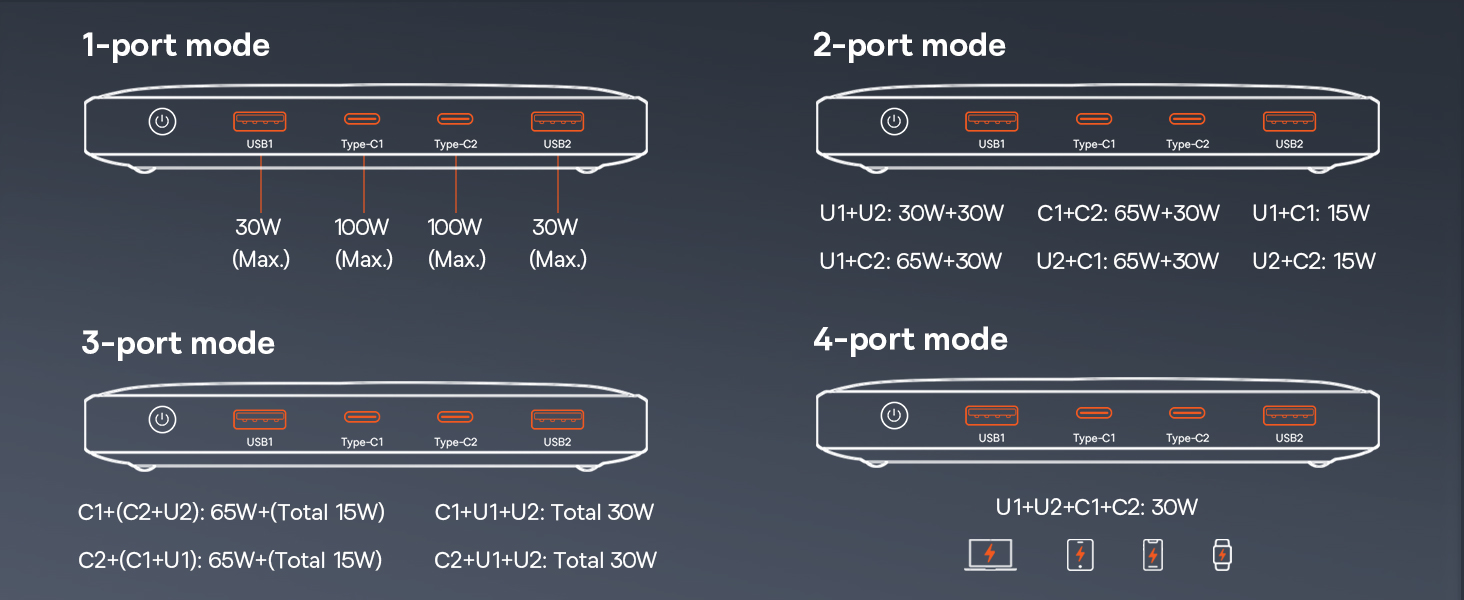
- 複数のポート: Equipped with two USB-C ports (input/output) and two USB-A ports (output) for charging up to four devices simultaneously.
- デジタルディスプレイ: An intuitive screen shows remaining battery percentage, charging power (Volts/Amps), and estimated charging time left.
- スリムでポータブルなデザイン: With a thickness of 0.7 inches and weighing 15.9 ounces, it's designed for easy portability.

The ultra-slim design of the Baseus Blade, making it highly portable.

The intuitive digital display provides real-time charging information.
3. セットアップ
3.1 パワーバンクの初期充電
Before first use, it is recommended to fully charge your Baseus Blade portable charger. Use the provided USB-C to USB-C cable and a compatible power adapter (not included) to connect the power bank to a power outlet. The digital display will show the charging progress.
Recharging the Baseus Blade with its 60W high-speed input capability.
3.2 電源オン/オフ
To power on the device, press the power button located on the side. The digital display will illuminate. The device will automatically power off when not in use for a period to conserve battery.
4. 操作手順
4.1 充電装置
Connect your device to one of the available USB-C or USB-A output ports using a compatible charging cable. The power bank will automatically detect the device and begin charging. The digital display will show the current output and estimated time remaining for the power bank to fully charge the connected devices.

Charging a MacBook Pro with the 100W PD fast charging capability.

The Baseus Blade can charge up to four devices concurrently.
4.2 低電流モード
For charging low-power devices such as earbuds, smartwatches, or fitness trackers, activate the low-current mode. Press and hold the power button for approximately 3 seconds until the display indicates low-current mode is active. This mode ensures safe and efficient charging for devices with smaller battery capacities.
4.3 Simultaneous Charging and Recharging (Pass-Through)
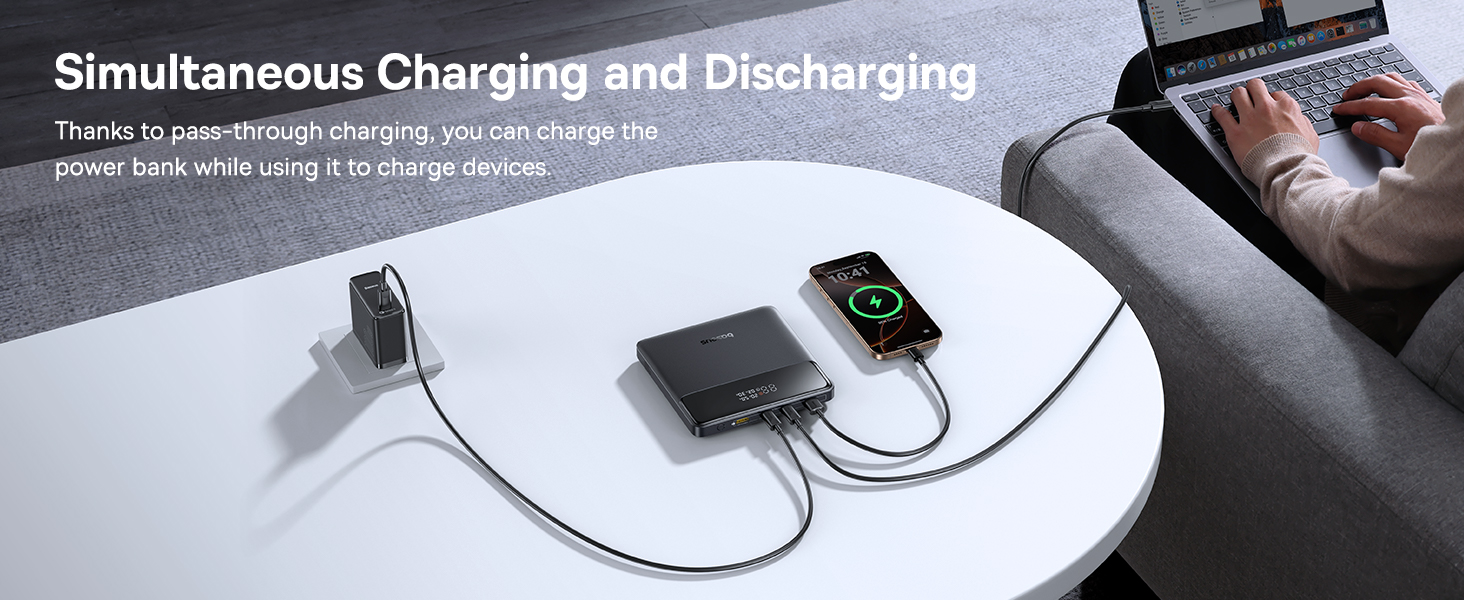
The Baseus Blade supports pass-through charging, allowing you to recharge the power bank itself while simultaneously charging your devices. Connect the power bank to a power source via one of its USB-C input/output ports, and then connect your devices to the remaining output ports.
Simultaneous charging and recharging capability of the power bank.
4.4使用シナリオ
The Baseus Blade is versatile for various environments:
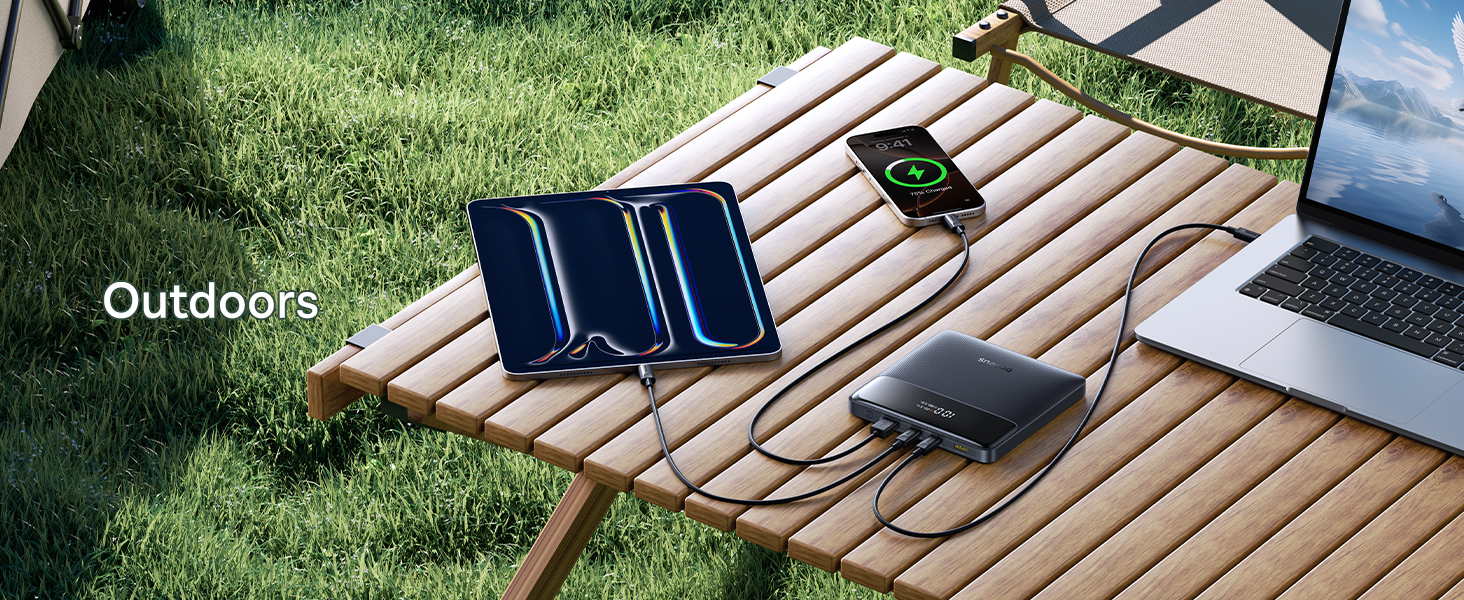
- 屋外: Keep your devices powered during outdoor activities.
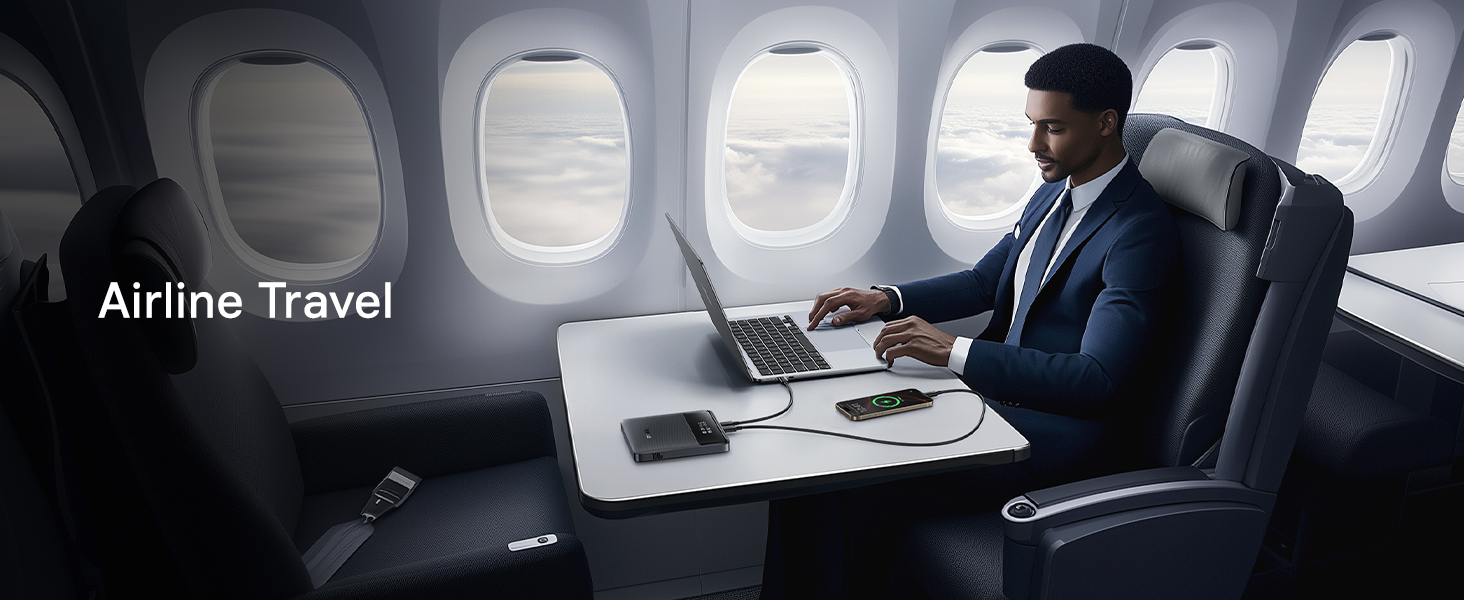
- 航空旅行: FAA-compliant design for hassle-free travel.
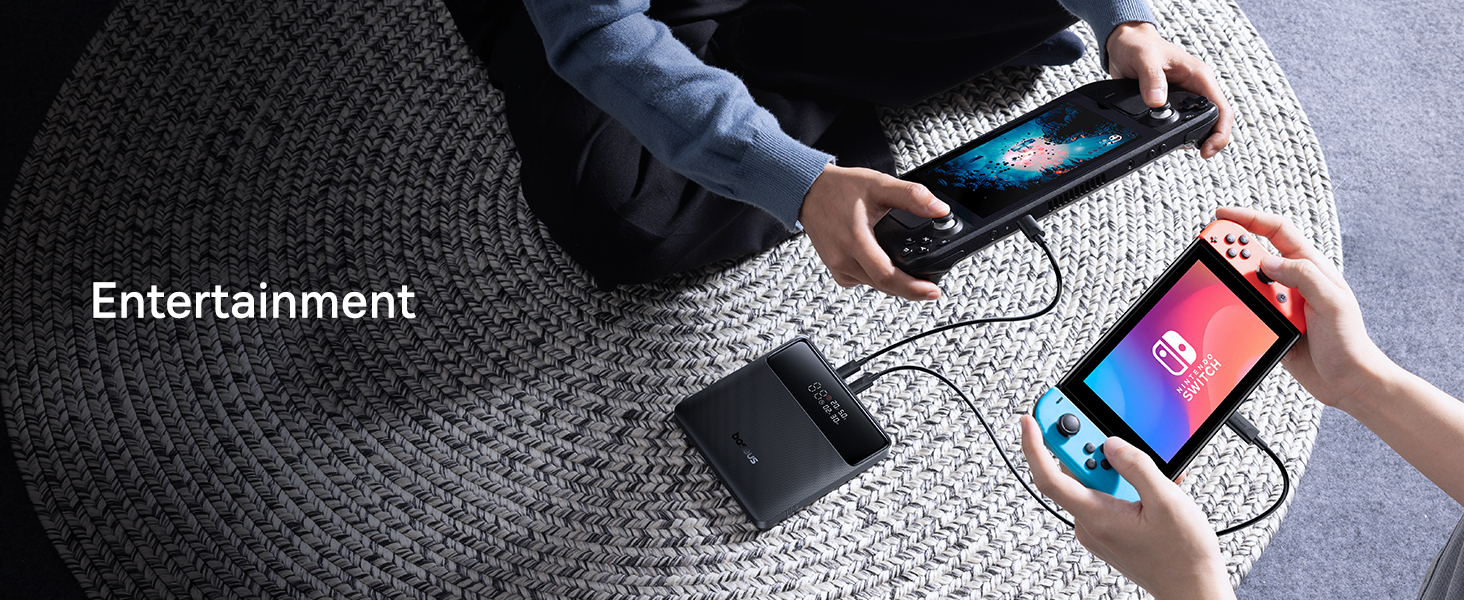
- エンターテインメント: Power gaming devices like Steam Deck or Nintendo Switch.
- オフィス: Ensure your laptop and other work devices stay charged during meetings or long work sessions.

Ideal for keeping devices charged during outdoor adventures.
Perfect for maintaining power during airline travel.
Powering gaming devices for extended entertainment.
Reliable power for your devices in an office environment.
5. 互換性
The Baseus Blade 100W Portable Charger offers broad compatibility with a wide range of devices, thanks to its versatile USB-C and USB-A ports. It is designed to work with:
- ノートパソコン: MacBook Pro/Air, Dell XPS, Chromebooks, Surface Pro, and other Windows OS laptops.
- スマートフォン: iPhone 16/15/14/13/12 series, Samsung Galaxy series, and other iOS/Android devices.
- タブレット: iPad, Samsung Tab, and other tablets.
- 他のデバイス: AirPods, Steam Deck, Nintendo Switch, handheld fans, smartwatches (e.g., iWatch), and more.

Visual representation of the broad device compatibility.
6. 安全情報
The Baseus Blade portable charger incorporates advanced safety features to protect both the device and your connected electronics. These protections are certified by UL/IEC and other authoritative reports.
- 過充電保護: 過充電によるバッテリーの損傷を防ぎます。
- 過放電保護: バッテリーが完全に消耗するのを防ぎます。
- 過熱保護: 過熱を防ぐために温度を監視します。
- 短絡保護: ショートが発生した場合には自動的に電源を遮断します。
- 過電流保護: 過剰な電流の流れを防止します。
- 過電力保護: Prevents damage from power surges.
- オーバーボリュームtag保護: ボリュームから保護tage変動。
- 回復保護: Ensures safe recovery after protection activation.
- 電磁場保護: 電磁干渉を遮断します。

Comprehensive safety mechanisms for secure operation.
7. 仕様
| 特徴 | 詳細 |
|---|---|
| 製品寸法 | 5.27 x 5.27 x 0.78インチ |
| アイテム重量 | 15.9オンス |
| モデル番号 | P10021604123-00 |
| 電池のタイプ | リチウムポリマー |
| バッテリー容量 | 20000ミリamp 営業時間 |
| 最大出力 | 100W |
| 最大入力電力 | 60W (for recharging) |
| ポート | 2x USB-C (Input/Output), 2x USB-A (Output) |
| 特集 | Digital Display, Low-current Mode, Ultra-thin |
| 色 | コズミックブラック |
| メーカー | ベースス |
| 原産国 | 中国 |
8. メンテナンス
Proper maintenance ensures the longevity and optimal performance of your Baseus Blade portable charger.
- クリーニング: Use a soft, dry cloth to wipe the surface of the power bank. Avoid using harsh chemicals or abrasive materials.
- ストレージ: Store the power bank in a cool, dry place away from direct sunlight, extreme temperatures, and humidity. If storing for extended periods, charge it to about 50-70% capacity every three months to preserve battery health.
- 取り扱い: Avoid dropping or subjecting the device to strong impacts. Do not disassemble or attempt to repair the power bank yourself.
9。 トラブルシューティング
If you encounter issues with your Baseus Blade portable charger, refer to the following common problems and solutions:
| 問題 | 考えられる解決策 |
|---|---|
| パワーバンクが充電されない | Ensure the charging cable and power adapter are working correctly. Try a different cable or adapter. Check if the power bank's input port is clean and free of debris. |
| デバイスがパワーバンクから充電されない | Ensure the power bank is powered on. Try a different output port or charging cable. Verify that your device is compatible with the power bank's output specifications. If charging a low-power device, ensure low-current mode is activated. |
| デジタル表示が動作しない | Press the power button to activate the display. If it remains off, the battery might be completely depleted; try charging the power bank. |
| 充電が遅い | Ensure you are using a high-quality cable that supports fast charging. Check if your device supports the fast charging protocols (e.g., PD) provided by the power bank. Charging multiple devices simultaneously may reduce individual charging speeds. |
| パワーバンクは使用中に熱くなります | It is normal for the power bank to warm up during high-power charging or discharging. If it becomes excessively hot, disconnect all devices and allow it to cool down. Ensure proper ventilation and avoid covering the power bank during use. |
10. 公式製品ビデオ
Watch the official product video from Baseus for a visual guide on the features and usage of your portable charger.
公式ビデオショーasing the Baseus Blade Slim Laptop Portable Charger Power Bank.
11. 保証とサポート
Baseusは 24ヶ月保証 for worry-free ownership of your portable charger. For any technical assistance, product guidance, or support inquiries, our professional support team is available 24/7. We offer free returns or replacements to ensure your complete satisfaction.
さらに詳しいサポートについては、 Baseusストア or contact customer support through your purchase platform.