
導入
Thank you for choosing the SUNITEC BH880 Wireless Headset. This manual provides detailed instructions for setting up, operating, and maintaining your headset to ensure optimal performance and longevity. The BH880 headset is designed for clear communication and comfortable use in various environments, featuring advanced noise-cancelling technology and multiple connectivity options.

Image: SUNITEC BH880 Wireless Headset, showcasing its design with an adjustable microphone boom.
箱の中身
パッケージにすべてのアイテムが揃っていることを確認します。
- 1 x SUNITEC BH880 Bluetooth Computer Headset with Microphone
- タイプC充電ケーブル x 1
- 1 x Bluetooth Audio USB-A Dongle Adapter
- 1mmオーディオケーブル x 3.5
- ユーザーマニュアル (本書) x 1

Image: The SUNITEC BH880 headset, USB-C charging cable, USB-A dongle, and 3.5mm audio cable, illustrating the package contents.
製品終了view
Familiarize yourself with the components and controls of your SUNITEC BH880 headset.
主な特徴:
- AIノイズキャンセリングマイク: Blocks 99% of ambient noise for clear voice transmission.
- Qualcomm QCC3034 チップセット: Provides stable and fast Bluetooth transmission with aptX HD and aptX LL support.
- 快適なデザイン: Soft dual ear pads and an adjustable headband for extended wear.
- 270° Rotatable Boom Microphone: Can be positioned on either the left or right side.
- 長いバッテリー寿命: 1回の充電で最大45時間の通話が可能です。
- 複数の接続性: Bluetooth, USB Dongle, and 3.5mm wired connection.

Image: Close-up of the memory foam earpads, highlighting the comfort feature of the headset.

Image: Detail of the individual mute button located on the microphone boom.

画像: 内部 view highlighting the Qualcomm QCC3034 chipset, responsible for stable and fast connections.
設定
1. ヘッドセットの充電
Before first use, fully charge the headset. Connect the Type-C charging cable to the headset's charging port and the other end to a USB power source (e.g., computer USB port, wall adapter). The LED indicator will show charging status. A full charge takes approximately 2 hours and provides up to 45 hours of talk time or 400 hours of standby time.
2. 電源のオン/オフ
- 電源オン: LED インジケーターが点灯するまで、電源ボタンを数秒間押し続けます。
- 電源を切る: LED インジケーターが消えるまで、電源ボタンを数秒間押し続けます。
3.接続オプション
The SUNITEC BH880 offers three ways to connect to your devices:
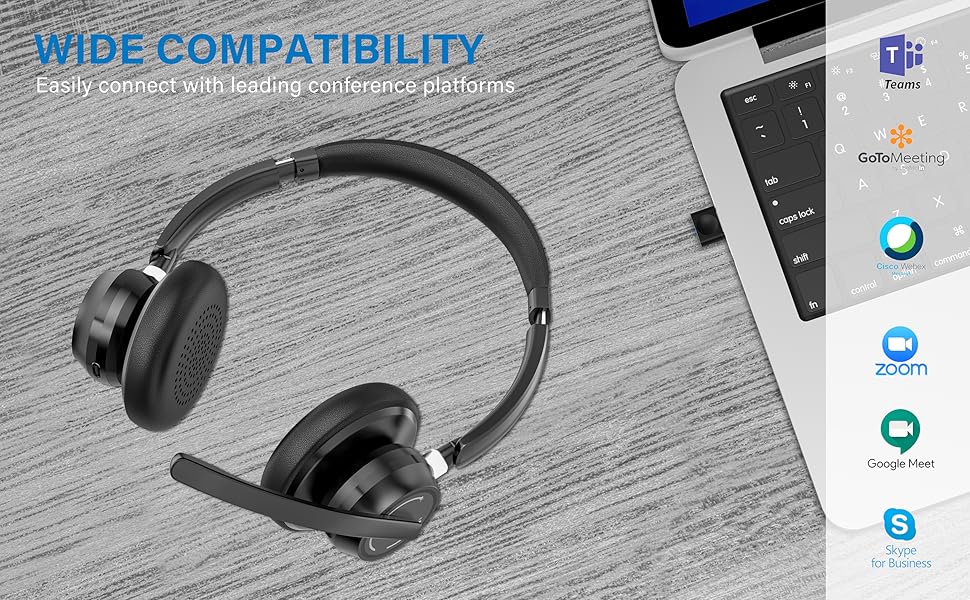
Image: Visual representation of Bluetooth, USB Dongle, and Wired connection methods for the headset.
Bluetooth接続:
- ヘッドセットの電源がオフになっていることを確認します。
- LED インジケーターが青と赤に交互に点滅し、ペアリング モードになるまで、電源ボタンを押し続けます。
- デバイス(スマートフォン、タブレット、コンピューター)で Bluetooth を有効にし、新しいデバイスを検索します。
- Select "SUNITEC BH880" from the list of available devices.
- 接続すると、LEDインジケーターがゆっくりと青色に点滅します。
USBドングル接続:
This method is ideal for computers without built-in Bluetooth or for a more stable connection.
- Plug the USB-A Dongle Adapter into an available USB port on your computer.
- Power on the SUNITEC BH880 headset. It will automatically attempt to connect to the dongle.
- The LED indicator on the dongle and headset will show a solid blue light once connected.
- You may need to select the "SUNITEC BH880" as the audio input/output device in your computer's sound settings.

Image: A USB dongle being inserted into a laptop's USB port, demonstrating the dongle connection method.
有線接続:
Use the included 3.5mm audio cable to connect the headset directly to devices with a 3.5mm audio jack. Note that the microphone function is not available when using the 3.5mm wired connection; the headset will function as headphones only.

Image: The headset shown with logos of popular communication platforms like Teams, Zoom, Google Meet, and Skype, indicating wide compatibility.
操作手順
基本機能:
- 音量を上げる/下げる: イヤーカップの専用音量ボタンを使用します。
- 再生/一時停止: 多機能ボタンをXNUMX回押します。
- 次のトラック: 音量アップボタンを長押しします。
- 前のトラック: 音量ダウンボタンを押し続けます。
呼び出し関数:
- 通話の応答/終了: 多機能ボタンをXNUMX回押します。
- 通話を拒否: 多機能ボタンを 2 秒間押し続けます。
- 最後の番号にリダイヤル: 多機能ボタンをXNUMX回押します。
マイクミュート機能:
The headset features an individual mute button on the microphone boom for quick privacy control.
- ミュート/ミュート解除: Press the mute button on the microphone boom. The LED indicator on the microphone will show red when muted.
- 注記: For PC platforms, microphone mute functionality may also be controlled via the software application (e.g., Zoom, Teams).
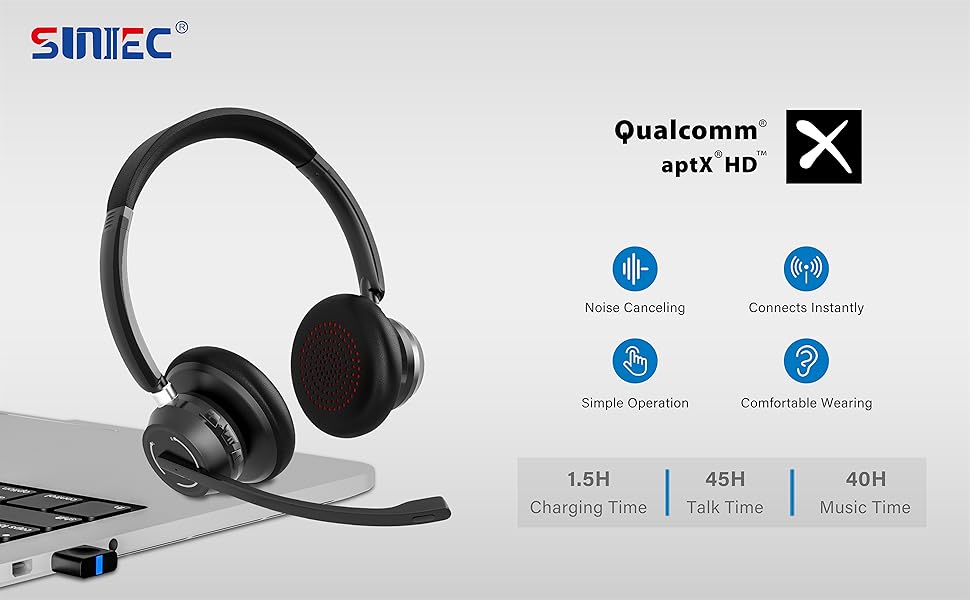
Image: A graphic demonstrating how the noise-cancelling microphone filters out background noise for clearer audio output.
メンテナンス
Proper care ensures the longevity of your SUNITEC BH880 headset.
- クリーニング: ヘッドセットのクリーニングには、柔らかく乾いた布をご使用ください。研磨剤入りの洗剤や溶剤は使用しないでください。
- ストレージ: ヘッドセットは、直射日光や極端な温度を避け、涼しく乾燥した場所に保管してください。
- バッテリーのケア: バッテリー寿命を延ばすため、ヘッドセットを頻繁に完全に放電することは避けてください。長期間使用しない場合でも、定期的に充電してください。
- 湿気を避ける: ヘッドセットは防水ではありません。液体や湿気の多い場所には置かないでください。
トラブルシューティング
If you encounter issues with your SUNITEC BH880 headset, refer to the following common solutions:
| 問題 | 解決 |
|---|---|
| ヘッドセットの電源が入りません。 | Ensure the headset is charged. Connect it to a power source using the Type-C cable. |
| Bluetooth経由でペアリングできません。 |
|
| 音が出ない、または音質が悪い。 |
|
| マイクが機能しません。 |
|
| USB Dongle not connecting. |
|
仕様
| 特徴 | 詳細 |
|---|---|
| モデル名 | BH880 |
| 接続技術 | Wireless (Bluetooth), Wired (3.5mm), USB Dongle |
| 無線通信技術 | ブルートゥース5.1 |
| Bluetooth範囲 | 最大15メートル(49フィート) |
| 騒音制御 | アダプティブノイズキャンセレーション(マイク) |
| オーディオドライバーのサイズ | 40ミリメートル |
| オーディオドライバータイプ | ダイナミックドライバ |
| インピーダンス | 32オーム |
| イヤーピースの形状 | オーバーイヤー |
| バッテリー寿命(通話時間) | 最大45時間 |
| 充電時間 | Approximately 2 Hours (Type-C) |
| アイテム重量 | 280グラム(9.9オンス) |
| 製品寸法 | 5.91 x 3.94 x 1.96インチ |
| 材料 | プラスチック |
| 対応デバイス | Computers, Communication Software (Skype, Zoom, MS Teams, Google Meet) |
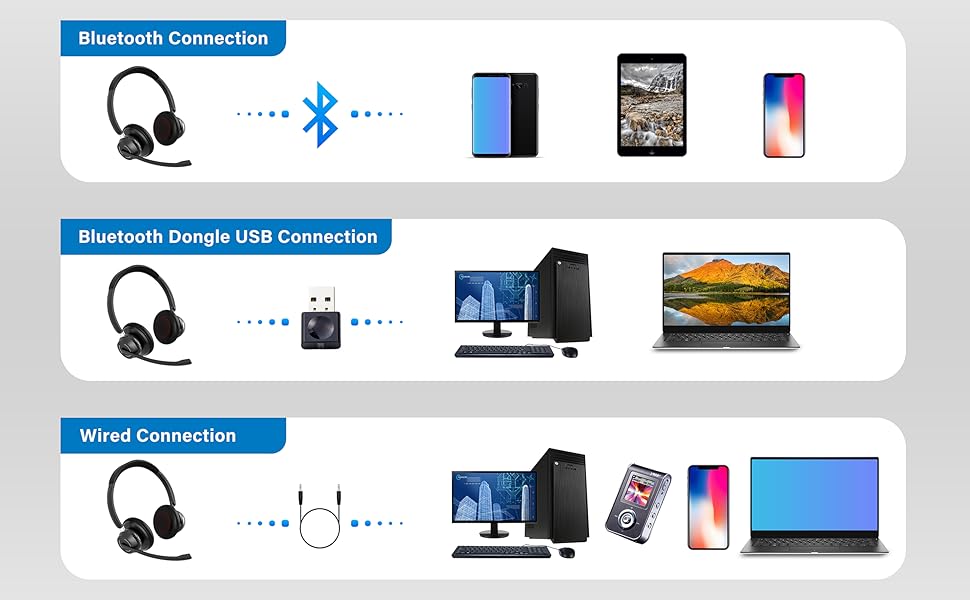
Image: An illustration highlighting the headset's battery performance, indicating up to 45 hours of wireless talk time.
保証とサポート
SUNITEC products are designed for reliability and performance. For warranty information or technical support, please refer to the contact details provided with your purchase or visit the official SUNITEC webサイトでご確認ください。保証請求の際は購入証明として領収書を保管してください。
For further assistance, you may contact SUNITEC customer service through their official channels.