
導入
This manual provides essential information for the safe and efficient operation of your HEAD HTJ4500 Treadmill. Designed for home use, this electric treadmill offers a maximum speed of 16 km/h, integrated speakers, and compatibility with popular fitness applications like Kinomap and Zwift. It features a clear LED display for monitoring your workout data and 16 pre-set training programs to enhance your fitness journey.
Please read this manual thoroughly before assembly and first use to ensure proper setup, operation, and maintenance, thereby maximizing the lifespan and performance of your treadmill.

Figure 1: The HEAD HTJ4500 Treadmill, showcasinコンパクトなデザイン。
1. セットアップと組み立て
The HEAD HTJ4500 Treadmill requires some assembly. Follow these steps carefully to ensure a stable and safe setup.
1.1 開梱
- パッケージからすべてのコンポーネントを慎重に取り出します。
- Verify that all parts listed in the 'What's in the Box' section (see Specifications) are present and undamaged.
- 将来の保管や輸送のために梱包材を保管してください。
1.2組み立て手順
- メインフレームを平らで安定した面に置きます。
- Attach the uprights to the main frame, securing them with the provided hardware.
- Mount the console to the top of the uprights, ensuring all cables are properly connected and not pinched.
- Attach the handlebars and any safety features as per the detailed assembly instructions included in the product box.
- 使用する前に、すべてのネジとボルトがしっかりと締められていることを確認してください。
1.3 配置と移植性
Choose a location with sufficient space around the treadmill for safe operation and access. The treadmill is designed to be easily stored and transported thanks to its folding design and integrated front wheels.

Figure 2: The folding mechanism and front wheels facilitate easy storage and movement.

Figure 3: Treadmill dimensions for space planning.
2. 操作手順
Familiarize yourself with the control panel and features before beginning your workout.
2.1コントロールパネルとディスプレイ
The treadmill features an LED display that shows key workout metrics such as distance, speed, time, and calories burned. The control panel allows you to start, stop, and adjust the speed.

Figure 4: The control panel with integrated buttons for speed adjustment and program selection.
2.2 ワークアウトの開始
- Ensure the safety key is properly placed on the console and attached to your clothing.
- 電源コードを接地されたコンセントに接続します。
- Press the 'Start' button to begin the treadmill belt movement. The belt will typically start at a low speed and gradually increase.
- Adjust the speed using the '+' and '-' buttons on the console or handlebars. The maximum speed is 16 km/h.
2.3 研修プログラム
The HEAD HTJ4500 Treadmill includes 16 pre-set training programs designed to vary intensity and help achieve different fitness goals. Consult the detailed program guide in your product box for specific program profiles.
2.4 App Connectivity (Kinomap & Zwift)
Enhance your training experience by connecting your treadmill to Kinomap or Zwift applications. These apps offer interactive workouts, virtual routes, and competitive features.
- Download the Kinomap or Zwift app on your smartphone or tablet.
- デバイスで Bluetooth が有効になっていることを確認してください。
- Follow the in-app instructions to pair your device with the HEAD HTJ4500 Treadmill.
- Once connected, the app can control the treadmill's speed and display real-time workout data.
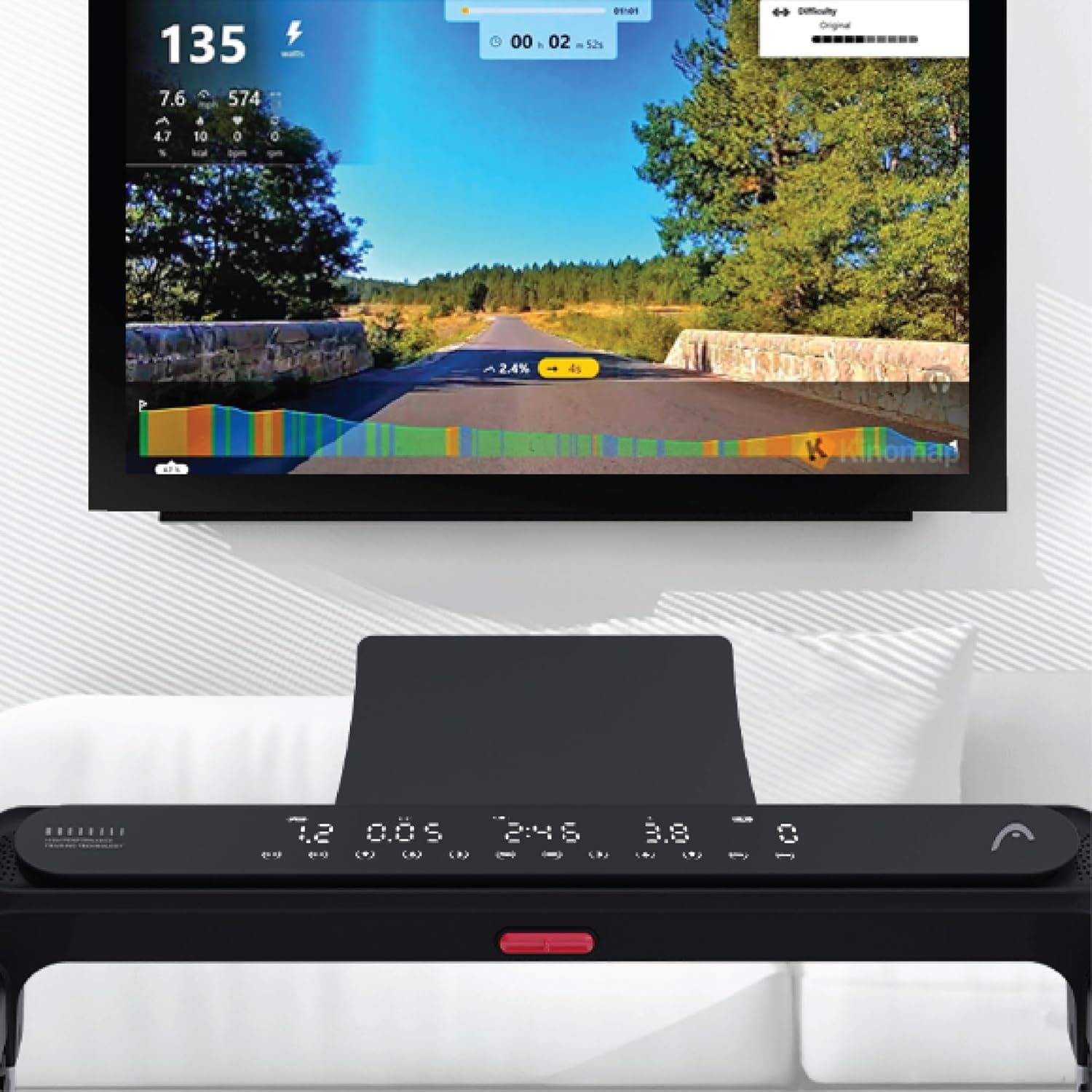
Figure 5: Treadmill display showing connection to Kinomap for interactive training.
2.5 内蔵スピーカー
The treadmill features integrated speakers for an immersive audio experience. Connect your audio device via Bluetooth or auxiliary cable (if applicable) to enjoy music during your workout.

Figure 6: Detail of the console area, highlighting the integrated speaker.
3. メンテナンス
定期的なメンテナンスにより、トレッドミルの寿命が長くなり、最適なパフォーマンスが確保されます。
3.1 クリーニング
- 清掃する前に必ずトレッドミルのプラグを抜いてください。
- コンソールと外装の表面を柔らかくて乾いた布で拭いてください。amp 布で拭いてください。研磨剤入りの洗剤や溶剤は使用しないでください。
- ほこりやゴミがたまらないように、トレッドミルの下を定期的に掃除機で掃除してください。
3.2 ベルトの潤滑
The running belt requires periodic lubrication to reduce friction and extend its lifespan. Refer to your product's specific lubrication instructions and recommended lubricant type. Typically, lubrication is needed every few months depending on usage.
3.3 ベルトの張力とアライメント
Check the running belt tension and alignment regularly. A belt that is too loose may slip, while one that is too tight can cause excessive wear on the motor and belt. Adjust the tension bolts at the rear of the treadmill as needed, ensuring the belt remains centered.
4。 トラブルシューティング
このセクションでは、トレッドミルで発生する可能性のある一般的な問題について説明します。
4.1 トレッドミルが始動しない
- 電力を確認します: Ensure the power cord is securely plugged into a working outlet and the treadmill's power switch is on.
- 安全キー: Verify that the safety key is correctly placed on the console. The treadmill will not operate without it.
- 遮断器: Check your home's circuit breaker to ensure it hasn't tripped.
4.2 Belt Slipping or Hesitating
- ベルト張力: The running belt may be too loose. Adjust the tension bolts at the rear of the treadmill.
- 潤滑: Insufficient lubrication can cause friction. Apply lubricant as per maintenance instructions.
4.3 異常な音
- 緩んだ部品: Check for any loose screws or bolts on the frame or console and tighten them.
- Belt Friction: If the noise is a squeaking or rubbing sound, the belt may need lubrication.
- Motor/Deck: If the noise persists or is a grinding sound, discontinue use and contact customer support.
4.4 ディスプレイが機能しない
- 電源接続: トレッドミルの電源がオンになっていることを確認します。
- ケーブル接続: Check the cable connections between the console and the main frame.
For issues not covered here, please refer to the comprehensive troubleshooting guide in your product's original manual or contact HEAD customer support.
5. 仕様
| 特徴 | 詳細 |
|---|---|
| ブランド | 頭 |
| モデル番号 | 8427542134925 |
| 色 | 黒 |
| 寸法(長さ×幅×高さ) | 150 cm x 77 cm x 118 cm |
| 製品重量 | 46キログラム |
| 最高速度 | 16 Kilometers per hour |
| 表示タイプ | 導かれた |
| 電源 | 電気ケーブル |
| 組み立てが必要 | はい |
| 含まれるコンポーネント | Front wheels, Surround sound speakers, User manual, Warranty |
| 測定タイプ | Distance, Speed |
6. 保証とサポート
Your HEAD HTJ4500 Treadmill comes with a manufacturer's warranty. Please refer to the warranty card included in your product packaging for specific terms, conditions, and duration of coverage.
6.1 カスタマーサポート
For technical assistance, warranty claims, or spare parts, please contact HEAD customer support. Contact information can typically be found on the warranty card or the official HEAD website. When contacting support, please have your product model number (8427542134925) and proof of purchase readily available.
For more information about HEAD products, visit the official HEAD store on Amazon: HEAD Store