
導入
Thank you for choosing the Ninestars 13 Gallon Automatic Motion Sensor Trash Can. This touchless trash bin is designed for convenience and hygiene in various indoor environments such as kitchens, bedrooms, living rooms, offices, and hotels. Featuring a motion sensor for hands-free operation and a durable stainless steel body, this D-shaped trash can offers a large 13-gallon (50-liter) capacity.
This manual provides detailed instructions for setup, operation, maintenance, and troubleshooting to ensure optimal performance and longevity of your product. Please read it carefully before use and retain it for future reference.
箱の中身
すべてのコンポーネントを慎重に開梱し、次のアイテムが揃っていることを確認してください。
- ゴミ箱本体
- Trash Can Lid (with motion sensor)
- ライナーリング
設定
1. バッテリーの取り付け
The trash can operates on 2 D-sized batteries (not included). For optimal performance, use new, high-quality alkaline batteries.
- 蓋の裏側にある電池ボックスを見つけます。
- 電池ボックスのカバーを開きます。
- Insert 2 D-sized batteries, ensuring the correct polarity (+/-) as indicated inside the compartment.
- 電池カバーをしっかりと閉じてください。

Image: Battery compartment for 2 D-sized batteries, located on the lid.
2. ゴミ袋の設置
Follow these steps to properly install a trash bag using the liner ring:
- ゴミ箱本体から蓋を取り外します。
- Place the trash bag into the trash can body.
- Fit the top edge of the trash bag over the liner ring, ensuring it is securely held in place.
- Insert the liner ring with the trash bag into the trash can body, tucking any excess bag material neatly.
- Place the lid back onto the trash can body, aligning it properly.

Image: Step-by-step guide for trash bag installation.
操作手順
モーションセンサーの操作
The Ninestars trash can features an infrared motion sensor for hands-free operation.
- When an object or hand is within 10 inches (25 cm) of the sensor window, the lid will automatically open.
- The lid will remain open as long as the object is within the sensor range.
- Once the object moves away from the sensor range, the lid will close automatically after approximately 3-5 seconds.
- The lid features a soft-closing mechanism for quiet operation.
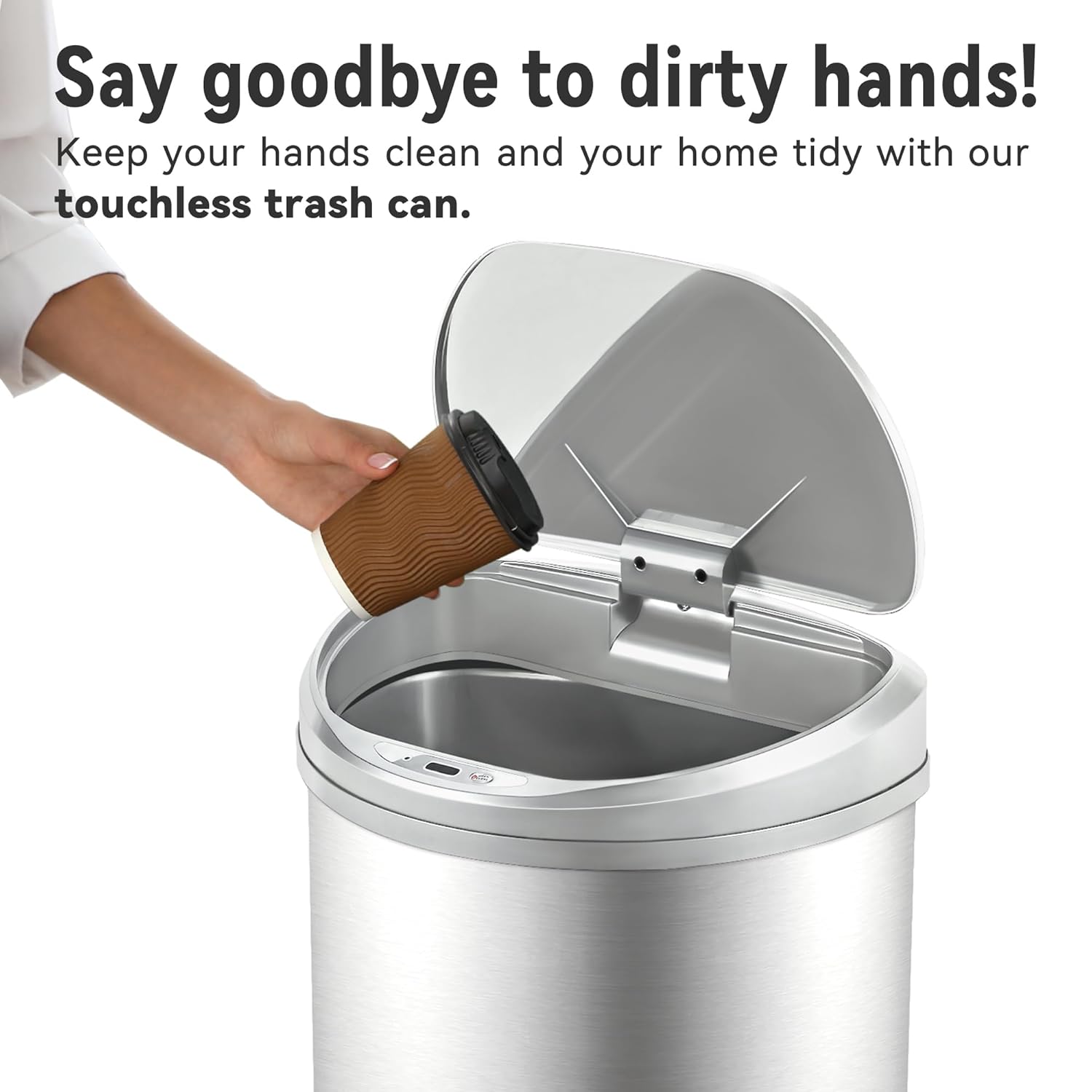
Image: Demonstrating touchless operation with the motion sensor.
Manual Open/Close Button
For extended opening or manual control, use the 'OPEN/CLOSE' buttons located on the lid.
- Press the 'OPEN' button to keep the lid open indefinitely.
- Press the 'CLOSE' button to close the lid. The motion sensor will reactivate after the lid is closed manually.
メンテナンス
クリーニング
To maintain the appearance and functionality of your trash can:
- ステンレススチール本体の外側を柔らかくて乾いた布で拭いてください。amp 布。 仕上げを損傷する可能性がある研磨剤入りのクリーナーや刺激の強い化学薬品は避けてください。
- The stainless steel is designed to be fingerprint, scratch, and oil resistant.
- Clean the sensor window on the lid with a soft, dry cloth to ensure proper function.
- Do not immerse the lid in water or place it under running water, as this can damage the electronic components.
- The interior of the trash can body can be cleaned with mild soap and water. Ensure it is completely dry before reinserting the liner ring and lid.

Image: Stainless steel construction features for easy maintenance.
バッテリー交換
When the lid's operation becomes slow or inconsistent, it is time to replace the batteries. Refer to the 'Battery Installation' section for detailed steps.
トラブルシューティング
If you encounter issues with your Ninestars Automatic Motion Sensor Trash Can, please refer to the following common problems and solutions:
| 問題 | 考えられる原因 | 解決 |
|---|---|---|
| Lid does not open when sensor is activated. | 電池切れまたは電池残量が少ない。 センサーウィンドウが汚れているか、遮られています。 蓋が正しく位置合わせされていません。 | Replace batteries with new D-sized batteries. センサーウィンドウを柔らかく乾いた布で拭いてください。 Ensure the lid is correctly seated on the trash can body. |
| 蓋はゆっくり開閉します。 | バッテリー残量が少なくなっています。 | Replace batteries with new D-sized batteries. |
| Lid remains open or opens randomly. | Sensor is continuously detecting an object. Sensor is exposed to direct sunlight or strong artificial light. | Ensure no objects are within the sensor's range. Relocate the trash can to an area with less direct light interference. |
| 蓋が異常な音を立てます。 | 機構の障害。 | Check for any debris or foreign objects obstructing the lid's opening/closing mechanism. |
仕様
- ブランド: ナインスターズ
- モデル: 13 Gallon D-Shaped
- 容量: 13ガロン(50リットル)
- 開閉機構: モーションセンサー
- 材料: プラスチック、ステンレス
- 形: D字型
- 仕上げタイプ: ブラシ仕上げ
- 力: 2 x D-sized batteries (not included)
- 製品寸法: 長さ15.12インチ x 幅12.13インチ x 高さ26.61インチ (長さ38.4cm x 幅30.8cm x 高さ67.6cm)
- 推奨用途: Kitchen, Indoor Room, Home Office, Laundry Room, Garage, Lobby, Classroom
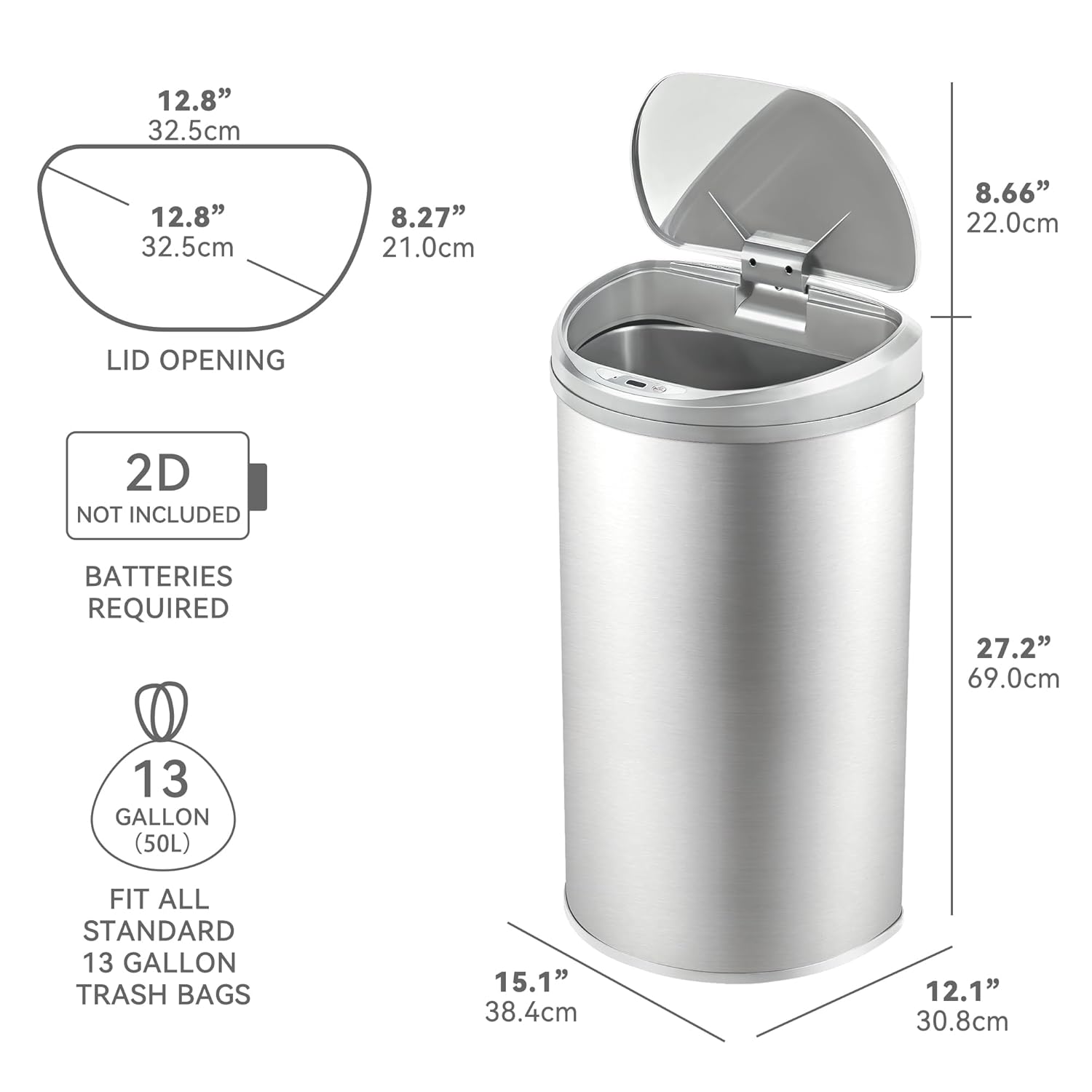
Image: Product dimensions and battery requirement.
保証とサポート
保証情報
This Ninestars product typically comes with a 2-year warranty. Please refer to your purchase documentation or the manufacturer's official web具体的な保証条件については、サイトをご覧ください。
カスタマーサポート
For further assistance, troubleshooting not covered in this manual, or warranty claims, please contact Ninestars customer support through their official webサイトまたは購入時に提供された連絡先情報を参照してください。