
1. はじめに
Welcome to the user manual for your new ECHO Rainbow Pro S Smartwatch. This elegant and functional smartwatch is designed to enhance your daily life with integrated AI assistance, Bluetooth calling, comprehensive health sensors, and various sports modes. It comes with two interchangeable straps for maximum flexibility and is IP68 waterproof for worry-free use. This manual will guide you through the setup, operation, maintenance, and troubleshooting of your device.
2. 箱の中身
パッケージの内容をチェックして、すべてのアイテムが揃っていることを確認してください。
- ECHO Rainbow Pro S Smartwatch (Rose Gold)
- Silicone Strap (Rose Gold)
- Nylon Strap (Bordeaux)
- 磁気充電ケーブル
- ユーザーマニュアル(このドキュメント)
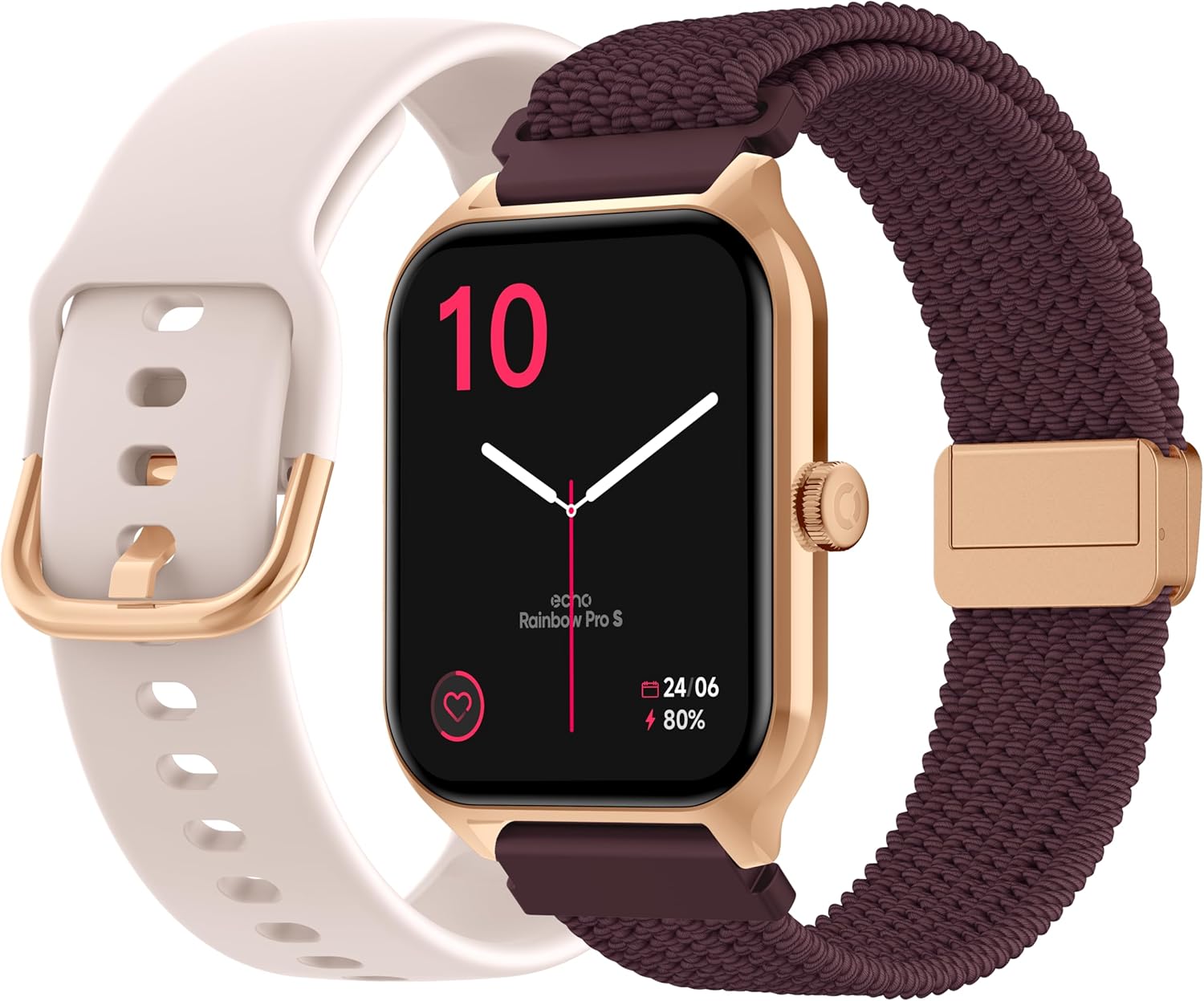
Image: The ECHO Rainbow Pro S Smartwatch, showcasing its rose gold finish, accompanied by both the rose gold silicone strap and the bordeaux nylon strap, along with the magnetic charging cable.
3. セットアップ
3.1デバイスの充電
Before first use, fully charge your smartwatch. Connect the magnetic charging cable to the charging points on the back of the watch and plug the USB end into a standard USB power adapter (not included) or a computer's USB port. A full charge takes approximately 2.5 hours.
3.2 Da Fitアプリのインストール
The ECHO Rainbow Pro S Smartwatch works with the Da Fit application. Download the Da Fit app from the Apple App Store (for iOS devices) or Google Play Store (for Android devices).
- Scan the QR code in the watch's manual or on the watch screen (if available) or search for "Da Fit" in your app store.
- スマートフォンにアプリケーションをインストールします。
3.3 スマートフォンとのペアリング
To unlock the full potential of your smartwatch, pair it with the Da Fit app:
- スマートフォンでBluetoothが有効になっていることを確認します。
- Da Fit アプリを開きます。
- Follow the on-screen instructions to add a new device. The app will search for your ECHO Rainbow Pro S.
- Select your watch from the list of found devices. Confirm the pairing request on both your phone and the watch.
- ペアリングすると、時計はアプリとデータを同期します。

Image: The ECHO Rainbow Pro S Smartwatch, showing the watch body, both the silicone and nylon straps, and the magnetic charging cable, illustrating the components for setup.
4. スマートウォッチの操作
4.1 インターフェースの操作
The ECHO Rainbow Pro S features an intuitive 1.96-inch touchscreen. Swipe left, right, up, or down to access different functions and menus. The side button typically serves as a power button or a return-to-home screen button.
4.2 健康状態のモニタリング
Your smartwatch is equipped with advanced sensors to track your well-being:
- 心拍: 一日を通して心拍数を継続的に監視します。
- 血中酸素濃度(SpO2): 血液中の酸素飽和度を測定します。
- 血圧: 血圧の推定値を提供します。
- 睡眠追跡: Analyzes your sleep patterns, including deep and light sleep stages。
すべての健康データは viewed in detail within the Da Fit app, allowing you to track trends and progress over time.

画像: 背面 view of the ECHO Rainbow Pro S Smartwatch, highlighting the optical sensors used for heart rate, SpO2, and blood pressure monitoring.

Image: The ECHO Rainbow Pro S Smartwatch screen showing various health metrics, including heart rate (BPM), SpO2 percentage, and activity data, demonstrating its health tracking capabilities.
4.3 通信機能
手首から直接接続を維持:
- Bluetooth通話: スマートフォンに接続すると、時計から直接電話をかけたり受けたりできます。
- 通知: ペアリングしたスマートフォンからの通話、メッセージ、アプリの通知に関するアラートを受信します。

Image: The ECHO Rainbow Pro S Smartwatch displaying incoming call and message notifications, illustrating its communication features when paired with a smartphone.
4.4 AIアシスタント
The ECHO Rainbow Pro S integrates an AI assistant for convenient voice commands and information retrieval. Simply activate the AI feature on your watch and speak your query or command.

Image: The ECHO Rainbow Pro S Smartwatch screen showing the AI assistant interface, ready to receive voice commands or queries.
4.5 Sports Modes & Coaching
With over 100 sports modes and integrated training programs, your smartwatch is an ideal companion for your fitness journey. Select your activity from the watch's menu to track performance metrics such as calories burned, distance, and duration. The Da Fit app provides personalized tracking and allows you to follow your course using your smartphone's GPS.

Image: The ECHO Rainbow Pro S Smartwatch displaying various sports modes and training exercises, with accompanying smartphone app screenshots showing detailed workout plans and GPS tracking.
4.6のカスタマイズ
スマートウォッチ体験をカスタマイズ:
- ウォッチフェイス: Choose from over 100 downloadable watch faces via the Da Fit app to match your style.
- 交換可能なストラップ: Easily swap between the included silicone and nylon straps to suit your activity or outfit.
Image: The ECHO Rainbow Pro S Smartwatch, showcasing its rose gold finish, accompanied by both the rose gold silicone strap and the bordeaux nylon strap, highlighting the interchangeable design.
5. メンテナンス
5.1 クリーニング
To keep your smartwatch in optimal condition, clean it regularly. Wipe the screen and body with a soft, lint-free cloth. For stubborn smudges, slightly damp布に水を含ませてください。刺激の強い化学薬品や研磨剤の使用は避けてください。
5.2 耐水性(IP68)
The ECHO Rainbow Pro S is IP68 rated, meaning it is resistant to water up to 1 meter deep for 30 minutes. This makes it suitable for daily activities like hand washing, rain, or accidental splashes. However, it is not recommended for swimming, diving, or high-pressure water activities. Avoid exposing the watch to hot water, steam, or corrosive liquids.
5.3 バッテリー寿命
The smartwatch offers up to 5 days of battery life with typical usage. To optimize battery performance:
- 画面の明るさを下げます。
- 必要ない場合は継続的な心拍数モニタリングを無効にします。
- アプリの通知の数を制限します。
6。 トラブルシューティング
If you encounter any issues with your ECHO Rainbow Pro S Smartwatch, please refer to the following common problems and solutions:
| 問題 | 解決 |
|---|---|
| 時計が起動しない | 時計が完全に充電されていることを確認してください。磁気充電ケーブルと電源に時計を少なくとも30分間接続してください。 |
| スマートフォンとペアリングできない | 1. 携帯電話で Bluetooth が有効になっていることを確認します。 2. 時計が携帯電話の範囲内にあることを確認します。 3. 時計と携帯電話の両方を再起動します。 4. 携帯電話の Bluetooth キャッシュをクリアするか (Android)、デバイスを削除して再度ペアリングします (iOS/Android)。 5. Ensure the Da Fit app has necessary permissions. |
| 不正確な健康状態 | 1. 時計が手首にぴったりとフィットし、きつすぎたり緩すぎたりしていないことを確認します。 2. 時計の裏側にあるセンサーを清掃します。 3. 測定中は過度の動きを避けてください。 4. Note that these readings are for reference and not for medical diagnosis. |
| 通知が受信されませんでした | 1. Ensure the watch is paired and connected to your phone. 2. Check notification settings in the Da Fit app and on your phone (e.g., app permissions, DND mode). 3. Make sure the Da Fit app is running in the background. |
| バッテリー寿命が短い | 1. 画面の明るさを下げます。 2. Disable continuous heart rate monitoring if not needed. 3. Limit background app refresh for the Da Fit app. 4. Ensure no apps are constantly running on the watch. |
7. 仕様
| 特徴 | 詳細 |
|---|---|
| ブランド | エコー |
| モデル | レインボープロS |
| モデル番号 | bd279646-58a1-4a95-ab0c-0847dc2ca4e6 |
| 色 | ローズゴールド |
| 画面サイズ | 1.96インチ |
| 表示タイプ | OLED or LED |
| 接続性 | ブルートゥース |
| 対応デバイス | スマートフォン、タブレット |
| バッテリー構成 | リチウムポリマー |
| バッテリー寿命(標準) | 5日間 |
| 充電時間 | 2.5時間 |
| 耐水性 | IP68(最大1メートル、30分) |
| GPS | GPSなし |
| 形 | ラウンド |
| アプリの互換性 | ダ・フィット |
| 原産国 | 中国 |
8. 保証とサポート
8.1製品保証
Your ECHO Rainbow Pro S Smartwatch is covered by a standard manufacturer's warranty against defects in materials and workmanship. The specific duration and terms of the warranty may vary based on your region and point of purchase. Please refer to your purchase documentation or contact your retailer for detailed warranty information.
8.2 カスタマーサポート
For technical assistance, troubleshooting beyond this manual, or warranty claims, please contact the retailer or manufacturer directly. Have your product model number (bd279646-58a1-4a95-ab0c-0847dc2ca4e6) and proof of purchase ready when contacting support.