
1. はじめに
The Genmitsu Kiosk 5W Laser Engraver is a compact and portable machine designed for home DIY projects, offering precise engraving and light cutting capabilities on various materials. Its lightweight design and user-friendly features make it an ideal tool for creative endeavors.

This manual provides essential information for setting up, operating, and maintaining your Genmitsu Kiosk laser engraver. Please read it thoroughly before use to ensure safe and efficient operation.
ビデオ1.1: オーバーview of the Genmitsu Kiosk laser engraver, highlighting its features and potential applications for various engraving projects.
2.重要な安全上の注意
The Genmitsu Kiosk is a Class 1 laser product. Always operate the machine with the safety cover closed. The machine is equipped with a safety mechanism that stops operation if the safety cover is opened or if the machine is tilted more than 12°±5° for more than one second. This ensures a safe and controlled work environment.
- Always wear appropriate laser safety glasses when operating the machine, even with the safety cover closed, as an additional precaution.
- Do not engrave or cut materials that produce toxic fumes or are highly flammable.
- Ensure adequate ventilation in your workspace to dissipate any smoke or odors produced during engraving.
- 手術エリアから子供やペットを遠ざけてください。
- 運転中は絶対に機械から離れないでください。

3. パッケージ内容
セットアップを開始する前に、パッケージにすべてのコンポーネントが含まれていることを確認してください。
- Genmitsu Kiosk Laser Engraver Unit (Pre-assembled)
- レーザーモジュール
- 電源アダプター
- USBケーブル
- Sample Engraving Materials
- ユーザーマニュアル(このドキュメント)

4. セットアップ
The Genmitsu Kiosk laser engraver comes largely pre-assembled for quick and easy setup. Follow these steps to get started:
- Place the laser module into the designated slot within the pre-assembled frame.
- 電源アダプタをマシンと電源コンセントに接続します。
- Connect the USB cable from the machine to your computer or mobile device.
- Download and install the latest Genmitsu APP (V2.0.0 or higher) on your mobile device or the recommended software on your computer.
- Follow the in-app instructions for initial machine connection and Wi-Fi setup. The app offers simplified network setup and an intuitive control interface.
Video 4.1: This official video demonstrates the step-by-step process of connecting the Genmitsu Kiosk laser engraver to the Genmitsu mobile application, including Wi-Fi configuration and machine recognition.
5. 操作手順
5.1 基本操作
The Genmitsu Kiosk features a user-friendly one-button operation for controlling your engraving projects. With a single press, you can preview, start, pause, or stop the engraving process. This ensures ease of use and precise control over your designs.

5.2 フォーカシング
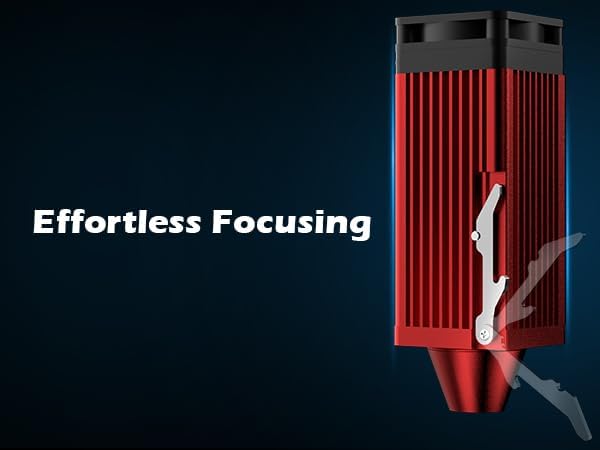
Achieving optimal engraving quality requires proper focusing of the laser. The Genmitsu Kiosk is designed for effortless focusing, which helps in producing crisp and clean engravings without blurs or motion wear. Refer to the quick-start guide or app instructions for specific focusing procedures.
5.3 彫刻材料
The 5W diode laser is versatile, capable of engraving medium-depth marks and light cuts on a variety of materials. These include:
- 木材: Such as 5mm basswood and 3mm plywood.
- レザー: Ideal for engraving thick leather.
- プラスチック: Various types of plastics can be engraved.
- 生地: Suitable for engraving designs onto textiles.
- Coated Metal: Engraves effectively on coated metal surfaces.
- Transparent Acrylics: Requires laser marking spray for optimal results.

5.4 Offline Engraving & Software Compatibility
The Genmitsu Kiosk supports offline engraving, allowing you to import design files via a TF card without needing a continuous connection to a computer or mobile device. The machine is compatible with a wide range of operating systems and software:
- オペレーティング システム: Windows, Mac, iOS, Linux, Android.
- ソフトウェア: CutlabX, LightBurn, LaserGRBL.

5.5 Removable Base Plate
The machine features a removable base plate that protects your work surface during the cutting process. When removed, it allows you to engrave larger items such as tables or chairs, expanding your creative possibilities.

6. メンテナンス
Regular maintenance is essential to ensure the longevity and optimal performance of your Genmitsu Kiosk laser engraver. Follow these guidelines:
- レーザーレンズをクリーニングします。 Periodically clean the laser lens with a soft, lint-free cloth and a small amount of isopropyl alcohol. A dirty lens can significantly reduce engraving quality.
- Clean the Engraving Area: After each use, especially when engraving materials like wood or leather that produce residue, clean the engraving bed and surrounding areas to prevent buildup.
- Check the Exhaust Fan: Ensure the internal exhaust fan is clear of dust and debris to maintain proper airflow and prevent overheating.
- ケーブルと接続を検査します。 すべてのケーブルと接続部に摩耗や損傷の兆候がないか定期的に確認してください。
- ソフトウェアアップデート: Keep your Genmitsu APP and machine firmware updated to the latest versions for improved performance and new features.
7。 トラブルシューティング
If you encounter issues with your Genmitsu Kiosk, refer to the following common problems and their solutions:
7.1 接続の問題
- Machine Not Found in App: Ensure the machine is powered on and within range. Verify that your mobile device is connected to the correct Wi-Fi network (Genmitsu_Kiosk_XXXX). Try restarting both the machine and the Genmitsu APP.
- 接続の切断: Check for Wi-Fi interference or distance from your router. Ensure no other devices are heavily using the network bandwidth.
7.2 Engraving Quality Issues
- Blurry or Faint Engravings: Re-focus the laser module. Ensure the material is flat and securely placed on the engraving bed. Check if the laser lens is clean.
- Inconsistent Engraving Depth: Verify that the material thickness is uniform. Adjust laser power and speed settings according to the material type and desired effect.
- Engraving Not Centered: Ensure your design is properly aligned within the software's workspace and that the material is correctly positioned on the engraving bed.
7.3 Safety Sensor Activation
- マシンが突然停止する: Check if the safety cover is fully closed and latched. Ensure the machine is on a stable, level surface and has not been tilted during operation. Re-close the lid or reposition the machine to resume operation.
8. 仕様
Below are the technical specifications for the Genmitsu Kiosk 5W Laser Engraver:
| 特徴 | 仕様 |
|---|---|
| モデル番号 | KKW5 |
| レーザーパワー | 5W(5000mW)ダイオードレーザー |
| 彫刻エリア | 3.9 x 3.9インチ(100 x 100 mm) |
| 製品寸法 | 12.8 x 10.63 x 10.83インチ |
| アイテム重量 | 8.8ポンド |
| 精度 | 0.01ミリメートル |
| 彫刻速度 | 最大12000 mm/分 |
| メーカー | 源光 |
| 原産国 | 中国 |
| 初回利用可能日 | 30年2024月XNUMX日 |
9. 保証と顧客サポート
SainSmart is committed to providing quality products and excellent customer service. For technical assistance, troubleshooting, or warranty inquiries regarding your Genmitsu Kiosk laser engraver, please utilize the following resources:
- SainSmart Resource Centre: Access detailed guides, FAQs, and community forums for self-help.
- Official Support Channels: Contact SainSmart customer support directly via their website or the Genmitsu APP for personalized assistance.
For more information or to explore other SainSmart products, visit the AmazonのSainSmartストア.