1. はじめに
Thank you for choosing the BOSGAME M3 Mini PC. This compact and powerful computer is designed to meet a wide range of computing needs, from everyday tasks to demanding applications. Equipped with the Intel Ultra 7 155H processor, 32GB DDR5 RAM, and a 1TB NVMe SSD, it offers exceptional performance and efficiency. This manual provides essential information for setting up, operating, maintaining, and troubleshooting your device.
2. 安全情報
Please read and follow all safety instructions carefully to prevent damage to the device or injury to yourself. Keep the device away from water, fire, and high temperatures. Do not attempt to disassemble or repair the device yourself. Use only the provided power adapter and accessories. Ensure proper ventilation to prevent overheating.
3. パッケージ内容
パッケージにすべてのアイテムが揃っていることを確認します。
- BOSGAME M3 ミニPC
- 電源ケーブル
- 電源アダプター
- VESAマウント(ネジ付き)
- HDMIケーブル
- ユーザーマニュアル

図 3.1: BOSGAME M3 Mini PC に付属するアクセサリ。
4.製品オーバーview
4.1フロントパネル
- 電源ボタン: を押して、デバイスのオン/オフを切り替えます。
- USB 3.2 Gen2 ポート (x2): 高速データ転送用。
- Thunderbolt 4 (USB 4) Port: Supports 8K 60Hz display output and PD3.0 power delivery.
- 3.5mmオーディオジャック: ヘッドフォンまたはスピーカー用。
4.2 背面パネル
- DCジャック: ここに電源アダプターを接続します。
- Dual 2.5GbE LAN Ports: 有線ネットワーク接続用。
- HDMI 2.1 ポート: Supports 8K 60Hz display output.
- DisplayPort 2.1 (DP) Port: Supports 8K 60Hz display output.
- USB 3.2 Gen2 ポート (x2): 高速データ転送用。
- USB 2.0 ポート (x1): For peripherals like keyboard/mouse.

Figure 4.1: Front and Rear Panel Ports.
4.3 主な特徴
- プロセッサ: Intel Core Ultra 7 155H (16 Cores/22 Threads, up to 4.8GHz)
- グラフィック: Intel Arc Graphics (2.25GHz, 8 Xe-Cores)
- ラム: 32GB DDR5(デュアルチャネル、最大96GBまで拡張可能)
- ストレージ: 1TB NVMe M.2 2280 SSD (Dual M.2 2280 slots, supports up to 8TB)
- 無線: WiFi 6E、Bluetooth 5.2
- 表示出力: HDMI 2.1, DisplayPort 2.1, Thunderbolt 4 (supports Triple 8K 60Hz displays)

Figure 4.2: BOSGAME M3 Mini PC Key Features.
5. セットアップ
5.1 周辺機器の接続
- Connect your monitor(s) to the HDMI, DisplayPort, or Thunderbolt 4 ports using appropriate cables.
- キーボードとマウスを利用可能な USB ポートに接続します。
- その他の必要な周辺機器 (外部ストレージ、オーディオ デバイスなど) を接続します。

Figure 5.1: Triple Display Setup.
5.2電源オン
- 電源アダプタをミニ PC の背面パネルにある DC ジャックに接続します。
- 電源ケーブルをコンセントに差し込みます。
- 前面パネルの電源ボタンを押してデバイスの電源をオンにします。
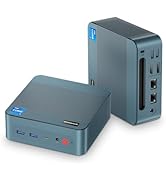
Figure 5.2: Powering the Mini PC via USB-C PD.
5.3 オペレーティングシステムの初期セットアップ
The BOSGAME M3 Mini PC supports various operating systems including Windows and Linux distributions. Follow the on-screen instructions to complete the initial OS setup. Ensure you have an active internet connection for updates and driver installations.
6. 操作手順
6.1 基本的な使用法
Once the operating system is set up, you can use your BOSGAME M3 Mini PC for a wide range of tasks. Its powerful Intel Ultra 7 155H processor and Intel Arc graphics ensure smooth performance for productivity, entertainment, and creative work.
6.2 Connecting to Displays
The Mini PC supports up to three independent displays simultaneously via its HDMI 2.1, DisplayPort 2.1, and Thunderbolt 4 ports. This allows for an expansive workspace for multitasking or immersive view経験。

Figure 6.1: 4K UHD Display Capability.
6.3 ネットワーク接続
- Wi-Fi 6E: 高速インターネット アクセスのためにワイヤレス ネットワークに接続します。
- Bluetooth 5.2: Pair with Bluetooth-enabled devices such as headphones, keyboards, and mice.
- デュアル 2.5GbE LAN: 安定した高速な有線ネットワーク接続を実現します。
6.4 ストレージ拡張
The BOSGAME M3 features two NVMe M.2 2280 SSD slots, supporting up to 8TB of storage (2x4TB). This allows for significant storage expansion if needed.
7. 仕様
| 特徴 | 仕様 |
|---|---|
| プロセッサ | Intel Core Ultra 7 155H (3.8GHz Base, 4.8GHz Max Turbo, 16C/22T) |
| グラフィックス | Intel Arc Graphics (2.25GHz, 8 Xe-Cores) |
| ラム | 32GB DDR5(デュアルチャネル、5600MHz) |
| ストレージ | 1TB NVMe M.2 2280 SSD (PCIe 4.0) |
| 収納スロット | 2x NVMe M.2 2280 SSD slots (supports up to 8TB total) |
| ワイヤレス接続 | WiFi 6E、Bluetooth 5.2 |
| 有線LAN | デュアル2.5GbE LAN |
| ディスプレイ出力 | 1x HDMI 2.1, 1x DisplayPort 2.1, 1x Thunderbolt 4 (USB 4) |
| 最大解像度 | 8K 60Hz (Thunderbolt 4, HDMI, DP) |
| USBポート | 3x USB 3.2, 1x USB 2.0, 1x Thunderbolt 4 (USB 4) |
| オーディオ | 3.5mmオーディオジャック |
| オペレーティング·システム | Supports Linux and Windows |
| 寸法 | 5.12 x 5.08 x 1.81 インチ (130 x 129 x 46mm) |
| アイテム重量 | 2.66ポンド |

図 7.1: 詳細な製品仕様。
8. パフォーマンスオーバーview
The Intel Core Ultra 7 155H processor with integrated Intel Arc graphics delivers robust performance for various tasks. The Intel AI Boost NPU further enhances AI-driven applications.

Figure 8.1: Intel Core Ultra 7 155H Processor Details.
The Mini PC is capable of handling demanding applications and even some gaming. Below are video demonstrations of its performance in various scenarios.
8.1 Gaming Performance (CS:GO)
Video 8.1: Demonstration of BOSGAME Mini PC Intel i7 12700H GPU Test in CS:GO. This video shows gameplay performance with frame rate and system metrics.
8.2 Software Benchmark (Cinebench R23)
Video 8.2: BOSGAME Intel i7 Mini PC 12700H Software R23 Test Video. This video showcases the Cinebench R23 multi-core performance of the Mini PC.
9. メンテナンス
9.1 クリーニング
Regularly clean the exterior of the Mini PC with a soft, dry cloth. Avoid using liquid cleaners directly on the device. Ensure ventilation vents are clear of dust and debris.
9.2 放熱
The BOSGAME M3 is designed with a highly efficient heat dissipation system to maintain optimal performance. Ensure the Mini PC is placed in a well-ventilated area and that the vents are not obstructed.

Figure 9.1: Highly Efficient Heat Dissipation System.
10。 トラブルシューティング
- 電源なし: 電源アダプタがデバイスとコンセントの両方にしっかりと接続されていることを確認してください。別のコンセントをお試しください。
- 表示なし: Check all display cable connections. Ensure the monitor is set to the correct input source. Try a different display cable or monitor.
- ネットワークの問題: For Wi-Fi, ensure drivers are installed and the network is selected correctly. For wired LAN, check the Ethernet cable and router connection.
- パフォーマンスが遅い: 不要なアプリケーションを閉じてください。バックグラウンドアップデートを確認してください。十分な換気を確保してください。
11. 保証とサポート
The BOSGAME M3 Mini PC comes with a 3-year professional factory support. All products have FCC, ROHS, and CE certifications. For any technical assistance or inquiries, please contact our 24/7 online customer service.