
1. はじめに
This manual provides essential information for the installation, operation, and maintenance of your ANTEC GSK750 ATX3.1 80PLUS GOLD Power Supply Unit (PSU). Please read this manual thoroughly before installing and using the product to ensure proper function and safety. The ANTEC GSK750 is a high-efficiency, durable power supply designed for modern PC systems.
2. 特徴
- 80PLUS GOLD certification for high efficiency.
- Full modular design for improved cable management.
- Compact design with a depth of 140 mm.
- Active PFC and universal AC input support.
3. セットアップとインストール
3.1. パッケージ内容
パッケージにすべてのコンポーネントが含まれていることを確認します。
- ANTEC GSK750 ATX3.1 80PLUS GOLD PSU
- モジュラーケーブルセット
- AC電源コード
- 取り付けネジ
- ユーザーマニュアル(この文書)
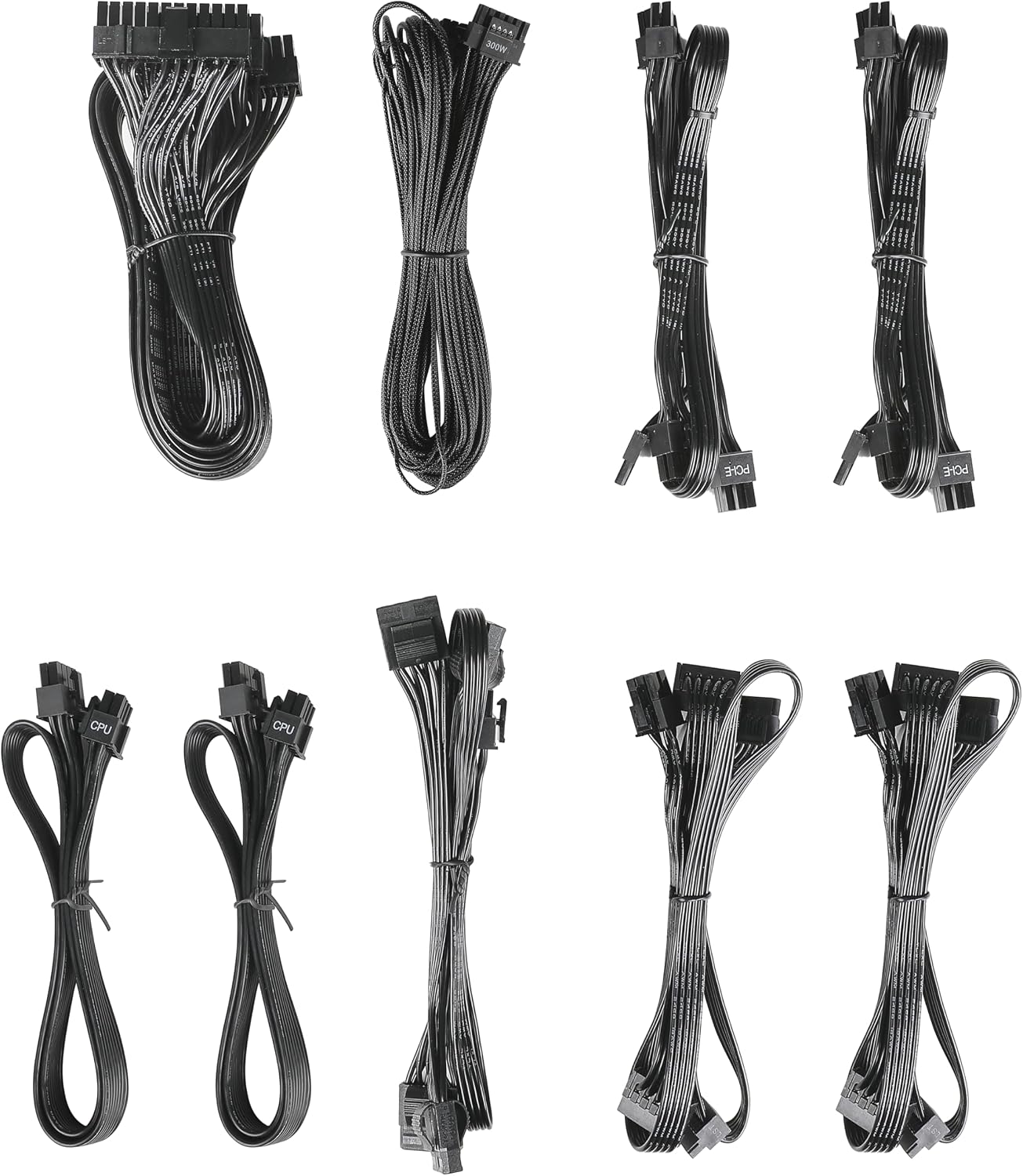
Image: The modular cable set included with the ANTEC GSK750 power supply unit. This includes various cables for motherboard, CPU, PCIe, SATA, and Molex connections.
3.2. 物理的な設置
- コンピュータの電源がオフになっており、壁のコンセントからプラグが抜かれていることを確認してください。
- Mount the PSU into the designated PSU bay in your computer case using the provided screws. Ensure the fan is oriented correctly for optimal airflow (typically facing downwards if there's a bottom vent, or upwards if not).

画像: トップダウン view of the ANTEC GSK750 power supply unit, showing the fan grille and overall compact form factor.
3.3.ケーブル接続
Connect the necessary modular cables to the PSU and your system components. The full modular design allows you to connect only the cables you need, reducing clutter.
- 24-Pin Main Power: マザーボードに接続します。
- 8-Pin (4+4) CPU Power: Connect to your motherboard's CPU power connector.
- PCI-E(6+2ピン): Connect to your graphics card(s).
- SATA電源: SSD、HDD、光学ドライブに接続します。
- モレックスパワー: 古い周辺機器やケースファンに接続します。

Image: The modular connector panel on the side of the ANTEC GSK750 power supply, clearly labeled for PCI-E, CPU, SATA/Molex, and M/B (motherboard) connections.
3.4. 初回電源投入
After all connections are secure, plug the AC power cord into the PSU and then into a wall outlet. Flip the main power switch on the back of the PSU to the 'ON' position. You can then power on your computer.
4. 操作手順
4.1. Hybrid Mode
The ANTEC GSK750 features a Hybrid Mode switch located on the rear of the unit. When Hybrid Mode is enabled, the PSU fan will remain off under low load conditions, providing silent operation. The fan will automatically activate when the load increases to maintain optimal temperatures. When Hybrid Mode is disabled, the fan will operate continuously.

Image: The rear panel of the ANTEC GSK750 power supply, featuring the main power switch, AC input, and the 'Hybrid Mode' toggle switch.
5. メンテナンス
To ensure the longevity and optimal performance of your PSU, follow these maintenance guidelines:
- クリーニング: Periodically clean the exterior of the PSU and the fan grille to prevent dust buildup. Use compressed air to gently clear dust from the fan and internal components. Ensure the PSU is unplugged before cleaning.
- 気流: Ensure that the PSU has adequate airflow within your computer case. Avoid blocking the intake or exhaust vents.
6。 トラブルシューティング
If you encounter issues with your ANTEC GSK750 PSU, consider the following:
- 電源なし: Check all cable connections, especially the 24-pin motherboard connector and the CPU power connector. Ensure the AC power cord is securely plugged into both the PSU and the wall outlet. Verify the main power switch on the PSU is in the 'ON' position.
- システムの不安定性/クラッシュ: PSUワットを確認してくださいtage is sufficient for all your components. Overloading the PSU can lead to instability. Check for loose connections.
- ファンの騒音: If the fan is excessively noisy and Hybrid Mode is off, ensure there is no obstruction. If Hybrid Mode is on, the fan will spin up under load, which is normal.
If problems persist, consult the ANTEC support webサイトをご覧いただくか、カスタマーサービスにお問い合わせください。
7. 仕様
Detailed specifications for the ANTEC GSK750 ATX3.1 80PLUS GOLD PSU:

Image: The specification label of the ANTEC GSK750 power supply, detailing output voltages, currents, and total wattage.
| 仕様 | 価値 |
|---|---|
| ブランド | ANTEC |
| モデル番号 | GSK750 ATX3.1 |
| 出力ワットtage | 750ワット |
| フォームファクター | ATTX |
| 効率認証 | 80PLUSゴールド |
| 製品寸法(長さx幅x高さ) | 14 x 15 x 8.6 cm |
| 製品重量 | 2.5キロ |
| 最小入力ボリュームtage | 100ボルト(AC) |
| System Bus Connector Type | 24 ピン |
| ファン数 | 2 |
| 欧州連合 | 761345200547 |
| 原産国 | 中国 |
8. 保証とサポート
8.1. 保証情報
The ANTEC GSK750 ATX3.1 80PLUS GOLD Power Supply Unit comes with a 7年間保証 ご購入日から1年間有効です。本保証は、通常の使用状況における材料および製造上の欠陥を対象としています。保証請求の際は、購入証明書を保管してください。
8.2. カスタマーサポート
For technical assistance, troubleshooting, or warranty inquiries, please visit the official ANTEC website or contact their customer support department. Contact information can typically be found on the ANTEC webサイトまたは製品のパッケージ。