The Walfront WSB7020R is an integrated Human Machine Interface (HMI) and Programmable Logic Controller (PLC) system designed for industrial control applications. It features a 7-inch TFT LCD display, a powerful 32-bit ARM9 processor, and is compatible with FX3U series PLCs. This all-in-one unit offers efficient control, monitoring, and programming capabilities for various automation scenarios.
Figure 1: Walfront HMI PLC All-in-One unit. This image highlights key features such as space-saving design, simplified wiring, timing lock, floating point support, sensitive touch, and accuracy.
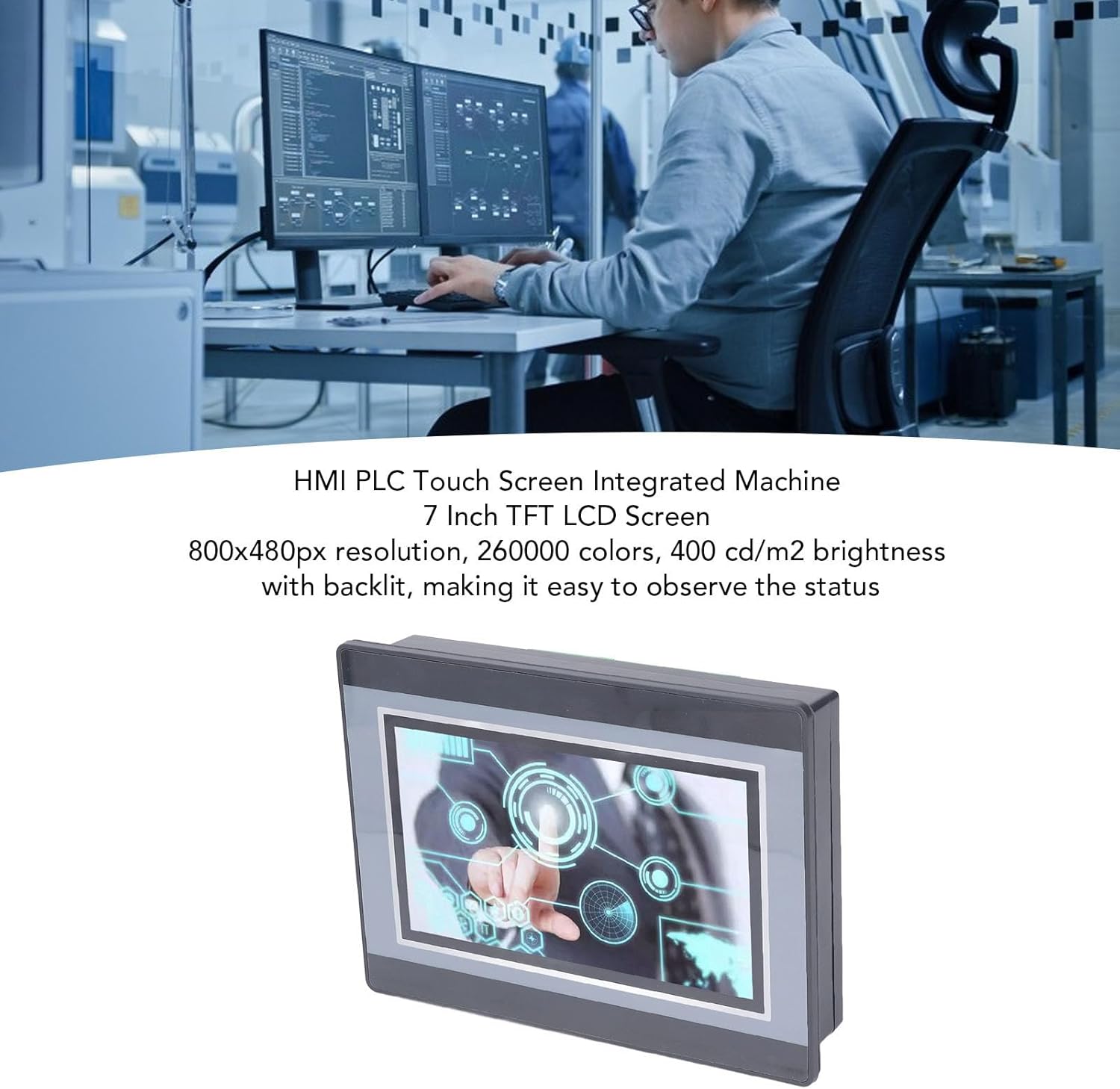
Figure 2: An engineer utilizing the HMI PLC Touch Screen Integrated Machine in a workspace. The display features an 800x480px resolution, 260,000 colors, and 400 cd/m2 brightness with backlighting for clear status observation.
2. 技術仕様
特徴
仕様
モデル
WSB7020R
材料
アブソリュート
寸法(長さ×幅×高さ)
約202 x 148 x 51 mm(7.95 x 5.83 x 2.01インチ)
Opening Size for Installation
約190 x 135 mm(7.48 x 5.31インチ)
ディスプレイ画面
7インチTFT液晶
解決
800x480ピクセル
色深度
260,000色
輝度
400 cd/m2 (with backlit display)
タッチスクリーンタイプ
4 線式工業用抵抗膜方式タッチ スクリーン
Touch Screen Hardness
4H
プロセッサ
32-bit 240MHz ARM9
メモリ
128M NAND FLASH
PLC Compatibility
For FX3U 20, 40, 48MRT
入力点
12
出力ポイント
8
出力タイプ
リレー
出力電流
5A
負荷
24V
High Speed Count
6 / 3K
パルス出力
なし
アナログ入力
Default 3AD 0-10V, 3AD 0-20MA (AD0, AD1)
アナログ出力
20A 0-10V
クロック
サポート
HMI Programming Software
HMI Studio 5.1
PLC Programming Software
GX Developer or GX Works2
PLC Download Speed
38.4Kbps
Figure 3: Detailed dimensions of the Walfront HMI PLC unit, showing length, width, and height measurements in both millimeters and inches.
3. インストールとセットアップ
The Walfront WSB7020R HMI PLC is designed for straightforward installation into industrial control panels.
3.1. 開梱
Carefully unpack the HMI PLC unit and verify that all components are present:
1 x HMI PLC Unit (Model WSB7020R)
取り付けネジ4本
固定ブラケット4個
3.2. パネルマウント
Prepare an opening in your control panel with dimensions of approximately 190 x 135 mm (7.48 x 5.31 in).
Insert the HMI PLC unit into the prepared opening from the front of the panel.
From the rear of the panel, attach the four fixing brackets to the sides of the HMI PLC unit.
Secure the unit by tightening the four installation screws through the brackets. Ensure the unit is firmly seated and stable.
3.3.配線
Connect power and I/O wiring according to your system's requirements. Refer to the detailed wiring diagrams in the comprehensive electronic manual for specific connections. Ensure all connections are secure and comply with local electrical codes.
4. 操作とプログラミング
This section outlines the basic steps for operating and programming your Walfront HMI PLC unit.
4.1. 電源オン
Once installed and wired, apply power to the unit. The 7-inch TFT LCD display will illuminate, and the system will boot up.
4.2. HMI Programming
To develop or modify the Human Machine Interface (HMI) program:
インストール HMI Studio 5.1 あなたのコンピュータ上のソフトウェア。
Connect your computer to the HMI PLC unit using a USB male-to-male cable.
使用 HMI Studio 5.1 to create or edit your HMI project.
Download the HMI program to the unit via the USB connection.
4.3. PLC Programming
For programming the Programmable Logic Controller (PLC) functionality:
Install either GX Developer or GX Works2 あなたのコンピュータ上のソフトウェア。
Connect your computer to the HMI PLC unit.
Use the chosen software to develop, download, and debug your PLC program.
The download speed for PLC programs is 38.4Kbps.
注記: Monitoring writing is not supported by the PLC programming software for this unit.
Figure 4: The HMI PLC unit's display, emphasizing its 4-wire industrial resistive touch screen with 4H hardness. The text also highlights its low power consumption, fast running speed, stable performance, and direct programmability, downloadability, debuggability, and monitorability using software (monitoring writing not supported).
Figure 5: Wide application range of the HMI PLC unit, including Printing, Chemical Industry, Plastic, Building Materials, Home Furnishings, Packing, Textile, Food, and Metallurgy, demonstrating its flexibility in industrial automation control scenarios.
If the backlight is on but no image, try restarting the unit.
タッチスクリーンが反応しない:
Calibrate the touch screen if available in the system settings.
画面がきれいで障害物がないことを確認してください。
Cannot Download HMI/PLC Program:
Verify the USB cable connection is secure and functional.
Ensure the correct programming software (HMI Studio 5.1 for HMI, GX Developer/GX Works2 for PLC) is installed and configured properly.
コンピューターのドライバーの問題を確認してください。
PLC Program Not Executing Correctly:
Review your PLC program logic for errors.
Ensure the program has been successfully downloaded to the unit.
Check I/O connections for proper wiring.
For further assistance, please refer to the detailed electronic manual or contact Walfront customer support.
7. 保証とサポート
7.1. 保証情報
This Walfront HMI PLC unit comes with a manufacturer's warranty for 90日 ご購入日から1年間有効です。本保証は、通常の使用における材料および製造上の欠陥を対象とします。誤用、事故、不正な改造、または不適切な取り付けによる損傷は保証の対象外となります。
7.2. カスタマーサポート
If you encounter any issues not covered in this manual or require further technical assistance, please contact Walfront customer support. Refer to the product packaging or the official Walfront web最新の連絡先情報については、サイトをご覧ください。
Please have your product model (WSB7020R) and purchase details ready when contacting support.