
PeakDo PK-P5-RX/TX
PeakDo ワイヤレス HDMI トランスミッターおよびレシーバー ユーザーマニュアル
Model: PK-P5-RX/TX
導入
This manual provides comprehensive instructions for the safe and efficient operation of your PeakDo Wireless HDMI Transmitter and Receiver. This device is designed to provide a convenient, cable-free solution for transmitting high-definition video and audio signals, supporting resolutions up to 4K@30Hz with minimal latency. It is ideal for various applications including gaming, video streaming, presentations, and use with AR glasses.
製品終了view
The PeakDo Wireless HDMI system consists of two main components: a Transmitter (TX) and a Receiver (RX).

Image: The PeakDo Wireless HDMI Transmitter (smaller, stick-like) and Receiver (larger, rectangular) units.
コンポーネントとポート
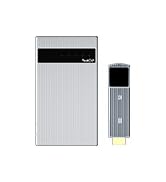
Image: Detailed diagram showing the ports and indicators on both the Transmitter (TX) and Receiver (RX) units.
- 送信機(TX):
- Standard HDMI Port: Connects to source devices (e.g., PS5/4, Xbox, Switch, PC, Laptop, Camera).
- USB-C Charging Port: For power supply.
- Function Indicator: Displays device status.
- Reset Button: For device reset or pairing.
- Antenna Position: Optimal area for signal transmission.
- レシーバー(RX):
- Standard HDMI Port: Connects to display devices (e.g., Monitor, TV, Projector).
- USB-C Port: For power supply and data transfer (USB-C 3.1).
- USB-C Charging Port: For charging the internal battery and powering connected devices.
- On/Off Switch: Powers the receiver on or off.
- Power Indicator: Shows power status.
- Function Indicator: Displays device status.
- Reset Button: For device reset or pairing.
- Antenna Position: Optimal area for signal reception.
箱の中身

Image: An illustration showing the PeakDo Wireless HDMI Receiver (RX), Transmitter (TX), USB-A to USB-C cable, USB-C to USB-C PD cable, and an HDMI extension cable.
- PeakDo ワイヤレス HDMI レシーバー (RX) x 1
- PeakDo ワイヤレス HDMI トランスミッター (TX) x 1
- USB-A - USB-Cケーブル x 1
- 1 x USB-C to USB-C PD Cable
- HDMI延長ケーブル1本
- ユーザーマニュアル (本書) x 1
セットアップガイド
Follow these steps to set up your PeakDo Wireless HDMI system.

Image: A step-by-step diagram illustrating the connection process for the transmitter and receiver units.
- Install Transmitter (TX):
- Plug the Transmitter into the HDMI port of your source device (e.g., PC, laptop, Switch, PS4, PS5, Xbox, camera).
- Power the Transmitter with an external power supply (at least 5V/2A) using the provided USB-C cable.
- Install Receiver (RX):
- Long press the switch button on the Receiver for 3-5 seconds to turn it on. The indicator light will turn red.
- Connect the Receiver to your monitor, TV, or projector via the HDMI to HDMI cable.
- Alternatively, connect the Receiver to AR glasses or portable monitors via the USB-C to USB-C cable.
- 接続を待つ:
- The Transmitter and Receiver are pre-paired at the factory. They will automatically pair within 10 seconds after being connected and powered on.
- Ensure the TX and RX antennas face each other for the strongest signal. There must be no obstruction between TX and RX.
- A blue indicator light on the Receiver indicates pairing is in progress.
- A green indicator light on the Receiver means the connection is established.
互換性
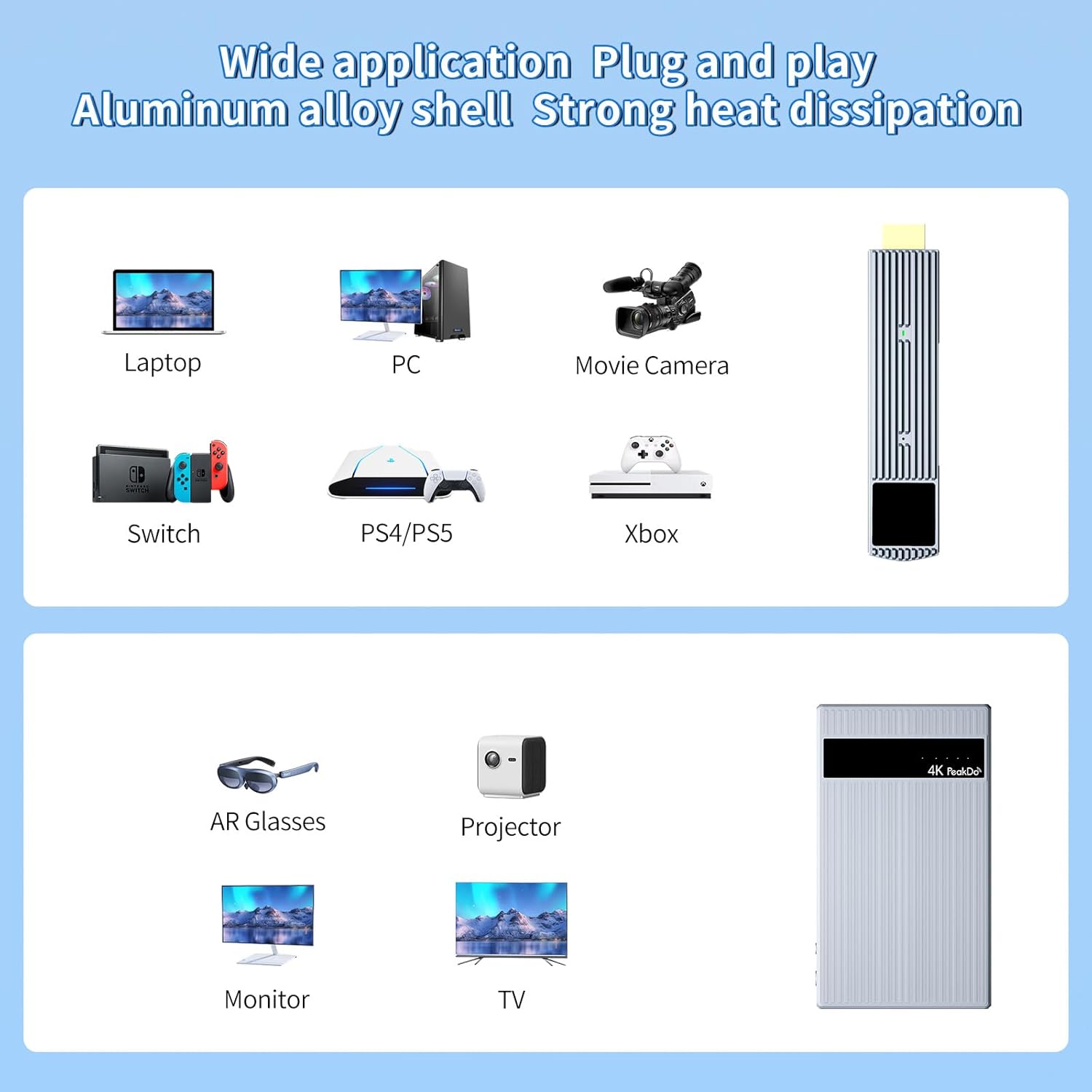
Image: A visual representation of compatible input devices (laptops, PCs, cameras, Switch, PS4/PS5, Xbox) and output devices (AR glasses, projectors, monitors, TVs).
The PeakDo Wireless HDMI system offers broad compatibility:
- 送信機(TX)対応機器: PS5/4, Xbox, Switch, PC, Laptop, Camera, and any other device with an HDMI output.
- 受信機(RX)対応デバイス: Monitors, TVs, Projectors (via HDMI), XREAL Air (formerly Nreal Air), Rokid Max/Air, RayNeo, VITURE One AR glasses, and portable monitors (via USB-C 3.1).
注記: When connecting the transmitter to a PC, ensure you plug the USB-C cable directly into the PC, not a USB hub, for optimal performance.
操作手順
Once connected, the PeakDo Wireless HDMI system operates automatically. Here are some usage scenarios and important notes:
一般的な操作
- プラグ&プレイ: The system is designed for plug-and-play operation, requiring no Wi-Fi connection or software installation.
- ミラーおよび拡張モード: Supports both mirror and extend display modes, allowing for flexible use with your connected devices.
- 自動ペアリング: TX and RX units automatically pair upon power-up if they are within range and unobstructed.
Using with AR Glasses and Portable Monitors
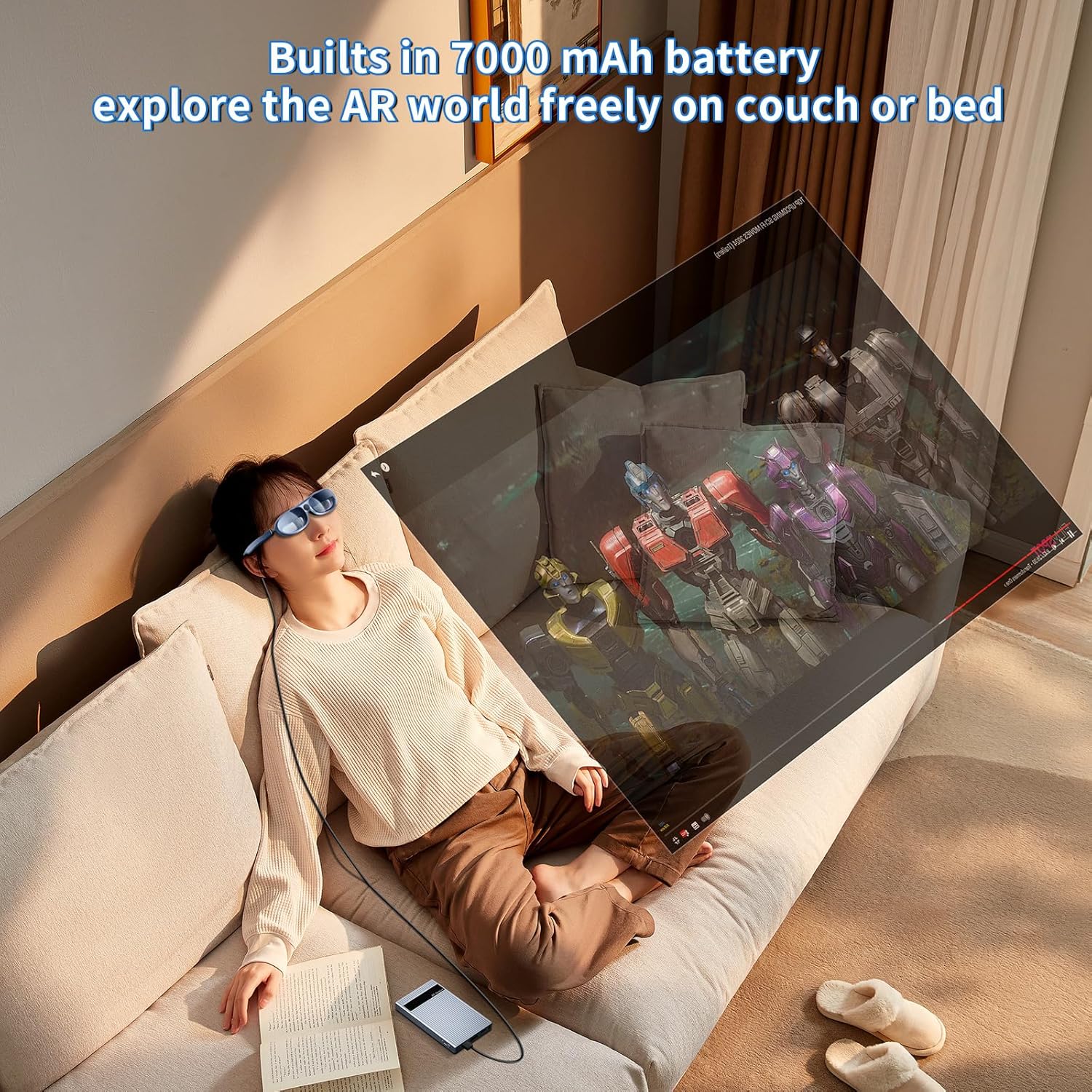
Image: A person wearing AR glasses and connected to the PeakDo Receiver, relaxing on a couch and viewing content wirelessly.

Image: A man comfortably seated in a chair, wearing AR glasses connected to the PeakDo Receiver, enjoying content wirelessly.
- The Receiver has a built-in 7000 mAh battery, capable of powering AR glasses and portable monitors under 10W for 3-5 hours.
- For portable monitors requiring over 10W, an external power supply is necessary.
Gaming and Large Screen Viewing
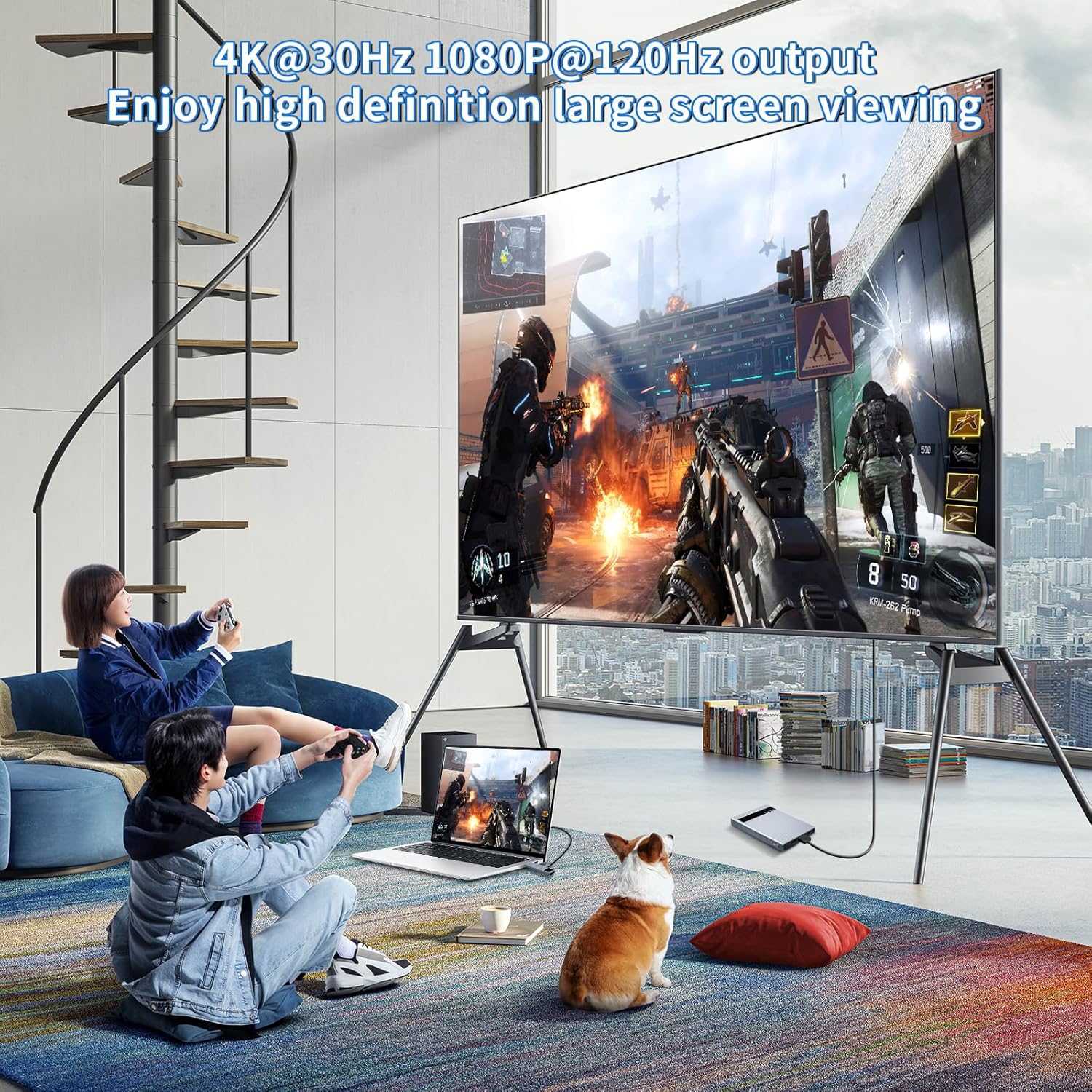
Image: Two individuals playing video games on a large television screen, with the PeakDo Wireless HDMI system connected to a laptop, demonstrating wireless display for gaming.
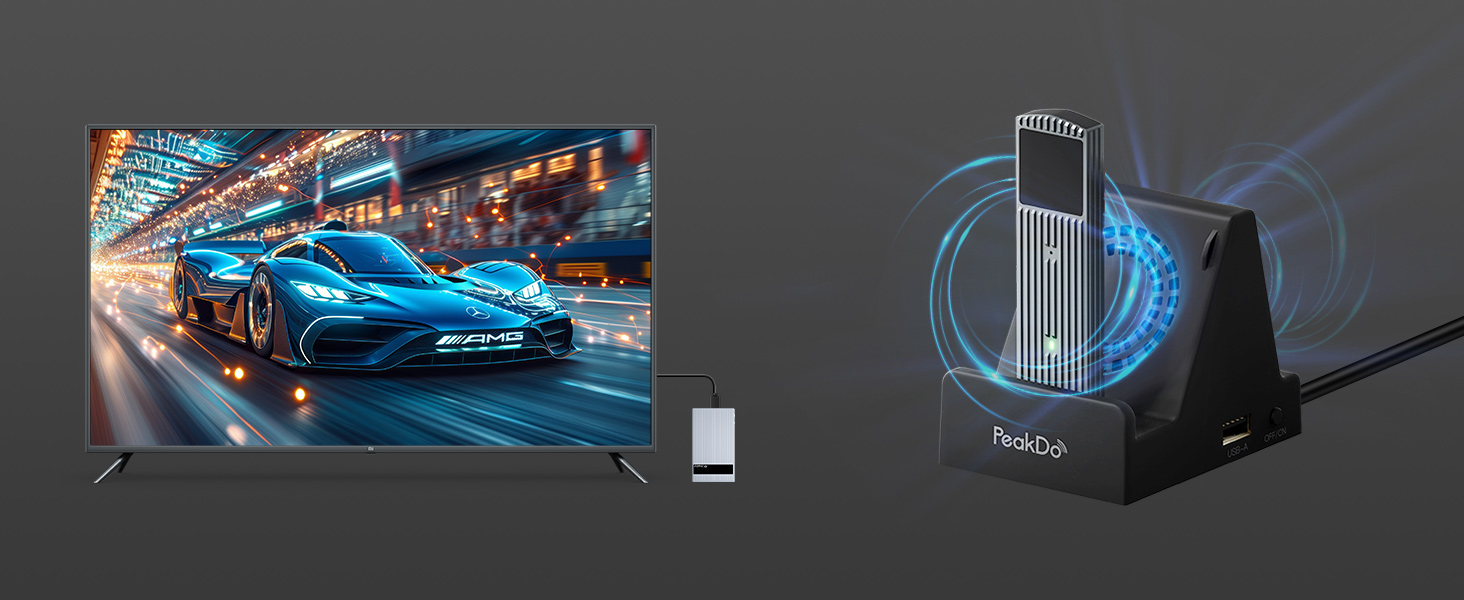
Image: A man playing a video game on a large television, with the PeakDo Wireless HDMI system connected to a gaming console, illustrating a wireless gaming setup.
- The 60GHz millimeter wave technology ensures ultra-low latency (<2.5ms), making it suitable for fast-paced gaming and live sports.
- Supports 4K@30Hz, 1080P@60Hz, and 1080P@120Hz output. Note: Only supports 1080P@60Hz when connected to PS4 or PS5.
伝送距離

Image: An illustration demonstrating the maximum transmission range of up to 100 feet within a single room without physical barriers between the transmitter and receiver.
- The wireless HDMI extender kit supports up to 100ft wireless transmission range.
- 重要な注意: The signal cannot pass through walls or significant obstructions. For optimal performance, ensure a clear line of sight between the Transmitter and Receiver in the same room.
メンテナンス
Proper maintenance ensures the longevity and optimal performance of your PeakDo Wireless HDMI system.
- クリーニング: Use a soft, dry cloth to clean the surfaces of the Transmitter and Receiver. Avoid using liquid cleaners or aerosols.
- 放熱: Both units are made of durable aluminum alloy for efficient heat dissipation. It is normal for the product surface to become warm during operation.
- 冷却: If you are concerned about the operating temperature during extended use, consider using a cooling dock (sold separately) for effective cooling.
- ストレージ: When not in use for extended periods, press the switch button on the Receiver for 3-5 seconds to turn off the power. Store the devices in a cool, dry place away from direct sunlight and extreme temperatures.
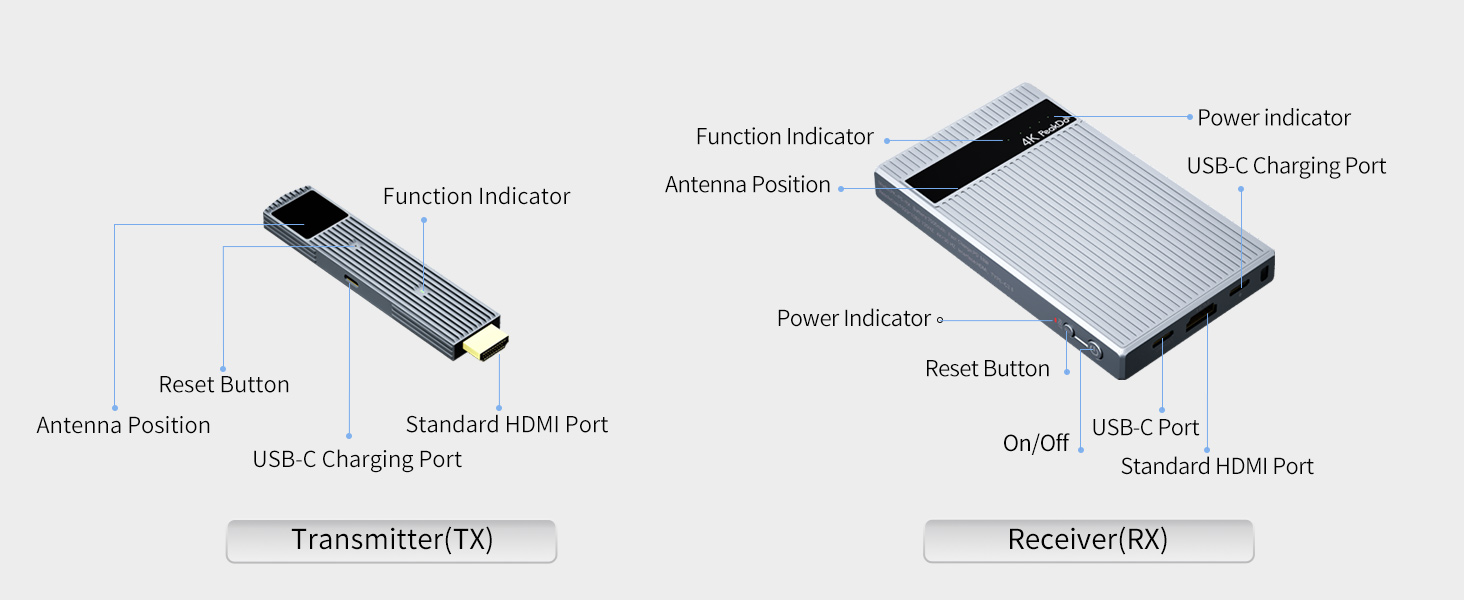
Image: The PeakDo Wireless HDMI Receiver connected to a display, alongside an optional cooling dock designed to enhance heat dissipation.
トラブルシューティング
If you encounter issues with your PeakDo Wireless HDMI system, refer to the following common problems and solutions:
| 問題 | 考えられる原因 | 解決 |
|---|---|---|
| No signal/No display |
|
|
| Intermittent signal/Flickering display |
|
|
| Receiver battery drains quickly |
|
|
| Product surface is hot |
|
|
仕様
| 特徴 | 詳細 |
|---|---|
| モデル番号 | PK-P5-RX/TX |
| ブランド | ピークドゥ |
| 接続技術 | Wireless (60GHz Millimeter Wave) |
| サポートされている解像度 | 4K@30Hz, 1080P@60Hz, 1080P@120Hz (Note: PS4/PS5 supports 1080P@60Hz only) |
| レイテンシー | Zero Latency (<2.5ms) |
| 伝送距離 | Up to 100ft (in one room without obstacles) |
| 受信機のバッテリー容量 | 7000 mAh (3-5 hours usage for devices under 10W) |
| Transmitter Power Requirement | At least 5V/2A via USB-C |
| シェル素材 | アルミニウム合金 |
| 製品寸法 | 5.2 x 3 x 0.7インチ |
| アイテム重量 | 1.3ポンド |
| オーディオ出力モード | ステレオ、サラウンド(5.1) |
| ビデオエンコーディング | H.264、H.265/HEVC、VP9、AV1、MPEG-4 |
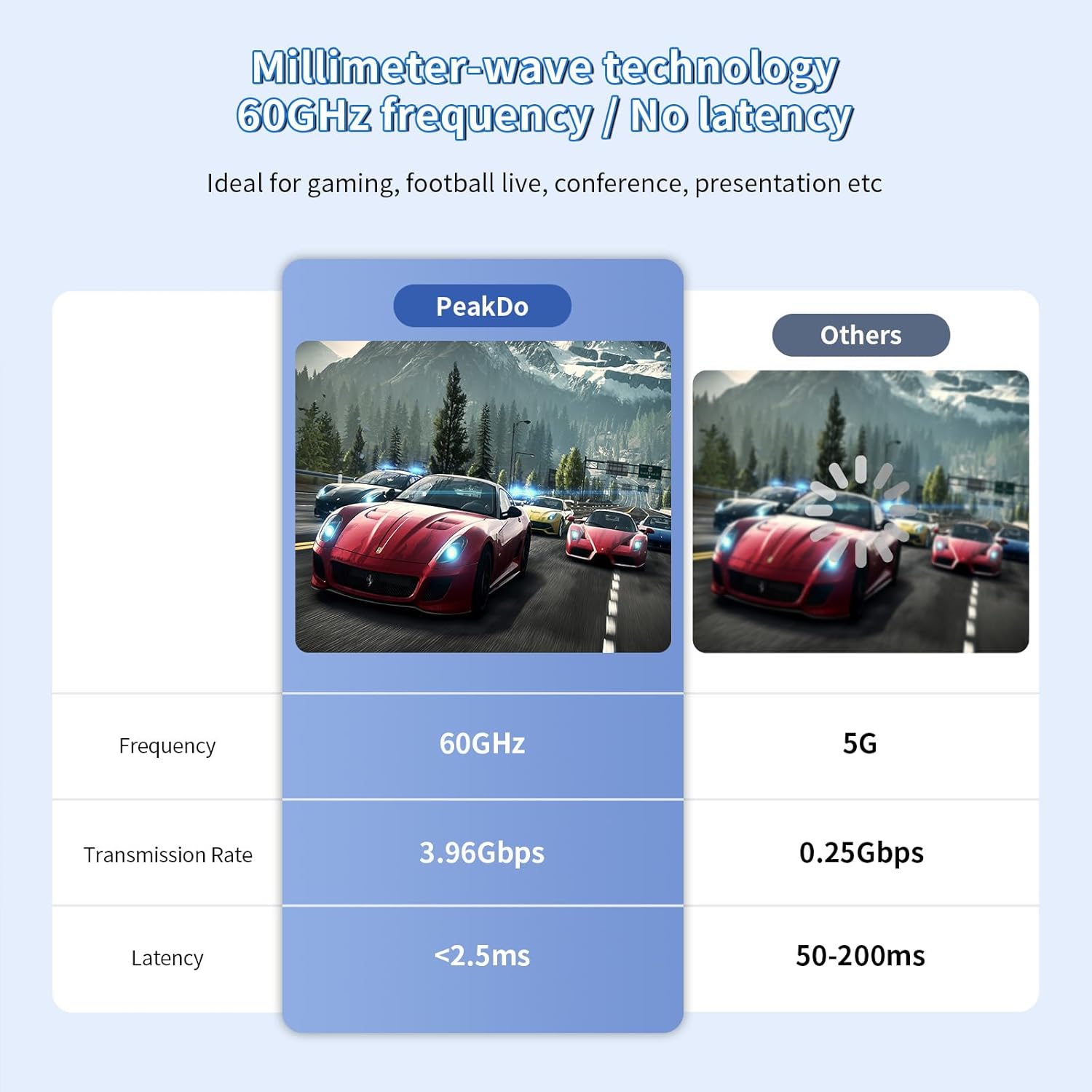
Image: A comparison chart highlighting PeakDo's 60GHz frequency, 3.96Gbps transmission rate, and <2.5ms latency against other technologies.
保証とサポート
保証情報およびテクニカル サポートについては、以下を参照してください。
- 保証: 具体的な保証内容は通常、ご購入時の書類に記載されています。保証請求の際は、購入証明書を保管してください。
- カスタマーサポート: For technical assistance, troubleshooting beyond this manual, or warranty inquiries, please contact PeakDo customer support through their official web製品を購入したサイトまたは小売店にお問い合わせください。
- オンラインリソース: Visit the official PeakDo store on Amazon for additional product information and updates: PeakDo Amazon Store.
Ask a question about this manual
Ask about setup, troubleshooting, compatibility, parts, safety, or missing instructions. Manuals+ will review the question and use this page’s manual context to help answer it.