
導入
Thank you for choosing the Cuifati Mini Body Camera. This manual provides detailed instructions for the proper use, setup, and maintenance of your device. Please read this manual thoroughly before operating the camera to ensure optimal performance and longevity.
パッケージ内容
- 1 x Wearable Camera
- キャリーバッグ x 1。
- ユーザーマニュアル x 1
- ストラップ x 1
- 1 x Back Shell Bracket
- 三脚 x 1
- USBケーブル1本
- クリーニングクロス1枚

Figure 1: Cuifati Mini Body Camera and included accessories.

Figure 2: Multi-scenario application examples for the body camera.
製品終了view
Familiarize yourself with the components and controls of your Cuifati Mini Body Camera.
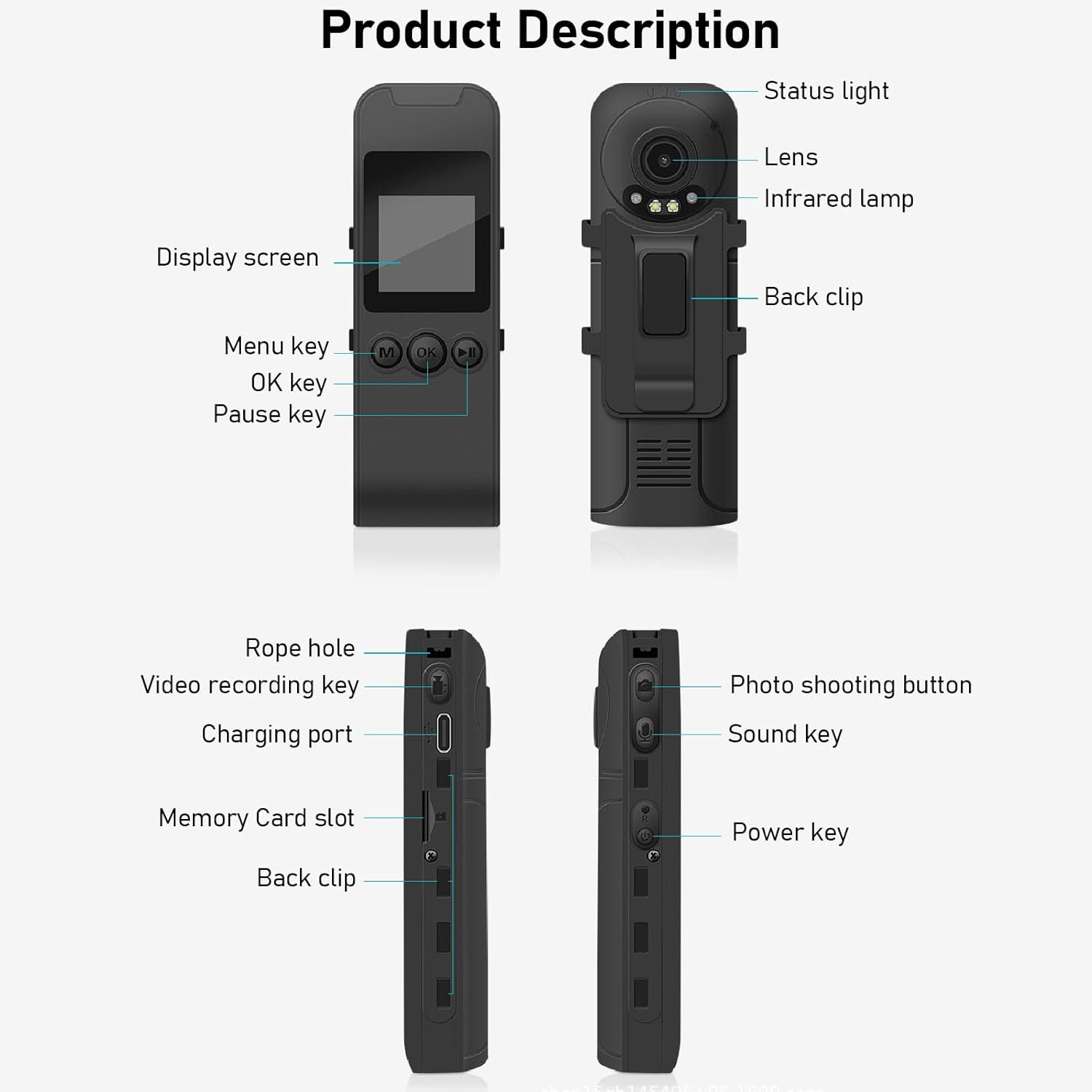
Figure 3: Labeled components of the Cuifati Mini Body Camera.
- ステータスライト: デバイスの状態 (例: 録画、充電中) を示します。
- レンズ: ビデオと写真の撮影用のメインカメラ レンズ。
- 赤外線Lamp: 夜間視力のための照明を提供します。
- バッククリップ: カメラを衣服やその他の表面に取り付けます。
- 表示画面: 1.3-inch LCD for live view、再生、メニューナビゲーションなど。
- Menu Key (M): デバイス設定にアクセスします。
- OKキー: Confirms selections or starts/stops functions.
- 一時停止キー: 再生または録音を一時停止します。
- Rope Hole: ストラップを取り付けるポイント。
- Video Recording Key: ビデオ録画を開始および停止します。
- 充電ポート(Type-C): デバイスの充電やコンピューターへの接続に使用します。
- メモリーカードスロット: 保存用に microSD カードを挿入します。
- Photo Shooting Button: 静止画像をキャプチャします。
- サウンドキー: Controls audio recording.
- 電源ボタン: デバイスの電源をオンまたはオフにします。
設定
1. バッテリーの充電
Before first use, fully charge the camera's built-in lithium-ion battery. Connect the camera to a power source using the provided Type-C USB cable. The status light will indicate charging status. A full charge provides approximately 20 hours of work time and 10 hours of video recording.
Figure 4: Built-in 1200mAh battery for extended use.
2. メモリーカードの挿入
The camera supports up to a 256GB memory card (not included). Locate the memory card slot on the side of the camera. Gently insert the microSD card with the gold contacts facing down until it clicks into place. To remove, push the card in slightly until it springs out.

Figure 5: Memory card slot for storage expansion.
操作手順
1.電源のオン/オフ
- 電源を入れるには: Press and hold the Power Key until the display screen illuminates.
- 電源を切るには: Press and hold the Power Key until the device shuts down.
2.ビデオ録画
The camera records in 1440P HD at 30 frames per second with a 120° wide-angle lens and infrared night vision.
- 録音を開始するには: Press the Video Recording Key. The status light will change, and a recording indicator will appear on the screen.
- 録音を停止するには: Press the Video Recording Key again.
- ループ録音: カメラはループ録画をサポートしており、古いものを自動的に上書きします。 file■メモリーカードがいっぱいになったとき。
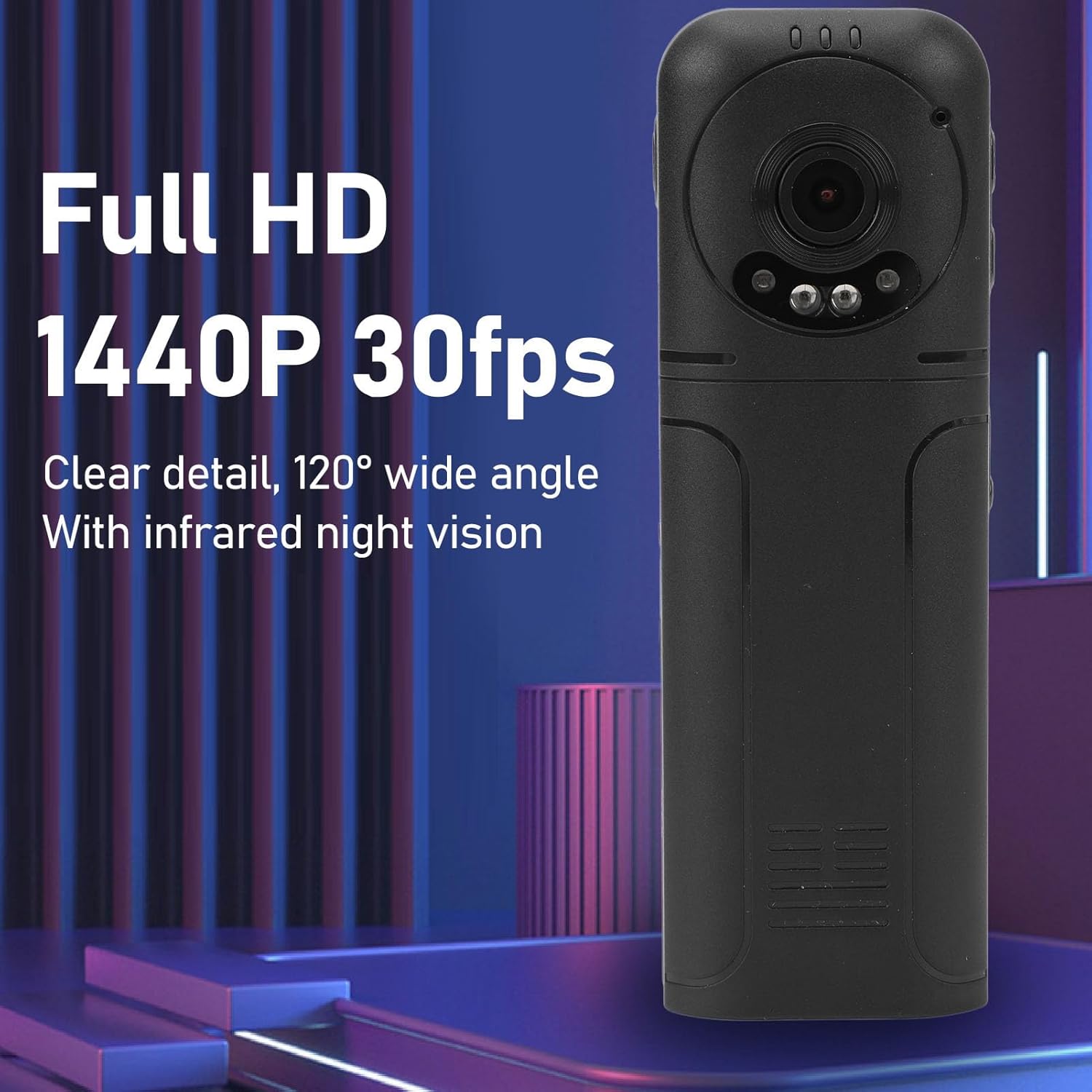
Figure 6: 1440P HD video recording with night vision.
3. 写真撮影
- 写真を撮る: In standby mode, press the Photo Shooting Button.
4.オーディオ録音
- To Start Audio Recording: Press the Sound Key.
- To Stop Audio Recording: Press the Sound Key again.

Figure 7: Audio recording functionality.
5. 再生と File 管理
The 1.3-inch LCD screen supports live playback, browsing, and pausing of videos, photos, and recordings directly on the device.

Figure 8: 1.3-inch color screen for on-device playback.
- デバイス上での再生: Use the Menu, OK, and Pause keys to navigate and play files が画面に表示されます。
- コンピュータへの接続: Connect the camera to a computer via the Type-C USB cable to transfer, view, or delete files.
- OTG機能: If your mobile phone supports OTG, you can connect the camera directly to your phone for playback and file 管理。
メンテナンス
1. 清掃
- Use the provided cleaning cloth or a soft, dry cloth to wipe the camera body and lens.
- 液体クリーナーや溶剤はデバイスを損傷する恐れがあるため使用しないでください。
2. ストレージ
- カメラは直射日光や極端な温度を避け、涼しく乾燥した場所に保管してください。
- Remove the memory card if storing for extended periods.
トラブルシューティング
カメラに問題が発生した場合は、次の一般的な問題と解決策を参照してください。
| 問題 | 解決 |
|---|---|
| カメラの電源が入りません。 | バッテリーが充電されていることを確認してください。電源に接続してもう一度お試しください。 |
| ビデオ/写真を録画できません。 | Check if a memory card is inserted correctly and has sufficient free space. Format the memory card if necessary (this will erase all data). |
| メモリカードが認識されません。 | Ensure the memory card is inserted correctly. Try a different compatible memory card. Format the card using the camera's menu or a computer. |
| ビデオ/オーディオの品質が悪い。 | Ensure the lens is clean. Check lighting conditions. For audio, ensure the microphone is not obstructed. |
| デバイスがフリーズしたり、応答しなくなったりします。 | Press and hold the Power Key for 10-15 seconds to force a restart. |
仕様
Below are the technical specifications for the Cuifati Mini Body Camera (Model CUIFATI2vg0ri8moa):
- アイテムタイプ: Wearable Camera
- 材料: アブソリュート
- ナイトビジョン: 2pcs Night Vision Light Beads
- ビデオ解像度: 1440P(最大)
- フレームレート: 30FPS
- 電池のタイプ: リチウムイオン電池
- バッテリー容量: 1200mAh(内蔵)
- ストレージのサポート: 最大256GBのメモリカード(別売)
- 充電ポート: タイプC
- アプリ名: For RoadCam (if applicable for advanced features)
- モデル名: CUIFATI2vg0ri8moa
- メーカー: クイファティ
保証とサポート
For warranty information or technical support, please refer to the documentation provided at the time of purchase or contact Cuifati customer service directly. Keep your purchase receipt as proof of purchase.