
1. 安全情報
Please read all safety instructions carefully before using the TOMLOV TriL110 Digital Microscope. Retain this manual for future reference.
- 電源: 指定された電源アダプタのみを使用してください。tage は製品要件と一致します。
- 環境: Operate the microscope in a dry, clean environment. Avoid exposure to extreme temperatures, humidity, dust, or corrosive substances.
- 取り扱い: デバイスは丁寧に取り扱ってください。落としたり、強い衝撃を与えたりしないでください。
- クリーニング: 清掃する前に電源を切ってください。柔らかく乾いた布を使用してください。液体クリーナーや溶剤は使用しないでください。
- 分解: Do not attempt to disassemble or repair the microscope yourself. Unauthorized repairs will void the warranty and may cause damage or injury.
- 子供たち: This device is not a toy. Adult supervision is recommended when children are using the microscope.
2.製品オーバーview
The TOMLOV TriL110 is a versatile digital microscope featuring a 10.1-inch IPS display, 2K video recording, and 24MP photo capture. It comes equipped with three interchangeable lenses offering magnifications up to 2500x, making it suitable for various applications including coin inspection, circuit board soldering, and biological slide observation. The device supports HDMI and USB output for real-time viewing on larger screens and includes a comprehensive lighting system for optimal illumination.
2.1 パッケージ内容
- TOMLOV TriL110 Digital Microscope Unit
- 1000X Lens (Pre-installed)
- 1500X Soldering Lens
- 2500X Biological Lens
- Adjustable Stand with Base
- Gooseneck Side Lights (2)
- Slide Glass Bottom Transmitted Light
- 電源アダプター
- HDMIケーブル
- USBケーブル
- ワイヤレスリモコン
- 64GB SDカード
- ユーザーマニュアル
2.2 製品の特徴
- 3-Lens System: Easily switch between 1000X (coin/stamp), 1500X (soldering/watch repair), and 2500X (biological slides) lenses by rotating the lens barrel.
- 高解像度ディスプレイ: 10.1-inch IPS screen with 178° viewing angle, 24MP photo resolution, and 2K video resolution for clear, vibrant images.
- 多彩な照明: Features 12 main LED lights, 2 gooseneck side lights, and 1 slide glass bottom transmitted light, all with independent brightness adjustment.
- 外部出力: Real-time HDMI and USB output for connecting to larger monitors or computers.
- ストレージ: Includes a 64GB SD card for storing photos and videos.
- ワイヤレスリモコン: Conveniently capture images, record videos, and adjust zoom without touching the microscope.
- 調整可能なスタンド: Provides a stable and spacious working area, with adjustable height for different observation needs.

画像: 上view of the TOMLOV TriL110 Digital Microscope highlighting its 3-lens system and 10.1-inch display.
Video: A demonstration of the TOMLOV TriL110 Digital Microscope's features, including lens switching, focusing, and various applications.
3. セットアップ
3.1 組み立て
- ディスプレイユニットを取り付けます。 Securely mount the display unit onto the adjustable stand.
- レンズの取り付け: The 1000X lens is typically pre-installed. To switch lenses, gently rotate the lens barrel to detach the current lens and attach the desired lens (1500X or 2500X).
- ライトを接続する: Plug the gooseneck side lights into their designated ports on the base.
- SDカードを挿入します: Insert the provided 64GB SD card into the SD card slot on the side of the display unit.
- 接続電源: Connect the power adapter to the microscope and then to a power outlet.

Image: Visual guide showing the simple steps for setting up and using the microscope, including powering on, lens selection, height adjustment, and focusing.
3.2 電源のオン/オフ
顕微鏡の電源をオンまたはオフにするには、ディスプレイユニットの電源ボタンを長押しします。
3.3 初期設定
Upon first use, you may need to adjust language, date, and time settings through the on-screen menu. Refer to the 'Operation' section for menu navigation.
4. 操作
4.1 Lens Switching and Magnification
The TriL110 features three specialized lenses. To switch between them, gently rotate the lens barrel to detach the current lens and attach the desired one. Each lens is designed for specific magnification ranges and applications:
- 1000倍レンズ: Magnification 2X-1000X. Object distance 8mm-500mm. Ideal for observing coins, stamps, and other larger objects.
- 1500X Soldering Lens: Magnification 10X-1500X. Object distance 38mm-180mm. Optimized for detailed work like PCB soldering and watch repair.
- 2500X Biological Lens: Magnification 2000X-2500X. Object distance 3mm-4mm. Best suited for observing biological slides and microscopic mites.

Image: Illustrates the process of rotating the lens barrel to easily switch between the three available lenses.
4.2 フォーカシング
To achieve a clear image, rotate the focus wheel on the microscope body until the object appears sharp on the display. Adjust the height of the microscope stand as needed for different lenses and object distances.

Image: A user observing a coin using the 1000X lens, demonstrating its suitability for coin and stamp 観察。

Image: The microscope in use for soldering a circuit board, showcasing the 1500X lens for precision tasks.

Image: A user observing a biological slide, demonstrating the high magnification capabilities of the 2500X lens.
4.3 照明制御
The microscope is equipped with multiple light sources for optimal illumination. The 12 main LED lights, 2 gooseneck side lights, and 1 slide glass bottom transmitted light can be adjusted independently using the controls on the device or the remote control. Adjust the brightness to eliminate shadows and achieve clear visibility of your specimen.

Image: Details of the microscope's lighting system, including the 12 main LEDs, two adjustable side lights, and the transmitted light for transparent specimens.
4.4 写真とビデオのキャプチャ
To capture images or record videos, use the dedicated buttons on the display unit or the wireless remote control. The captured media will be saved to the inserted SD card.
- 写真モード: Press the 'Photo' button to take a still image.
- ビデオモード: Press the 'Video' button to start/stop video recording.
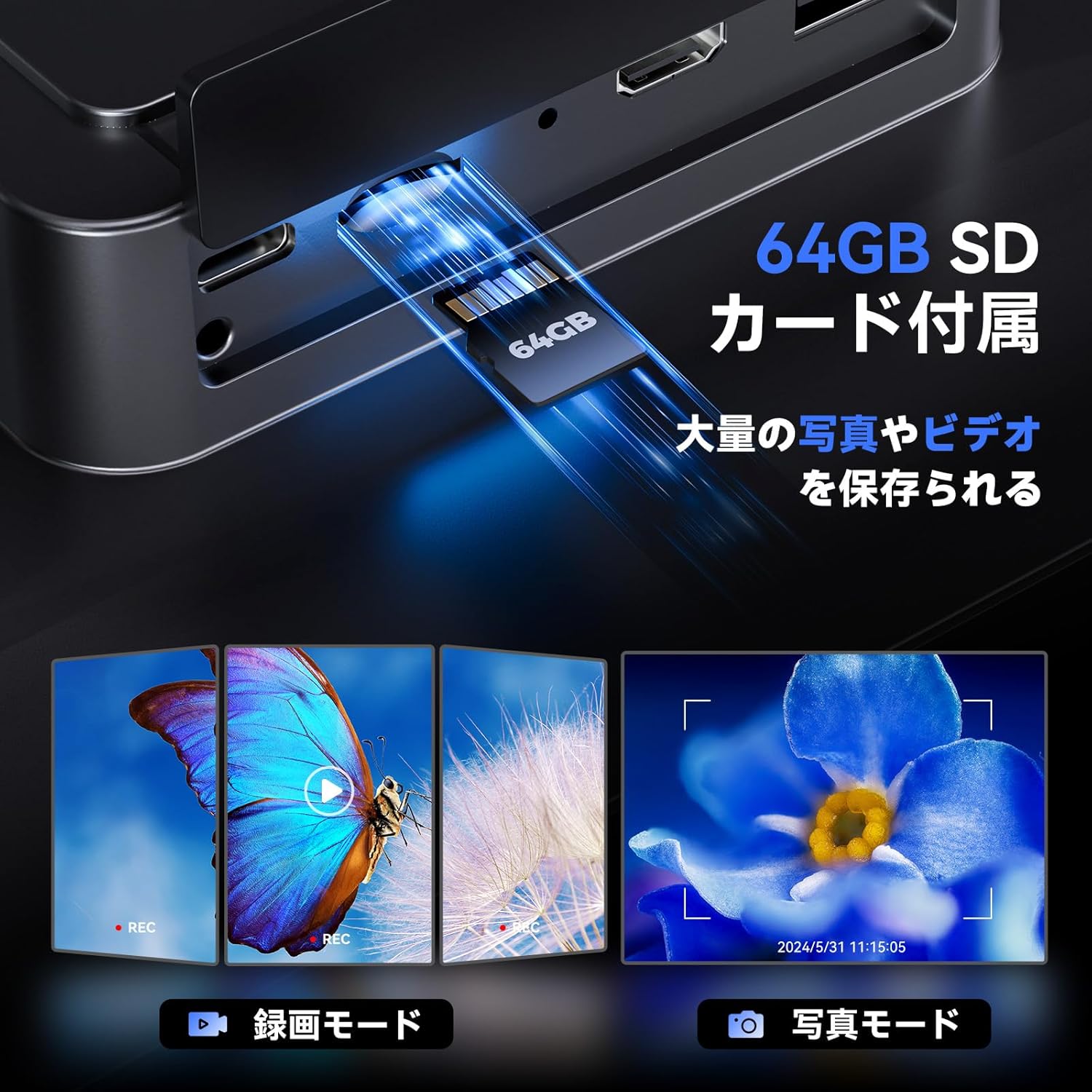
Image: Illustrates the inclusion of a 64GB SD card for extensive photo and video storage.
4.5 Connecting to External Displays (HDMI & USB)
The microscope can output its display to a larger screen for collaborative viewing or detailed analysis:
- HDMI出力: Connect an HDMI cable from the microscope to an HDMI-enabled monitor or TV. The microscope display will automatically switch to output mode.
- USB出力: Connect a USB cable from the microscope to a computer. You may need to install specific software (not included, usually available from manufacturer's webサイト)へ view コンピューター上のライブフィード。

Image: Shows the microscope connected to a larger TV and a laptop, demonstrating its HDMI and USB output capabilities for real-time viewing。
4.6ワイヤレスリモコン
The included wireless remote control allows for convenient operation without disturbing the microscope. Functions include:
- ズームイン/ズームアウト
- 写真のキャプチャ
- ビデオ録画
- Menu Navigation (depending on model features)
Image: Depicts the wireless remote control and its functions for convenient operation of the microscope.
5. メンテナンス
5.1 クリーニング
- レンズ: 光学レンズ専用の柔らかく糸くずの出ない布を使用してください。頑固な汚れには、少量のレンズクリーニング液を布につけてください(レンズに直接つけないでください)。
- 表示画面: Wipe the screen gently with a microfiber cloth. Avoid harsh chemicals.
- 体: Use a soft, dry cloth to wipe the microscope body.
5.2 ストレージ
When not in use, store the microscope in a clean, dry place away from direct sunlight and extreme temperatures. It is recommended to cover the lenses to prevent dust accumulation.
6。 トラブルシューティング
| 問題 | 考えられる原因 | 解決 |
|---|---|---|
| 電源なし | Power adapter not connected; Power outlet faulty; Battery drained | Ensure power adapter is securely connected; Try a different outlet; Charge the battery. |
| 画像がぼやけている | Not in focus; Incorrect lens for object distance; Lens dirty | Rotate the focus wheel; Adjust microscope height; Clean the lens. |
| 外部ディスプレイに画像が表示されない | Cable not connected properly; Incorrect input selected on TV/monitor; Missing USB driver | Check HDMI/USB cable connections; Select correct input source on TV/monitor; Install necessary USB drivers for PC connection. |
| SDカードエラー | SD card not inserted correctly; SD card full or corrupted | Reinsert SD card; Format SD card (this will erase all data); Try a different SD card. |
| リモコンが動作しない | Battery drained; Obstruction between remote and microscope | Replace remote control battery; Ensure clear line of sight to the microscope's IR receiver. |
7. 仕様
| 特徴 | 詳細 |
|---|---|
| ブランド | トムロフ |
| モデル | トリL110 |
| 画面 | 10.1-inch IPS Screen, 178° View角度 |
| 写真解像度 | 24メガピクセル |
| ビデオ解像度 | 2K |
| Magnification (1000X Lens) | 2倍~1000倍 |
| Magnification (1500X Lens) | 10倍~1500倍 |
| Magnification (2500X Lens) | 2000倍~2500倍 |
| 光源 | 12 Main LEDs, 2 Gooseneck Side Lights, 1 Slide Glass Bottom Transmitted Light |
| 出力ポート | HDMI、USB |
| ストレージ | 64GB SDカード(付属) |
| バッテリー寿命 | Approx. 3 hours continuous operation (3000mAh microscope, 1800mAh base light) |
| 色 | 黒 |
8. 保証とサポート
The TOMLOV TriL110 Digital Microscope comes with a 1年間のメーカー保証 購入日から。この保証は通常の使用における材料および製造上の欠陥をカバーします。
以下のものは保証の対象外となります:
- 誤用、乱用、事故、または怠慢によって生じた損害。
- 許可されていない改造や修理によって生じた損害。
- 通常の消耗。
For technical support, warranty claims, or any questions regarding your TOMLOV TriL110 Digital Microscope, please contact our customer service team through the retailer where you purchased the product or visit the official TOMLOV web連絡先情報のサイト。