
導入
The realme Buds T110 are designed to deliver a high-quality audio experience with advanced features for both music and calls. These truly wireless earbuds offer powerful sound, clear communication, and a comfortable fit for daily use.
Key features include 10mm Dynamic Bass Drivers for rich audio, AI Environmental Noise Cancellation (ENC) for clear calls, Google Fast Pair for quick connectivity, 38 hours of total playback, fast charging capabilities, and an 88ms low latency gaming mode. The earbuds also feature an IPX5 water resistance rating, making them suitable for workouts and outdoor activities.

画像: 上view of realme Buds T110 key features including 38-hour playback, AI ENC, IPX5, and low latency.
箱の中身
Upon opening your realme Buds T110 package, you will find the following items:
- realme Buds T110 イヤホン(左右)
- 充電ケース
- イヤーチップ(最適なフィット感のためのさまざまなサイズ)
- USB充電ケーブル
- ユーザーマニュアル

Image: realme Buds T110 earbuds in their charging case, showcasing the product's components.
設定
1. イヤホンとケースの充電
Before first use, fully charge the realme Buds T110 and their charging case. Connect the provided USB charging cable to the charging port on the case and a power source. The indicator light on the case will show charging status. A 10-minute charge provides up to 120 minutes of playback.

画像: 上 view of the realme Buds T110 charging case with its indicator light.
2. Initial Pairing (Google Fast Pair)
- スマートフォンの Bluetooth が有効になっていることを確認してください。
- Open the charging case with the earbuds inside and hold it close to your Android phone.
- A Google Fast Pair pop-up will appear on your phone's screen. Tap 'Connect' to pair.
- For other devices, open the case, press and hold the function button on the case for 3 seconds until the indicator light flashes white, then select 'realme Buds T110' from your device's Bluetooth settings.
3. realme Linkアプリの互換性
Download the realme Link app from your device's app store to unlock additional features, customize touch controls, and update firmware for your realme Buds T110.

Image: The realme Link app logo, indicating compatibility for enhanced control.
操作手順
1. 電源のオン/オフ
- 電源オン: 充電ケースを開くと、イヤホンは自動的に電源が入り、最後にペアリングしたデバイスに接続します。
- 電源を切る: イヤホンを充電ケースに戻し、蓋を閉めます。自動的に接続が解除され、電源が切れます。
2.タッチコントロール
The realme Buds T110 feature intuitive touch controls on each earbud. The specific functions can be customized via the realme Link app.
| アクション | 関数 |
|---|---|
| ダブルタップ | 音楽の再生/一時停止、通話の応答/終了 |
| トリプルタップ | 次のトラック |
| 押し続ける(片方のイヤホン) | 通話を拒否 |
| 長押し(両方のイヤホン) | ゲームモードの開始/終了 |

Image: Close-up of the right realme Buds T110 earbud, highlighting its design and touch-sensitive area.
3. AI Environmental Noise Cancellation (ENC) for Calls
The AI ENC feature intelligently identifies and reduces background noise during calls, ensuring your voice is heard clearly by the person on the other end, even in noisy environments.
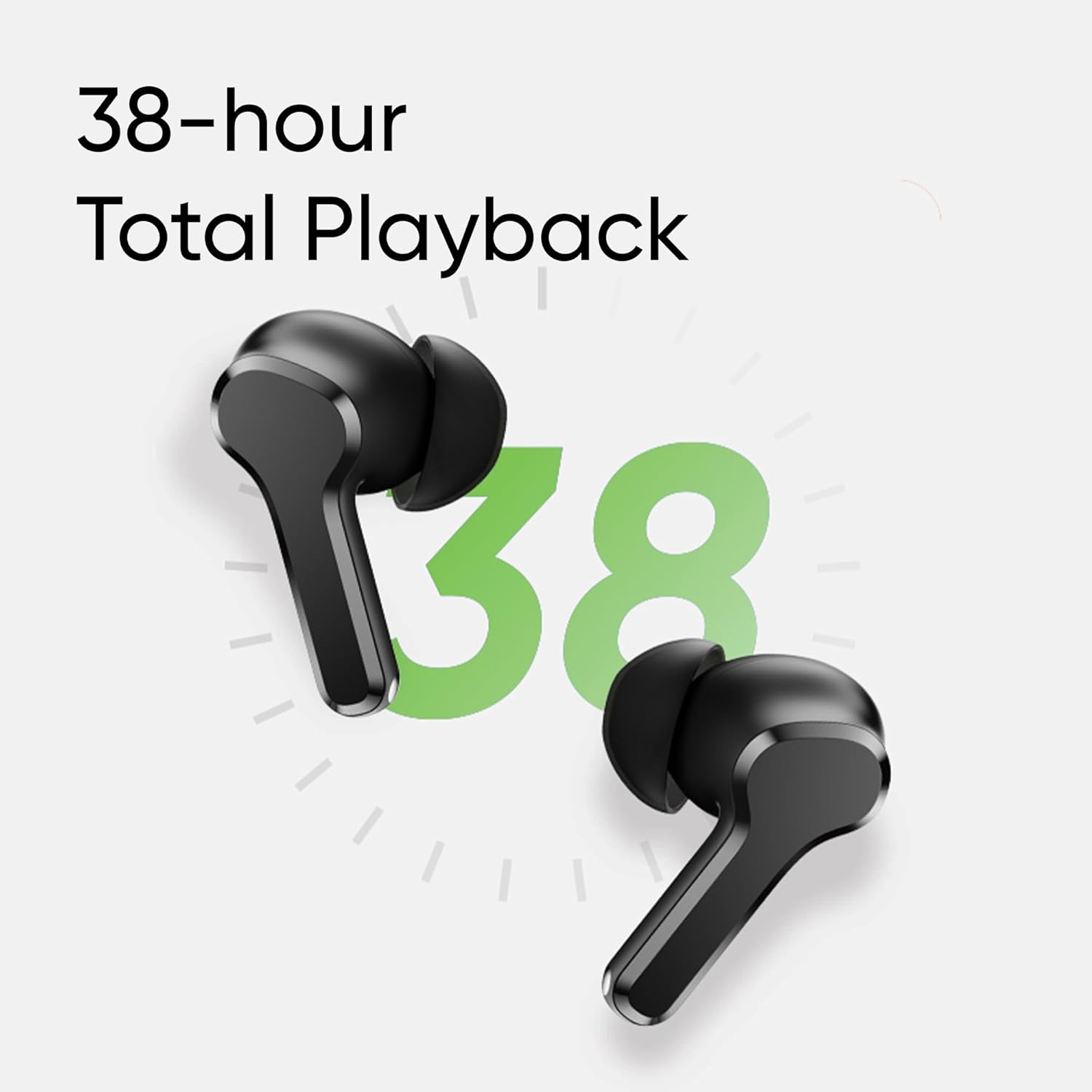
Image: Visual representation of AI ENC technology reducing background noise during calls.
4. 低遅延ゲームモード
Activate the 88ms low latency gaming mode for a synchronized audio-visual experience, reducing audio delay during gaming or video playback. This mode can be toggled by pressing and holding both earbuds simultaneously.
メンテナンス
1. 清掃
- イヤホンと充電ケースは、柔らかく乾いた糸くずの出ない布で定期的に清掃してください。
- イヤーチップを取り外し、中性洗剤と水で洗浄し、完全に乾かしてから再度取り付けます。
- 両方のイヤホンとケースの充電接点にほこりやごみがないことを確認してください。
2. 防水性能(IPX5)
The realme Buds T110 are rated IPX5 for water resistance, meaning they are protected against low-pressure water jets from any direction. This makes them resistant to sweat and light splashes. They are not designed for submersion in water or use during swimming.

Image: Visual representation of the IPX5 water resistance feature, showing water droplets around an earbud.
トラブルシューティング
- 音が出ない/接続に問題があります: Ensure earbuds are charged. Place them back in the case, close the lid, then reopen to re-establish connection. Check your device's Bluetooth settings and ensure 'realme Buds T110' is connected. Try forgetting the device and re-pairing.
- 片方のイヤホンが動作しない: Ensure both earbuds are charged. Place both earbuds in the charging case, close the lid, wait a few seconds, then open it again. If the issue persists, try resetting the earbuds.
- 充電の問題: 充電ケーブルがケースと電源の両方にしっかりと接続されていることを確認してください。イヤホン本体とケース内部の充電端子を清掃してください。別の充電ケーブルまたは電源アダプターをお試しください。
- イヤホンをリセットする: Place both earbuds in the charging case. Press and hold the function button on the case for 10 seconds until the indicator light flashes rapidly. This will reset the earbuds to factory settings and clear all pairing records. You will need to re-pair them with your device.
仕様
| 特徴 | 仕様 |
|---|---|
| ブランド | リアルミー |
| モデル番号 | 部品番号 |
| 耳の位置 | 耳に装着 |
| フォームファクター | 真のワイヤレス |
| インピーダンス | 32オーム |
| Bluetoothバージョン | 5.4 |
| オーディオドライバータイプ | ダイナミックドライバ |
| オーディオドライバーのサイズ | 10ミリメートル |
| バッテリーの平均寿命 | 38時間(総再生時間) |
| バッテリー充電時間 | 10分で120分再生 |
| 耐水性レベル | IPX5 |
| 騒音制御 | 環境ノイズキャンセル(ENC) |
| 低遅延 | 88ミリ秒 |
| 重さ | 42グラム |
| 原産国 | ベトナム |
保証とサポート
保証情報
The realme Buds T110 come with a 1年間のメーカー保証 ご購入日から1年間有効です。保証請求の際は、購入証明書を保管してください。保証は製造上の欠陥を対象としており、誤用、事故、不正な改造、または通常の摩耗や損耗による損傷は対象外となります。
カスタマーサポート
For further assistance, technical support, or warranty claims, please contact realme customer service through their official website or the realme Link app. You can also refer to the official realme support page for FAQs and additional resources.


