
導入
Welcome to your Timex Ironman Triathlon Classic 10 Digital Watch. This manual provides detailed instructions for setting up, operating, and maintaining your watch. Designed for durability and functionality, this watch features a digital display, stopwatch, timer, and is water-resistant up to 100 meters.

フロント view of the Timex Ironman Triathlon Classic 10 44mm Digital Watch, showcasing its digital display and black case.
パッケージ内容
パッケージにすべてのアイテムが揃っていることを確認します。
- Timex Men's Ironman Triathlon Classic 10 44mm Digital Watch
- ユーザーマニュアル(このドキュメント)
- 保証情報
- Watch Box/Case
時計のコンポーネントとボタン
Familiarize yourself with the watch's buttons and their general functions. Specific button labels and functions may vary slightly by model, but common digital watch controls are described below.
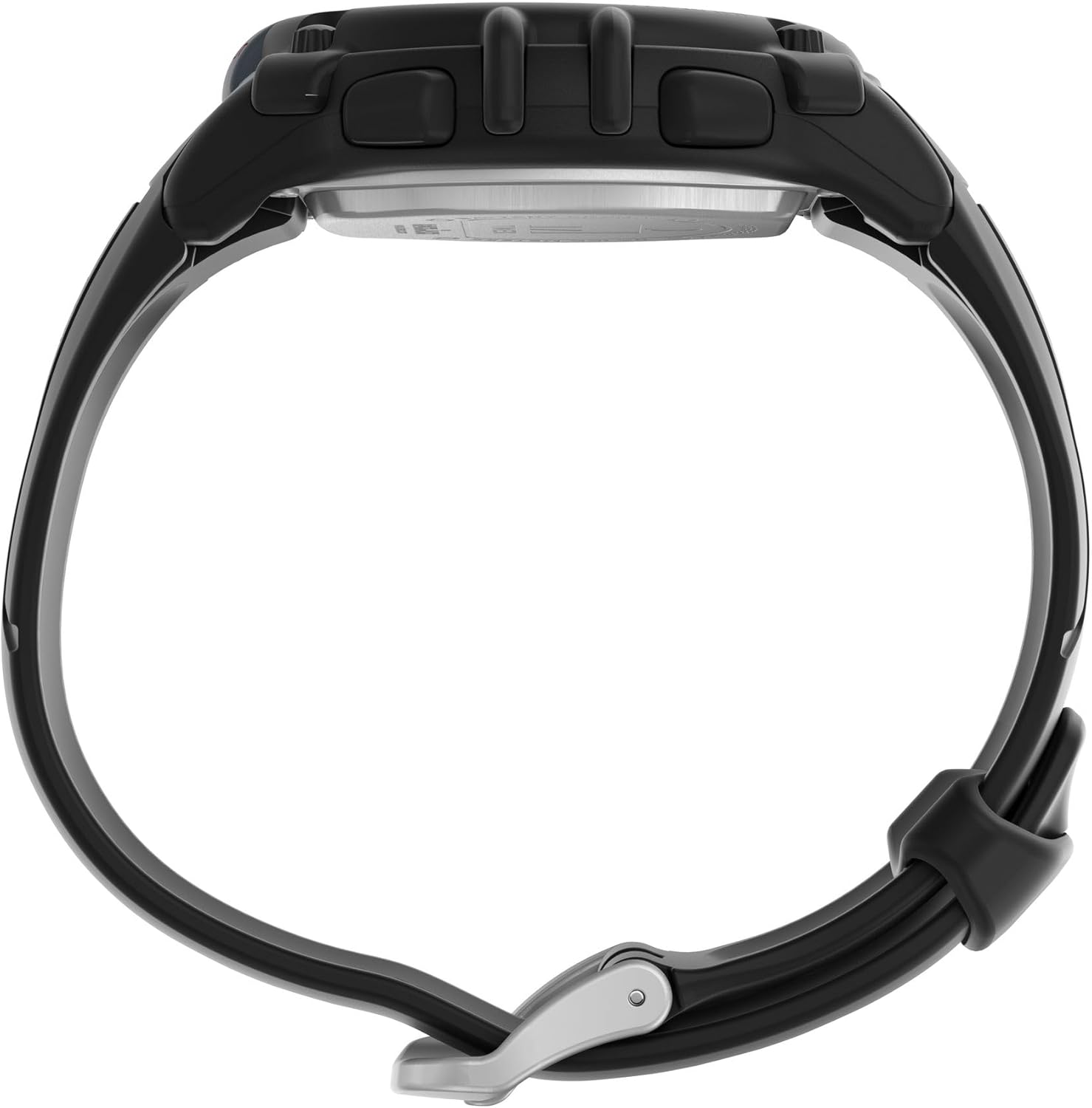
側 view of the watch, illustrating the control buttons on the left and right sides of the case.
- モードボタン: Cycles through different watch modes (Time, Stopwatch, Timer, Alarm).
- 設定/調整ボタン: Used to enter and exit setting modes, or to confirm selections.
- スタート/ストップボタン: Initiates and pauses functions like the stopwatch or timer.
- LAP/RESETボタン: Records lap times in stopwatch mode or resets values.
- ライトボタン: Activates the Indiglo backlight for visibility in low light conditions.

後方 view of the watch, showing the stainless steel backplate and the buckle mechanism of the two-piece strap.
設定
時刻と日付の設定
- 時間モードでは、 設定/調整 ディスプレイが点滅するまでボタンを押します。
- を押す モード button to cycle through hours, minutes, seconds, month, day, and year settings.
- 使用 スタート/ストップ or ラップ/リセット 点滅している値を調整するボタンです。
- すべての設定が正しければ、 設定/調整 もう一度ボタンを押すと設定モードが終了します。
Activating Indiglo Night-Light
を押す ライト button to illuminate the watch face. The Indiglo night-light will remain active for a few seconds.
動作モード
を押す モード 利用可能な機能を循環するボタン:

Close-up of the digital watch face, displaying time and other indicators.
時間モード
This is the default display mode, showing the current time (hours, minutes, seconds) and date (month, day, day of week).
クロノグラフ(ストップウォッチ)モード
- 時間モードから、 モード until 'CHRONO' or 'STOPWATCH' appears.
- プレス スタート/ストップ タイミングを開始します。
- プレス ラップ/リセット to record a lap time without stopping the main timer.
- プレス スタート/ストップ もう一度押すとストップウォッチが一時停止します。
- プレス ラップ/リセット 一時停止中にストップウォッチをゼロにリセットします。
タイマーモード
- 時間モードから、 モード until 'TIMER' appears.
- 押し続ける 設定/調整 希望のカウントダウン時間を設定します。
- 使用 モード 時間、分、秒を選択し、 スタート/ストップ or ラップ/リセット 値を調整します。
- プレス 設定/調整 タイマー設定を確認します。
- プレス スタート/ストップ カウントダウンを開始します。タイマーがゼロになるとアラームが鳴ります。
- プレス スタート/ストップ to pause/resume the timer. Press ラップ/リセット タイマーをリセットします。
メンテナンス
耐水性
Your watch is water-resistant up to 100 meters (330 feet). This means it is suitable for showering, swimming, and snorkeling. Do not press any buttons while the watch is wet or submerged防水シールが損なわれる可能性があります。
バッテリー情報
This watch uses one Lithium Metal battery (CR2025). Battery replacement should ideally be performed by a qualified watch technician to ensure proper sealing and water resistance. Improper battery replacement can damage the watch and void the warranty.
お手入れとクリーニング
時計を柔らかくて清潔な布で拭いてください。amp cloth. Avoid using chemical cleaners, which can damage the watch case or strap. Rinse the watch with fresh water after exposure to salt water or chlorine.
トラブルシューティング
| 問題 | 解決 |
|---|---|
| ディスプレイが空白または暗い。 | 電池残量が少ないか、消耗している可能性があります。電池を交換してください。 |
| ボタンが反応しません。 | Ensure the watch is not in a locked mode (if applicable). If wet, dry the watch thoroughly before pressing buttons. If the issue persists, a reset may be required (refer to advanced settings in a full manual or contact support). |
| 時刻/日付が正しくありません。 | セットアップセクションの「時刻と日付の設定」の指示に従ってください。 |
| 水晶の下の湿気。 | This indicates a compromised water resistance seal. Stop using the watch in water and seek professional service immediately. |
仕様
| 特徴 | 詳細 |
|---|---|
| モデル番号 | TW5M644009J |
| 表示タイプ | デジタル |
| ケース直径 | 44ミリメートル |
| ケース素材 | 樹脂 |
| クリスタル素材 | アクリル |
| バンド素材 | ポリウレタン |
| バンドの長さ | 8インチ |
| バンド幅 | 18ミリメートル |
| 耐水深度 | 100メーター(330フィート) |
| 移動タイプ | 石英 |
| 電池のタイプ | リチウム金属電池(CR2025)1個 |
| 追加機能 | タイマー、ストップウォッチ |
| アイテム重量 | 0.09キログラム(約3オンス) |
| 欧州連合 | 194366379860 |
サイズ情報
Understanding watch case size in relation to your wrist is important for comfort and appearance. The following video provides a visual guide to Timex watch sizing.
Official Timex video demonstrating various watch case sizes on different wrist sizes to help determine the best fit.
保証とサポート
保証情報
Your Timex watch comes with a Limited Warranty. Please refer to the included 'Warranty Information' document in your package for full details regarding coverage, terms, and conditions.
カスタマーサポート
さらなるサポート、技術サポート、またはサービスに関するお問い合わせは、Timexの公式ウェブサイトをご覧ください。 website or contact their customer service department. Contact information can typically be found on the warranty card or the Timex webサイト。