
LIECTROUX YW509
LIECTROUX YW509 ロボット窓掃除機 ユーザーマニュアル
Brand: LIECTROUX | Model: YW509
導入
This manual provides detailed instructions for the safe and efficient operation, maintenance, and troubleshooting of your LIECTROUX YW509 Robot Window Cleaner. Please read this manual thoroughly before using the device and keep it for future reference.
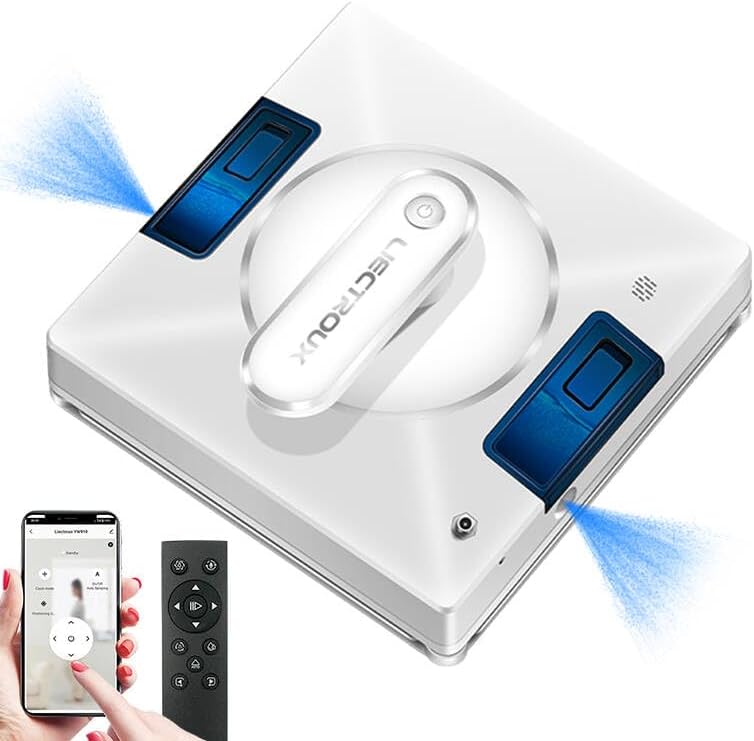
Figure 1: LIECTROUX YW509 Robot Window Cleaner overview.
重要な安全上の注意事項
怪我やデバイスの損傷を防ぐために、常に以下の安全ガイドラインに従ってください。
- Ensure the safety rope is securely fastened before each use, especially when cleaning high-rise windows. The device is equipped with a 4m professional safety rope.
- The robot must be connected to a power source during operation. The built-in UPS battery provides approximately 25 minutes of backup power in case of power failure, preventing the robot from falling.
- ひび割れや損傷のあるガラスの表面ではロボットを使用しないでください。
- 手、髪の毛、ゆったりとした衣服を可動部分に近づけないでください。
- デバイスを水やその他の液体に浸さないでください。
- Supervise children and pets when the robot is in operation.

Figure 2: Safety features including strong suction and safety rope attachment.
セットアップと準備
パッケージ内容
パッケージにすべてのアイテムが揃っていることを確認します。
- LIECTROUX YW509 Robot Window Cleaner
- リモートコントロール
- Power Adapter and Cord (5.2m)
- Safety Rope (4m)
- Microfiber Cleaning Cloths (2 included)
- Water Bottle (for filling tank)
- ユーザーマニュアル
初期設定
- バッテリーを充電する: Although the robot operates while plugged in, ensure the internal UPS battery is charged for emergency power backup. Connect the power adapter to the robot and a power outlet.
- 安全ロープを取り付ける: Securely attach the safety rope to the designated anchor point on the robot and to a sturdy object indoors.
- Install Cleaning Cloths: Attach the microfiber cleaning cloths to the cleaning pads on the bottom of the robot. Ensure they are properly aligned and secured.
- 水タンクに水を入れる: Open the water tank cap and fill with clean water or a suitable window cleaning solution. The robot features built-in large capacity water tanks.
- 電源オン: Connect the power cord to the robot and a power outlet. Press the power button on the robot or remote control to turn it on.
操作手順
Placing the Robot
Place the robot on the glass surface, ensuring it is flat against the surface. The strong suction power (3000PA) will hold it in place.
クリーニングモード
The LIECTROUX YW509 offers three automatic cleaning modes and manual control via remote or app:
- N Path: Cleans in an N-shaped pattern, suitable for tall and narrow windows.
- Z Path: Cleans in a Z-shaped pattern, suitable for wide and short windows.
- N+Z Path: Combines both N and Z patterns for comprehensive cleaning, ideal for large windows.

Figure 3: Available cleaning modes for optimal coverage.
水噴霧機能
The robot features dual nozzles that spray water in two directions, ensuring effective cleaning. This function can be activated automatically or manually via the remote control or app.
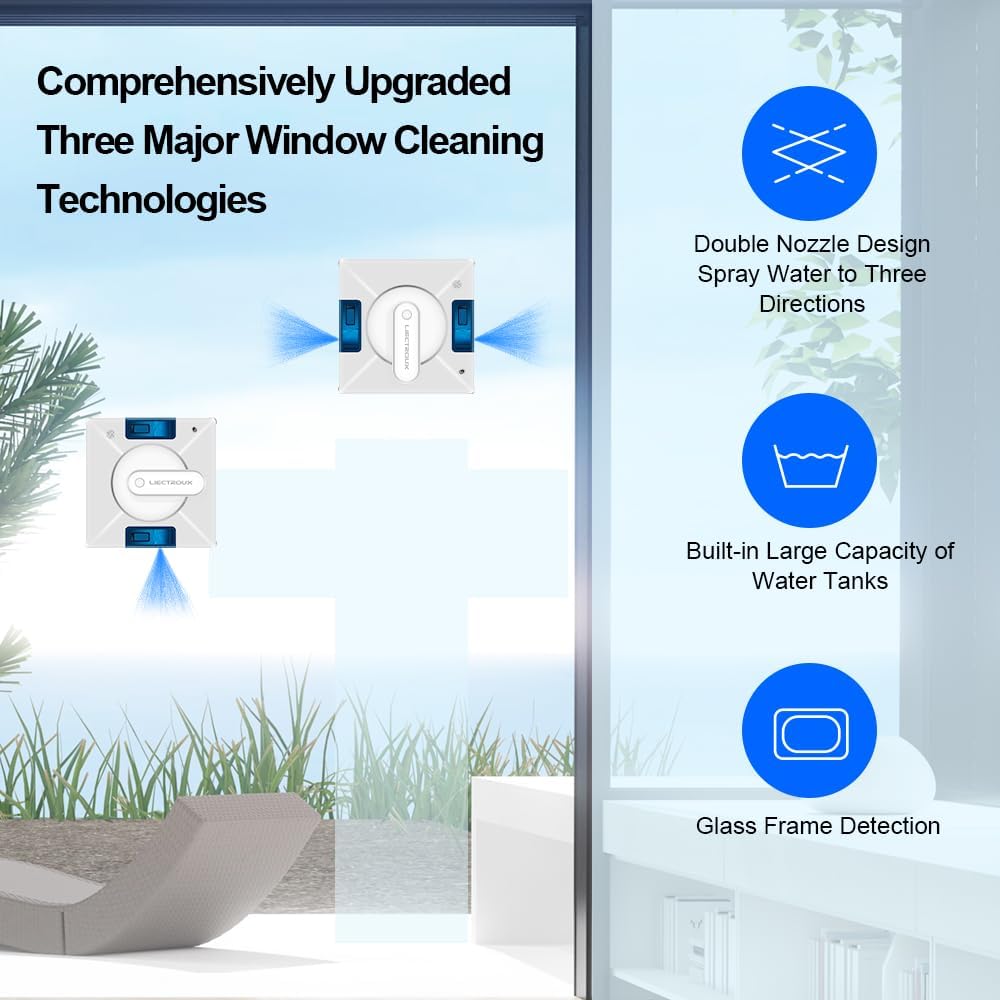
Figure 4: Advanced window cleaning technologies including dual nozzle spray.
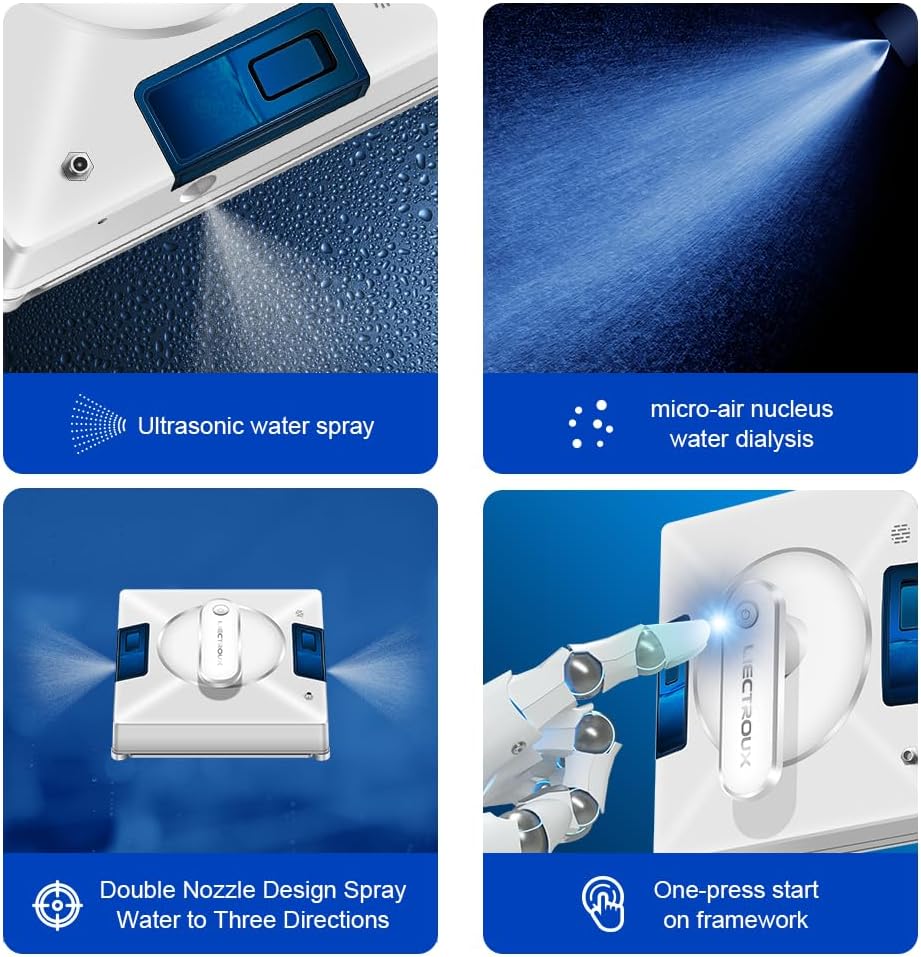
図5:詳細 view of the robot's spraying and operational features.
操作の開始と停止
- 始める: Press the 'Start' button on the remote control or within the smartphone application. The robot will automatically detect window frames and obstacles, adjusting its path.
- 一時停止/停止: Press the 'Pause' or 'Stop' button on the remote control or app to halt operation.
- 手動制御: Use the directional arrows on the remote control or app for manual navigation.
表面の互換性
The LIECTROUX YW509 is designed for various smooth surfaces, including:
- Glass (windows, glass doors, shower screens)
- タイル
- Marble walls
- Wooden/tile surfaces (smooth)
- Linoleum, Vinyl, Concrete (smooth)

Figure 6: Versatile application across different smooth surfaces.
メンテナンス
ロボットの掃除
- マイクロファイバークロス: After each use, remove and wash the microfiber cleaning cloths. They are reusable.
- ロボット本体: ロボットの外装は、柔らかく乾いた布で拭いてください。研磨剤入りの洗剤を使用したり、ロボットを水に浸したりしないでください。
- センサー: Periodically clean the sensors located on the edges of the robot to ensure accurate frame detection and obstacle avoidance.
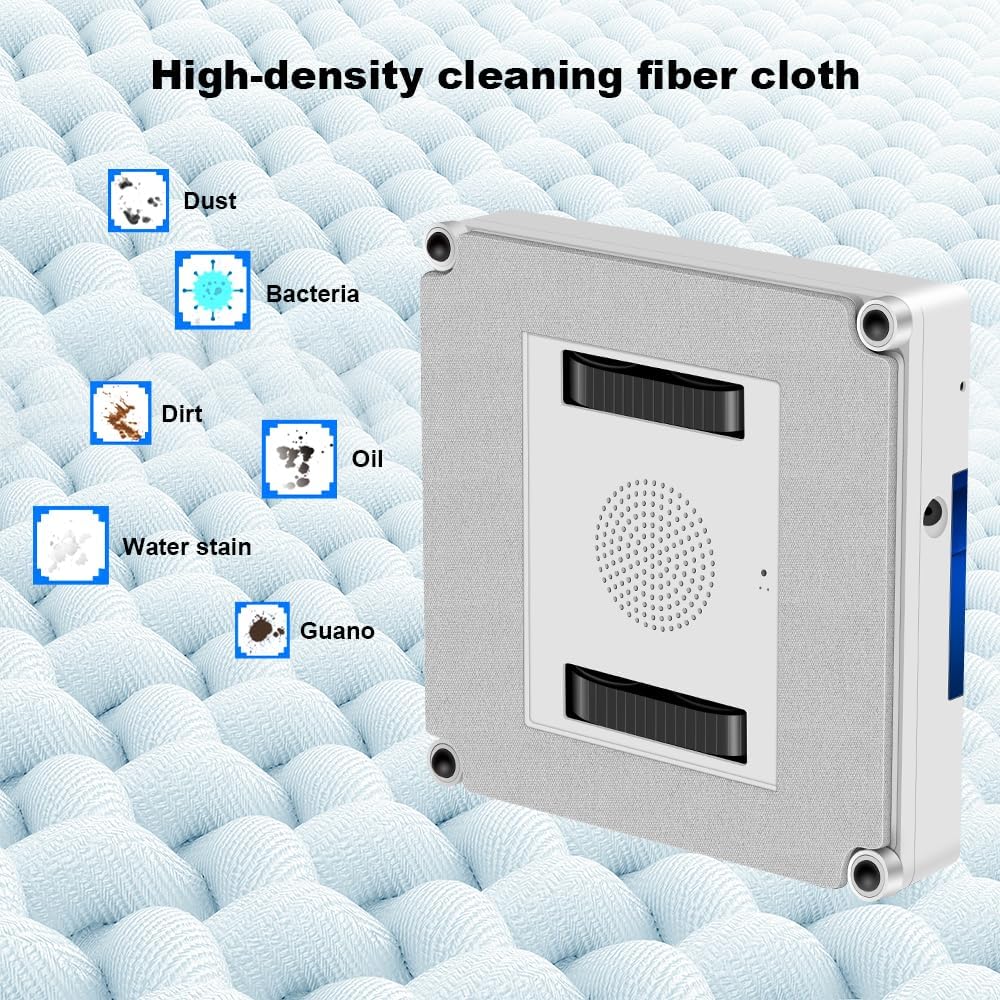
Figure 7: High-density microfiber cleaning cloth for effective dirt removal.
水槽
Empty any remaining water from the tank after use. Refill with fresh water or cleaning solution before each new cleaning session.
トラブルシューティング
| 問題 | 考えられる原因 | 解決 |
|---|---|---|
| Robot not sticking to glass. | 吸引力が不十分、クリーニングパッドが汚れている、表面が平らでない。 | Ensure power cord is securely connected. Clean or replace cleaning pads. Ensure surface is smooth and clean. |
| ロボットが突然停止します。 | Power disconnected; low UPS battery; obstacle detected. | Check power connection. Allow UPS battery to charge. Clear any obstacles. |
| 洗浄性能が悪い。 | Dirty cleaning cloths; empty water tank; incorrect cleaning mode. | Replace or wash cleaning cloths. Refill water tank. Select appropriate cleaning mode for the window size. |
| Robot is noisy. | Normal operation sound; loose parts. | Some noise is normal due to the suction motor. Check for any loose components. |
仕様
| 特徴 | 詳細 |
|---|---|
| ブランド | リエクトゥルー |
| モデル名 | YW509 |
| 色 | 白 |
| 材料 | アブソリュート |
| 製品寸法 | 21.5L×21.5W×6.5Hcm |
| アイテム重量 | 4キログラム |
| 吸引力 | 3000PA |
| 電源 | コード式電気 |
| コントローラータイプ | App Control, Button Control, Remote Control |
| 特集 | Fall Protection (UPS battery, safety rope) |
| 推奨される表面 | Marble, Laminate, Linoleum, Glass, Tile, Wood, Vinyl, Concrete |
保証とサポート
For warranty information and technical support, please refer to the documentation included with your product or contact the seller directly. The product is sold by LIECTROUX ROBOTICS SA.
Return Policy: The buybox winner indicates a return policy with a duration of 30 days for refund/replacement.
For further assistance, you may visit the official LIECTROUX webサイトにアクセスするか、カスタマーサービスにお問い合わせください。
製品ビデオ
このマニュアルに埋め込むために利用可能なデータには、販売者からの公式製品ビデオは提供されていません。
Ask a question about this manual
Ask about setup, troubleshooting, compatibility, parts, safety, or missing instructions. Manuals+ will review the question and use this page’s manual context to help answer it.