
1. はじめに
This manual provides detailed instructions for setting up, operating, and maintaining your YOOSEE KAP X330 Wireless WiFi Repeater Router. Please read this manual carefully before using the device to ensure optimal performance, extended network coverage, and safety. This device is designed to easily expand the range of your existing WLAN network or create a new access point.
2.製品オーバーview
2.1 主な特徴
- Extends the range of your WLAN network easily.
- Provides Internet access for computers located at the edge or outside the range of your main access point.
- Supports both Wireless Repeater Mode and standard Access Point (AP) Mode.
- Utilizes WLAN 802.11N for high-speed wireless access.
- Compatible with 802.11G (54 Mbps) and 802.11B (11 Mbps) standards.
- Operates on the 2.4GHz WLAN frequency.
- Ensures maximum WLAN network security with WPA2, WPA, and WEP (64/128-bit) encryptions.
- Features integrated antennas for compact design.
- Bivolt (110V / 220V) power input for versatile use.
- Supports WPS (Wi-Fi Protected Setup) for easy connection.
2.2 パッケージ内容
- 1x YOOSEE KAP X330 Wireless WiFi Repeater Router
- ユーザーマニュアル x 1
2.3 身体的特徴
The KAP X330 is a compact, white device designed to plug directly into a wall outlet. It features indicator lights on the front panel and an Ethernet port on the side for wired connections.
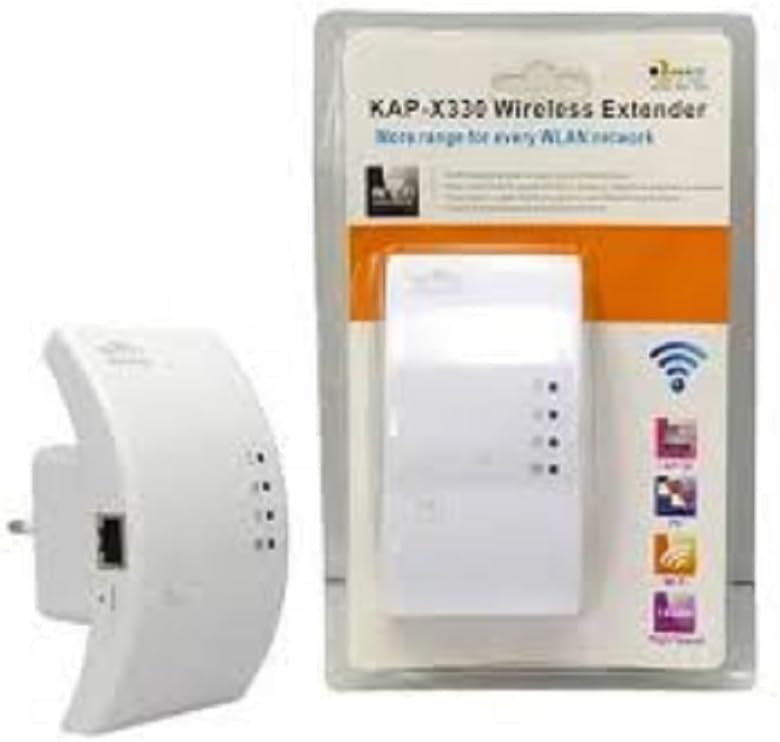
Figure 2.1: YOOSEE KAP X330 Wireless Repeater in its retail packaging and as a standalone unit. The packaging highlights its 'KAP-X330 Wireless Extender' name and 'More range for every WLAN network' slogan. The device itself is white with indicator lights and an Ethernet port visible.
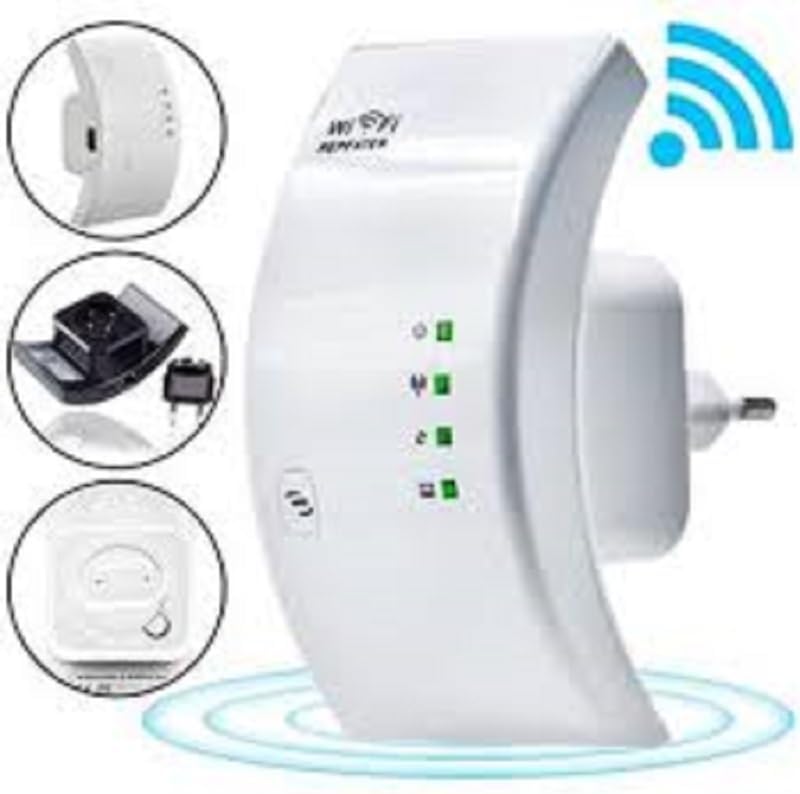
Figure 2.2: A closer look at the YOOSEE KAP X330 Wireless Repeater, emphasizing its design and features. It shows the device plugged into an outlet, with indicator lights illuminated. Insets highlight the side view with an Ethernet port, the power plug, and a reset button, along with a prominent WiFi signal icon.
3.セットアップガイド
3.1電源オン
- Plug the KAP X330 into a standard electrical outlet within the range of your existing WiFi network (for Repeater Mode) or near your wired internet source (for AP Mode).
- Wait for the power indicator light to turn on, indicating the device is ready.
3.2 接続モード
The KAP X330 supports two main operational modes:
- リピーターモード: 既存のワイヤレス ネットワークの範囲を拡張します。
- AP(アクセスポイント)モード: Creates a new wireless network from a wired Ethernet connection.
3.3 Configuration Steps (Repeater Mode)
- リピーターに接続します: On your computer or smartphone, connect to the repeater's default WiFi network (SSID usually starts with 'Wireless-N' or similar, without a password).
- アクセス Web インタフェース: 開く web ブラウザを開き、デフォルトのIPアドレスを入力します(例:
192.168.1.1or192.168.10.1)またはデフォルトのドメイン名(例:repeater.net). Refer to the label on the device or the quick start guide for the exact address. - ログイン: Enter the default username and password (commonly 'admin' for both).
- リピーターモードを選択: On the setup page, select 'Repeater Mode'.
- ネットワークをスキャン: The device will scan for available wireless networks. Select your home WiFi network from the list.
- パスワードを入力してください: Enter the password for your home WiFi network.
- Configure Extended SSID (Optional): You can choose to keep the same SSID as your main network or create a new one (e.g., 'YourNetwork_EXT').
- 設定を保存: Click 'Apply' or 'Save'. The repeater will restart.
- 再接続: After the restart, connect your devices to the extended WiFi network.
3.4 Configuration Steps (AP Mode)
- イーサネットケーブルを接続します: Connect an Ethernet cable from your router or modem to the LAN/WAN port on the KAP X330.
- リピーターに接続します: On your computer or smartphone, connect to the repeater's default WiFi network (SSID usually starts with 'Wireless-N' or similar, without a password).
- アクセス Web インタフェース: 開く web ブラウザを開き、デフォルトのIPアドレスを入力します(例:
192.168.1.1or192.168.10.1)またはデフォルトのドメイン名(例:repeater.net). - ログイン: Enter the default username and password (commonly 'admin' for both).
- AP モードを選択します。 On the setup page, select 'AP Mode'.
- Configure New Network: 新しいワイヤレス ネットワークに新しい SSID (ネットワーク名) と強力なパスワードを設定します。
- 設定を保存: Click 'Apply' or 'Save'. The device will restart.
- 再接続: After the restart, connect your devices to the newly created WiFi network.
3.5 WPS セットアップ(Wi-Fi 保護セットアップ)
WPS allows for a quick and easy connection to your main router without needing to enter the password manually.
- Plug in the KAP X330 and wait for it to power on.
- メインルーターの WPS ボタンを押します。
- Within two minutes, press the WPS button on the KAP X330.
- The devices will automatically connect and configure the repeater. The signal indicator lights on the repeater should show a strong connection.
4. 操作
4.1 表示灯
The KAP X330 features several indicator lights on its front panel to provide status information:
- 電源LED: デバイスの電源がオンになっているかどうかを示します。
- WLAN/WiFi LED: Shows wireless activity and connection status.
- LAN/WAN LED: イーサネット ポート上のアクティビティを示します。
- 信号強度 LED: (If present) Indicate the strength of the signal received from the main router in Repeater Mode. More lights usually mean a stronger signal.
4.2 最適な配置
For best performance in Repeater Mode, place the KAP X330 halfway between your main router and the area where you need extended WiFi coverage. Avoid placing it near large metal objects, concrete walls, or other devices that emit radio frequency interference (e.g., microwaves, cordless phones).
5. メンテナンス
5.1 クリーニング
To clean the device, unplug it from the power outlet. Use a soft, dry cloth to wipe the exterior. Do not use liquid cleaners or aerosol sprays.
5.2ファームウェアアップデート
Periodically check the YOOSEE official webファームウェアのアップデートについては、こちらのサイトをご覧ください。ファームウェアをアップデートすると、パフォーマンスの向上、新機能の追加、バグの修正などが可能になります。ファームウェアアップデートパッケージに付属の指示をよくお読みください。
6。 トラブルシューティング
6.1 セットアップ後にインターネットにアクセスできない
- Ensure the repeater is receiving a strong signal from your main router (check signal strength LEDs).
- Verify that you entered the correct WiFi password for your main network during setup.
- Try restarting both your main router and the KAP X330.
- If in AP Mode, ensure the Ethernet cable is securely connected and your main router is providing internet.
6.2 信号が弱い、または速度が遅い
- Relocate the KAP X330 closer to your main router, ensuring it's still within the desired coverage area.
- 厚い壁や大きな金属物などの物理的な障害物を避けてください。
- 他の電子機器からの干渉がないか確認してください。
6.3 アクセスできない Web インタフェース
- Ensure your device is connected to the repeater's WiFi network (or via Ethernet if in AP mode).
- ブラウザに入力した IP アドレスまたはドメイン名が正しいことを確認します。
- ブラウザのキャッシュをクリアするか、別のブラウザを試してください。
- コンピューター上の VPN またはファイアウォール ソフトウェアを一時的に無効にします。
6.4 工場出荷時設定へのリセット
問題が解決しない場合や、ログイン資格情報を忘れた場合は、工場出荷時設定にリセットできます。
- With the device powered on, use a paperclip or a thin object to press and hold the reset button (usually located in a small pinhole) for about 5-10 seconds.
- Release the button when the indicator lights flash or the device restarts.
- The device will revert to its factory default settings, and you will need to reconfigure it.
7. 仕様
| 特徴 | 仕様 |
|---|---|
| メーカー | ユッシー |
| モデル | KAP-X330 |
| ワイヤレス標準 | 802.11n (compatible with 802.11g/b) |
| 頻度 | 2.4GHz |
| セキュリティプロトコル | WPA2、WPA、WEP(64/128ビット) |
| 特集 | WPS, Standard AP Mode |
| 電源入力 | Bivolt 110V / 220V |
| 寸法(長さ×幅×高さ) | 15 x 12 x 8 cm |
| 重さ | 200グラム |
| 対応デバイス | Laptop, Smartphone, Tablet, Smart TV |
8. 保証とサポート
For warranty information and technical support, please refer to the contact details provided by your retailer or visit the official YOOSEE webサイトでご確認ください。保証請求の際は購入証明として領収書を保管してください。