
メスクール CR1025
Mesqool Alarm Clock CR1025 Instruction Manual
モデル: CR1025
導入
This manual provides detailed instructions for the Mesqool Alarm Clock with Bluetooth Speaker, FM Radio, USB Chargers, Dimmer, Snooze, and Battery Backup (Model CR1025). Please read this manual thoroughly before operating the device to ensure proper use and optimal performance.
The Mesqool CR1025 is a versatile bedside device combining multiple functions:
- Alarm Clock with 2 optional sounds (radio or buzzer) and 9-minute snooze.
- Bluetooth 5.0 Speaker for wireless audio streaming.
- Digital FM Radio (87.5-108MHz) with auto-scan and 20 station presets.
- Adjustable Night Light.
- Dual USB Charging Station (Type-C & USB-A, 5V/1A each).
- Large LED display with 5-level dimmer and 12/24H time format.
- Battery backup for settings retention during power outages。

Image: The Mesqool Alarm Clock highlighting its five main features: Alarm Clock, Bluetooth V5.0, FM Radio, Night Light, and 2 USB Chargers.
設定
電源接続とバッテリーバックアップ
The Mesqool CR1025 operates on AC power. Connect the provided power adapter to the DC IN port on the back of the unit and plug it into a standard wall outlet. The device also includes a battery backup feature (1 AAA battery included) to retain time and alarm settings during a power interruption. The battery does not power the display or alarm functions during an outage.

Image: The alarm clock connected to power, demonstrating its compact design suitable for a bedside table.
初期時間設定
- を押す 時間12/24 ボタンを押します。時間の数字が点滅し始めます。
- Rotate the right knob (Scan) to adjust the hour.
- を押す 時間12/24 もう一度ボタンを押します。分の数字が点滅します。
- Rotate the right knob (Scan) to adjust the minute.
- を押す 時間12/24 もう一度ボタンを押して時間設定を確定します。
Video: Demonstrates how to set the time on the Mesqool Alarm Clock by pressing the Time button and rotating the knob to adjust hours and minutes.
12/24時間形式
12時間形式と24時間形式を切り替えるには、 時間12/24 button for 2 seconds. The display will change between AM/PM indicators for 12-hour format and no indicator for 24-hour format.
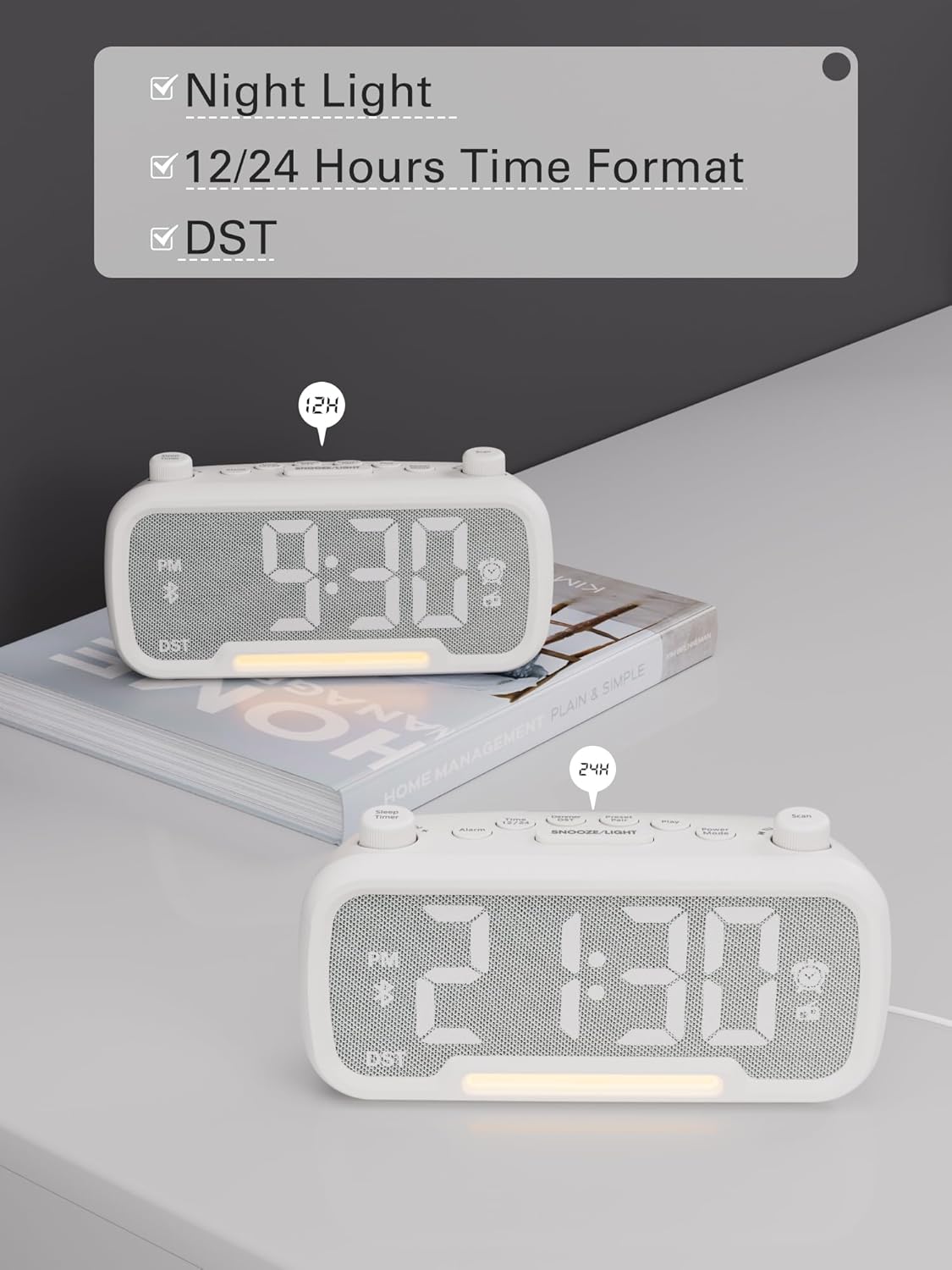
Image: The alarm clock displaying time in both 12-hour (with PM indicator) and 24-hour formats, also showing the DST indicator.
Daylight Saving Time (DST) Mode
夏時間(DST)を有効または無効にするには、 調光器 DST button. The time will adjust by one hour forward or backward, and the "DST" indicator will appear or disappear on the display.
Video: Demonstrates how to activate or deactivate DST mode by pressing the DST button, showing the time adjustment.
操作手順
アラーム設定
- を押し続けます アラーム ボタンを2秒間押し続けます。時間の数字が点滅します。
- Rotate the left knob (Sleep Timer) to adjust the hour.
- を押す アラーム もう一度ボタンを押します。分の数字が点滅します。
- Rotate the left knob (Sleep Timer) to adjust the minute.
- を押す アラーム button again to select the alarm sound: bell or last radio channel.
- Rotate the left knob (Sleep Timer) to adjust the alarm volume (L01-L16).
- を押す アラーム button once more to complete the alarm setting.
Video: Illustrates the steps to set the alarm time, choose the alarm sound (bell or radio), and adjust the alarm volume.
アラームのキャンセル
アラームをキャンセルするには、 アラーム button. The alarm icon on the display will turn off, indicating that the alarm has been canceled.
スヌーズ機能
アラームが鳴ったら、を押します スヌーズ/ライト スヌーズ機能を有効にするにはボタンを押してください。アラームは9分間一時停止し、その後再び鳴ります。

Image: The alarm clock with the SNOOZE/LIGHT button clearly marked, explaining its 9-minute snooze function.
Bluetoothスピーカーの操作
- を押す パワーモード button repeatedly until "bt" appears on the display. The Bluetooth icon will start flashing, indicating it's ready for pairing.
- On your mobile device, search for Bluetooth devices and select "CR1025" to connect.
- Once connected, the Bluetooth icon will stop flashing. You can now stream audio from your device.
Video: Shows how to enter Bluetooth mode and pair the alarm clock with a mobile device, indicated by the flashing and solid Bluetooth icon.

Image: The alarm clock wirelessly connected to a smartphone, demonstrating its Bluetooth 5.0 audio streaming capability.
FMラジオの操作
- を押す パワーモード button repeatedly until the radio icon lights up and a frequency is displayed.
- 自動スキャン: を押す スキャン button to automatically search for and store up to 20 FM stations (P01-P20).
- 手動検索: Rotate the right knob (Scan) to browse frequencies manually.
- ステーションの保存: While listening to a desired station, press and hold the プリセットペア button for 2 seconds. Use the right knob (Scan) to select a preset number (P01-P20), then press プリセットペア もう一度保存します。
- プリセットの呼び出し: 短く押すと プリセットペア 保存したステーション間を循環するボタン。
- 音量を調整: Rotate the left knob (Sleep Timer) to control the volume (16 levels).
Video: Demonstrates how to operate the FM radio, including auto-scanning, manual tuning, saving presets, and adjusting volume.

Image: The alarm clock showing an FM radio frequency, illustrating its use as a radio.
スリープタイマー設定
When using the FM radio or Bluetooth speaker functions, you can set a sleep timer to control playback duration before the device automatically turns off.
- を押す スリープタイマー button on the top left.
- Rotate the left knob (Sleep Timer) to select the desired duration: 15, 30, 60, 90, or 120 minutes. You can also select "OFF" to disable the sleep timer.
Video: Demonstrates how to set the sleep timer for the FM radio or Bluetooth speaker, showing available duration options.
ディスプレイ調光器
The LED display has 5 levels of brightness. To adjust the brightness, press the 調光器 DST button repeatedly to cycle through the levels (L01-L05).
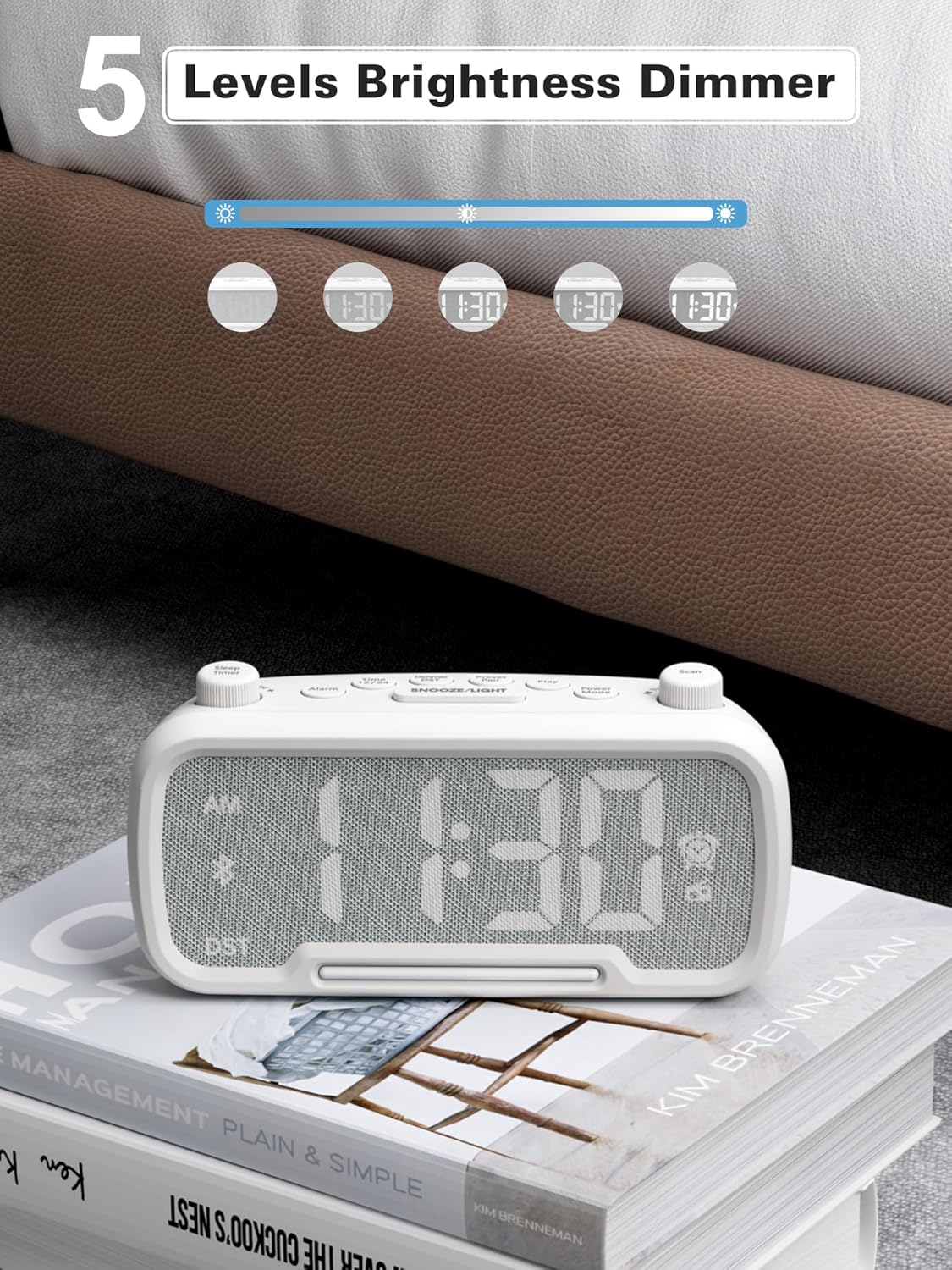
Image: The alarm clock illustrating the five different brightness levels for its LED display.
ナイトライト
The alarm clock features a gentle fixed night light. To turn the night light on or off, press the スヌーズ/ライト button. This light creates a sleep-friendly environment.

Image: The alarm clock's warm night light glowing, positioned next to a teddy bear, suggesting its use in a child's room.
USB充電ポート
The device includes two USB charging ports: one Type-C and one USB-A. Both ports provide 5V/1A output, allowing you to conveniently charge your smartphone, tablet, or other USB-powered devices simultaneously.

Image: The alarm clock with a smartphone connected to its Type-C port and a smartwatch to its USB-A port, demonstrating simultaneous charging.
メンテナンス
- クリーニング: 目覚まし時計の表面を拭く際は、柔らかく乾いた布をご使用ください。液体洗剤や研磨剤は使用しないでください。
- ストレージ: デバイスを長期間保管する場合は、電源を切り、バックアップバッテリーを取り外してください。涼しく乾燥した場所に保管してください。
- 湿気を避ける: Keep the device away from water, high humidity, and direct sunlight to prevent damage.
トラブルシューティング
| 問題 | 考えられる原因 | 解決 |
|---|---|---|
| ディスプレイが表示されない/デバイスの電源が入らない | 電源アダプターが接続されていないか、コンセントに障害があります。 | Ensure the power adapter is securely plugged into the device and a working wall outlet. Test the outlet with another device. |
| アラームが鳴らない | Alarm not set, alarm volume too low, or alarm canceled. | Verify alarm time is set correctly, alarm icon is visible, and volume is adequate. Ensure the alarm was not accidentally canceled. |
| Bluetoothが接続されない | デバイスがペアリング モードになっていないか、範囲外にあるか、すでに別のデバイスに接続されています。 | Ensure the clock is in Bluetooth pairing mode ("bt" flashing). Move your mobile device closer. Disconnect from other Bluetooth devices. |
| FM ラジオの受信状態が悪い | 信号が弱い、アンテナが伸びていない。 | Fully extend the FM antenna. Try repositioning the clock for better reception. Perform an auto-scan again. |
| USB充電が機能しない | Cable issue, device not compatible, or device already fully charged. | Check the USB cable for damage. Ensure your device is compatible with 5V/1A charging. Verify the device requires charging. |
仕様
- ブランド: メスクール
- モデル番号: CR1025
- 色: 白
- 表示タイプ: 導かれた
- 電源: Corded Electric (AC power)
- バッテリーバックアップ: 単1電池XNUMX本(付属)
- 製品寸法: 3.31"W x 2.32"H (Note: Length is 6.61" from feature bullets)
- 商品の重量: 7.7オンス
- 材料: Fabric, Acrylonitrile Butadiene Styrene
- FMラジオ周波数: 87.5-108MHz
- USB出力: Type-CとUSB-A、それぞれ5V/1A
- アラーム音: Bell, FM Radio
- ディスプレイの明るさ: 5レベル
- 時間形式: 12時間/24時間
- 特別な機能: Bluetooth 5.0, Night Light, DST adjustment, Snooze
保証とサポート
For warranty information or technical support, please refer to the contact details provided with your purchase or visit the official Mesqool webサイト。 保証請求に備えて購入時のレシートを保管しておいてください。
Ask a question about this manual
Ask about setup, troubleshooting, compatibility, parts, safety, or missing instructions. Manuals+ will review the question and use this page’s manual context to help answer it.