
ムーアー GE150
MOOER GE150 Multi Effects Pedal and AIR P05 Wireless System User Manual
Model: GE150 | Brand: MOOER
導入
The MOOER GE150 is a portable multi-effects pedal designed for electric, acoustic, and bass guitars, offering a wide range of tones and features. It integrates 151 effects, 55 amplifier models, a looper, drum machine, and an expression pedal. This manual also covers the included AIR P05 2.4 GHz wireless system, providing high-quality, low-latency audio transmission for enhanced performance flexibility.
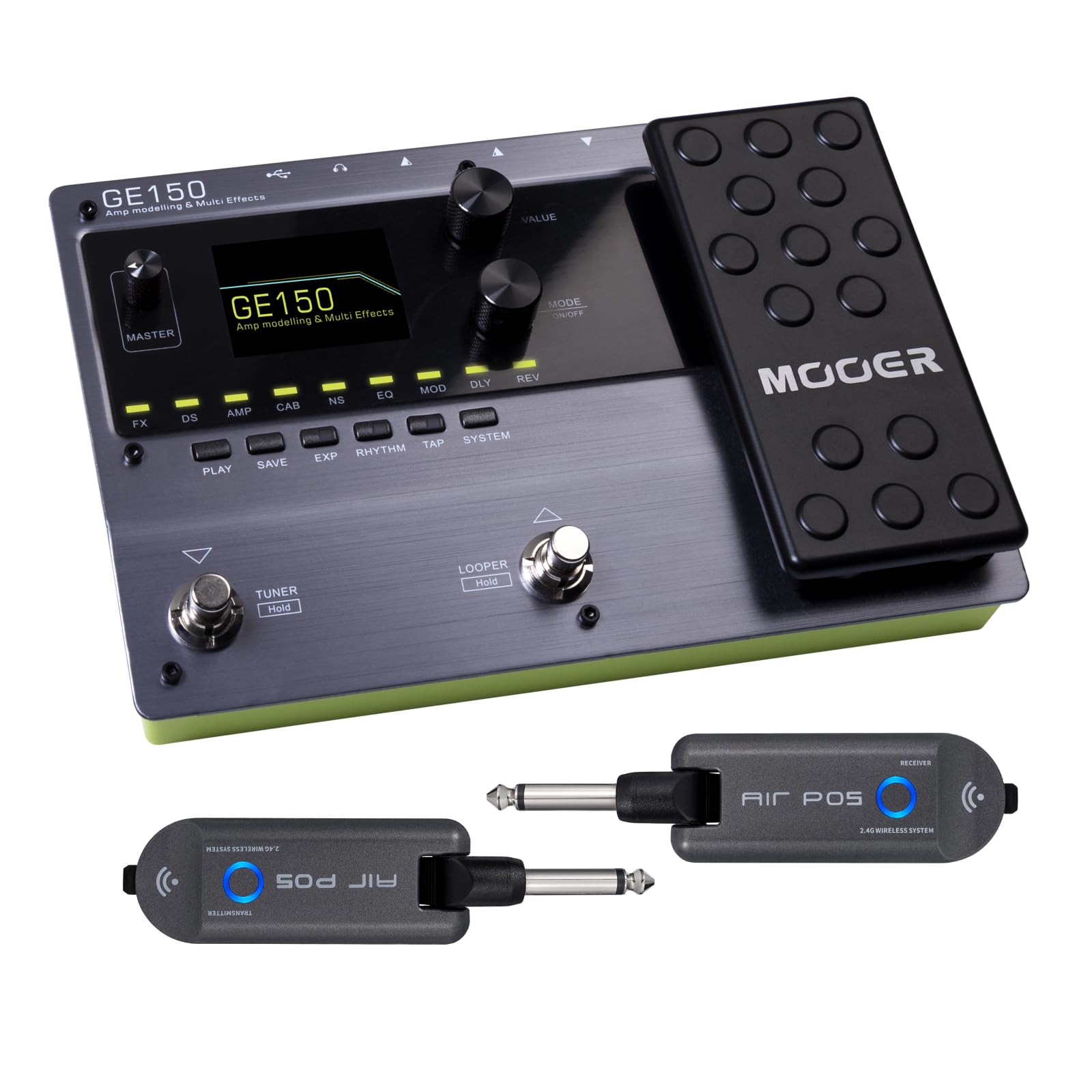
フロント view of the MOOER GE150 Multi Effects Pedal, showing the display, control knobs, footswitches, and expression pedal.
設定
GE150 Pedal Connection
- 電源接続: Connect the included DC 9V 300mA power adapter to the GE150's power input.
- 機器入力: Connect your guitar to the GE150's 1/4" mono input jack.
- オーディオ出力: Connect the GE150's 1/4" mono output jacks (L/R) to your ampライファイア、ミキサー、またはオーディオインターフェイス。
- ヘッドフォン: 静かに練習する場合は、1/8 インチ ステレオ ヘッドフォン ジャックにヘッドフォンを接続します。
- AUX入力: Use the 1/8" stereo AUX IN to connect external audio sources like an MP3 player for jamming.
- USB接続: Connect the GE150 to a computer via the USB port for firmware updates, software editing, or USB audio recording.

The GE150 connected in a home studio setup, demonstrating connections to a laptop and headphones.

側 view of the GE150 showing input, output, and power connections.
AIR P05 Wireless System Setup
- 充電: Ensure both the transmitter and receiver units are fully charged using the included USB cable. The built-in 400mAh rechargeable battery provides up to 8 hours of operation.
- 送信機を接続: Plug the AIR P05 transmitter into your guitar's output jack.
- 受信機を接続する: Plug the AIR P05 receiver into the GE150's input jack or directly into your amplifier。
- ペアリング: The units should automatically pair. If not, press the pairing button on both units to establish a connection.
- チャンネルを選択: The AIR P05 offers 4 selectable channels. Press the channel button to cycle through available channels and find the optimal one for interference-free performance.
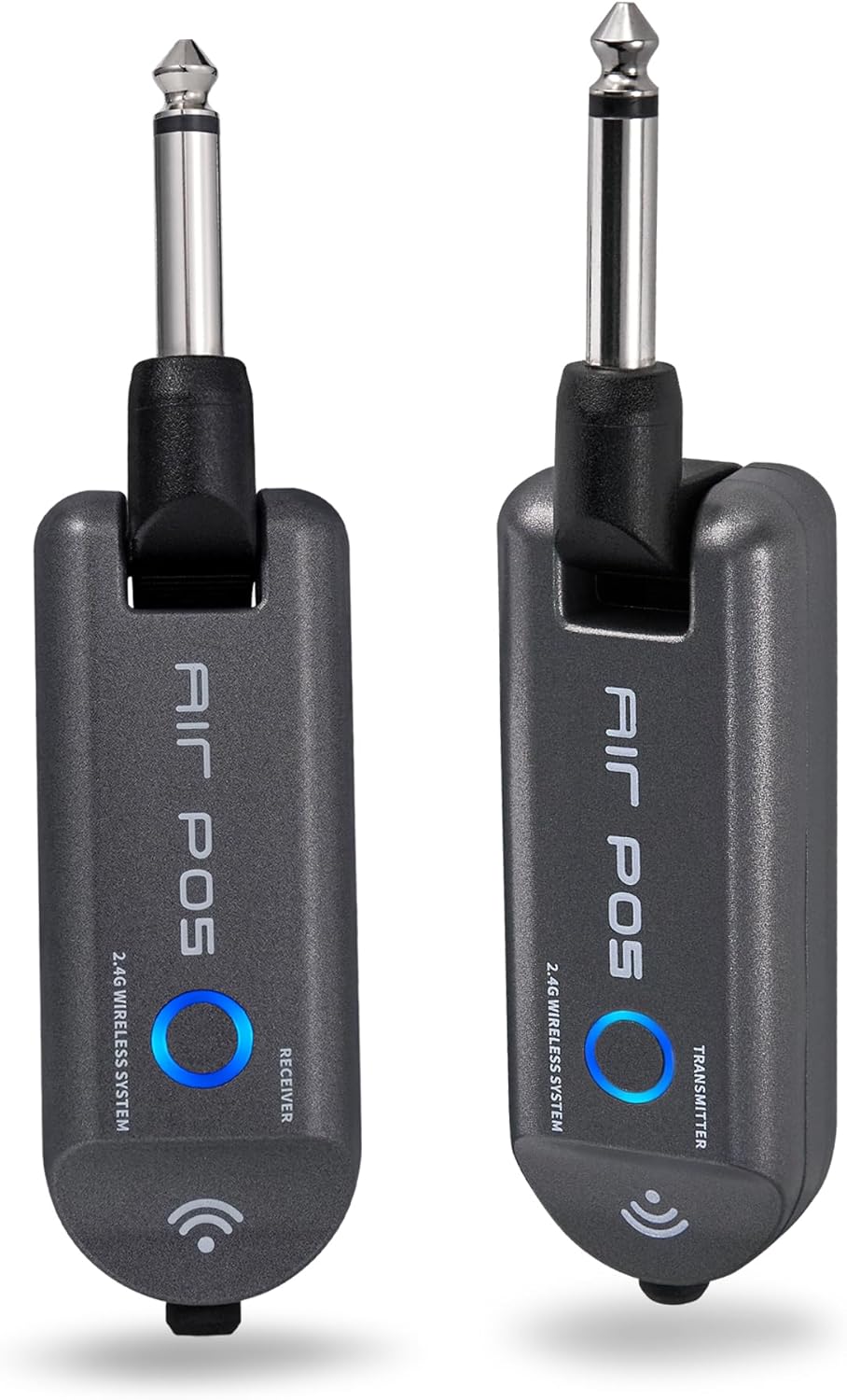
The MOOER AIR P05 wireless system, showing the transmitter and receiver units.

The AIR P05 wireless system highlighting its 4 selectable channels for optimal signal.

Diagram illustrating the wireless connection from guitar to pedal and amplifier using the AIR P05 system.
操作手順
GE150 Multi-Effects Pedal
- 電源オン/オフ: 電源ボタンを長押しして、ユニットの電源をオンまたはオフにします。
- ナビゲーション: Use the main display and control knobs to navigate through menus and adjust parameters.
- 効果: The GE150 features 151 different effects. Use the dedicated FX, DS, AMP, CAB, NS, EQ, MOD, DLY, REV buttons to access and edit effect blocks.
- AMP モデル: Access 55 high-quality AMP models utilizing MNRS technology. These models simulate the dynamics and feel of real tube amplifiers。
- IR Files: The pedal supports 26 user slots for loading third-party Impulse Response (IR) files, allowing for custom cabinet simulations.
- エクスプレッションペダル: Utilize the built-in expression pedal to control various effects parameters or volume levels in real-time.
- ルーパー: The 80-second looper allows for recording and overdubbing phrases. Activate it using the dedicated footswitch.
- Drum Rhythms & Metronome: Access 40 types of drum rhythms and 10 metronome settings for practice or songwriting.
- チューナー: Engage the built-in tuner by holding the designated footswitch.
- プリセットの保存: After adjusting effects and settings, save your custom tones to user presets for quick recall.

The GE150 display showing a selected preset and the active effect modules.
AIR P05 Wireless System
- 自動スリープモード: The AIR P05 features an automatic sleep mode to conserve battery life when not in use. It will reactivate upon detecting signal.
- 2.4GHz ISM Technology: The system uses 2.4GHz ISM worldwide technology for low-distortion and low-signal-loss audio transmission.
- 互換性: The wireless system is suitable for electric guitar, bass guitar, acoustic guitar, and other instruments with a 1/4" output.

The AIR P05 wireless system demonstrating its plug-and-play functionality with various instruments and a multi-effects pedal.
メンテナンス
- クリーニング: Use a soft, dry cloth to clean the pedal and wireless units. Avoid abrasive cleaners or solvents.
- ストレージ: デバイスは直射日光や極端な温度を避け、涼しく乾燥した場所に保管してください。
- Battery Care (AIR P05): For optimal battery life, avoid fully discharging the AIR P05 units frequently. Recharge regularly.
- ファームウェアの更新: 定期的にMOOER公式をチェックしてください website for firmware updates to ensure optimal performance and access new features.
トラブルシューティング
- サウンド出力なし:
-
- すべてのケーブル接続(機器、出力、電源)を確認します。
- Ensure the GE150 is powered on and not in bypass mode.
- Verify volume levels on the GE150, your amplifier, and instrument.
- For the AIR P05, ensure both transmitter and receiver are charged, paired, and on the same channel.
- Wireless Signal Interference:
-
- Change the channel on the AIR P05 wireless system to avoid interference from other 2.4GHz devices.
- Ensure there are no large metal objects or other wireless transmitters directly between the AIR P05 units.
- ペダルが反応しない:
-
- 電源を外して再度接続します。
- Perform a factory reset if necessary (refer to the full manual for specific instructions).
仕様
| ブランド | ムーア |
| モデル名 | GE150 |
| オーディオ出力エフェクト | Distortion, Delay, Chorus, Reverb, Modulation, Preamp, Pitch-Shifting, Overdrive, Flanger, Multi-Effect |
| コントロールタイプ | Footswitch, Expression Pedal |
| 電源 | Battery Powered (AIR P05), DC 9V 300mA (GE150) |
| ハードウェアインターフェイス | HP-HSC, USB |
| 信号フォーマット | アナログ |
| コネクタタイプ | USB, 1/4" Mono Jack, 1/8" Stereo Jack |
| 含まれるコンポーネント | AIR P05 Wireless System |
| Sampリンレート | 44.1 kHz |
| Sampling精度 | 24ビット |
| ダイナミックレンジ | 98デシベル |
| IRフォーマット | WAVAファイル |
| IR Sampリンレート | 44.1K |
| IR Sampling精度 | 24ビット |
| IR Sampリングポイント | 512 |
| 寸法 | 230×155.99×32.8ミリ |
| 重さ | 1kg |

Detailed specifications for the MOOER GE150 and AIR P05 wireless system.
保証情報
MOOER products typically come with a manufacturer's warranty. Please refer to the warranty card included with your product or visit the official MOOER web地域と購入日に応じた詳細な保証条件については、ウェブサイトをご覧ください。保証請求の際は、購入証明書を保管してください。
サポート
さらに詳しいサポート、技術サポート、または最新のファームウェアとソフトウェアのダウンロードについては、MOOERの公式ウェブサイトをご覧ください。 webサイト:
You may also contact MOOER customer service through the contact information provided on their webサイト。
Ask a question about this manual
Ask about setup, troubleshooting, compatibility, parts, safety, or missing instructions. Manuals+ will review the question and use this page’s manual context to help answer it.